Unity Pipeline 패키지
로컬 HTTP API를 통해 Unity 에디터를 제어하여 빌드와 테스트, 개발 워크플로를 자동화합니다.
읽는 시간 1분최근 업데이트: 19일 전
Unity Pipeline 패키지를 사용하여 로컬 HTTP API를 통해 Unity 에디터를 원격으로 제어합니다. Unity 에디터를 CI/CD 파이프라인과 연동하고, 테스트와 개발 워크플로를 자동화하며, Unity CLI에서 커스텀 커맨드를 실행할 때 이를 활용합니다.
선행 조건
시작하기 전에, 다음 필수 조건을 충족해야 합니다.
Unity Pipeline 패키지 설치
Unity Pipeline 패키지를 설치하려면 다음 단계를 따릅니다.
- Unity CLI를 설치한 후 터미널을 닫았다가 다시 엽니다.
- Unity 에디터에서 프로젝트를 엽니다.
- Terminal 창(macOS)이나 Powershell(Windows)을 엽니다.
- 을 실행하여 로그인합니다.
unity auth login - 을 실행하여 Unity Pipeline 패키지와 종속 관계에 있는 패키지를 설치합니다. 기본적으로 커맨드 타깃은 현재 디렉토리나 실행 중인 에디터 인스턴스입니다.
unity pipeline install - Unity 에디터로 돌아가 Unity Pipeline 패키지가 새로 적용된 후 프로젝트가 컴파일될 때까지 기다립니다.
- 터미널에서 를 실행하여 설치를 확인합니다.
unity pipeline list
Pipeline: Installed가 다음 스크린샷처럼 표시되는지 확인합니다.
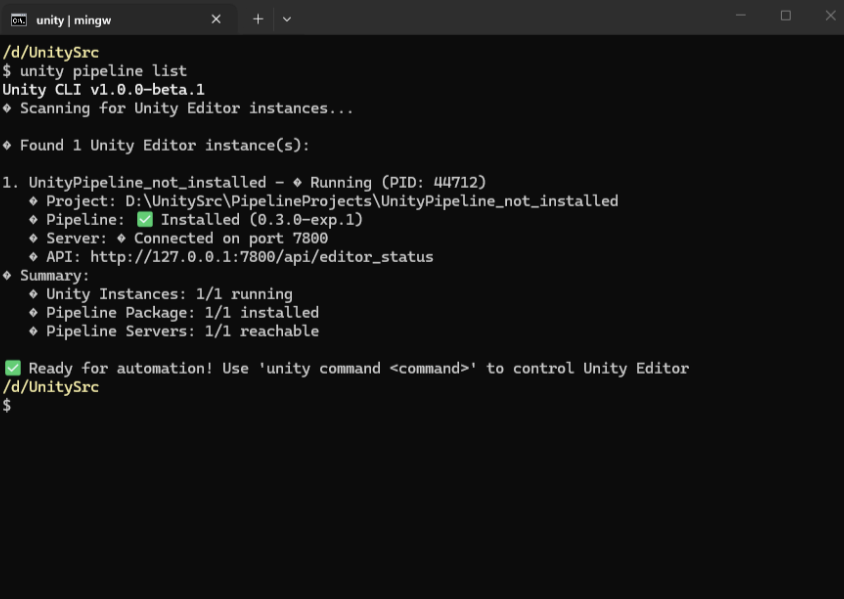
Unity Pipeline package is successfully installed
실행 중인 Unity 에디터에 연결
Unity Pipeline 패키지를 설치한 후, 실행 중인 Unity 에디터에 연결하여 사용 가능한 커맨드를 확인합니다.
- 현재 디렉토리에서 Unity 프로젝트를 자동으로 확인하려면 를 실행합니다.
unity command - 둘 이상의 Unity 에디터 인스턴스가 열려 있는 경우 를 실행하여 특정 Unity 프로젝트에 연결합니다.
unity command --project-path=<path-to-your-project>
이제 사용 가능한 커맨드를 확인할 수 있습니다.
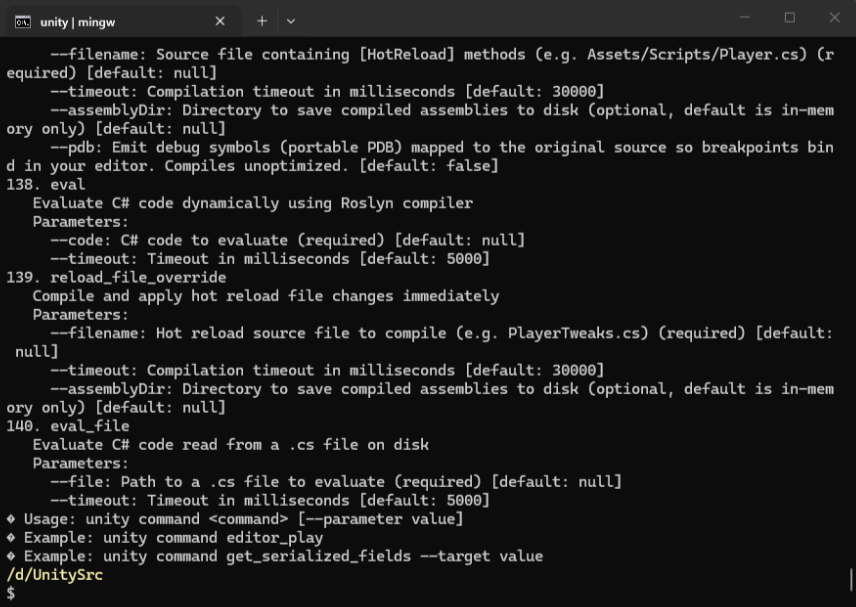
Pipeline command list