Voice option dialog
Recommended customizable voice options to provide to users.
Read time 1 minuteLast updated 8 months ago
Users generally need some control over their voice experience.
The following image displays an example of a customizable voice option menu.
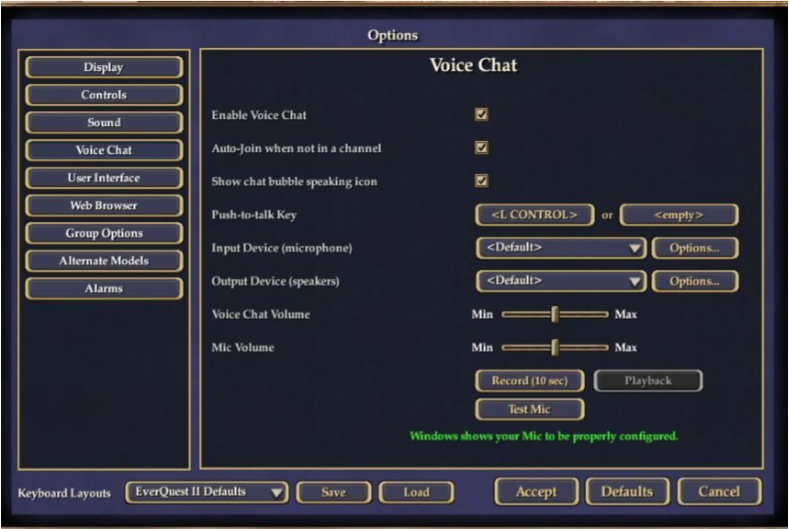
The following list details recommended customizable options:
-
Audio device selection
-
Capture device and render device level adjustment
-
Access to an echo channel to test voice settings
-
Voice activation methods:
- Push-to-talk (PTT): The user must push and hold a button to be heard.
- Push-to-toggle: The user presses a button once to keep their microphone active, and presses the button again to deactivate the microphone.
- Active microphone: The microphone is always on and is voice activated.