Introduction to post-processing
Understand Unity's systems for post-processing and full-screen effects.
Read time 2 minutesLast updated a month ago
Unity provides a number of post-processing effects and full-screen effects that can greatly improve the appearance of your application with little set-up time. You can use these effects to simulate physical camera and film properties, or to create stylised visuals.
This page contains the following information:
The images below demonstrate a Scene with and without post-processing.
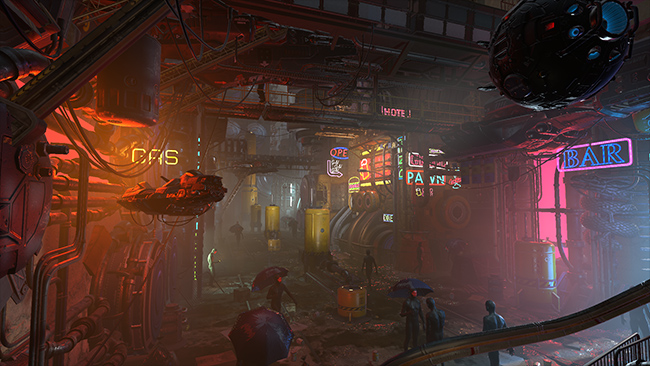
Scene with no post-processing

Scene with post-processing
Render pipeline compatibility
Which post-processing effects are available and how you apply them depend on which render pipeline you are using. A post-processing solution from one render pipeline is not compatible with other render pipelines.
This table contains information about which of Unity's post-processing solutions are compatible with each of Unity's render pipelines.
Render pipeline | Post-processing support |
|---|---|
| Universal Render Pipeline (URP) | URP includes its own post-processing solution, which Unity installs when you create a Project using a URP Template. For information on using post-processing effects in URP, see the URP post-processing documentation. |
| High Definition Render Pipeline (HDRP) | HDRP includes its own post-processing solution, which Unity installs when you create a Project using an HDRP Template. For information on using post-processing effects in HDRP, see the HDRP post-processing documentation. |
| Built-in Render Pipeline | The Built-in Render Pipeline does not include a post-processing solution by default. To use post-processing effects with the Built-in Render Pipeline, download the Post-Processing Version 2 package. For information on using post-processing effects in the Built-in Render Pipeline, see the Post-Processing Version 2 documentation. |
Effect availability and location
For information on the specific post-processing effects each render pipeline supports, refer to Post-processing effect availability reference.