プロジェクト設定
Configure Vivox project settings in your Unity game.
読み終わるまでの所要時間 2 分最終更新 9ヶ月前
OS に応じて、以下の設定が有効になっていることを確認してください。これにより、VivoxUnity がバックグラウンドで適切に実行されます。
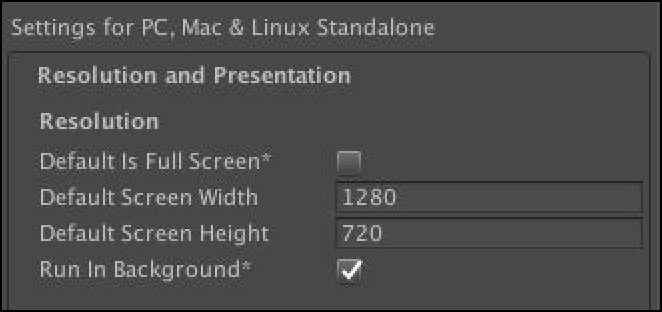
Windows と macOS では、Edit > Project Settings (編集 > プロジェクト設定) を選択し、Run In Background (バックグラウンドで実行) チェックボックスをオンにします。
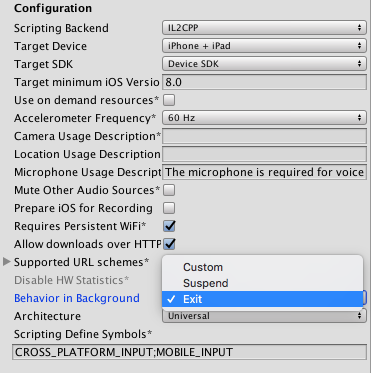
iOS では、Player Settings > Other Settings > Configuration (プレイヤー設定 > その他の設定 > 設定) を選択し、Behavior in Background (バックグラウンドの動作) メニューの Exit (終了) を選択します。