11.x release notes for 2023
Review the 2023 release notes for version 11 of Unity Version Control.
Read time 95 minutesLast updated 7 days ago
This page contains the Unity Version Control 11.x releases published in 2023, organized from newest to oldest. For other years, refer to 11.x release notes.
11.0.16.8336
New
All platforms - Desktop GUI
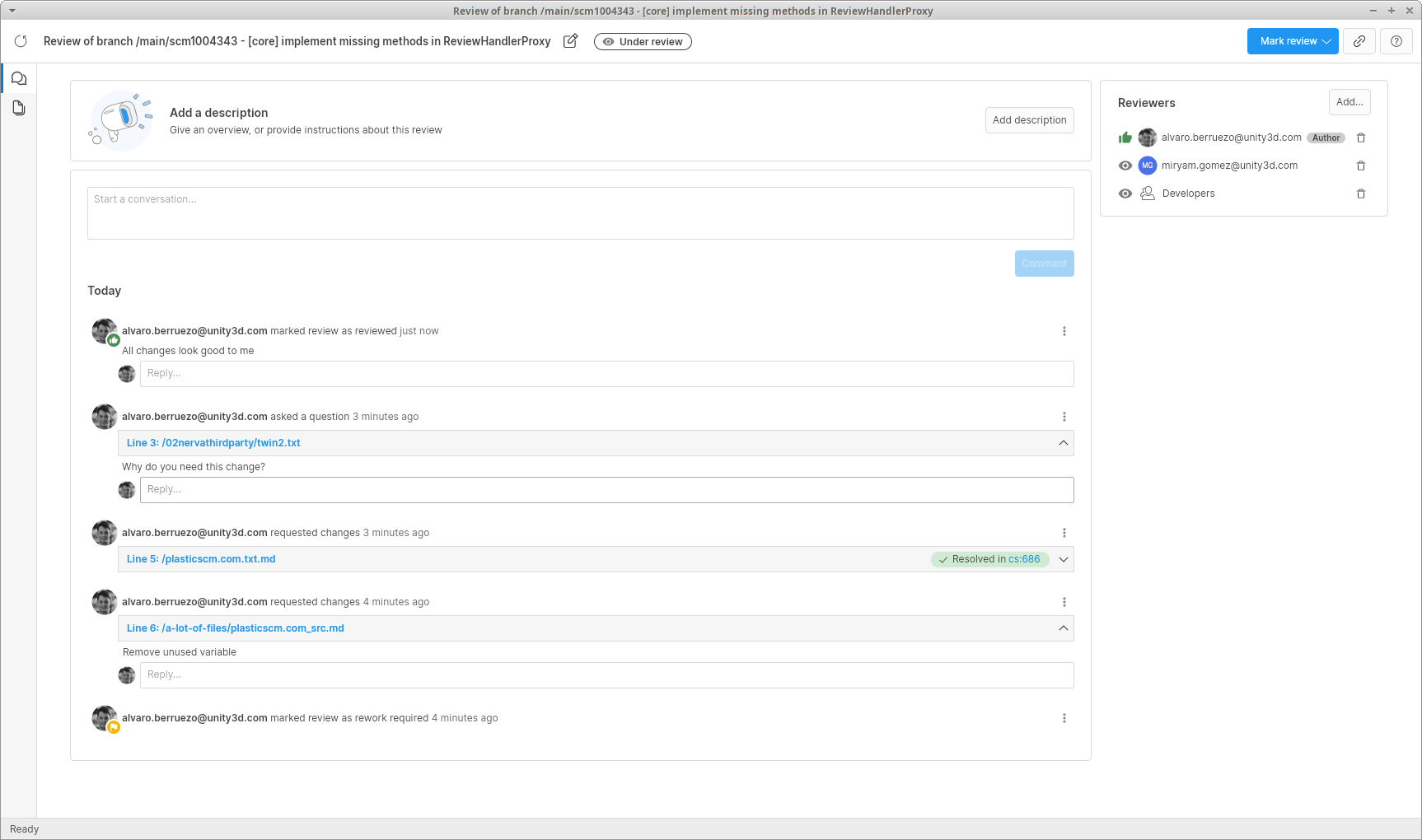
All platforms - Desktop GUI: Conversation panel and multiple reviewers for code review
We have redesigned the code review window to include the all new conversation panel. It shows the timeline of the code review, including comments, change requests, questions and status changes all in one place. From this view you can start conversations, or reply to other comments. You can also navigate to the code and see the specific line where a comment was created, or see the changeset where a change request was applied.
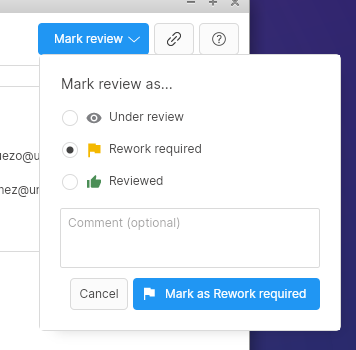
Along with this change, we added support for multiple reviewers in a code review. You can now add or remove reviewers from this conversation panel, either specific users or groups. Each reviewer will have their own status, and the global status of the code review will be calculated among all the reviewers.
Screenshot
Screenshot
All Platforms - Desktop GUI
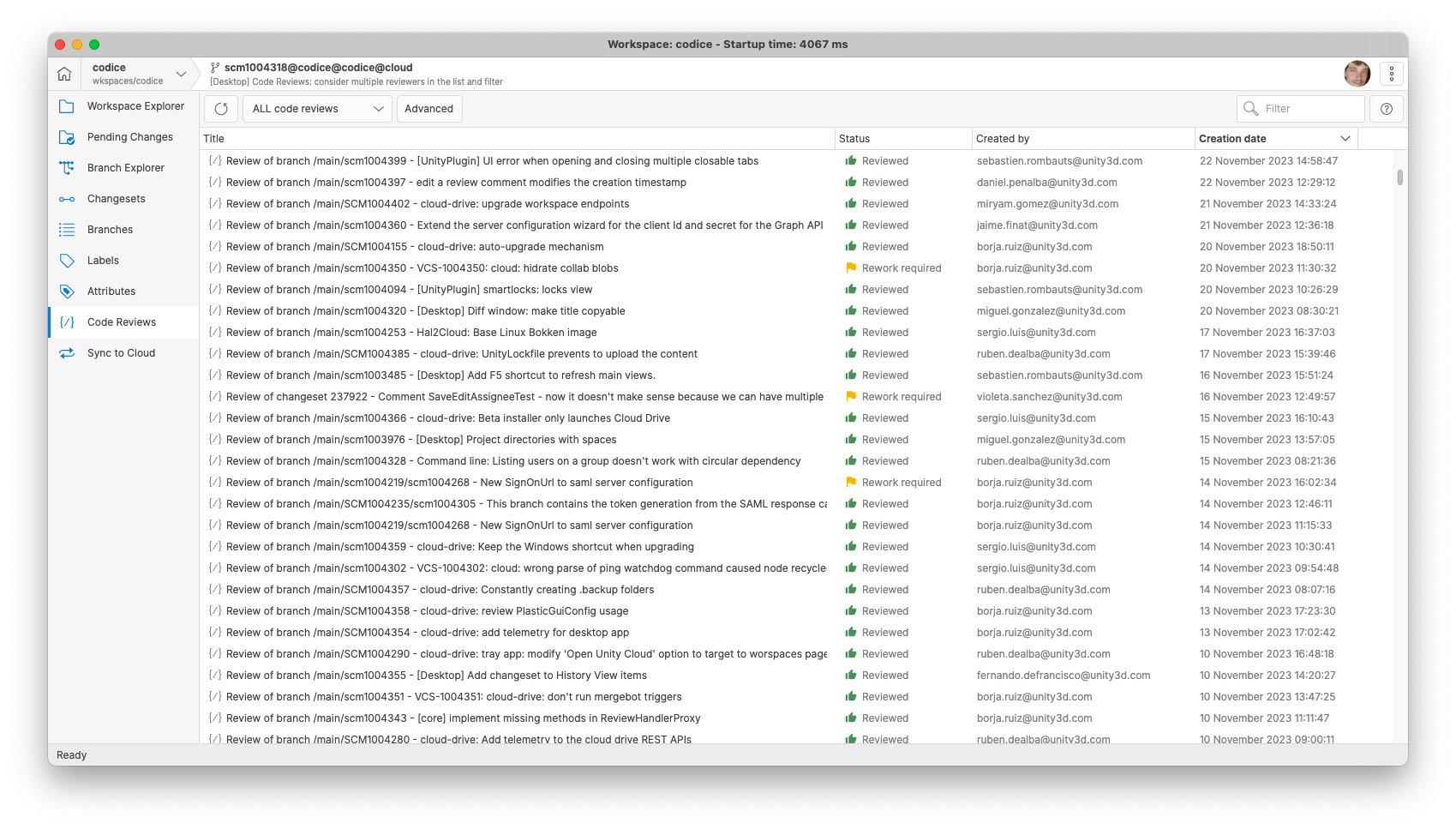
All Platforms - Desktop GUI: Improved Code Review view list and filters
The code review list has enhancements to better accommodate multiple reviewers and improve the overall user experience.
-
Status Icon in Code Review list: A status icon is now displayed in the status column of the code review list, aligning with the design in the WebUI.
-
Filter improvements: The "Assigned to me" filter now supports code reviews with multiple reviewers. Also, it now considers reviews that are in both "rework required" and "under review" statuses (it previously considered only the "rework required" status). This aligns with the Unity Dashboard UX.
-
Column adjustments: The unnecessary reviewer column has been removed from the code reviews view. Default column widths have been optimized for a more visually appealing and user-friendly layout.
Screenshot
All Platforms - Desktop GUI
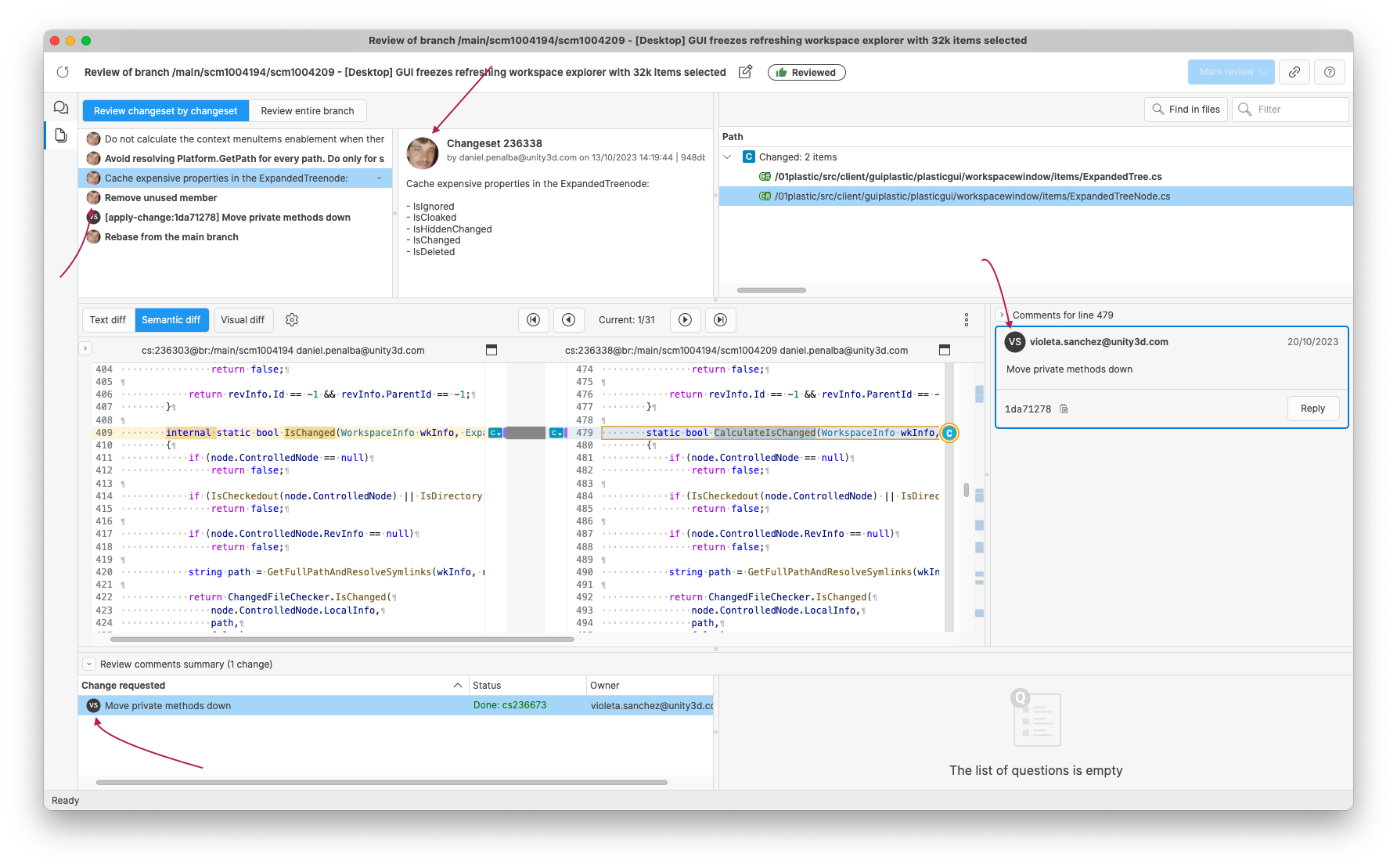
All Platforms - Desktop GUI: Enhanced Code Review avatar display
The code review interface now provides an improved visual experience by incorporating avatars for reviewers and changeset owners in various panels:
Screenshot
All platforms - Dekstop GUI
All platforms - Dekstop GUI: Remove dynamic behavior on diff window when changing object selection
Previously, if you selected an object in the branch explorer, branches view or changesets view while having a diff window open, we had a dynamic behavior that updated the diff window's contents with the diff of the new selected object. This feature could be annoying in some situations, for instance when trying to open two separate diffs for different objects.
We decided to remove this behavior, and now when changing the selection from any view, the diff window will remain static.
All platforms - Desktop GUI, Gluon
All platforms - Desktop GUI, Gluon: Allow copy of the diff window branch/changeset/label name
The diff window title, which contains the name of the branch/changeset/label, has been made selectable and copyable.
DevOps
DevOps: Trunkbot queue processing improvements
We improved the branch queue in the Trunkbot to play nicely with a higher number of enqueued branches.
Before, processing cycles were spaced out when branches were not ready to be tested yet. This was done for performance reasons and also to not stall remote APIs, but it could lead to high unnecessary wait times for branches at the end of the queue.
Now, the Trunkbot is smarter and spaces out the processing of each branch independently of any other. As a result, branches that are ready are dispatched much faster and the Trunkbot is much more responsive and streamlined.
All platforms
All platforms: Improved the file conflicts merge with Smart Locks.
Now, merge allows to solve file conflicts if the source revision of the conflict matches the head revision (the revision loaded in the Smart Locks destination branch).
It eases the rebase of branches with file conflicts after some related locks were manually deleted or edited.
This is a server side change.
Bug
All Platforms - CLI
All Platforms - CLI: Circular dependencies on groups solved
There was a bug when listing users from a group with a circular dependency to another group. For instance, group1 contains 2 users and group2; group2 contains 1 user and group1. That circular dependency caused the CLI to get stuck when listing users from either group1 or group2. Now it is fixed, listing the 3 users as expected.
For instance:
cm listusers localhost:8087 --group=group1
All Platforms - Gluon
All Platforms - Gluon: File conflicts are properly filtered in partial update.
Before, all the file conflicts were processed in the workspace although only a single folder was specified (it ignored it completely).
Now, it only processes the file conflicts of the specified folder. It means, 'cm partial update /doc' will only process the file conflicts under '/doc'.
All platforms - Desktop GUI
All platforms - Desktop GUI: Fixed wrong context menu when right-clicking on branch explorer
In certain situations, when right-clicking on an object in the branch explorer, we were showing the wrong options for the context menu. So when right-clicking on a branch, the context menu for a changeset would appear. This resulted in unexpected exceptions when using the menu.
We fixed this issue, and now right-clicking will always show the correct menu for the currently selected object.
All platforms - Desktop GUI
All platforms - Desktop GUI: Fix shortcuts when opening subviews
Sometimes after opening or closing a subview, like the Shelves view in the Pending Changes, the keyboard shortcuts stopped working.
We fixed this issue, and now the shortcuts will always work, regardless of the currently opened views or the last used control.
11.0.16.8289
New
All Platforms - Desktop GUI
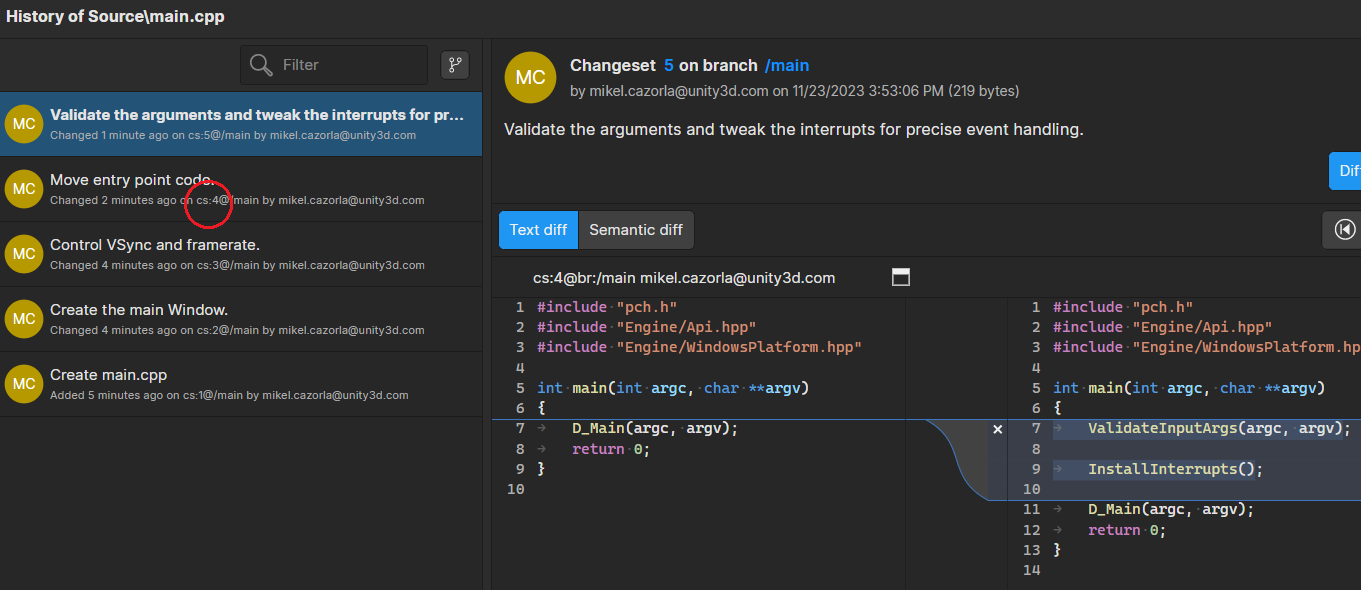
All Platforms - Desktop GUI: Added changeset numbers to the history view
Changeset numbers have been added to the details displayed on items in the History View. This addition allows you to see and filter by changeset numbers for quick navigation to the corresponding changeset.
Screenshot
Bug
All platforms - Desktop GUI, Gluon
All platforms - Desktop GUI, Gluon: Paths with white spaces are formatted with percent-encoding
Allowed white spaces in workspace paths, now the '%20' string won't be used when creating a new workspace with spaces in the path.
11.0.16.8281
New
All platforms
All platforms: Faster deletion under folders with lots of files
Improved heavily the time deleting a big number of files when they are under a folder that still loads lots of files.
In our tests, the time deleting 5.000 files under a folder that contained 15.000 files is around x4-x15 times faster, depending on the operation.
This improvement applies to different operations:
-
Running an Incoming Changes operation from Desktop GUI or command line (x6 times faster).
-
Running a merge operation from Desktop GUI or command line (x6 times faster).
-
Running an apply local changes (checkout) operation from Desktop GUI or command line (x4 times faster).
-
Running a 'cm rm' operation from the command line (x15 times faster).
All Platforms - Desktop GUI
All Platforms - Desktop GUI: Enhanced support for Asian languages and much more!
We've updated the UI framework to Avalonia 11, and this brings a slew of improvements. Here are the key highlights:
-
A new Composition Renderer for enhanced visual capabilities and performance.
-
Advanced text rendering with rich text features.
-
IME support for diverse input methods.
-
Accessibility improvements to ensure inclusivity.
These enhancements make our desktop GUI even better!
All Platforms - Desktop GUI, Gluon
All Platforms - Desktop GUI, Gluon: Improved Delete Operation performance
To enhance the GUI's performance, a significant improvement has been made to the delete operation. Instead of processing deletions one by one, it now performs the delete operation in a block by providing a list of paths. Deleting a large amount of files is now 6x faster.
Additionally, progress is now reported meaningfully, indicating the current items processed out of the total items.
All platforms - P4 importer
All platforms - P4 importer: Symlinks are ignored
Symlinks changes are ignored when importing changes from Perforce through the 'cm sync' command. Before, the operation failed if the symlink target didn't exist in disk.
All platforms - Desktop GUI
All platforms - Desktop GUI: Improved Sync View usability
When you have a sync view with a lot of repositories to sync or a lot of branches in them, it may take some time to load. If this is the first sync view on the list, and you want to check a different one, you would have to wait until it finishes loading before changing to a new one.
We modified this behavior so that you have to manually click Refresh in order to start loading the sync view. This way, if you want to check a different one, you can first select it and then click Refresh, without waiting for the first one to load
We also updated the behavior of the Push/Pull buttons, which now will only be enabled when there are actual changes to push or pull
All platforms - Desktop GUI
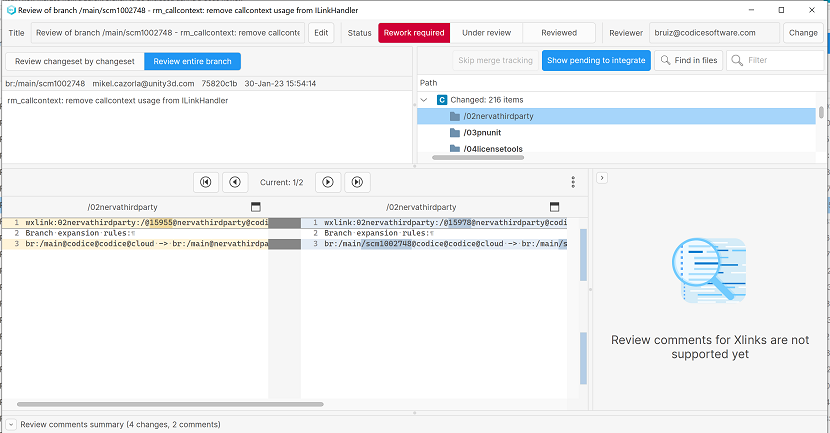
All platforms - Desktop GUI: Exclude merges from a parent branch in Code Review window
Added a new "Show pending to integrate" button to the Code review window. This button can filter the merged differences from the branch to be reviewed. When this button is checked, all merges pending to be integrated in the main branch will be excluded from the list of changes.
Screenshot
Bug
All Platforms - Desktop GUI
All Platforms - Desktop GUI: 'Index was out of range' error on workspace creation
Fixed an "Index was out of range" error when selecting a repository for a workspace about to be created.
All platforms - P4 importer
All platforms - P4 importer: 'Index was out of range' error with big p4 output
The reading of the p4 command output could throw the error 'Index was out of range. Must be non-negative and less than or equal to the size of the collection. (Parameter 'chunkLength')' if the output was too big. Fixed.
macOS, Linux - Gluon
macOS, Linux - Gluon: Newly added items appeared as incoming changes
In macOS and Linux, when you performed a check-in of private items from Gluon, adding them to the version control for the first time, we were wrongly showing them in the incoming changes view after the check-in operation. To clear the incoming changes view and the notification, you had to manually perform an update on the workspace.
We fixed this issue, and now nothing appears in the incoming changes view after performing the check-in.
macOS - Desktop GUI
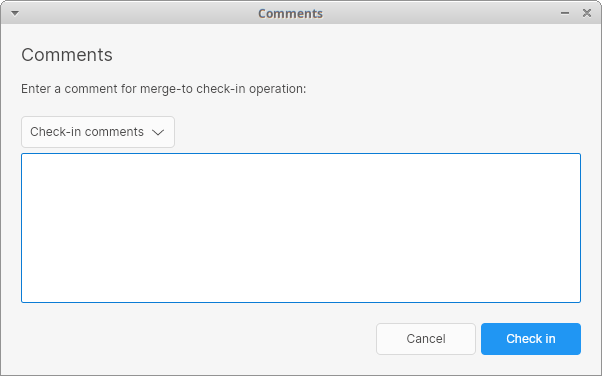
macOS - Desktop GUI: Select previous check-in comments on server-side merges
When performing a server-side merge with the "merge from this branch/changeset to" option, we show a dialog to enter the check-in comment. Instead of typing it, you can select a previous check-in comment from a drop-down menu. This menu wasn't working properly on macOS, so we improved it and now it behaves as expected on all three platforms.
Screenshot
macOS - Desktop GUI
macOS - Desktop GUI: Input lag in server-side merge comment text box
Fixed an annoying extra input lag when entering the comment in the dialog that appears when using the "merge from this branch to…" option (a.k.a. server-side merge). From now on, there won't be any input lag when typing text on that dialog anymore.
11.0.16.8244
New
All clients
All clients: GitSync doesn't push empty folders anymore.
GitSync doesn't push the empty folders that are present in Unity VCS to Git anymore since some Git applications could struggle with them.
All Platforms - Desktop GUI
All Platforms - Desktop GUI: Improved Workspace Explorer Performance
The GUI now handles directories with over 30,000 items smoothly. Expanding nodes and scrolling are now much faster, ensuring a seamless user experience.
Bug
All Platforms - Desktop GUI
All Platforms - Desktop GUI: Fix selected changeset movement in Branch Explorer
The selected changeset disappeared in some scenarios when navigating the Branch Explorer with the arrow keys. This happened when the destination changeset was out of bounds but close to them.
All Platforms - Desktop GUI
All Platforms - Desktop GUI: GUI Freezes with a large selection
When attempting to select all 7,000 files in the pending changes view, and then refreshing the view, the GUI became unresponsive for approximately 20 seconds. Now it's fixed.
All platforms - Desktop GUI, Gluon
All platforms - Desktop GUI, Gluon: Missing progress in pending changes while refreshing
Show the refresh progress while the pending changes are loading over the empty state message.
All Platforms - Gluon
All Platforms - Gluon: Fix sorting items by Size in Configure workspace view
All platforms - Desktop GUI
All platforms - Desktop GUI: Null error running a server-side merge
We have fixed a null error while processing file conflicts from a merge from changeset to branch with xlinks. This exception affected the merge and the conflicts couldn't be resolved properly.
11.0.16.8223
New
All platforms - Server can checkin directories wi…
All platforms - Server can checkin directories with lots of direct entries.
The server used a buffer of 5M to calculate the hash of the directory entries. This was not enough for folders with more than 150.000 entries, so the checkin failed. Now, this limit is much bigger.
All platforms
All platforms: Greatly improved the performance while finding locally removed files.
Removed an unneeded check for moved files when the workspace only contains locally removed items, no private or ignored files.
Example: In a working copy with 14K locally removed files, the search took 20 seconds to complete; now it takes 500ms.
Also, improved the search operation for moved items. Before, we downloaded all the locally deleted content to attempt a move-match with private file candidates. Now, we only download those whose size will be a valid match for the existing candidates.
All clients
All clients: Client-side check-in triggers support added to partial workspaces
If you configure a client-side check-in trigger, it will now run for partial workspaces:
> cm trigger mk before-clientcheckin MyBeforeTrigger before_trigger.sh> cm trigger mk after-clientcheckin MyAfterTrigger after_trigger.sh> cm partial update> cm co file.txt ; cm partial ci# The triggers (MyBeforeTrigger and MyAfterTrigger) will run before and after the changeset creation!
All platforms - Desktop GUI
All platforms - Desktop GUI: Improved checkin operation startup time
In the check-in operation, we have made an enhancement to optimize startup time. Previously, the operation included a phase where paths were resolved to expand them and make them canonical, as well as resolving symlinks. However, it was observed that the GUI doesn't require this step. Therefore, we have decided to skip it, resulting in a faster check-in operation.
All platforms
All platforms: Faster workspace status calculation with added items.
Improved heavily the time to calculate the workspace status when a big number of items were added under the same folder. This is only noticeable if the number of files is greater than 1.000.
In our tests, the workspace status calculation of 8.000 added files goes from 9s to 0.15s.
The workspace status calculation is performed when running the 'cm status' command or refreshing the pending changes from Desktop GUI & Gluon.
Bug
All platforms - Desktop GUI/CLI
All platforms - Desktop GUI/CLI: Delay in visual feedback during large check-ins
When performing a large check-in, there was a noticeable delay between initiating the check-in and receiving visual feedback through the UI or CLI. This delay became especially prominent during very large check-ins. We were missing notifying visual feedback during the "Assembling check-in data" phase. Now it's fixed.
All Platforms - Desktop GUI
All Platforms - Desktop GUI: Improved performance expanding nodes in the Workspace Explorer
Previously, expanding a node in the Workspace Explorer that contained 18k items took a variable amount of time, ranging from 6 to 15 seconds. This performance issue was impacting the user experience.
Expanding 18k nodes is now significantly faster (about 750ms), enhancing overall usability.
All platforms - Desktop GUI
All platforms - Desktop GUI: Show notification dialog when pending changes in diff window
The Unsaved changes dialog will be shown in Diff window after a new branch/changeset selection is done and exist any pending changes to save/discard in the diff view.
All platforms - Desktop GUI
All platforms - Desktop GUI: Super-slow check-in of many deleted files.
The pre-processing time of the checkin operation (when launched from Desktop GUI) was super-slow when the changes to checkin included lots of files deleted under a folder that still loaded lots of files.
Let's see a scenario where it happened: there is a folder '/Assets' with 20.000 files. If we deleted 10.000 of them and tried to check them in from the Desktop GUI, the check-in operation took more than one hour to start. Now, it only takes around 50s. This means x100 times faster.
As a workaround for this slowness, you could disable symlink support on Windows in the client.conf file: .
<EnableSymlinkSupportOnWindows>no</EnableSymlinkSupportOnWindows>This problem also happened from the command line if the 10.000 deleted paths were passed as individual arguments to the 'cm checkin' command (not very common, but possible).
11.0.16.8204
New
All platforms
All platforms: Faster checkin of added items in partial workspaces
Improved heavily the time to check added files in when a big number of them are located under the same folder. This is only noticeable if the number of files is greater than 5.000.
In our tests, the improved step when checking 50.000 files in goes from 250s to 0.25s. The overall check-in time could go from 270s to 20s (depending on the files size to upload).
Bug
macOS - Desktop GUI
macOS - Desktop GUI: Fixed preferences dialog getting the UI stuck
If you try to shelve or checkin some changes with an empty comment, a dialog appears by default asking for confirmation. In that dialog, there's a link to open the preferences dialog in case you want to prevent that warning from appearing in the future.
There was an issue in macOS that caused the preferences dialog to show behind the warning in that scenario, rendering the GUI unresponsive as a result. It is fixed now.
11.0.16.8196
New
Command line client
Command line client: Faster full checkin in partial workspaces
Improved heavily the time calculating the changes to checkin in partial workspaces with lots of added items.
In our tests, the time calculating the changes to checkin for 300.000 files goes from 180s to 1s.
Bug
All platforms - Gluon
All platforms - Gluon: Configuration tree didn't refresh properly
The configuration tree in Gluon didn't allow to change the check status of items that were changed previously when a refresh was done. For example, when any file/folder was marked to unload and then the refresh button was clicked, it was not possible to switch back this status to load again and an error message was displayed on the bottom.
All Platforms - Desktop GUI
All Platforms - Desktop GUI: Replace shortcut to open a workspace from the Home view
In the Home view, the shortcut to open the selected workspace in a new window was Shift+O. This shortcut was being executed when trying to type Shift+O in the filter text area.
We changed the shortcut to Ctrl+O
All platforms - Desktop GUI] Improved horizontal…
All platforms - Desktop GUI] Improved horizontal scrolling speed
Previously, scrolling horizontally (SHIFT + mouse wheel) in the Branch Explorer was noticeably slower compared to the legacy GUI. To address this problem and enhance the scrolling experience, we have increased the horizontal scroll size from 10px to 250 pixels and also the vertical scroll size from 10 pixels to 32 pixels.
These changes should result in significantly improved horizontal scrolling performance in the Branch Explorer, making it more in line with user expectations.
All platforms - Desktop GUI
All platforms - Desktop GUI: Fixed memory leak in DiffWindow/DiffViewer/DiffControl
Previously, there was a memory leak in the DiffWindow, DiffViewer, and DiffControl components, leading to increased memory usage over time. We've addressed this issue by identifying and fixing several memory leaks.
11.0.16.8183
New
All platforms - Desktop GUI
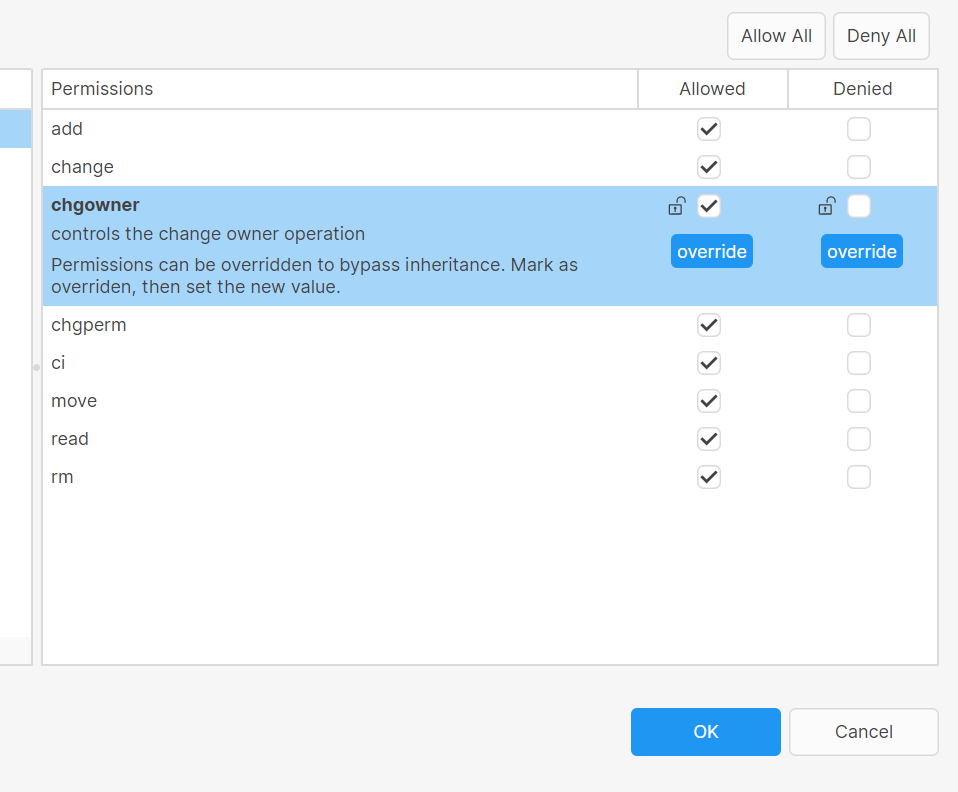
All platforms - Desktop GUI: Show icon when permissions are marked as overridden
A new icon will be displayed when any permission from the Permissions dialog is selected to be overridden, it will be applied to the selected column "Allowed" or "Denied".
Screenshot
All platforms - Desktop GUI, Unity Plugin
All platforms - Desktop GUI, Unity Plugin: Use the same default organization for the Desktop GUI and the Unity Plugin
Now, if you select an organization after doing the onboarding in the Desktop GUI or the Unity Plugin, the selected organization will be saved by default for both places.
All platforms - Desktop
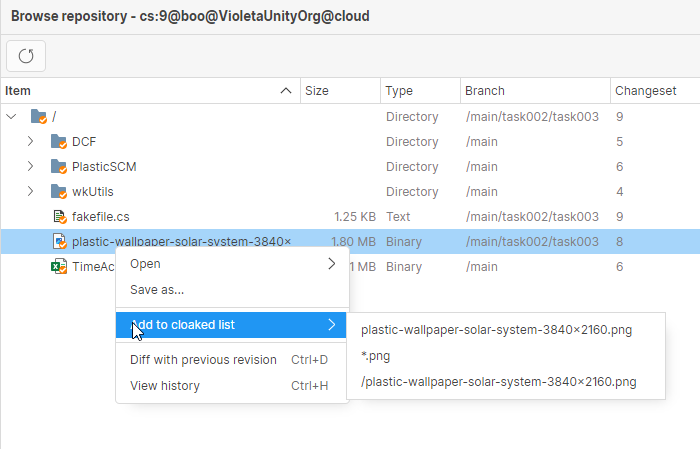
All platforms - Desktop: New Cloak options for browsing a changeset
Now, when browsing a changeset in a workspace, users will be able to add and remove items from the cloak filter using the context menu on the files or directories.
Screenshot
Click here for more info about cloaked files: https://docs.plasticscm.com/book/#_ignoring_private_files_with_ignore_conf
Command-line client
Command-line client: cm listuser --group now fails if the group does not exist
If you set a group that does not exist, the command will explicitly notify you about it.
> cm listuser --group=edvelopersThe 'edvelopers' group does not exist.%ERRORCODE = 1%
Bug
Command-line client
Command-line client: cm patch command fails unexpectedly
The patch command failed with the following error message in certain scenarios involving permission changes.
> cm patch cs:123@repository@organization@cloudError: Object reference not set to an instance of an object.
Now those cases are handled gracefully, and the command will run to completion.
Command-line client
Command-line client: cm checkout message does not belong to the machine-readable output
The following message was wrongly shown by the checkout command when using the --machinereadable option:
> cm checkout --machinereadableThe selected items are about to be checked out. Please wait ...(...)
The message is actually intended for human users. Now we don't print it anymore in this mode.
11.0.16.8168
New
All platforms
All platforms: Improved merge file conflicts with Smart Locks
-
A file is always checked-out when solving a conflict. It doesn't matter the type of resolution chosen (merge, keep source or keep destination). This prevents the creation of parallel changes while a merge is being processed in a workspace.
-
Before, when solving a file conflict with an existing lock in Retained status, the destination of the merge had to always be the retained revision. This implied running an extra merge (rebase) from the destination branch (/main) to the branch to integrate (/main/task) before integrating the branch into /main. Now, the branch that contains the Retained revision (/main/task) can be directly integrated into the destination branch (/main) so the file conflicts are solved there without any extra step.
Bug
All platforms - Plugin for JetBrains IDEs
All platforms - Plugin for JetBrains IDEs: Fixed wrong diff calculation after applying a shelve
The UVCS plugin for JetBrains IDEs calculated the wrong diffs for items that were checked out in the workspace as a result of applying a shelve using a UVCS client (GUI/CLI) outside the IDE. Now it's fixed.
Command-line client
Command-line client: Partial check-in progress bar glitches
When running a partial check-in operation, the progress bar line and the results were overwriting each other in the command line.
Now both are displayed properly.
/ Confirming checkin operation 417 bytes/417 bytes [################################] 100 %Modified c:\Engine\README.txtCreated changeset cs:3@br:/main@Engine@localhost:8084 (mount:'/')
Command-line client
Command-line client: Switch and partial switch will now take into account the workspace repository
Before, running the "cm switch" or "cm partial switch" commands under a Xlinked directory, the default repository was the Xlinked one. This behavior was confusing, and it could produce unexpected changes in the workspace:
$ cd xlink$ cm switch br:/main # CAUTION: Switching to a different repository
Now, the top-level repository is used by default for these commands. If you really need to switch to a different repository, you can still achieve it by explicitly typing the destination repository:
$ cd xlink$ cm switch br:/main@XlinkedRepository
All platforms
All platforms: Merge didn't release locks for file conflicts with keep destination resolution
The lock was ignored after solving a file conflict with the keep destination resolution. So, if there was a lock related to that merge, the lock could get out-of-dated. This happened for client-side merge and server-side merge. Fixed.
All platforms - All clients
All platforms - All clients: Fixed the update progress message in Japanese
We applied a more accurate wording in the Japanese localization for the message that gets displayed while updating a workspace.
All platforms - Desktop GUI
All platforms - Desktop GUI: Added ScrollViewer to the initial login window
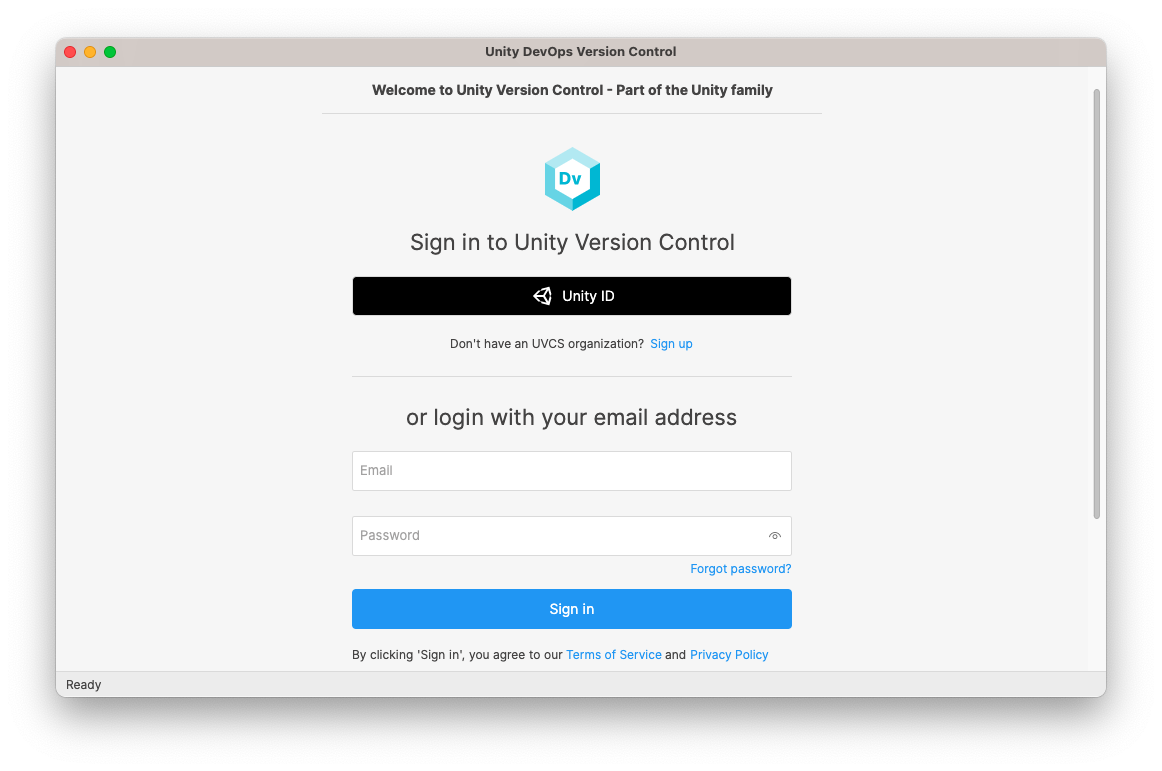
Previously, when launching the GUI with no configuration (no accounts) and resizing the window to a minimal height, the controls were being cut off, and a scrollbar was not displayed as expected.
Now, we have introduced a ScrollViewer to the view. This means that when the contents do not fit within the screen height, a scrollbar will automatically appear, allowing users to access all controls even in smaller windows. Screenshot:
Screenshot
All Platforms - Text Merge Tool
All Platforms - Text Merge Tool: Comparison Method options cannot be deactivated
Previously, the three comparison method options (Ignore EOLs, Ignore Whitespaces, Ignore EOLs, and Whitespaces) were always checked and could not be manually deactivated by the user. Now it's fixed.
11.0.16.8153
Bug
All platforms
All platforms: Server-side merge failed with locks.
The server-side merge (merge-to) operation failed when processing a file that was only modified on the source if it was under lock rules. It could fail with both legacy locks and Smart Locks. This has now been fixed.
macOS - Desktop GUI
macOS - Desktop GUI: Opening bad links no longer closes the app
After opening a link that pointed to an unreachable server, the application closed automatically when the user dismissed the message popup that appeared.
We now keep the main window open after the popup is dismissed, so the user doesn't get the impression that the application crashed.
11.0.16.8133
New
All platforms - Desktop, Gluon
All platforms - Desktop, Gluon: Improved handling of purged revisions in the GUIs
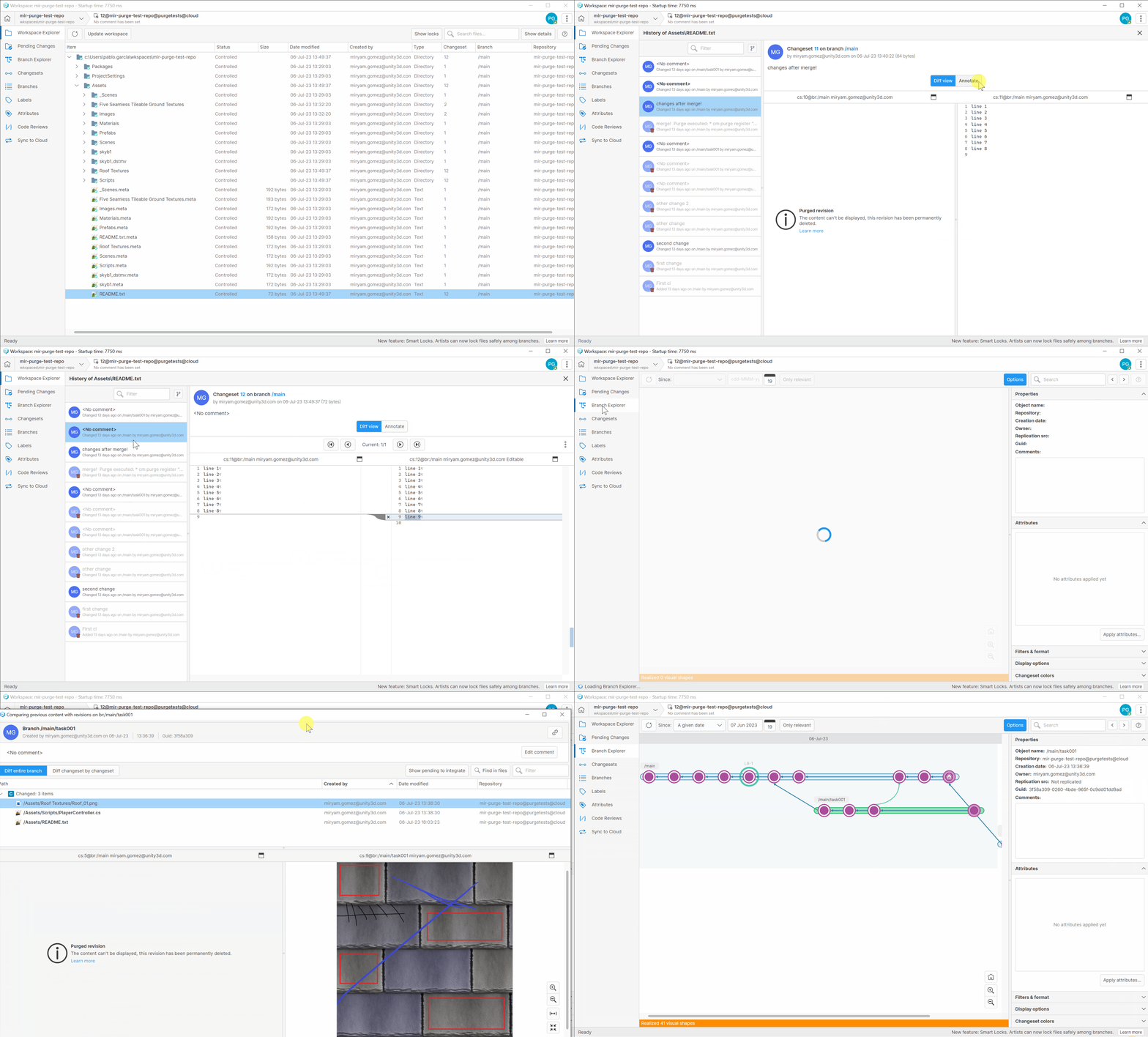
Several views can now detect a purged revision.
In the views that show a list of revisions (such as the History view) the purged revisions now have a trash icon and a different visual style. A tooltip also indicates purged revisions from the list.
In the Differences view, a message indicates the revision was purged. This Differences view appears in different places within the application: the History view, the Diff window, the Code Review window...
Screenshot
All platforms
All platforms: Restrict code review status changes to reviewers
From now on, only a reviewer will be able to update the review status.
When there is no reviewer assigned to a code review, the GUI will allow updating its status by any user, as before.
All platforms - Triggers
All platforms - Triggers: The "edit review" trigger includes the reviewer edition action
Now, the add reviewer, update reviewer, and remove reviewer actions also run the edit-review triggers and set the following info on the and variables
PLASTIC_REVIEW_ACTIONPLASTIC_REVIEW_ACTION_INFO-
Add reviewer
-
-> add reviewer
PLASTIC_REVIEW_ACTION -
-> James
PLASTIC_REVIEW_ACTION_INFO
-
-
Remove reviewer
-
-> remove reviewer
PLASTIC_REVIEW_ACTION -
-> James
PLASTIC_REVIEW_ACTION_INFO
-
-
Update reviewer status
-
-> update reviewer
PLASTIC_REVIEW_ACTION -
-> James:Reviewed
PLASTIC_REVIEW_ACTION_INFO
-
All platforms
All platforms: Server-side merge takes into account the exclusive check-out rules
Before, the server-side merge (merge-to) operations ignored the exclusive check-out rules (lock rules). This happened both for Smart Locks and the legacy lock system. This misbehavior could lead to file conflicts although the lock rules were in place.
Now, the exclusive check-out checks & operations run from merge-to too. The operation now behaves the same as if you run the merge from the client side, and can not lead to file conflicts.
All Platforms - Client Command Line
All Platforms - Client Command Line: The cloaked configuration is now taken into consideration in encrypted organizations
When working on an encrypted organization, the encryption key is stored in the client for security reasons - it never reaches the server.
Because of this, the server could not apply the cloaked filter stored in the server (apply the cloak before even attempting the download). It could only use the cloaked filter stored in the workspace, which could be out of date.
Now the server can read the cloaked.conf stored in the server without compromising the security. For encrypted organizations, the client first downloads the cloaked.conf in the server. This way the client can use the latest version, regardless of its encryption status.
Bug
All platforms - Desktop GUI
All platforms - Desktop GUI: Fixed an exception when removing all accounts
The GUI could throw an error under some circumstances when removing all accounts. Now if you remove all accounts you will see the onboarding again, as if you had a clean setup.
All platforms - Desktop GUI
All platforms - Desktop GUI: Fixed an exception when pressing Ctrl+F
When pressing Ctrl+F / Cmd+F in the Workspace Explorer the GUI threw an error if the search box was empty. Now you can use the search shortcut as normal.
11.0.16.8108
Bug
All platforms - Desktop GUI
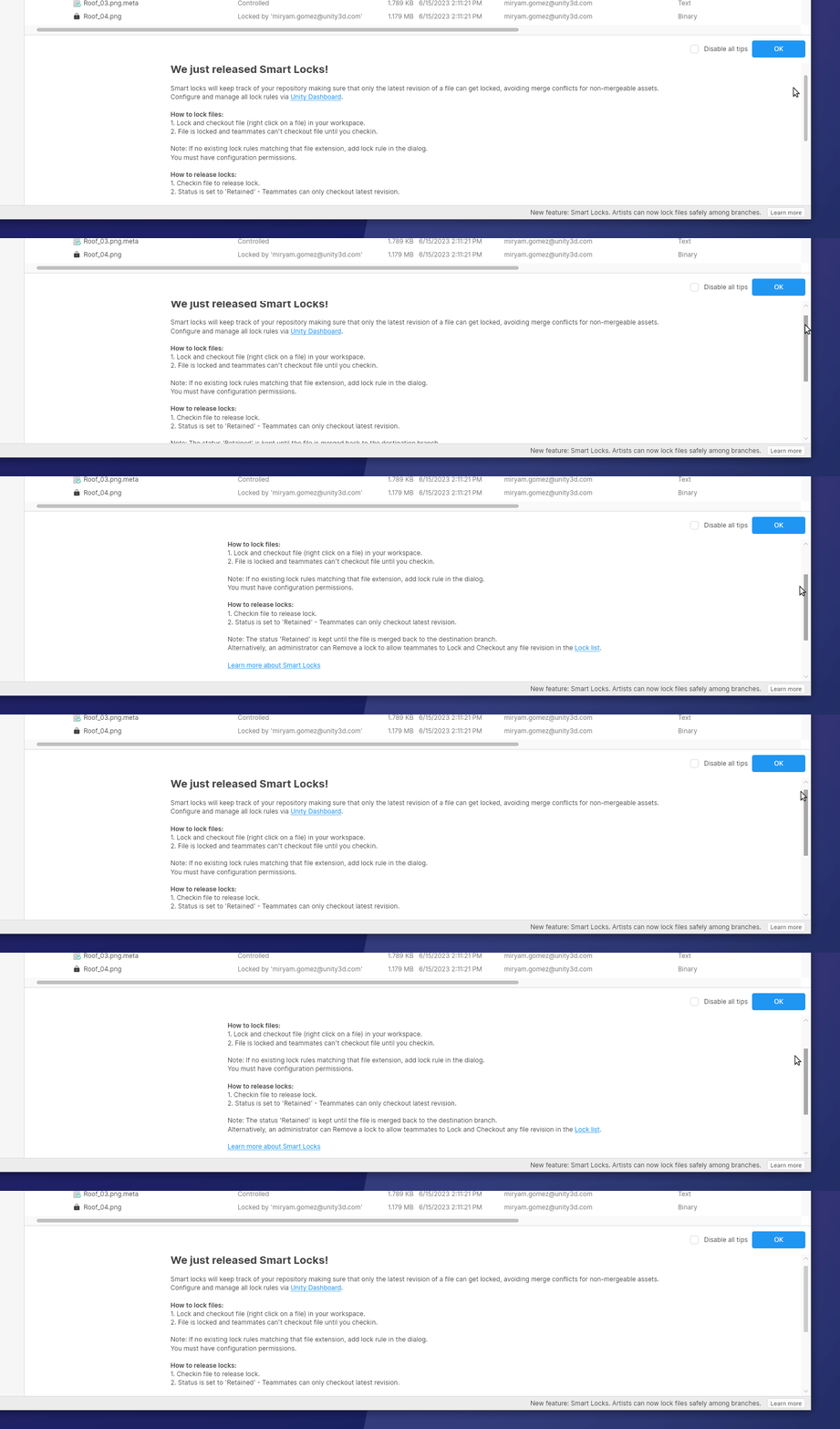
All platforms - Desktop GUI: Text displacement when scrolling in help panel
There was an issue with the help panels that had long text lines: when scrolling through the text and making the long lines invisible, the whole text was horizontally moved to one side. We fixed this issue, and now scrolling in the panel doesn't affect the alignment of the text inside it.
Screenshot
WebAdmin
WebAdmin: Wrong results when diffing branches
The endpoint to calculate the diff for two branches was returning wrong results when comparing with the "pendingToIntegrate" query parameter, as it was not considering that the branch can have several children branches.
11.0.16.8101
New
All platforms
All platforms: Introducing Smart Locks
There are many kinds of files that present a challenge for merging content changes:
-
Unity scenes
-
3D models
-
Images and texture maps
-
Sound files
-
Excel spreadsheets
-
Etc...
It is quite easy to see how important it is to apply changes to these assets sequentially and always iterate over their last revision. The creation of parallel histories usually means that some changes are discarded and redone down the line, since conflicts in these files cannot be merged.
So far, you could set up these lock rules to guarantee that nobody else made changes to the same file at the same time. When you were done, changes were checked in — or unchecked out — and the lock was removed. This "legacy" lock system was devised mainly for artists that work on a single branch, forcing the user to work on the last revision of the branch.
However, protection did not extend to multi-branch scenarios, allowing the creation of parallel changes in different branches:
-
Alice made some changes toat
player_icon.jpg. The scene is waiting to be integrated, and the file is not locked anymore./main/level_12 -
Bob is working on its own branch () and makes a quick change to the same file too.
/main/level_11
Yes, both are using the last revision on their branch, but they don't take into account new revisions in other branches.
Now introducing Smart Locks.
Smart Locks are the mechanism that Unity DevOps Version Control uses to track which branch retains an asset for edition, and it works as a baton pass or as a "torch". Even if the file is not exclusively checked out right now, task branches retain the lock and prevent developers from checking out an outdated revision in a different branch.
Moreover, locks are not retained by the users who created them. As long as they keep working with the last revision, other developers can still exclusively check out the file you just checked in! This is true even for multi-branch scenarios.
In other words, Smart Locks ensure a single line of development for assets among different branches while enabling collaboration between developers. Long gone are the days when you needed to keep a physical token on your desk to let your colleagues know that you were holding an asset: Unity DevOps Version Control keeps you covered.
== CREATING SMART LOCKS ==
Smart Locks are here to replace legacy locks, and the new version of the server already uses them from the get go (see details in the 'COMPATIBILITY' section). If you were already using locks, you probably just need to upgrade.
First of all, you need to set up the lock rules (if you don't already have them!):
# Contents of the lock.conf file.rep: * br:/main*.UNITY*.dae*.mkvrep: myrepo br:/main excluded_branches: /main/experiment /main/experiments/* */art-concept */art-concepts-**.jpg*.png*.wav
Note that there are two new optional fields available in the lock rules:
-
The "destination branch" — br:/main by default — is the source of truth when creating a new lock: the revision loaded here is considered the last revision. Locks created in other branches are not released until they get integrated back into the destination branch.
-
Some "excluded branches" where the lock rules are ignored. Note that you can use wildcards at the beginning and at the end. Excluded branches are matched by name, so bear it in mind when renaming branches!
After setting up the rules, you can create a task branch and try to check out a file. The "lock list" subcommand will help you to inspect which locks are in place and their current status:
> cm co fmv_intro.mkv> cm lock list --anystatusmyrepo 1932 6/27/2023 10:02:11 AM /main 241 /main/task 241 Locked mikel mywk /assets/fmv_intro.mkv# Do some changes and check them in!> cm ci> cm lock list --anystatusmyrepo 1932 6/27/2023 10:02:54 AM /main 241 /main/task 242 Retained mikel mywk /assets/fmv_intro.mkv# cm lock list --help
Within the Desktop GUI, the Workspace Explorer now tells explicitly which files are locked by other users, and they are represented with special icons for clarity.
Also, a new panel was added to the Desktop GUI and Gluon to display the Smart Locks that currently exist in the workspace repository. Since there, you can release or remove the locks too:
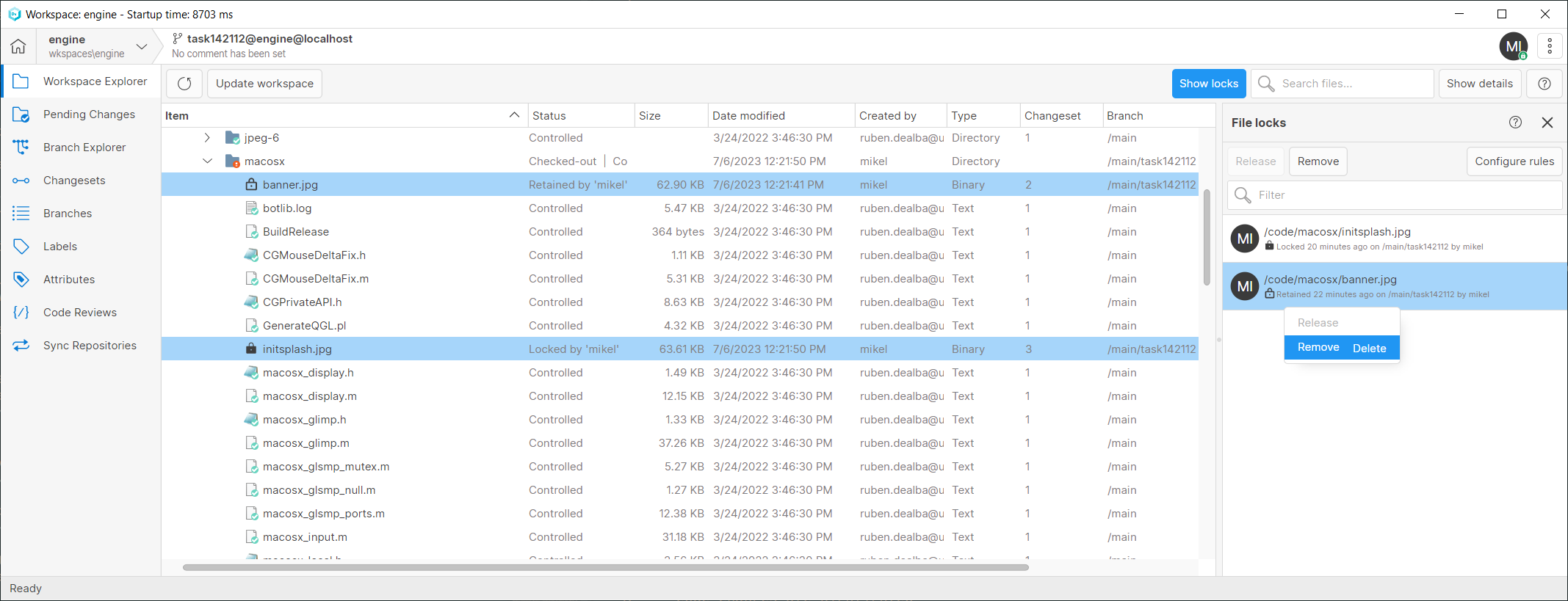
Screenshot
Moreover, this panel is available in both, the Workspace Explorer and the Home View, so you don't even need a workspace to manage the locks of a repository.
Likewise, the same functionality is provided by the WebUI:
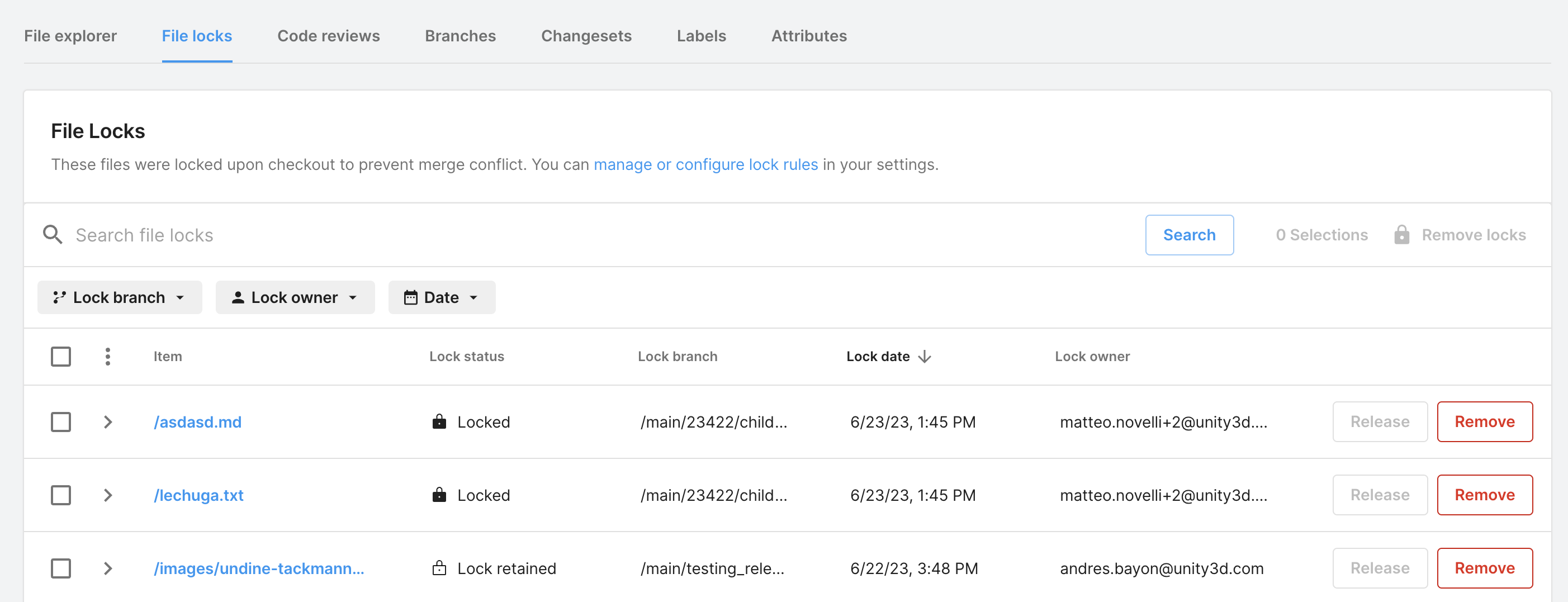
Screenshot
See in detail how to configure exclusive check-out using an on-prem server in our administrator guide:
== LIMITATIONS ==
-
Smart Locks do not travel across replicas.
-
Replicas might add newer revisions to the repository, leaving the lock outdated.
-
Some scenarios involving changeset deletion might leave the lock outdated for obvious reasons.
-
Merge-to does not support locks — neither legacy nor smart ones —... yet! Stay tuned.
Even if you bump into such scenarios, none of them are unrecoverable. See the following section.
== REMOVING AND RECREATING LOCKS ==
You might land in a situation where a lock must be forcefully unlocked — maybe somebody locked an asset and forgot to release it, or maybe a lock was invalidated for some other reason.
You can use the Desktop GUI, Gluon, or the WebUI to release or remove the lock. Alternatively, you can also use the "lock unlock" subcommand:
# Unlocks the lock for the item id 56 in the repo 'myrep@myorg@cloud'.> cm lock unlock itemid:56@myrep@myorg@cloud# Unlocks the lock of an item by path.> cm lock unlock /home/user/workspace/foo.psd# Not just unlock the item, remove it entirely.> cm lock unlock foo.psd --remove# cm lock unlock --help
By the way, if you really need to remove a lock entirely, you might want to recreate it somewhere else. You can use the "lock create" subcommand for that. Lock rules already determine which is the destination branch, but you still need to explicitly specify the holder branch, like so:
# Creates a lock for the item id 56 in the branch /main/task@myrep.> cm lock create /main/task@myrep itemid:56@myrep# Creates a lock for the selected item in the branch /main/task.> cm lock create br:/main/task item:/home/user/workspace/foo.psd# cm lock create --help
== COMPATIBILITY ==
-
Before, lock rules allowed a lockserver field (although this was barely used and could introduce some issues). It won't be supported anymore.
-
Old versions of the client can perform exclusive check outs over files, but they won't be able to release Smart Locks, only legacy ones. If you try, you will be prompted to upgrade in order to continue.
-
After upgrading, legacy locks already in place will stay as they are. But as soon as files get checked in or unchecked out, the legacy lock will be gone. The next time you check out such files, they will start using the new system.
-
There could already be parallel versions of some files (coming from legacy locks, if they were used this way). In this case, some manual operations could be needed to continue working with these files during this transition to Smart Locks. 'cm lock unlock' and 'cm lock create' are here to help.
-
Legacy locks will still be supported, at least for a while. Indeed, you can disable the new behavior in the server by adding the following key to the server.conf:
<EnableSmartLocks>false</EnableSmartLocks>
You can find more information in the official documentation:
Command-line client
Command-line client: cm update now has its own update report
The update command usually does not show an update report. Instead, it shows a progress bar (if used interactively) or all the relevant events that happen on items as they are updated (a behavior intended for tool automation).
However, the progress bar does not clearly communicate errors. Now using cm update interactively features an update report at the end, which helps to better understand what happened:
> cm update| Finished [####################] 100% 510/510 MB - 204/204 fileError updating 'c:\wks\Game\Source\main.cs': (...)Warning updating 'c:\wks\Game\Source\Utils.cs': (...)>
Bug
All platforms - Desktop GUI, Gluon
All platforms - Desktop GUI, Gluon: Links not properly formatted in release notes
The release notes were not properly formatted when any link tag was included, we have included a fix in order to accept the different link formats we support.
11.0.16.8077
Bug
Command-line client
Command-line client: cm checkin --silent option not working properly
Before, progress text was shown even when the --silent mode was specified. Now it won't be shown anymore.
All platforms - Desktop GUI, Gluon
All platforms - Desktop GUI, Gluon: Test Issue tracker connection failing
An error message was shown when trying to test a valid issue tracker connection, now the green tick will appear if the connection is correct.
All platforms - WebAdmin
All platforms - WebAdmin: Fix Lock Rules section
Opening the Configuration / Lock Rules section failed with a "something went wrong" error. This happened since 11.0.16.7995. Now it's fixed.
Windows, All clients
Windows, All clients: Path errors when mounting drives as directories
When drives are mounted as directories in Windows, a junction mount point is created for it. Unity DevOps Version Control was overzealously solving their target paths, leading to some errors and glitches.
Now, these paths are properly acknowledged, allowing more complex workspace setups.
11.0.16.8060
New
All platforms
All platforms: Trim your repository size with Purge
Real-time 3D projects can grow substantially in storage size. The iterative nature of development leads to the creation of multiple revisions of large files that, by design, are kept safely stored in Unity Version Control. Although we keep this behavior as the standard, we also want to provide our customers with flexibility so they can choose how to better manage their data.
We are excited to introduce Purge. You'll have the power to permanently delete those old, unused revisions and trim your repository data, leaving room for the ideas that lie ahead. You'll be able to select a specific period of time and file extensions you want to remove, and in a few steps, you'll get your repository shrunk.
Important note: This operation is destructive and irreversible. While we want to give users the flexibility to have the ability to control their repositories, we also don't recommend purging your repositories. Unity Version Control is designed to keep the history of your project fully registered as long as it lives, and the use of purge means that you are losing data.
== A feature with safety features in mind ==
While this operation is destructive and irreversible, we designed it to preserve the most vital revisions. This ensures that you will always have stable checkpoints inside your repository.
The purging process calculates the scope of your requests, skipping those revisions loaded at the head of a branch or if they exist in a changeset with a label. These simple safety features guarantee that you can always return to any label or branch head.
== Try now on your CLI ==
Purge is only available through the command-line interface, where you can calculate, execute, and consult the history of your operations. Don't forget to set permissions for it and to keep it as an administrator-only functionality.
First, you will need to request a purge. This is done using the "cm purge register" command, specifying the file extension and the 'before' date when to apply the purge.
> cm purge register ".png" "2023-Jun-21 13:40" --repository=princeA7919afc-45af-4c58-a5b8-c54c32f1c0ea
The register command will return you a purge GUID, this value can be used to check its status via the command:
cm purge show> cm purge show a7919afc-45af-4c58-a5b8-c54c32f1c0eaPurgeId: a7919afc-45af-4c58-a5b8-c54c32f1c0eaRepository: princeAuthor: manuStatus: ReadyToPurgePurge size: 77 revisions, 290.06 MB.png: 77 revisions, 290.06 MB
Once you are sure you want to run the purge operation, you will need to use the command, specifying the purge GUID you want to execute.
cm purge execute>cm purge execute a7919afc-45af-4c58-a5b8-c54c32f1c0eaPurgeId: a7919afc-45af-4c58-a5b8-c54c32f1c0eaRepository: princeAuthor: manuStatus: ReadyToPurgePurge size: 77 revisions, 290.06 MB.png: 77 revisions, 290.06 MB
You'll need to confirm the request to safeguard the process.
This operation cannot be undone or canceled. You will permanently lose the revisions of these files.Tip: if you want to inspect all the affected revisions, do NOT continue and run this command: $ cm purge show a7919afc-45af-4c58-a5b8-c54c32f1c0ea --verbose --server=localhost:8787Are you sure you want to execute the purge? (y/n)yThe purge action is now running.
Lastly, you can use the command to check the specific status of one purge or previously executed purges.
cm purge history> cm purge historya7919afc-45af-4c58-a5b8-c54c32f1c0ea PurgeCompleted
== Check out the complete CLI documentation and learn more about Purge ==
Since we are talking about CLI, we recently updated and brought the documentation to the web, making it easy for everyone to find, search, and learn about every available command and the extensive list of capabilities from Unity Version Control.
== How to Access ==
You can visit our webpage and download the latest version right now:
Please note that this feature is only available through the Unity Version Control CLI for Cloud customers. Only new Cloud organizations will have the new 'purge' permission enabled by default for the "Administrators" group. If you want to start using this feature, make sure you grant the 'purge' permission first.
If you are not a customer or want to start using Unity DevOps for free, you can subscribe here:
Bug
All platforms - Desktop GUI
All platforms - Desktop GUI: Pending merge links were not visible with no pending files
The empty state message was displayed in the Pending Changes view without considering any pending merge links, just taking into account if there were files with pending changes to check-in. Now the empty state message won't be shown when pending merge links are detected.
11.0.16.8051
New
All platforms - Desktop GUI, Gluon
All platforms - Desktop GUI, Gluon: Updated to Avalonia UI v11
In this release, we updated the apps to use the new version of Avalonia UI framework, which includes clear type rendering for Windows and some improvements in the Asian languages support for the edition.
In addition, Avalonia UI v11 carries the most substantial changes in their API to date, setting it up for a thriving future to ensure a more robust and reliable UI.
All platforms - Desktop GUI, Gluon
All platforms - Desktop GUI, Gluon: Empty state when view has no items
The empty state message will be displayed when no element is found for the current main view. This empty state message has been added for all Unity VCS main views except for the Branch Explorer, Branches and Changesets views, and for all Gluon main views except for the Changesets view. The context menu will be available for some of those views in this empty state, in order to use some basic actions.
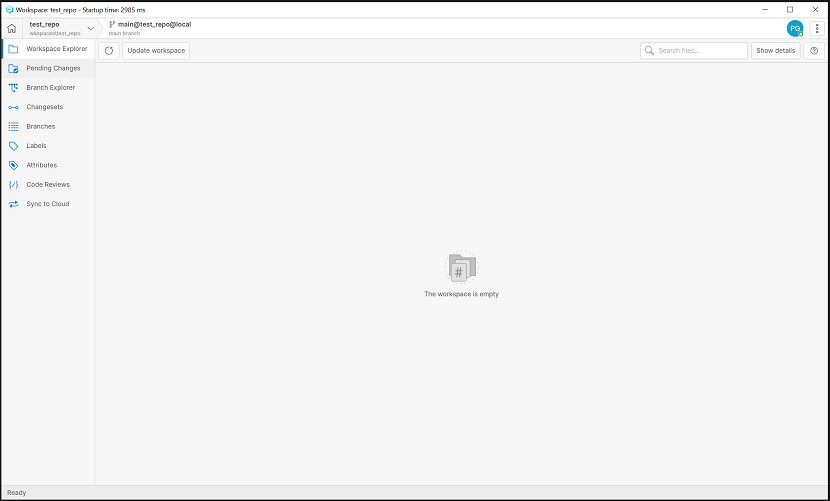
Screenshot
11.0.16.8044
New
Windows - All clients
Windows - All clients: Symlink support is now enabled by default
Windows symlink support was released in Plastic 11.0.16.6979 on May 19th, 2022. That's quite a while!
Now symlink support is enabled by default for all machines running Windows 10.0.14972 or newer. You can check which Windows version you have by running cmd.exe:
Microsoft Windows [Version 10.0.14972.1000](c) Microsoft Corporation. All rights reserved.C:\>
== REQUIREMENTS ==
To actually use this feature, you need to enable Developer Mode in Windows. To do so, you just need to type 'Developer Settings' into the Cortana search box, in the taskbar, and switch the 'Developer Mode' toggle on:
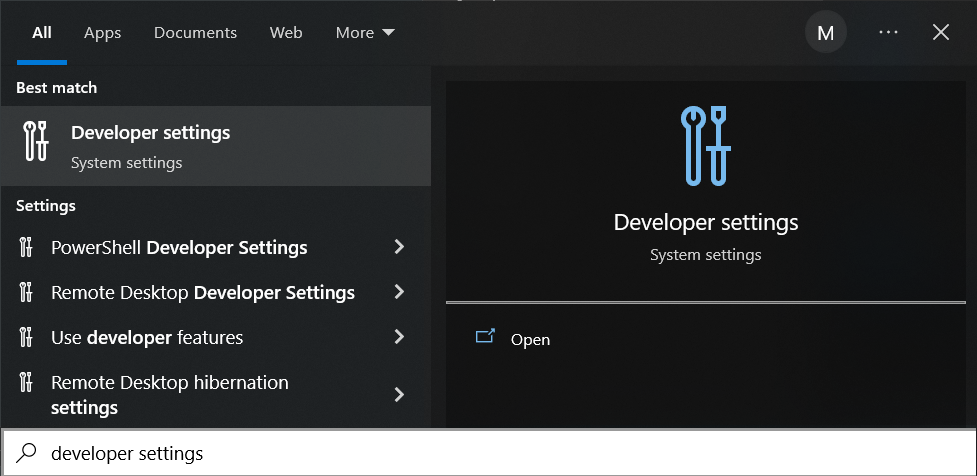
Screenshot
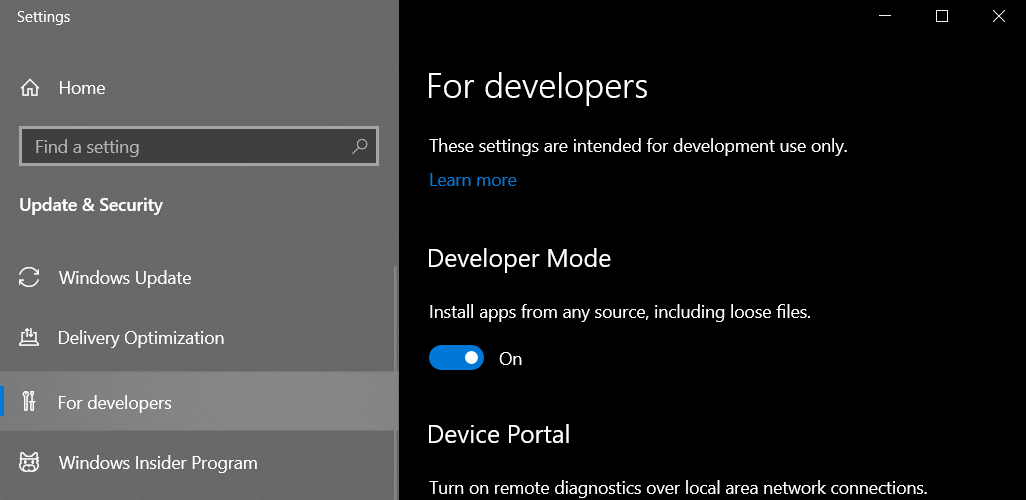
Screenshot
If for some reason you are not allowed to enable it and your repository contains symlinks already, you might want to keep the old behavior. To achieve that, you can simply disable the feature by setting the following configuration key in your client.conf file:
<EnableSymlinkSupportOnWindows>no</EnableSymlinkSupportOnWindows>
== HOW TO UPGRADE ==
If you already have some symlinks in your repository, your workspace will have placeholder files loaded in the tree.
To upgrade an existing workspace, you just need to remove those files from the disk (for instance, using Windows Explorer) and undo your changes in Unity DevOps Version Control immediately after. This will force it to recreate the items as proper symlinks.
== HOW TO CREATE SYMLINKS ON WINDOWS ==
You can use the same Unity DevOps Version Control commands and options you would use on Linux or macOS:
C:\wkspaces\sokoban> mklink /D Scripts Assets\ScriptsC:\wkspaces\sokoban> cm add ScriptsThe selected items are about to be added. Please wait ...Item c:\wkspaces\sokoban\Scripts was correctly addedC:\wkspaces\sokoban> cm ci --symlink ScriptsThe selected items are about to be checked in. Please wait ...- Checkin finished 26 bytes/26 bytes [################################] 100 %C:\wkspaces\sokoban> cm co --symlink ScriptsThe selected items are about to be checked out. Please wait ...Item c:\wkspaces\sokoban\Scripts was correctly checked outC:\wkspaces\sokoban> cm undo --symlink Scriptsc:\wkspaces\sokoban\Scripts unchecked out correctly
== ADVANCED USERS ==
Conversely, if you want to enable the feature using an older version of Windows, you can set the same configuration key explicitly:
<EnableSymlinkSupportOnWindows>yes</EnableSymlinkSupportOnWindows>
Mind you, this implies an advanced usage and involves running Unity DevOps Version Control with the administrator account. Whereas such usage is discouraged for obvious reasons, it is allowed.
All platforms - Command-line client
All platforms - Command-line client: "cm log" command learns "--dateformat" parameter
The command is now able to set a date format to print the log entries with the specified date format.
cm logExample (will print the dates in universal sortable dateformat):
$>cm log --dateformat=u --csFormat={changesetid}({date}){newline}{items}6022(2023-02-17 22:02:55Z) C vmachines.conf C testprograms\obs.auto.hal.txt
All platforms - Unity DevOps Version Control, Glu…
All platforms - Unity DevOps Version Control, Gluon: Shelves improvements
We improved the discovery for the Shelves view by opening it the first time you use the app.
The state of the Shelves view is remembered as a user preference in order to be shown or not when you open the application again.
Also, we implemented an empty state to appear if the user doesn't have shelves, or if the user executes a query without results.
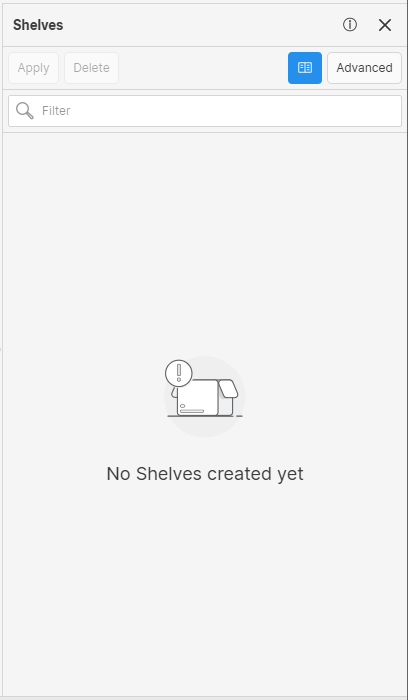
Screenshot
Bug
All platforms - Desktop GUI
All platforms - Desktop GUI: Workspace Explorer search crashes
The Workspace Explorer search for very large workspaces has been improved in performance and memory management, and the results are displayed sorted by path. In addition, the search will only be executed from 3 characters as it is done in Gluon.
11.0.16.8022
New
All platforms - Desktop GUI, Gluon
All platforms - Desktop GUI, Gluon: New option to display cloaked files in pending changes
As part of the pending changes options, we added a new option to display cloaked items. Now, you can see any cloaked file with changes in the pending changes view enabling this new option.
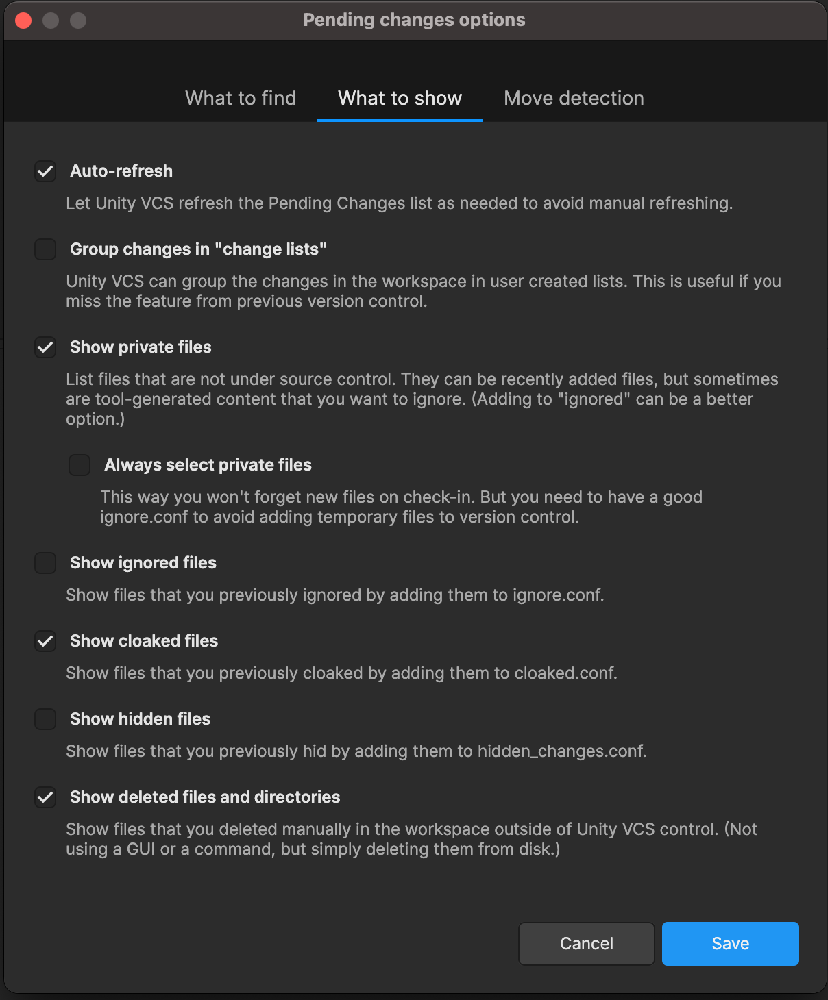
Screenshot
All platforms - All clients
All platforms - All clients: Files modified only on source are checked-out in cherry picking.
Now, cherry picking, subtractive and interval merge checkout the files that are modified only on source before applying the change in the workspace.
This way the lock mechanism is respected for these kind of merges to avoid creating file conflicts for non mergeable files easier.
Bug
All platforms - Desktop GUI
All platforms - Desktop GUI: Home view refresh doesn't keep the selected organization
If you changed the selected organization in the Home view, the next time the window was activated the selected organization was changed to the first value in the list.
We fixed this issue and the selected organization now is preserved.
All platforms - Desktop GUI, Gluon
All platforms - Desktop GUI, Gluon: Shelve empty comment warning configuration issue
The ShowEmptyShelveCommentWarning configuration setting just needs to be updated only when it's changed from the 'Preferences' window or when the 'Don't ask me again' option is checked in the 'Shelve empty comment' dialog.
Linux - Installers
Linux - Installers: Cannot resolve libicu dependency. Fixed.
Some Debian / Ubuntu distros were showing an error while installing telling that there is an unmet dependency of libicu and cannot be resolved.
Now it is fixed, since "libicu72" is set as a valid alias for libicu dependency.
11.0.16.7995
New
All platforms - Desktop GUI
All platforms - Desktop GUI: Improved undo behavior after creating a shelve
After a new shelve is created, we show a dialog asking if the user wants to undo the changes or keep them in the pending changes. Now this dialog appears before the shelve is created, and it can be closed to cancel the whole shelve operation.
We also added a checkbox that allows to remember the selected option. This behavior can be changed at any time from the preferences
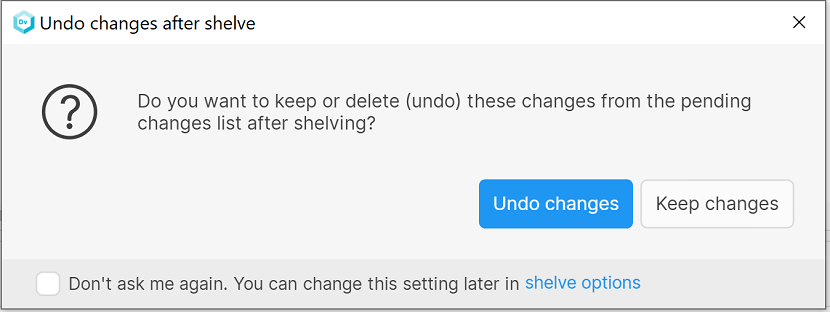
Screenshot
All platforms - Desktop GUI, Gluon
All platforms - Desktop GUI, Gluon: Improved the style of the sign-in dialog
New layout modifications have been done in the sign-in dialog.
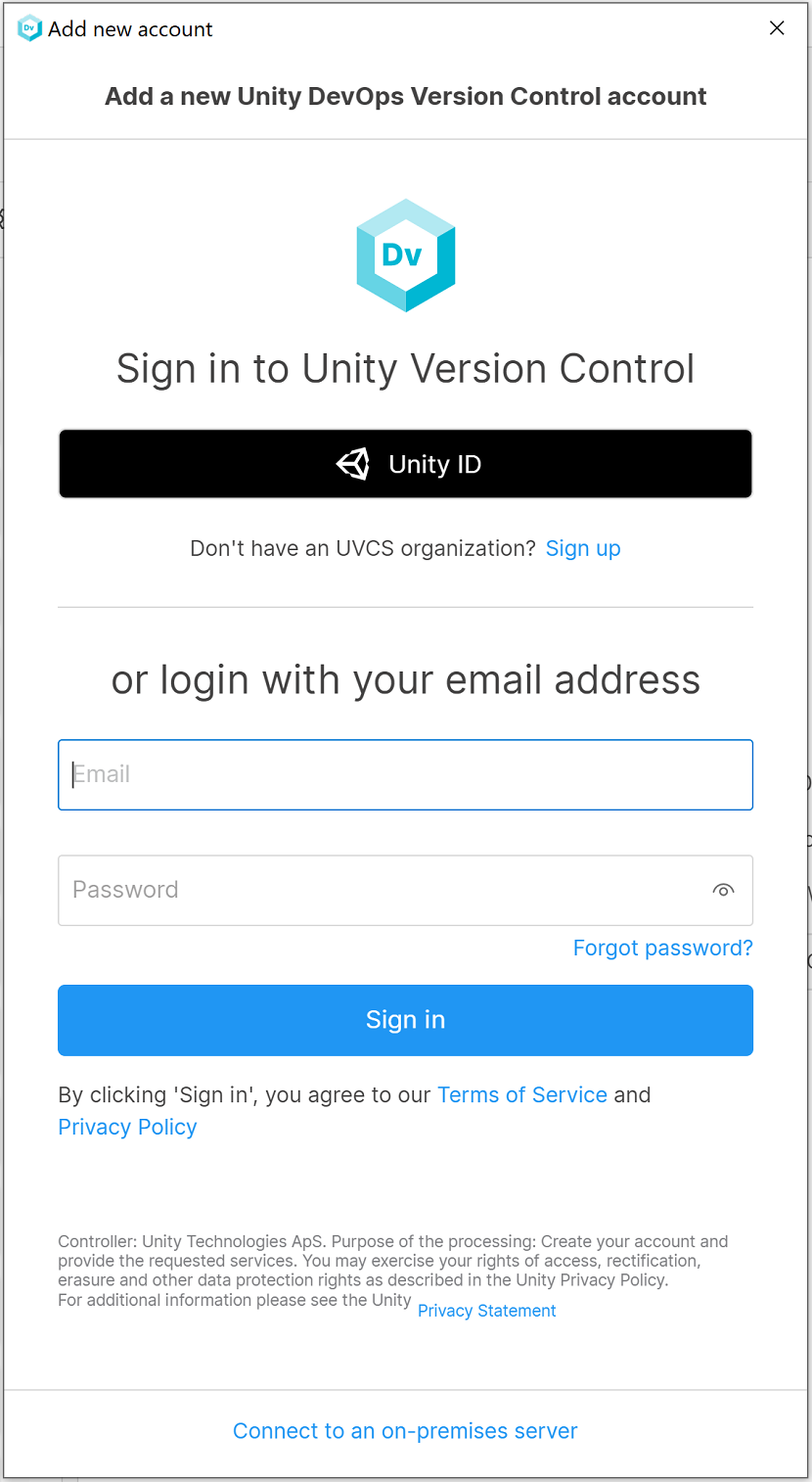
Screenshot
11.0.16.7978
New
The Unity Version Control CLI documentation is no…
The Unity Version Control CLI documentation is now live on the web!
Previously, we were missing the complete documentation with all commands, and the only way to access it and understand how to use the command line was through internal help. Now there's a comprehensive guide available for everyone!
You can find the documentation here:
It's packed with detailed explanations, examples, and usage instructions for all the Unity Version Control CLI commands. Whether you're a seasoned pro or just getting started, this resource will be invaluable.
Keep in mind that this is the first published version. While it's a significant milestone, we recognize that there's always room for improvement.
Stay tuned for more updates on the online CLI help!
All-platforms - Command-line client
All-platforms - Command-line client: New mvbranch trigger
We added a new type of trigger, which is called before/after the renaming of a branch. Along with the trigger, we added two new environment variables:
PLASTIC_BRANCH_NEW_NAMEPLASTIC_FULL_BRANCH_NEW_NAME
These can be used in combination with previous environment variables for automation purposes (see below).
For instance, it would be possible to create a trigger with the following command:
cm trigger create before-mvbranch MyTrigger "C:\cisystem\trigger.bat C:\cisystem\triggerresult.txt"
This script could contain the following - indeed, you can try something like this to set the trigger up and test it!
REM trigger.bat@echo off(echo PLASTIC_BRANCH_NEW_NAME %PLASTIC_BRANCH_NEW_NAME%echo PLASTIC_FULL_BRANCH_NEW_NAME %PLASTIC_FULL_BRANCH_NEW_NAME%echo:echo PLASTIC_BRANCH_NAME %PLASTIC_BRANCH_NAME%echo PLASTIC_FULL_BRANCH_NAME %PLASTIC_FULL_BRANCH_NAME%echo:) >> %1
And then, when executing a rename in the branch, the result file would have the following content:
# triggerresult.txtPLASTIC_BRANCH_NEW_NAME = task002PLASTIC_FULL_BRANCH_NEW_NAME = /main/task002PLASTIC_BRANCH_NAME = task001PLASTIC_FULL_BRANCH_NAME = /main/task001
As always, the usual environment variables are also available when running the trigger:
PLASTIC_BRANCH_NAMEPLASTIC_FULL_BRANCH_NAMEPLASTIC_REPOSITORY_NAMEPLASTIC_COMMENTPLASTIC_USERPLASTIC_CLIENTMACHINEPLASTIC_SERVER
Bug
All platforms - Desktop GUI
All platforms - Desktop GUI: Fixed exception deleting text in Merge Tool.
In some scenarios, selecting all the text and deleting it from the result TextEditor caused an IndexOutOfRange exception when using the merge tool. Now it's fixed.
11.0.16.7974
New
All platforms - Desktop GUI, Gluon
All platforms - Desktop GUI, Gluon: Preferences menu icons on hover
Changed the color of the menu item icon when the mouse is over the item.
Windows, Linux - Desktop GUI, Gluon
Windows, Linux - Desktop GUI, Gluon: Shortcut to open preferences dialog
Handled the "Ctrl+," keyboard shortcut to open the Preferences window in Windows and Linux.
All platforms - Desktop GUI, Gluon
All platforms - Desktop GUI, Gluon: Improve empty comment warning
We updated the dialog that appears when you try to check in some changes without entering a comment. Now the dialog has a check box that allows you to remove this warning for future check-ins. There's also a link to the view in the preferences where you can change this setting later.
Also, now the warning is also shown when creating shelves
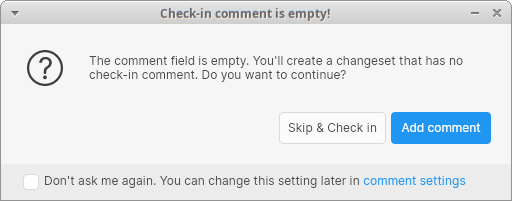
Screenshot
Windows - PlasticFS
Windows - PlasticFS: Serveral improvements in symlink support
PlasticFS now uses its own reparse point solver. Now relative symlinks are allowed to freely reach the mount point and outside the workspace.
$wk> mklink /D to_workspace .symbolic link created for to_workspace <<===>> .$wk> cd to_workspace$wk\to_workspace> dir04/12/2023 11:41 AM <DIR> .04/12/2023 11:41 AM <DIR> ..04/12/2023 11:41 AM <SYMLINKD> to_workspace [.]
Some additional corner cases involving junctions are now fixed too.
== SYMLINKS LIMITATIONS ==
-
This feature is in an early stage of development, so you can expect minor bugs to happen.
-
PlasticFS always creates symlinks as files. By trying to access them, they will be automatically solved and converted to directories. However, this step might confuse external programs that do not expect it.
-
This happens anytime you create a new workspace or under some special conditions involving "undo" and "update" operations.
-
Windows Explorer will force this conversion, but you might have to refresh the window the first time it shows a symlink.
-
All platforms - Desktop GUI, Gluon
All platforms - Desktop GUI, Gluon: Standardize zoom controls
The image diff viewer zoom controls have been replaced by new ones with same look&feel of the Branch Explorer zoom controls.
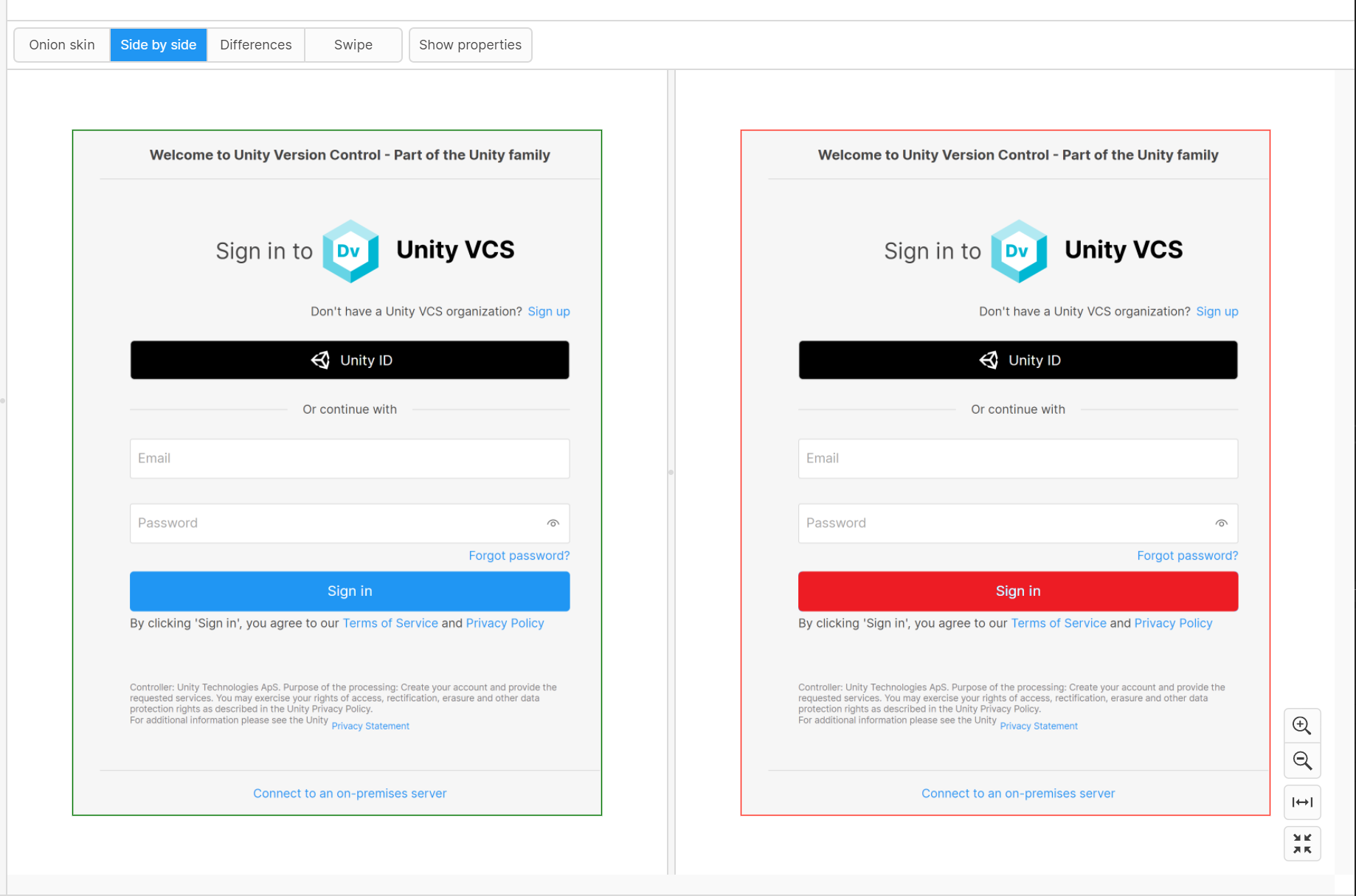
Screenshot
Bug
All platforms - Desktop GUI
All platforms - Desktop GUI: Fixed exception when closing Merge Window too quickly
Clicking "Save and Exit" on the Merge Window before the merge was calculated resulted in an unexpected error. We fixed this by disabling the button until the merge calculation completes.
All platforms - Desktop GUI
All platforms - Desktop GUI: Back button appears on user account change
The back button only has to be displayed when the Home view is visible for returning to the main workspace view.
11.0.16.7957
New
All platforms - All clients
All platforms - All clients: Faster workspace tree (plastic.wktree) update
Clients using super-huge trees (more than 1M items) will experience a performance improvement.
A single file checkout/checkin/undo operation in a workspace of 7M of items is now x10 times faster!
-
Before, it took around 6 s to write the workspace tree.
-
Now, it only takes 600 ms to write the workspace tree.
This change is only available for clients with the following client.conf setting enabled (see below):
<EnableNewWorkspaceTreeFormat>yes</EnableNewWorkspaceTreeFormat>
Details about the change:
Before, the entire workspace tree file was rewritten each time its metadata was modified (through a checkin, checkout, switch, etc. operation) even if only a few files were touched. Now it only re-writes the modified entries, which makes it much faster for big workspaces.
All platforms - Desktop GUI, Gluon
All platforms - Desktop GUI, Gluon: Added Attributes view for shelves
Now you can see and edit the attributes of a shelve when seeing its differences. There's a new button at the top that lets you open the list of attributes, from where you can add, remove or modify them.
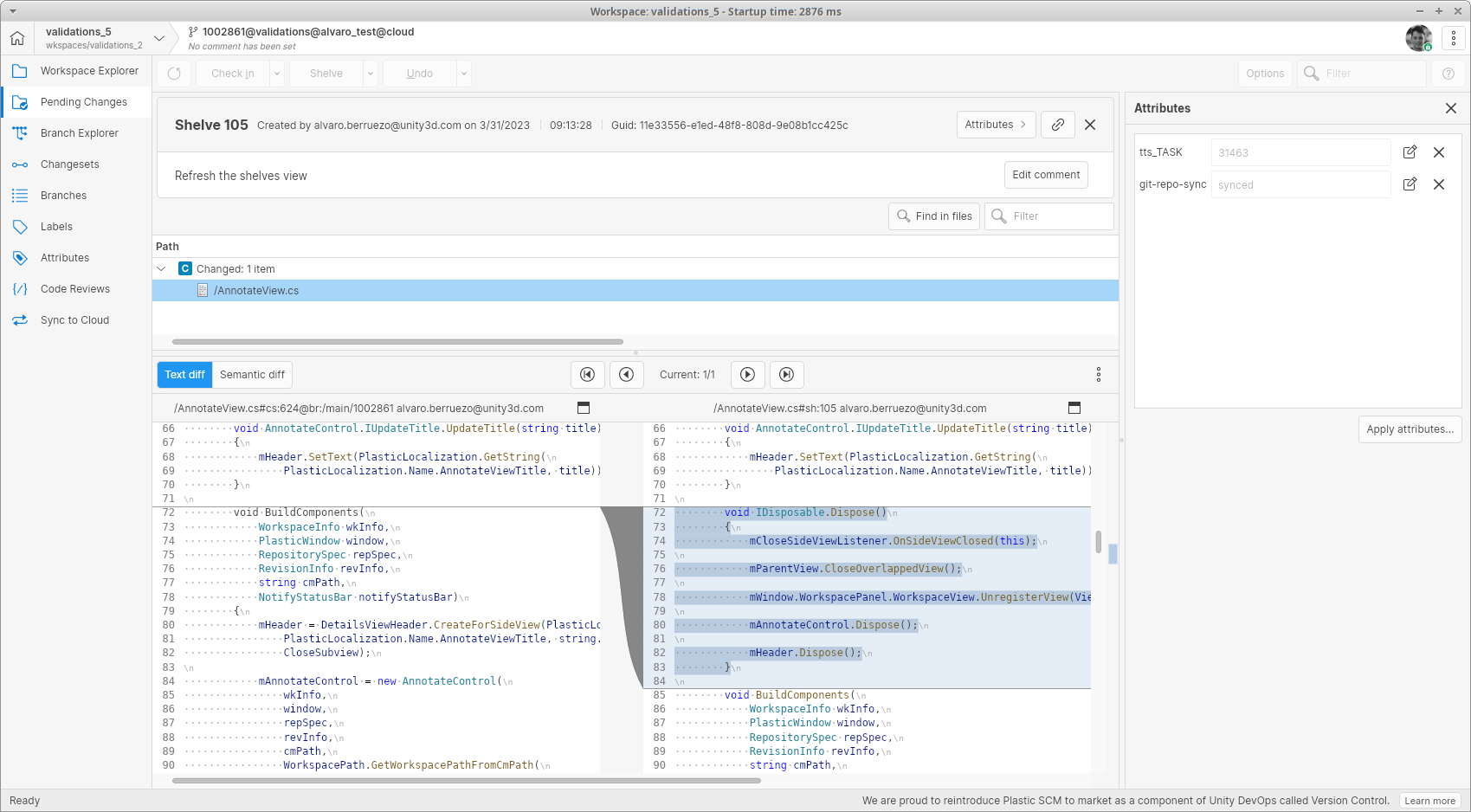
Screenshot
All platforms - Desktop GUI
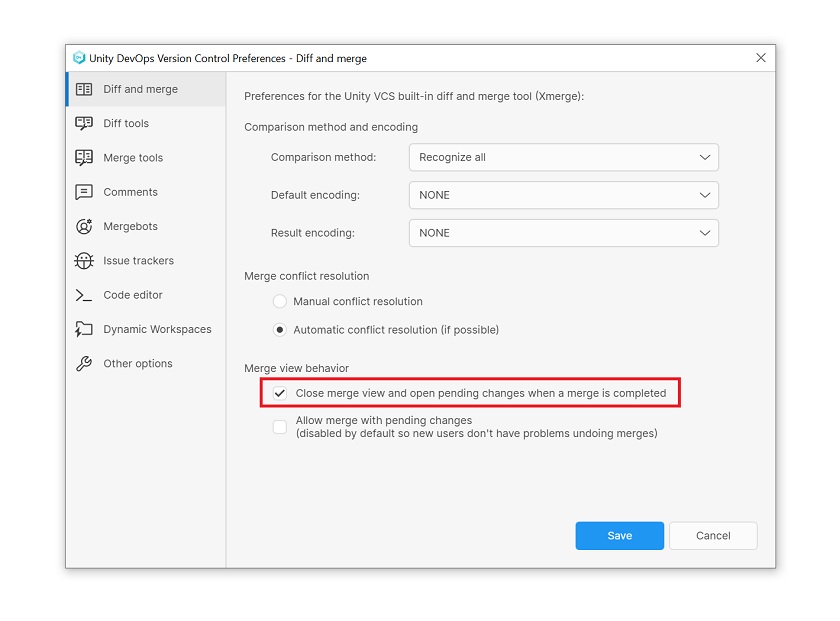
All platforms - Desktop GUI: "Close merge view and open pending changes" set by default
As of this release, "Close merge view and open pending changes" Preferences option will be set by default to all new users.
Screenshot
All platforms - Desktop GUI
All platforms - Desktop GUI: Code Review comments Reply button disabled after it's clicked
In code review window the Edit and Reply buttons has been disabled from comments and questions list while the new comment is in edition mode. This is done to avoid discarding the changed text when this button is clicked instead of the Comment button.
Linux - Desktop GUI
Linux - Desktop GUI: Updated app icon
As part of the ongoing rebranding to Unity Version Control, we replaced the 'Plastic SCM' icon with 'Unity DevOps Version Control' one in the app for the Linux platform.
Windows - Wwise plugin
Windows - Wwise plugin: Prompt for checkout on edit is now supported
Implemented support for the VCS setting "Prompt for checkout on edit", allowing users to checkout the affected files as part of the saving process.
Windows - PlasticFS
Windows - PlasticFS: Upgrade to WinFSP 2023
Plastic FS now uses WinFSP 2023 as the minimum supported version. If you already have WinFSP 2023 Beta 1, the upgrade process will be easier than ever.
You can find the WinFSP release notes in https://github.com/winfsp/winfsp/releases.
Bug
All platforms - Desktop GUI
All platforms - Desktop GUI: Issue tracker repo list is unsorted
In the Preferences window, the repositories list from Issue Trackers view will be sorted alphabetically.
All platforms - Desktop GUI
All platforms - Desktop GUI: Pending Changes - Selected items number not updating
Fixed text update in Pending changes tree, when the items were checked/unchecked the displayed category text wasn't updated properly.
All platforms - Desktop GUI, Gluon
All platforms - Desktop GUI, Gluon: Fixed misaligned links position
In the app, links and texts on the same line could appear vertically misaligned. We fixed this issue
All platforms - Desktop GUI
All platforms - Desktop GUI: After-checkin trigger errors now shown in GUI
Notifications about failures when running after-checkin triggers were being shown in the command line tools, but were not being shown in the GUI.
Now, we display the error in a dialog to ensure that you are alerted when a trigger fails to run.
All platforms - Desktop GUI
All platforms - Desktop GUI: Fixed null exception when resolving merge
We fixed an exception that could be thrown while processing file conflicts one at a time during a merge, where the merge involved writeable xlinks but there were no conflicts in files under the xlink. The exception didn't affect the merge, but the error dialogs made it look like there was a problem.
All platforms - Gluon
All platforms - Gluon: Details Panel showing incorrect characters under Spanish localization
Gluon Details Panel show incorrect characters in fields "Tamaño" and "Último acceso" in Spanish localization.
We fixed this issue.
11.0.16.7935
New
Windows - Desktop GUI
Windows - Desktop GUI: The legacy Plastic SCM GUI has been deprecated
Please update your installation to the latest version. Continuing to use any older version may result in reduced support for your operation.
The new GUI has been the default since version 11.0.16.7105 and is fully capable of upholding your Unity Version Control workflows, please don't hesitate to contact us to provide additional feedback so we can continue improving it.
All platforms - Desktop GUI
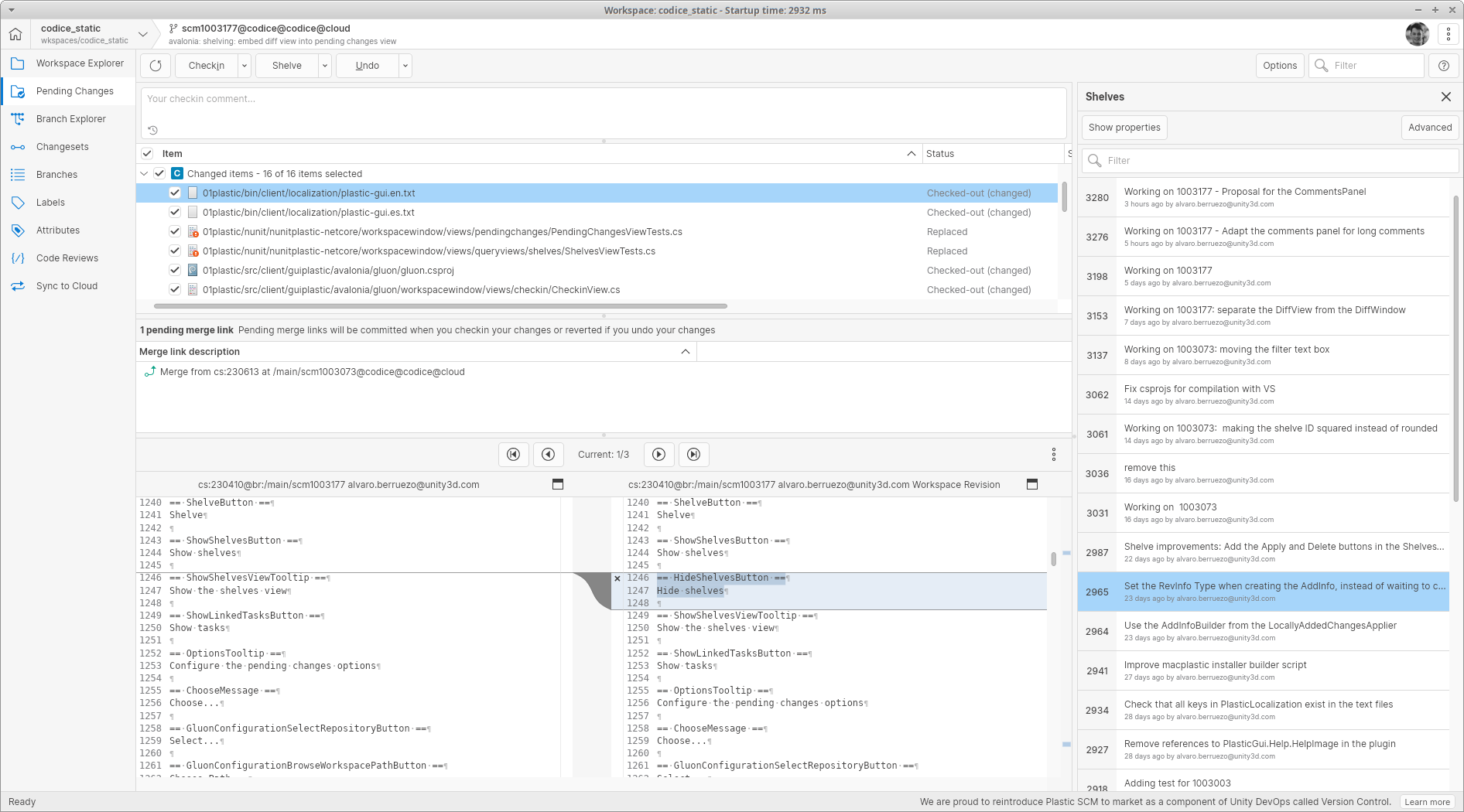
All platforms - Desktop GUI: New design of the shelves view
We improved the design of the shelves view. The old table style was replaced with a new list that displays all the relevant information about each shelve in a cleaner way.
Also, we rearranged the buttons to create a new shelve and see the shelves list in the pending changes. Check it out:
Screenshot
All platforms - Desktop GUI, Gluon
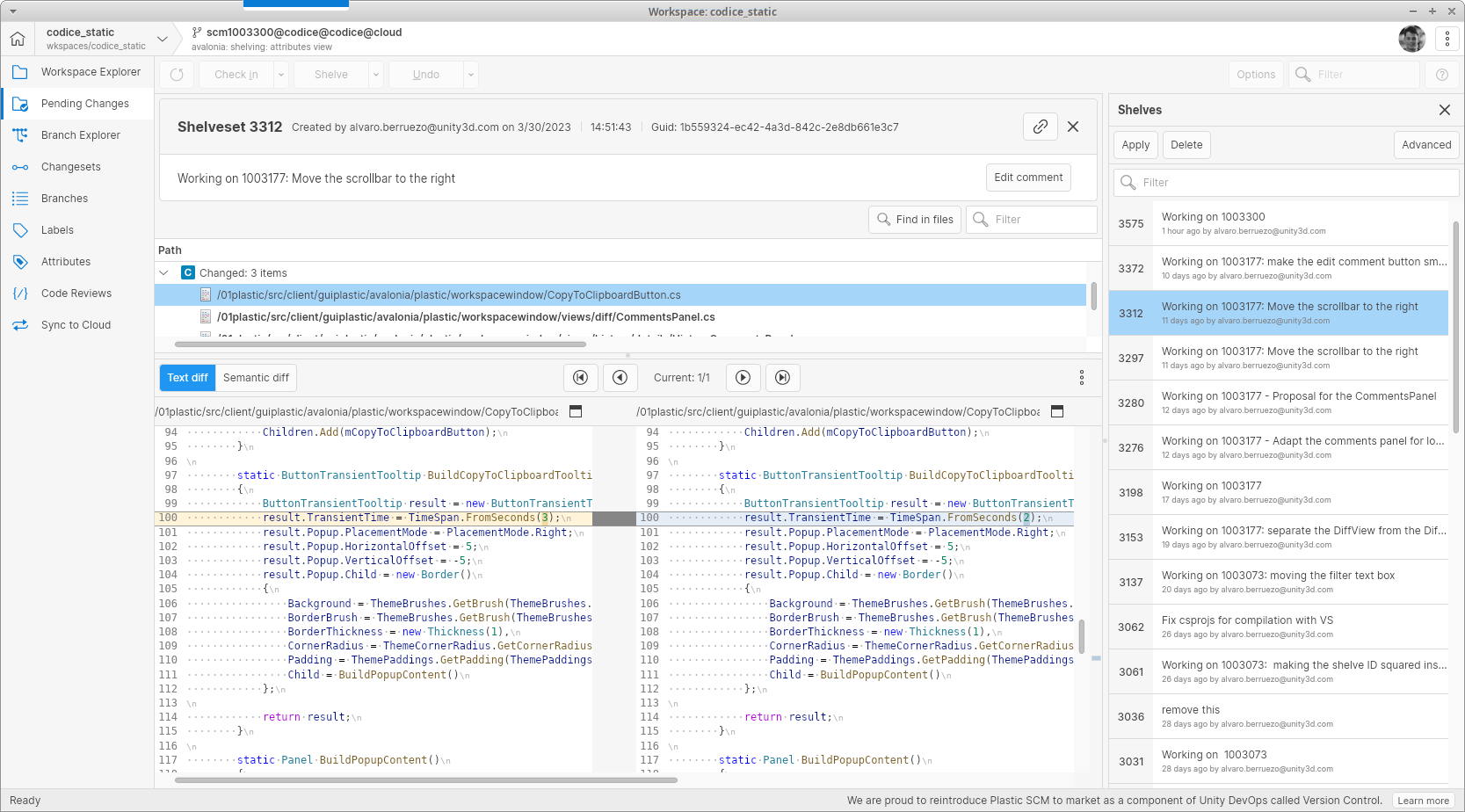
All platforms - Desktop GUI, Gluon: Shelve diffs shown in the pending changes view
Now when showing the diff of a shelve, instead of opening it in a separate diff window, we show it integrated in the pending changes view. You can close the diff to go back to the pending changes or select a different shelve to view its differences.
We also redesigned the header of the diff window to match the new style of the shelve diff.
Screenshot
All platforms - Desktop GUI, Gluon
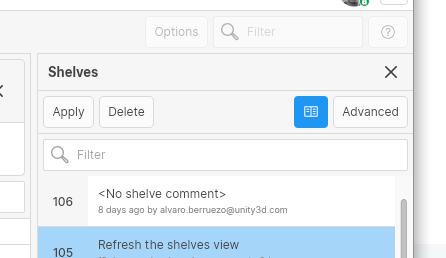
All platforms - Desktop GUI, Gluon: Added option to automatically open shelves
We added a new option in the Shelves view that, when enabled, allows you to automatically open the selected shelve in the current window, every time you change the selection. If you disable this feature, you can work as before, by double-clicking on each shelve to open the diff in a separate window.
Screenshot
Windows - Desktop GUI
Windows - Desktop GUI: Enabled SemanticMerge by default
As of this release, the SemanticMerge tool will be the default tool for new Windows users instead of the legacy SemanticMerge tool.
All Platforms - Desktop GUI
All Platforms - Desktop GUI: Enhanced Shelve view toolbar
Users will now see new "Apply" and "Delete" buttons in the toolbar, (and the previously existing context menu equivalent options). By prominently displaying these actions in the toolbar, we aim to improve the visibility and ease of use of these options for users.
All Platforms - Desktop GUI
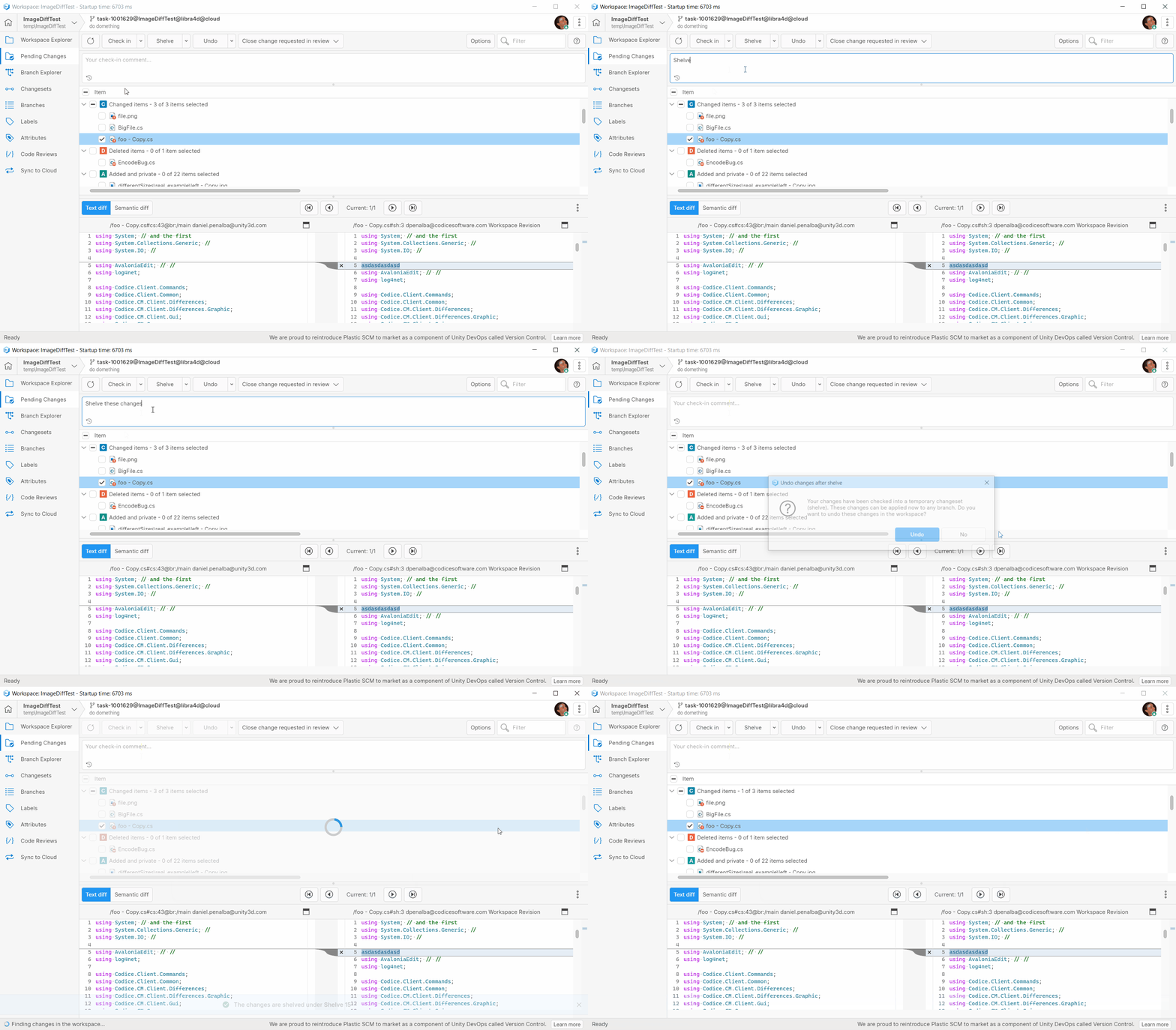
All Platforms - Desktop GUI: Improve notifications
We replaced the old transient notifications in the status bar, with window notifications for a better experience.
Screenshot
Windows - Desktop GUI
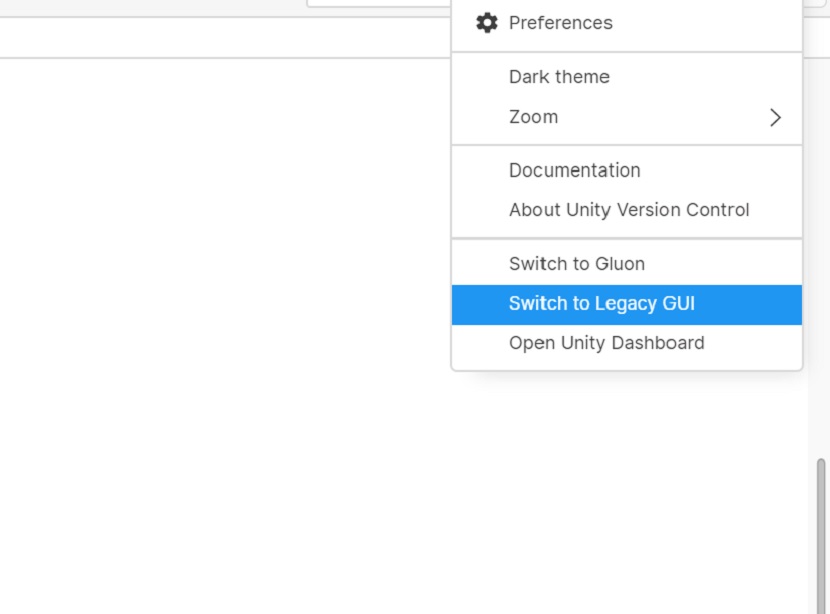
Windows - Desktop GUI: Removed "Switch to Legacy GUI" menu option
The legacy Plastic GUI for Windows is no longer being supported as of this release.
In Unity VCS, the "Switch to Legacy GUI" menu option has been removed, and the executable will soon no longer be part of the installation package.
Also, "Welcome to new GUI" message panels were removed
Screenshot
All platforms - Desktop GUI
All platforms - Desktop GUI: Updated 'Sign in' dialog layout
We updated the 'Sign in' dialog in order to highlight the Unity ID auth because now it is the main one.
Bug
All platforms - All clients
All platforms - All clients: Fixed an error that could result in corrupted downloads because of a socket timeout when using SSL
Under some circumstances, downloading revision data from the UVCS server to the disk - typically a workspace update operation - might fail, leaving partial content on the disk (files not completely downloaded, or not downloaded at all).
The message error you would see in this situation is:
Received an unexpected EOF or 0 bytes from the transport stream
Now there is a higher timeout in place both for send and receive operations, which reduced timeouts by more than a 90%. This results in fewer retries overall for every user, and fewer chances of facing this error, even without updating your client version. Nevertheless, we encourage you to also update your client to this version, as now it is properly detecting unexpected EOF's at SSL to retry the operation automatically.
All platforms - Desktop GUI, Command line client
All platforms - Desktop GUI, Command line client: Allow complete a merge keeping the local changes with the files locked
Previously, the merge operation needed to access all the files in conflict, no matter the selected resolution for those files.
Now, when you want to keep your local changes during the merge (keep destination resolution), this access is not needed.
It is useful when your IDE locks the file you are working on and for which you want to keep your changes, such as an asset of the Unreal Engine.
All platforms - Desktop GUI
All platforms - Desktop GUI: Fixed exception when navigating to "Find in files" result in large file
In some circumstances, navigating to a "Find in files" result after previously selecting a file large enough to show the "large file" warning, could result in an error being shown. We fixed that.
All platforms - Desktop GUI
All platforms - Desktop GUI: Fixed branch explorer multilabel issues
An error was obtained when double clicking a multilabel shape in the branch explorer, now the browse repository view will be displayed after this user action. The displayed properties from the Options panel were not consistent with the current selection when a multilabel was selected, now no Properties will be displayed for this kind of labels.
An issue has also been fixed regarding the branch explorer view, when the browse repository view was closed the branch explorer was not in normal mode because it had the panning mode activated.
All platforms - Command line client
All platforms - Command line client: Fix client configuration for Unity ID authentication
The cm configure command was wrongly setting the LDAP working mode, when configuring your client to work directly against the cloud server using the Unity ID authentication.
As a result of this misconfiguration, when you try to access a different server, which was not used before (without a profile for it), the client fails with the error "Invalid parameters for LDAP in client config file."
Now the cm configure command sets the right SSO working mode. Also, when the misconfiguration is detected is fixed automatically without having to configure the client again.
All Platforms - TeamCity plugin
All Platforms - TeamCity plugin: Added a timeout so now plugin is able to reset if it hangs up on the shell initialization
Plugin was some times getting stuck on cm shell version command for some Agent operations. We added a timeout for those operations and now if it hangs we are able to get rid of it and fail.
All platforms - Server
All platforms - Server: TrunkBot Mergebot (DevOps) was throwing an error on a race condition
It could happen that the TrunkBot is about to start processing a branch from its queue, but at the same time an attribute change of that branch could cause the deletion of the same branch from the queue, causing an internal exception that stopped the process and prevented the branch to be processed. Fixed.
11.0.16.7881
New
All Platforms - Unity DevOps Version Control
All Platforms - Unity DevOps Version Control: Organization creation redirect.
Previously, it was possible to create organizations directly from the GUI, but now, organization creation has been moved to the Unity Dashboard.
So when you try to create a new organization from the GUI, you'll now be redirected to the Unity Dashboard.
All platforms - Plastic, Gluon
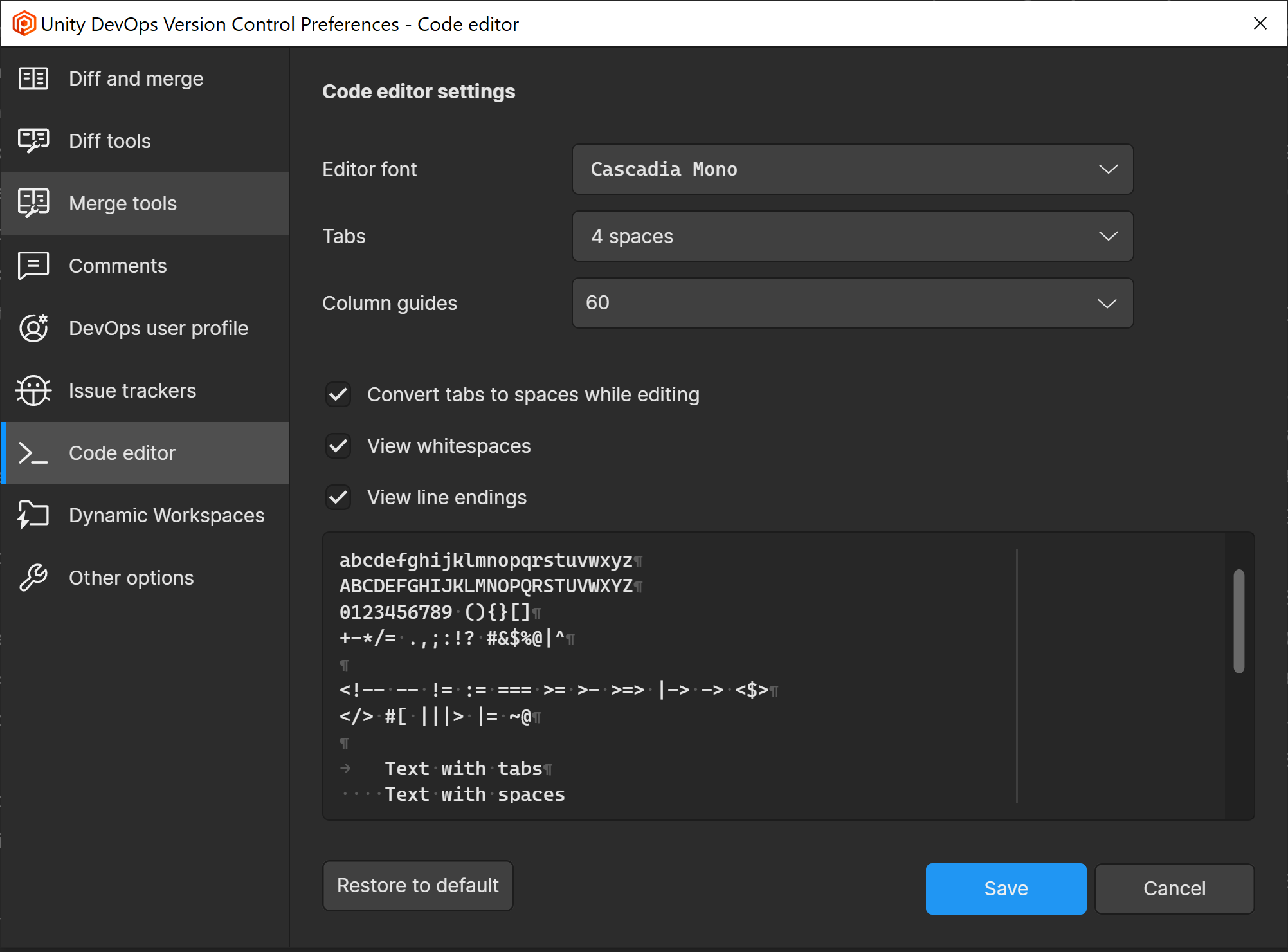
All platforms - Plastic, Gluon: New Code Editor and Language settings in Preferences
A new settings tab has been added to Preferences window to allow Code editor settings management. In this new view we can modify some of the settings related to the code editor as the font or number of tab spaces, and also the values can be restored from the default configured values.
Screenshot
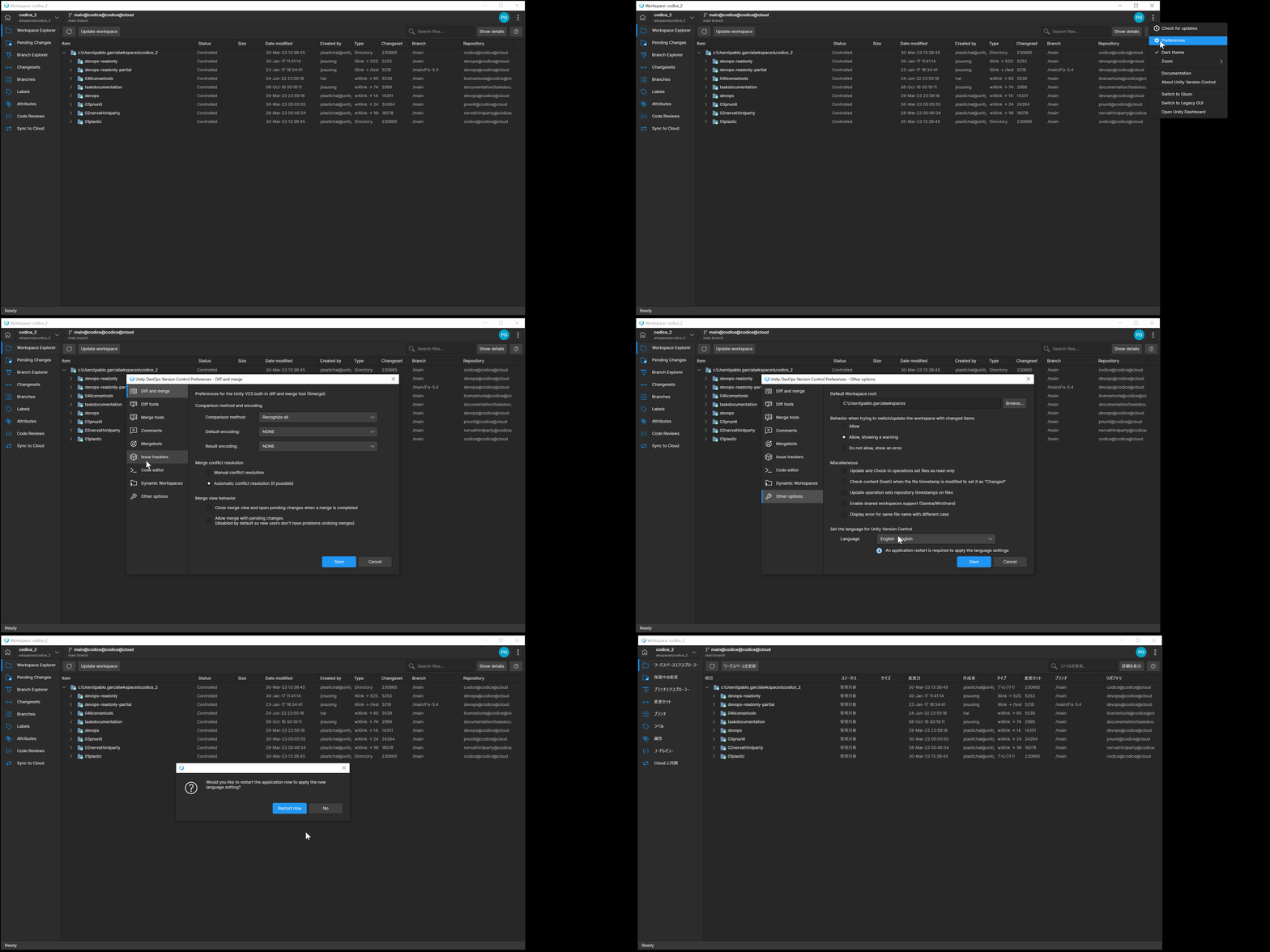
The app language selection has been also added to the Other options view from Preferences window. When a new language selection is done and saved, a new popup message will be displayed asking for the application restart. The new language will be applied in GUI only if the application is restarted.
Screenshot
All platforms - Unity DevOps Version Control
All platforms - Unity DevOps Version Control: Updated app icons
As part of the ongoing rebranding, "Plastic SCM" icons were replaced by "Unity DevOps Version Control" icons in the app.
Bug
All Platforms - Unity DevOps Version Control
All Platforms - Unity DevOps Version Control: "Checkin" grammar revision
"Checkin" grammar revision was made in all text strings.
For instance, the "Checkin" button was changed to "Check in" in the Pending Changes View.
All platforms - Unity DevOps Version Control
All platforms - Unity DevOps Version Control: fixed exceptions in Home view when user has no organization
We fixed a couple of issues in the Home view where exceptions were thrown when the user has no organization. The exceptions were thrown when the show deleted repositories option was toggled, and when text was entered in the filter.
All platforms - Unity DevOps Version Control
All platforms - Unity DevOps Version Control: Localization broken
Fixed the loading of localized texts into the GUI.
11.0.16.7851
New
All Platforms - Unity DevOps Version Control
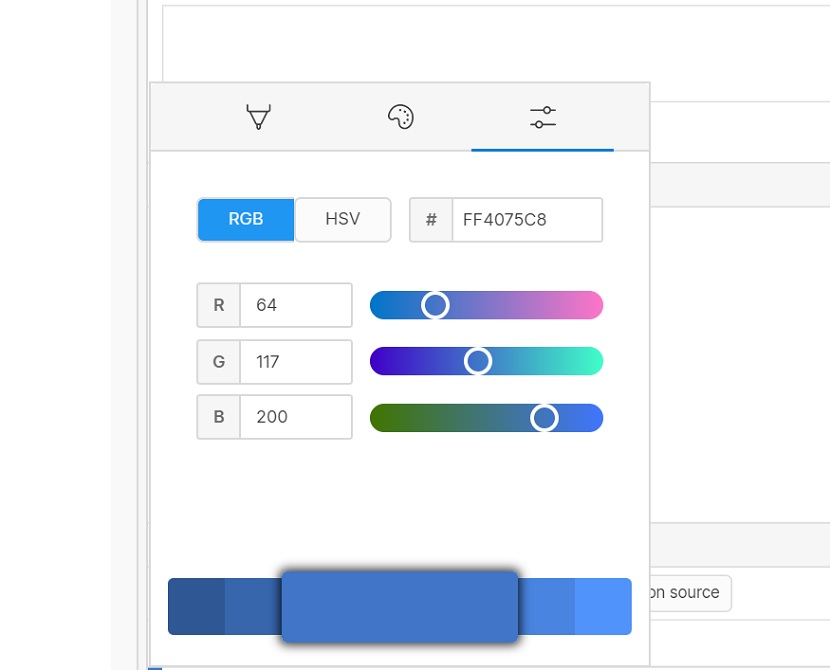
All Platforms - Unity DevOps Version Control: Color Picker: Removed alpha channel slider
In this release, alpha channel slider was removed for Color Picker controls
Screenshot
Server
Server: Allow to see the branch changes pending to integrate when it doesn't fulfill the merge rules.
The diff --integration (e.g., 'cm diff br:/main/task --integration') allow to see the pending changes to integrate for the given branch. But, when the branch doesn't fulfill the merge rules defined on the server (e.g., you need to review the branches prior to merge them into /main), you get the error "Cannot perform the merge because of the Merge Rules. Review the branch '/main/task' to merge it to '/main'." when you try to see the changes pending to integrate on a branch without a code review.
Now the diff --integration works, no matter if the server has any merge rule enabled or if the branch fulfill those rules.
All platforms - Unity DevOps Version Control, Gluon
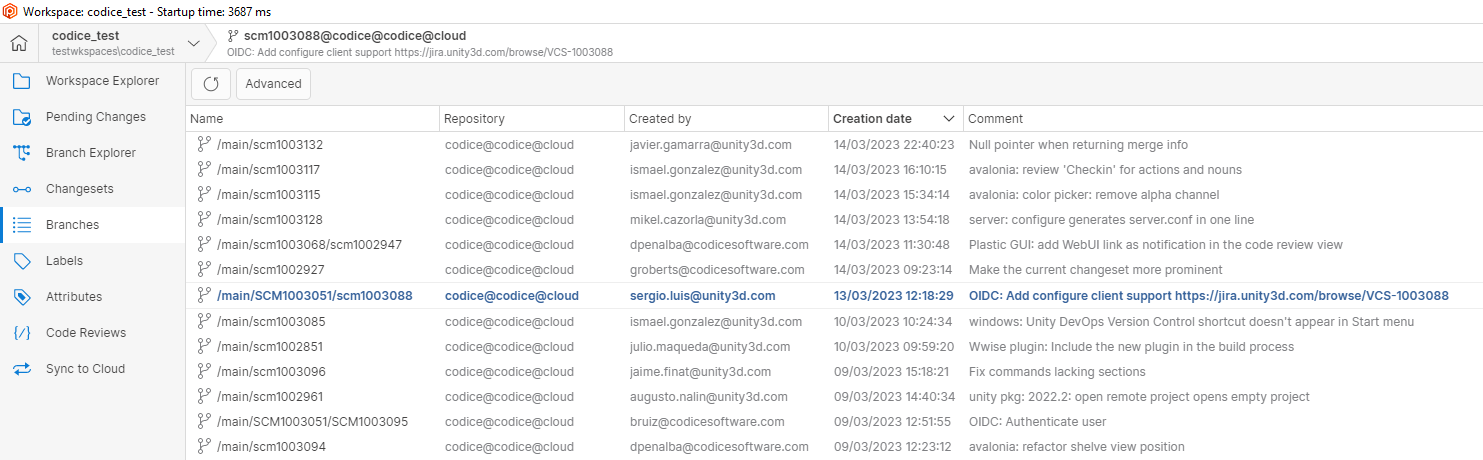
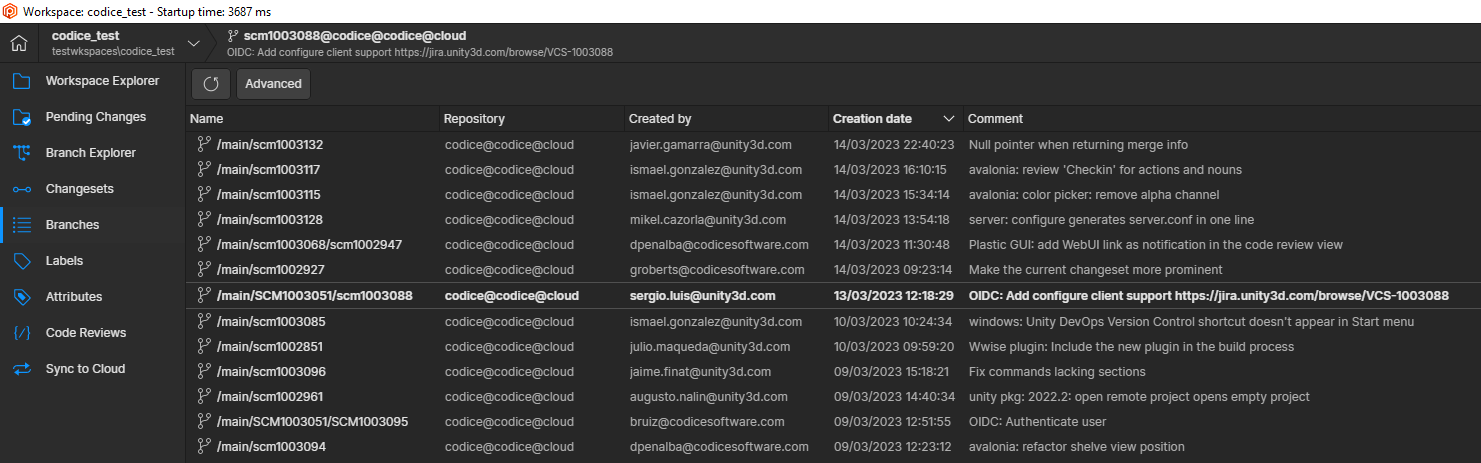
All platforms - Unity DevOps Version Control, Gluon: Improve visibility of current changeset or branch
We added some visual cues to the Branches and Changesets view so that you can more easily see which is your current branch or changeset.
We also applied the same style change to the item history view in Gluon.
Screenshot
Screenshot
All platforms - Unity DevOps Version Control, Gluon
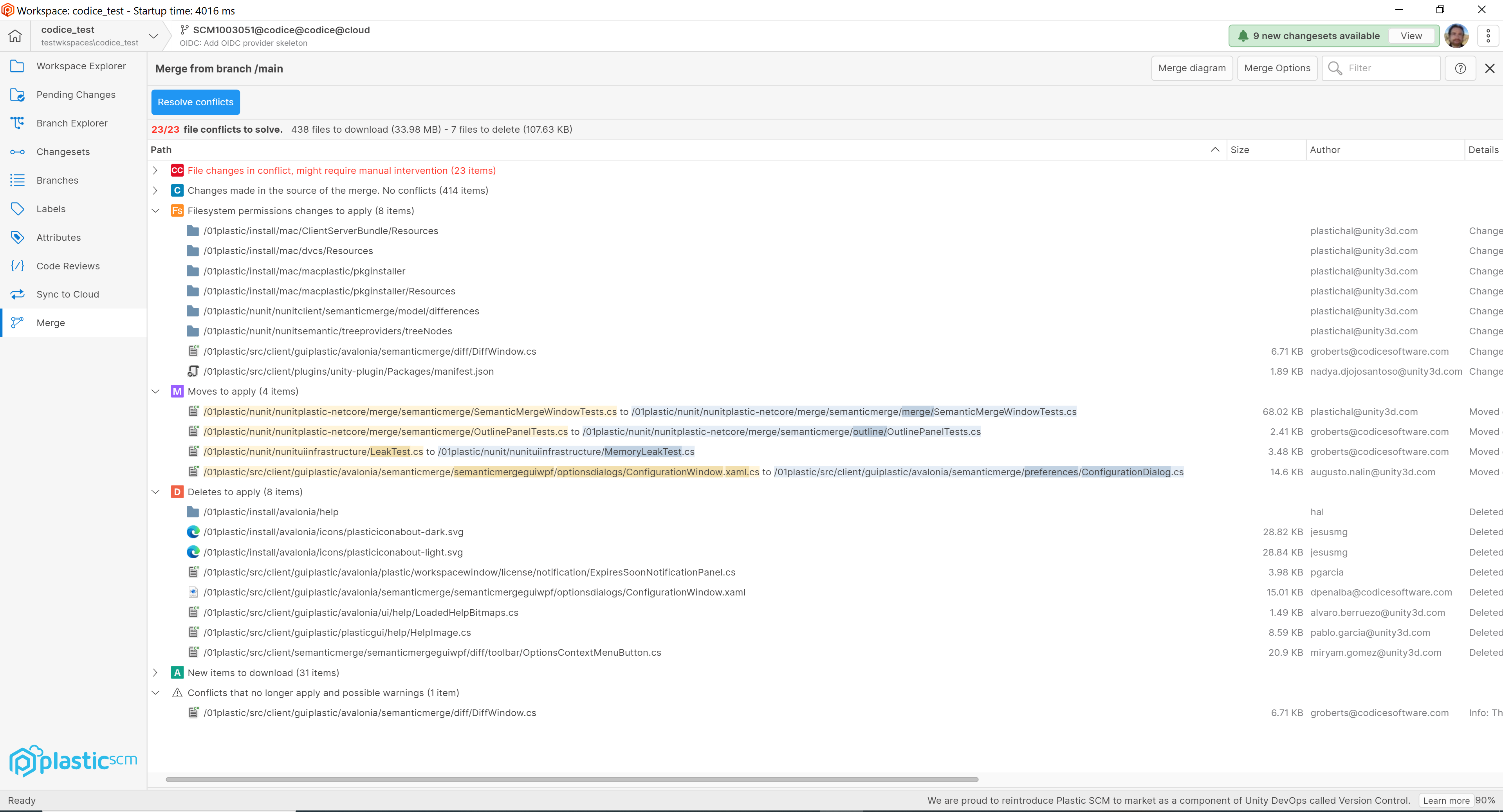
All platforms - Unity DevOps Version Control, Gluon: Highlight path changes for moved items
We added highlighting to the paths for moved items so that you can more easily see which parts of the path were changed.
This applies to the Pending Changes, Merge, Diff and Incoming Changes views in Unity DevOps Version Control and Gluon.
Screenshot
All platforms - Unity DevOps Version Control
All platforms - Unity DevOps Version Control: Notification added to invite users to try the new Code Review experience.
We have added a notification bar that invites users to try out our enhanced Code Review experience from the Unity Dashboard:
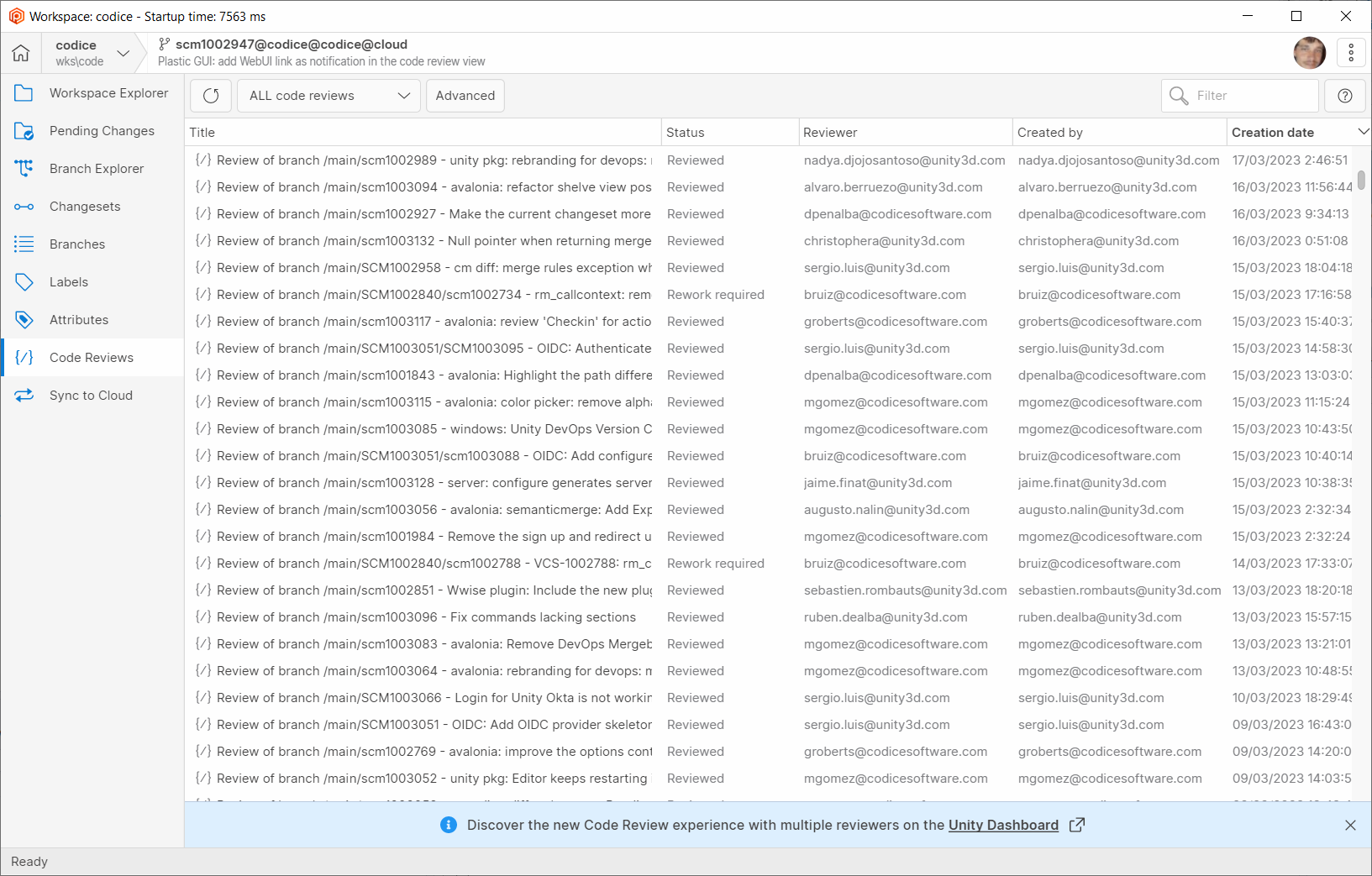
Screenshot
All platforms - Command line client
All platforms - Command line client: Revamped the client configuration from the command line.
We improved the way of configuring the client interactively from the command line client ().
cm configureThe first change is that now you are not asked for the repository server specification in different steps. Take this as an example - this is what you had to do before to configure a SSL server:
Configure the Unity VCS server address/port:Unity VCS server address [localhost]: version-control.unity-hq.domainUnity VCS server port [8087]: 8087Use encryption (SSL)? [y/N]: yUnity VCS SSL server port [8088]: 9095
You had to specify a plain TCP port despite the server might not be even listening on one. Then you were asked whether or not you wanted to use SSL, and only then you could specify the port you really wanted to use. This process was both slow and error prone.
This is what you need to do now to achieve the same:
Enter server address: ssl://version-control.unity-hq.domain:9095
Additionally, if your server requires connection credentials (User and password, or email and password), the command line client checks that the credentials are correct before saving any configuration - letting you retry if you fail to type in your user or password.
And last but not least the command now supports configuring your client directly against a Cloud organization (using email and password, Unity ID, or any other Single Sign-On mechanism you might have configured). Before these changes, only email and password were allowed for configuring your client directly against the Unity DevOps Version Control Cloud servers.
cm configureWindows - Wwise plugin
Windows - Wwise plugin: New location for the Wwise plugin
From this version on, the Wwise plugin compatible with version 2021 and below can be found in the PlasticSCM installation folder, under the path "client/plugins/wwise".
Windows - Wwise plugin
Windows - Wwise plugin: New plugin for Wwise 2022
We are pleased to announce the first release of the Unity DevOps Version Control Plugin for Wwise compatible with version 2022.
This new plugin can be found in the PlasticSCM installation folder, under the path "client/plugins/wwise2022".
Command-line client
Command-line client: Update command improved for automation
Now moved files will be also regarded when option --xml is specified. On top of that, a new field "ChangeType" has been added in order to make the output more understandable and easier to parse. For instance, if we are 1 changeset behind the head and within the last changeset we renamed a file "math.c" to "stats.c" and moved "dice6Tex01.png" into "textures" folder, then we changed the content of dice6Tex01.png. When updating the workspace to the head, we could see something similar to the following:
$ cm update . --xml 2>update_errors.txt<?xml version="1.0" encoding="Codepage - 437"?><UpdatedItems> <List> <UpdatedItem> <Path>c:\wkspaces\BestGameEver\stats.c</Path> <User>john.scott</User> <Changeset>7</Changeset> <Date>2023-01-12T15:30:39+01:00</Date> <OldPath>c:\wkspaces\BestGameEver\math.c</OldPath> <ChangeType>Moved</ChangeType> </UpdatedItem> <UpdatedItem> <Path>c:\wkspaces\BestGameEver\textures\dice6Tex01.png</Path> <User>john.scott</User> <Changeset>7</Changeset> <Date>2023-01-12T15:30:39+01:00</Date> <OldPath>c:\wkspaces\BestGameEver\dice6Tex01.png</OldPath> <ChangeType>Moved</ChangeType> </UpdatedItem> <UpdatedItem> <Path>c:\wkspaces\BestGameEver\textures\dice6Tex01.png</Path> <User>john.scott</User> <Changeset>7</Changeset> <Date>2023-01-12T15:32:12+01:00</Date> <ChangeType>Changed</ChangeType> </UpdatedItem> </List></UpdatedItems>CommandResult 0
See --usage for details:
> cm update --usage
Special considerations:
-
Have in mind that every operation performed on an item will appear as different UpdatedItem nodes. As seen in the previous example, the file "dice6Tex01.png" is both relocated and changed in the same changeset, so it appears twice (one per operation) in the XML output.
-
If a controlled file has been deleted and added again with the same name (either with the same or different content), it will be reported both as a delete and an add operations. This is, the item will appear twice in the report, the same as it works in other commands such as 'cm partial update'. Before this code change, when the content of the file was identical, the file was not reported at all. When the content of the file was different, it was only reported as a change.
-
If a file has the exact content of the revision we are updating it to (i.e. for revision X and revision Y the content of the file is "hello", and we are updating the file from revision X to revision Y), it is reported as a changed item. Before this code change the file was not reported as changed because Unity DevOps Version Control didn't need to download data from the repository server (the hashes from both revisions match).
Bug
Server
Server: Configure generates server.conf in one line
Breaking changes in the underlying .NET serialization library were removing indentation from the configuration file.
A different approach was used to avoid the issue.
All platforms - Gluon
All platforms - Gluon: Fixed error when workspace was on a label
If you switch your workspace to a label on Unity DevOps Version Control and then try to convert it to a partial workspace to work on it from Gluon, we were showing an error and the workspace couldn't be updated. We fixed this issue, and now you can convert the workspace to partial and vice-versa without issues
All platforms - Unity DevOps Version Control
All platforms - Unity DevOps Version Control: Eliminated file not found error launching diff from visual diff
When launching a method diff from the visual diff panel a "file not found" error would be shown. There was no actual error, and the diff would be shown correctly. We stopped that erroneous error from appearing.
All platforms - Unity DevOps Version Control, Gluon
All platforms - Unity DevOps Version Control, Gluon: Improved the way we classify files with unknown extensions
When adding new items from the Pending Changes view, if the extension is not one of the well-known extensions for text or binary files, we were always classifying the new files as binary. We improved this behavior, and now when the extension is unknown, we will check the contents of the file to determine if it should be classified as binary or text
11.0.16.7832
New
All platforms - semantic merge
All platforms - semantic merge: Moved buttons to options menu
We moved the "Visual merge", "Run text merge" and "Restart merge" buttons to the options menu
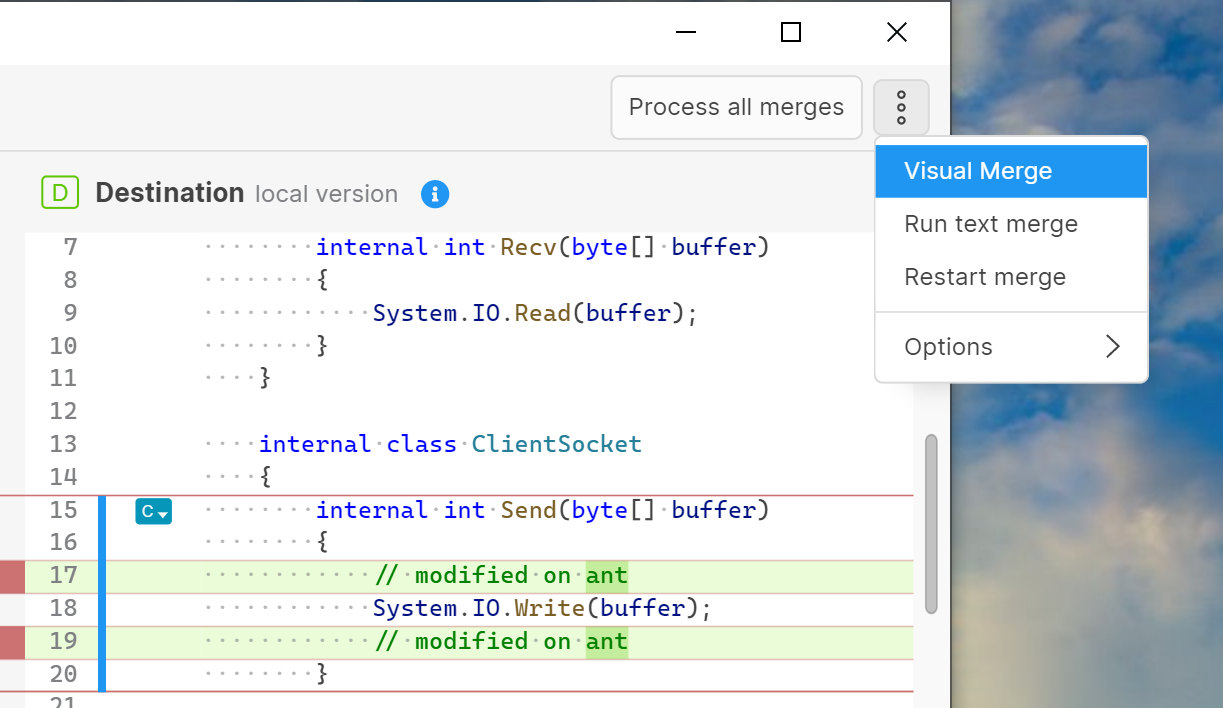
Screenshot
All platforms - Unity Version Control
All platforms - Unity Version Control: Improved the Search Panel for the source code editors:
-
Users can now use the Replace functionality if the editor is writable.
-
Search queries now support Match Case, Match Whole Word, and Regular Expressions.
-
A tag has been added to inform users if matches have been found and to display their current match index out of the total number of matches.
-
The total number of matches found is also displayed.
-
The search result colors have been improved for both light and dark themes.
Some demo:
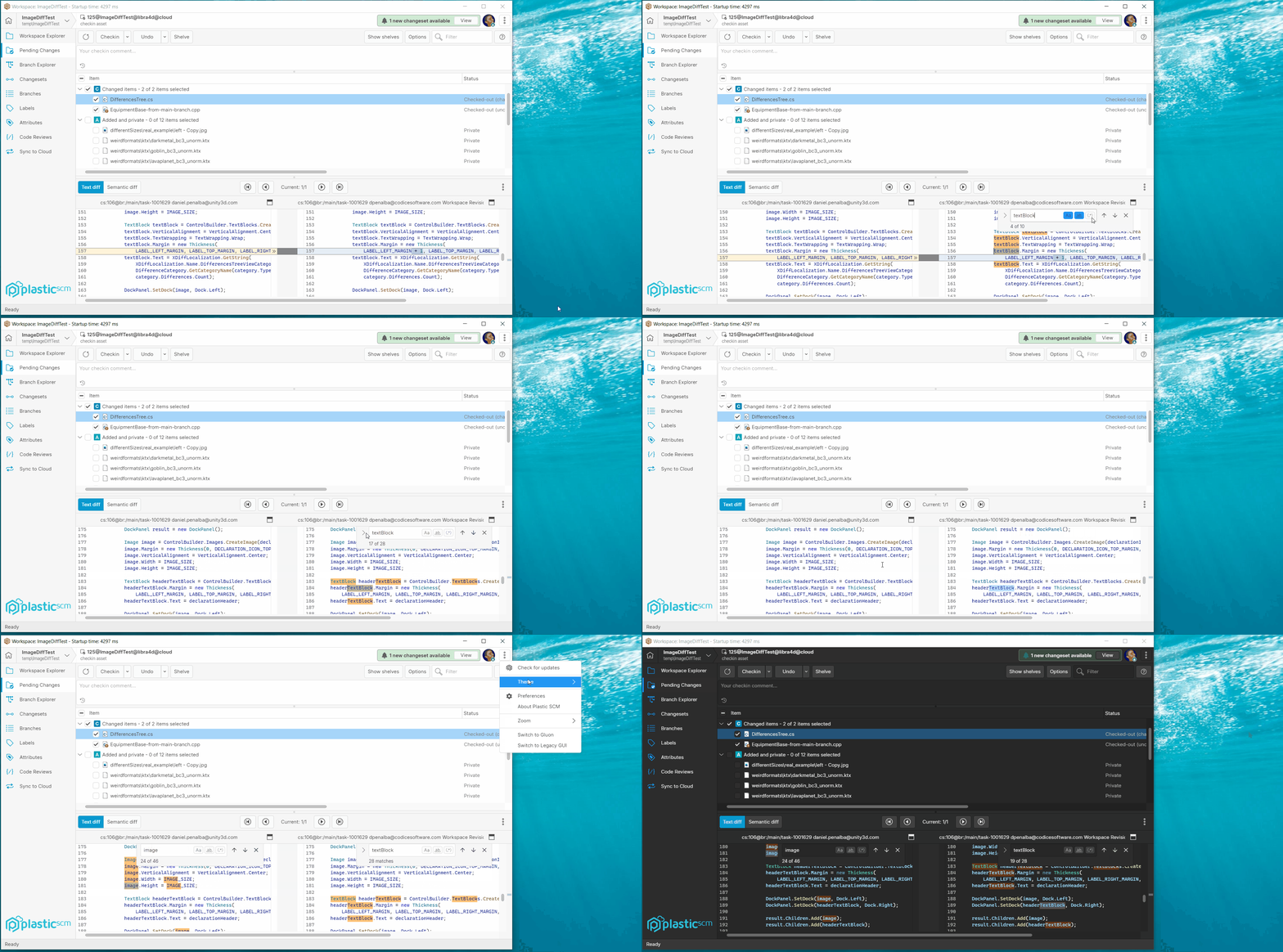
Screenshot
All platforms - Unity Version Control
All platforms - Unity Version Control: Ported configuration dialog to semantic merge
A Configuration dialog has be ported to the new semantic merge, it is accessible from options menu, and contains preferences and configuration options pertaining to semantic merge.
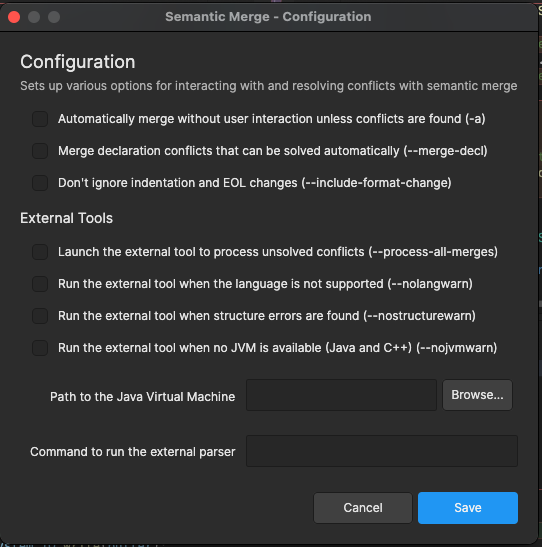
Screenshot
All platforms - semantic merge
All platforms - semantic merge: Added options menu
We have stated populating the options menu in the semantic merge window. So far it looks like this
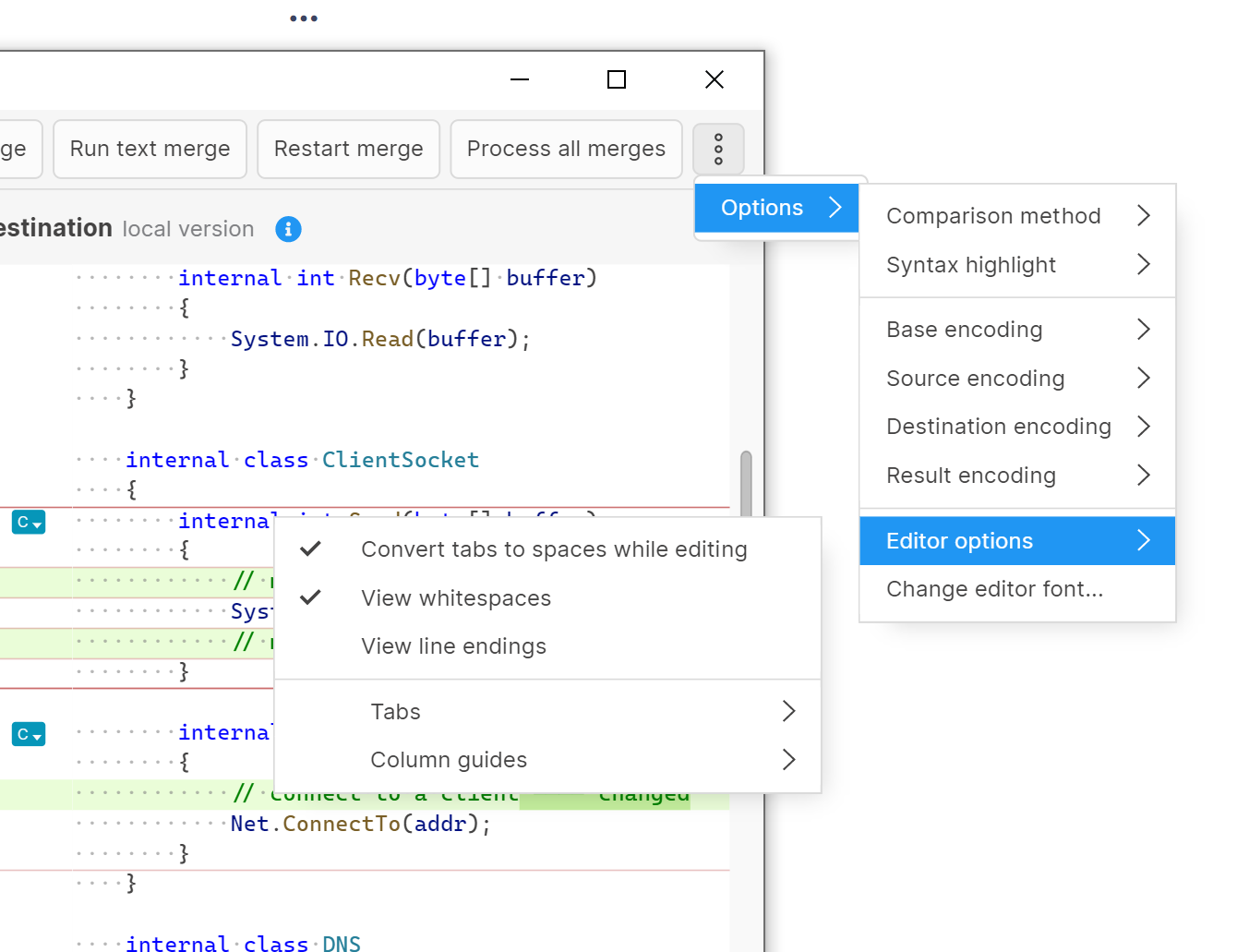
Screenshot
All platforms - semantic merge
All platforms - semantic merge: added Explain Move button
We added an "Explain move" button for move conflicts to the semantic merge outline panel here
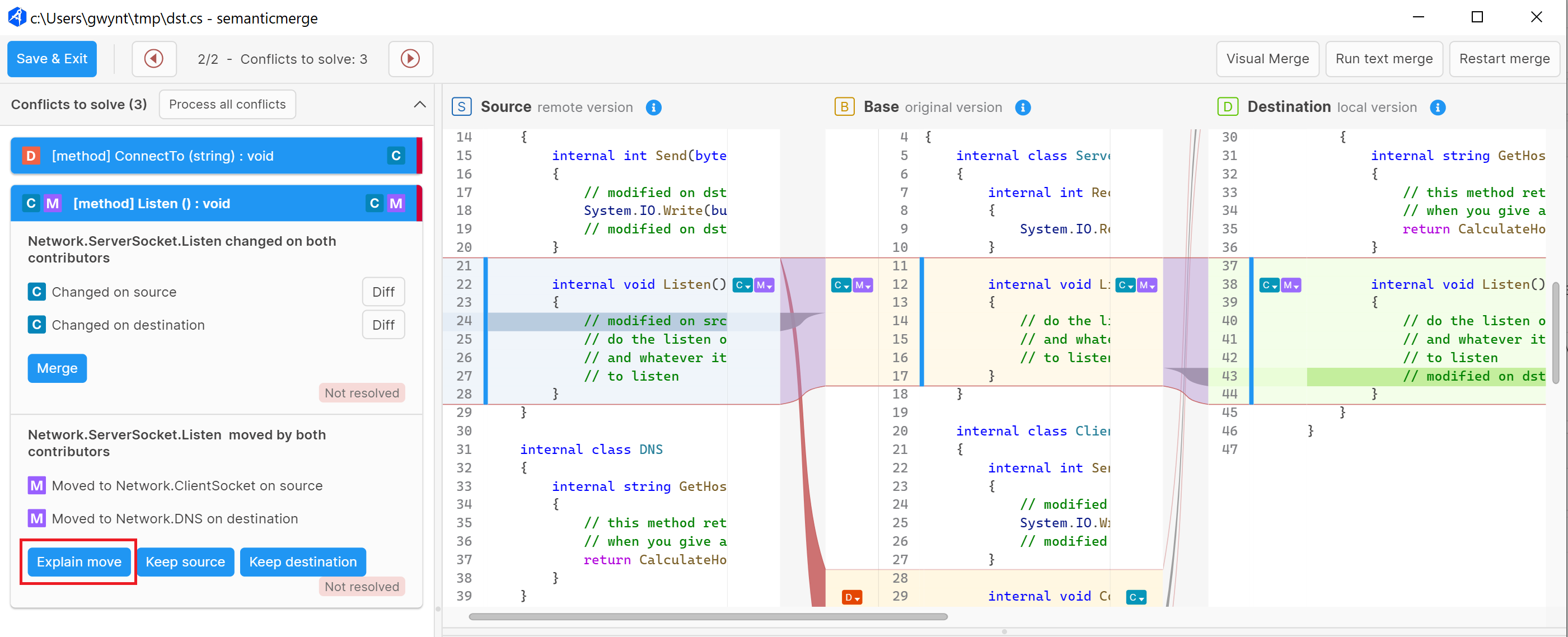
Screenshot
.
Clicking it opens up a visual depiction of the move.
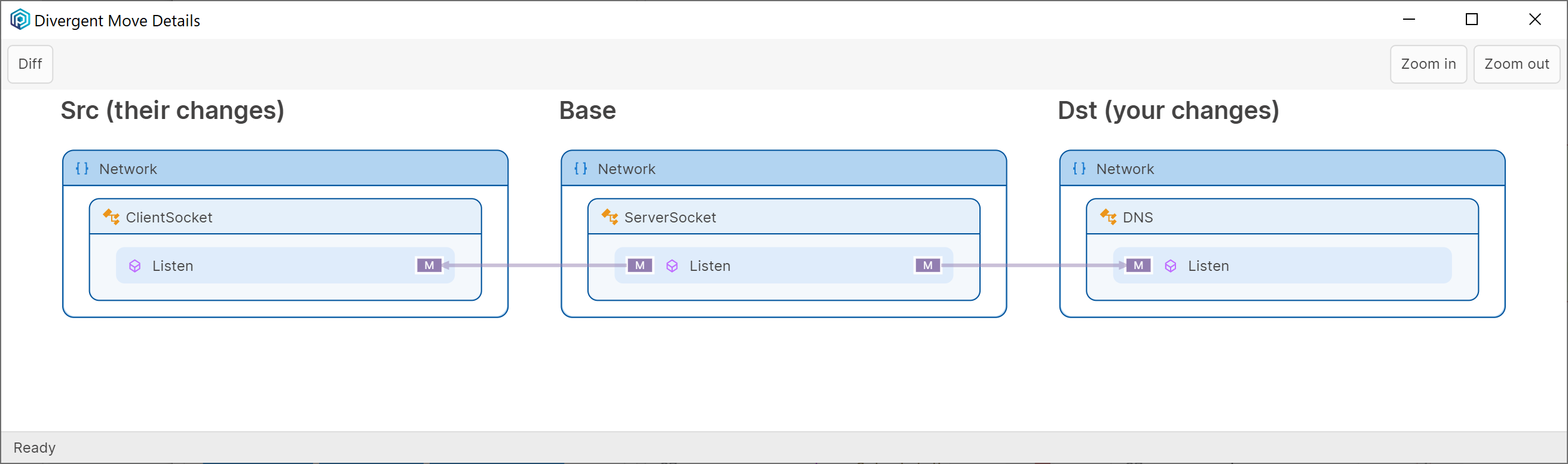
Screenshot
All platforms - Unity Version Control
All platforms - Unity Version Control: Renamed "DevOps user profile" preferences tab
We have renamed the "DevOps user profile" tab in Preferences to "Mergebots".
All platforms - Unity Version Control
All platforms - Unity Version Control: Removed Plastic SCM logo
As part of the ongoing rebrand to Unity Version Control we have removed the Plastic SCM logo.
All platforms - Unity Version Control, Gluon
All platforms - Unity Version Control, Gluon: New options context menu
The options context menu navigation and look&feel has been improved.
-
The items from the menu have been rearranged.
-
The margins between icons and texts have been adjusted.
-
New options have been added: Documentation, Unity Version Control Web UI (just for Cloud edition)
-
Simplified the theme selection.
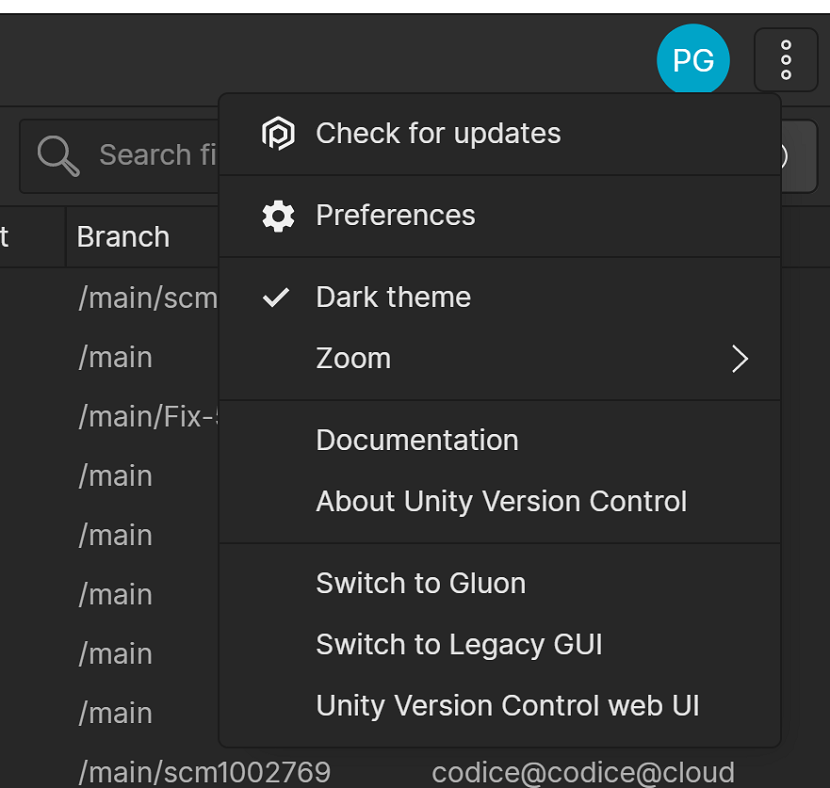
Screenshot
All platforms - Unity Version Control, Gluon
All platforms - Unity Version Control, Gluon: Modify the sign-up process to redirect users to Unity DevOps purchase flow.
We removed the ability to sign up for Plastic SCM credentials and redirect users to the checkout page for Unity DevOps. When landing on this page, they'll be invited them to create a UnityID first. Once this is done, they can continue the purchase on the checkout page.
Windows - Unity Version Control
Windows - Unity Version Control: Rename Start Menu shortcuts
As part of the ongoing rebrand to Unity Version Control, Plastic SCM shortcuts in Start Menu have been renamed.
Also, a new shortcut was added in this menu: "Unity DevOps Version Control"
Bug
All platforms - Unity Version Control
All platforms - Unity Version Control: Fixed a crash restoring diffs in the diff viewer.
Previously, restoring a diff with search results focused in the right text editor could cause the GUI to crash. We have fixed this issue so that it no longer occurs.
All Platforms - Unity Version Control
All Platforms - Unity Version Control: Fixed Encoding comparison issue
Sometimes we faced wrong results performing the encoding comparison. Now it's fixed.
All Platforms - Unity Version Control
All Platforms - Unity Version Control: Inconsistent Display of Encoding Differences
The display of encoding differences has been updated to consider the "effective" encoding.
If the left contributor is detected as UTF-8 and the right encoding is detected as NONE, but the system encoding is also UTF-8, the encoding differences will not be shown.
The BOM will also be considered when displaying encoding differences.
These changes will improve the accuracy of encoding detection and the display of encoding differences.
Windows, Linux - Unity Version Control, Gluon
Windows, Linux - Unity Version Control, Gluon: Fixed 'Open With' operation if the path contains whitespaces
The 'Open With' operation failed if the item path contains whitespaces, preventing the item from being opened.
We fixed this issue.
11.0.16.7806
New
All platforms
All platforms: Plastic SCM is now Unity Version Control
Screenshot
Plastic SCM is now rebranded as Unity Version Control.
We have also updated our end-user license agreement (EULA). You will find it in the installer.
All platforms - SemanticMerge
All platforms - SemanticMerge: UI improvements.
Added a UI refresh for the semantic merge tool. These are the main points:
-
Use camel case for buttons and labels.
-
Moved the "Process al merges" button to the conflicts header.
-
Improve each conflict resolution text readability.
-
Use buttons instead links for match/unmatch actions.
-
Fixed the encoding string in the contributor headers.
-
Unify some margins and paddings.
All platforms - Plastic
All platforms - Plastic: Undo checkouts options
Added a new option in the pending changes view that lets you undo the checked-out files while keeping the local changes. This is the same as using the --keepchanges option when executing the cm undo command.
We also reorganized the buttons in the pending changes view.
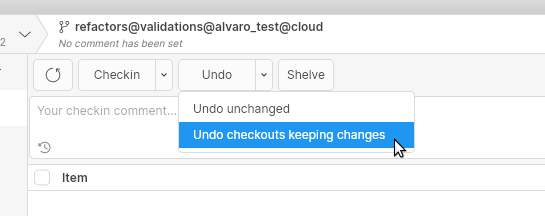
Screenshot
All platforms - Plastic
All platforms - Plastic: Removed the license expires soon reminder for non-trial licenses.
We removed the license expires soon reminder for all non-trial license users to avoid disturbing users who have monthly subscriptions.
The license notification will still appear for those users when their license fully expires.
This notification panel doesn't appear anymore in the app:
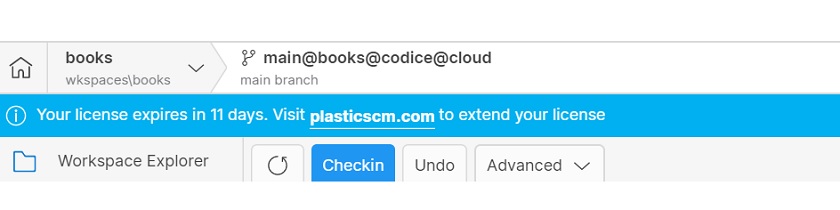
Screenshot
Bug
All Platforms - SemanticMerge
All Platforms - SemanticMerge: Fixed wrong content for resolved conflicts.
When resolving a manual conflict, if the merge resolution text was exactly the same as the base contributor text, it caused the semantic merge tool to wrongly choose the destination text for the result. Now it's fixed.
All platforms - Plastic
All platforms - Plastic: Fixed null exception using Find in files in Plastic Link.
When you use Find in files in a Diff or Code Review Plastic Link, a null exception is thrown.
We fixed this issue.
11.0.16.7792
New
All platforms - Plastic
All platforms - Plastic: Semantic diff viewer.
Launching semantic merge as a standalone tool displayed the text-based differences. Now the semantic-based differences are displayed.
You can try executing the semantic merge standalone tool:
plastic semanticmerge-s="<path-to-src-file>.cs"-d="<path-to-dst-file>.cs"
All Platforms - Plastic
All Platforms - Plastic: Add codepage encodings to the encoding menu.
-
We've added all the available codepage encodings to the Encoding dialog.
-
The encoding list now shows EncodingName, WebName, and CodePage for easy identification.
See it in action!
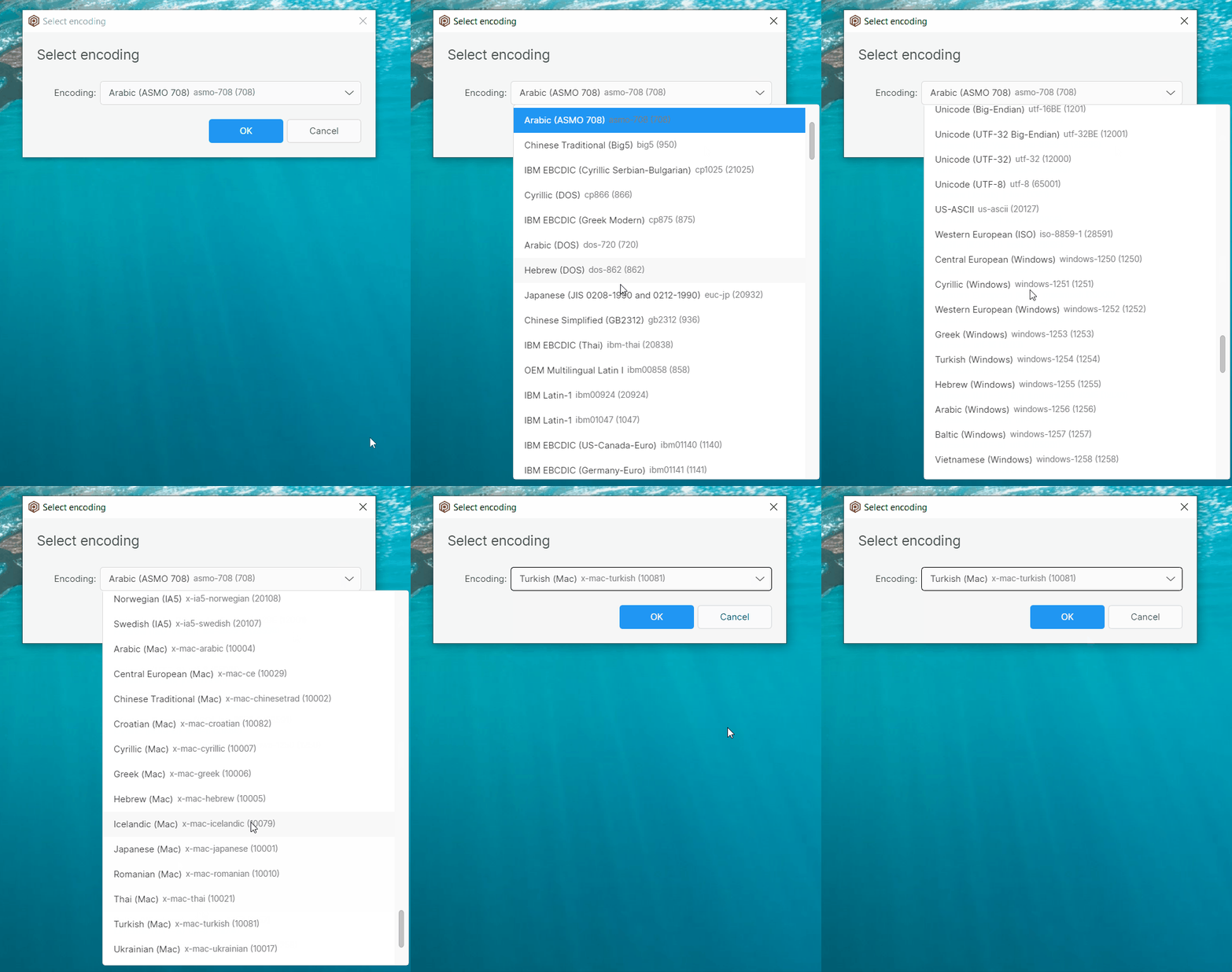
Screenshot
All platforms - Plastic, Gluon
All platforms - Plastic, Gluon: Find in files feature added to diff window
You can now do a text search in all files in a diff or code review.
Just press the "Find in files" button to open the Find in files dialog.
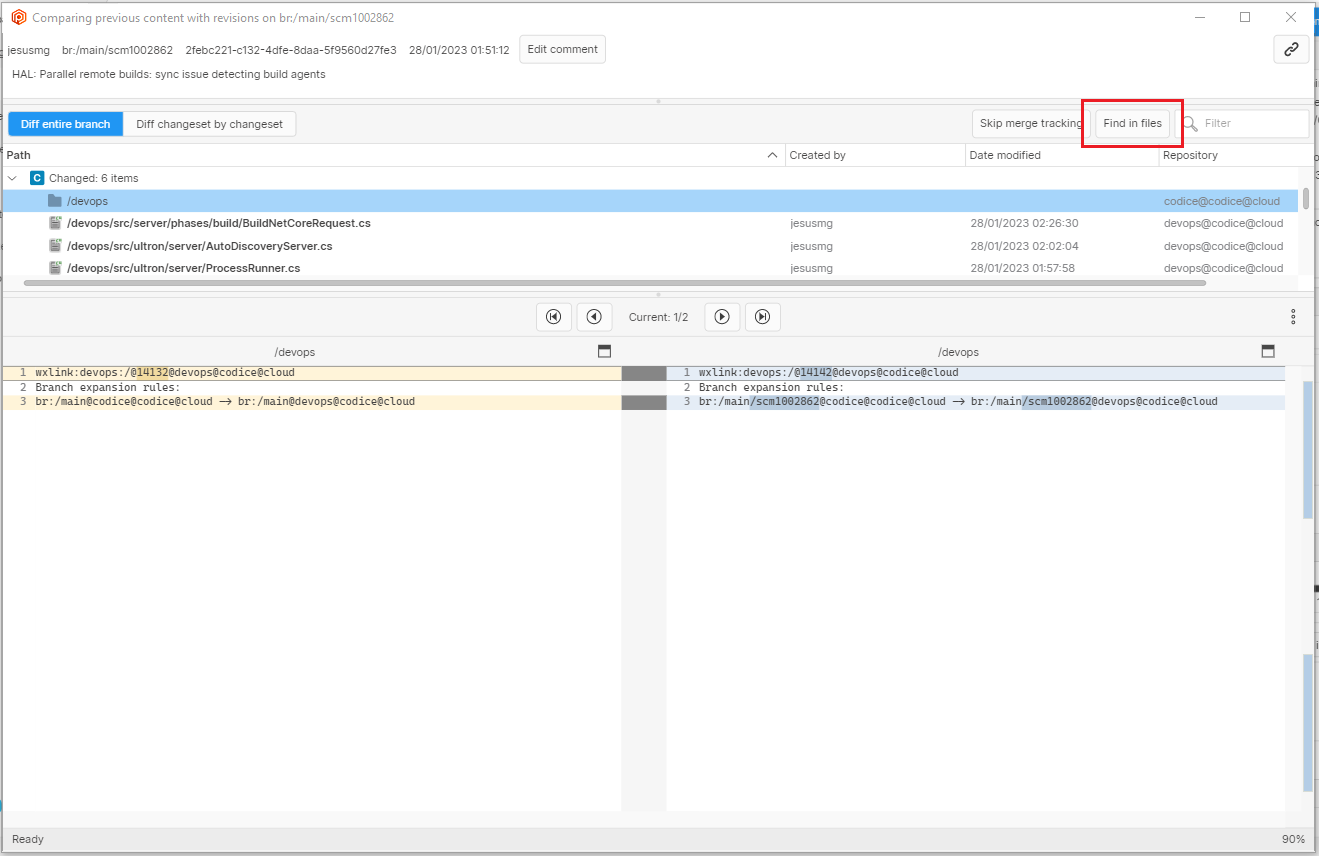
Screenshot
You can choose if the search is case sensitive. You can also choose to search only the source, or destination contributor. You can choose to search all files in the diff, just currently filtered files, or just the currently selected file. Also, you can filter the results by file extension.
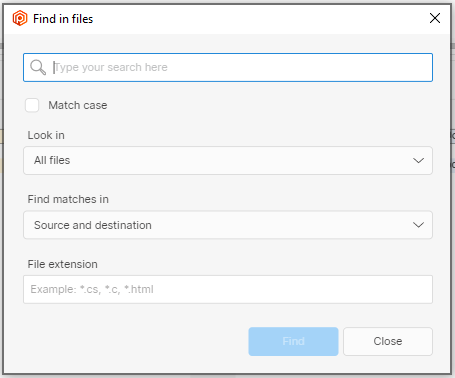
Screenshot
Search results will appear at the bottom of the window.
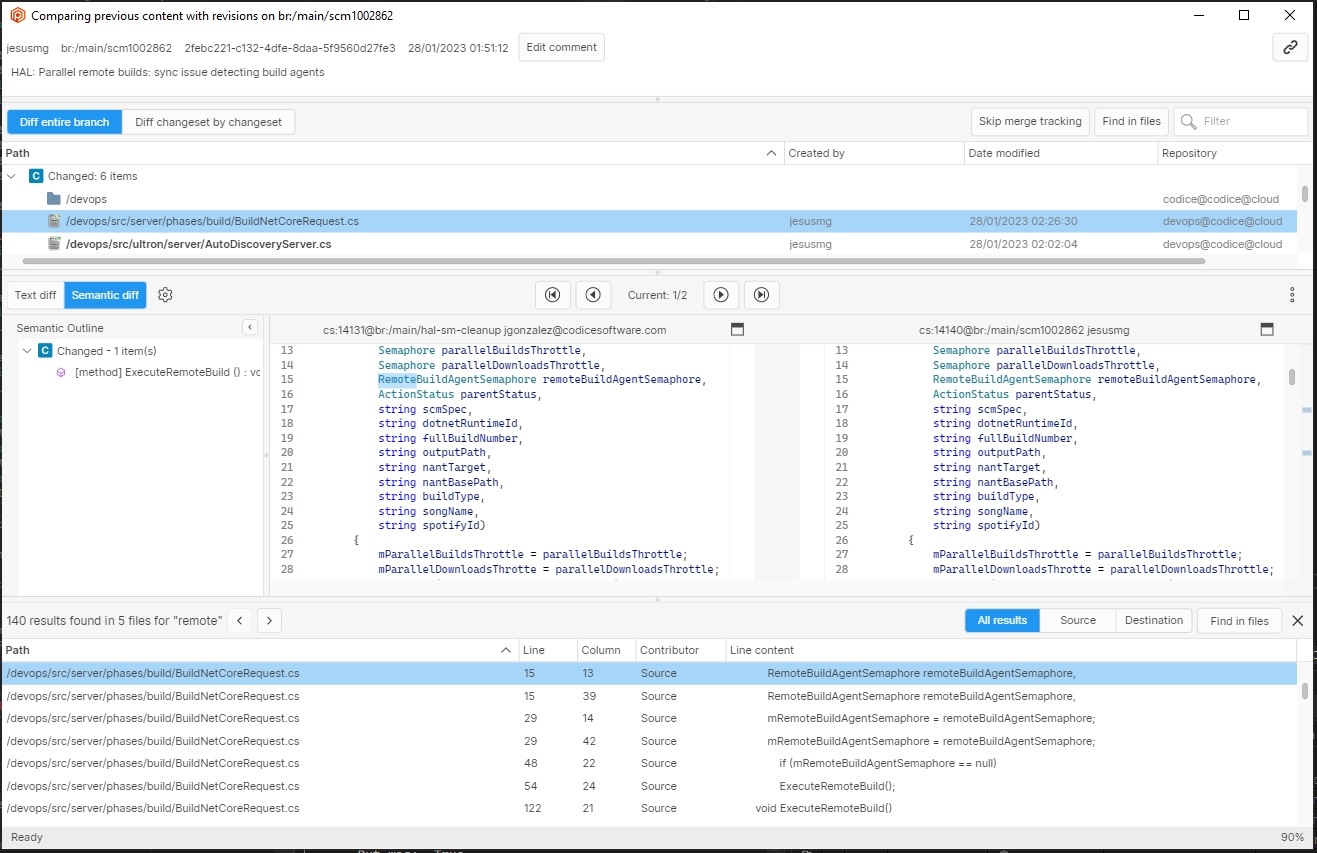
Screenshot
Selecting a result will open the relevant file and show the matching line.
Bug
All Platforms - Plastic
All Platforms - Plastic: Fixed an encoding issue in merge.
For a file that was encoded as UTF8 but contained invalid bytes, the merge process could raise the following error:
Unable to translate bytes [XX] at index YYY from specified code page to Unicode.
Now it's fixed.
All platforms - Plastic
All platforms - Plastic: Fixed 'Label all writable xlinked repositories' option
There was an issue with 'Label all writable xlinked repositories' option for the 'label this changeset' dialog, the app always created the label in the xlinked repositories too. We fixed this issue.
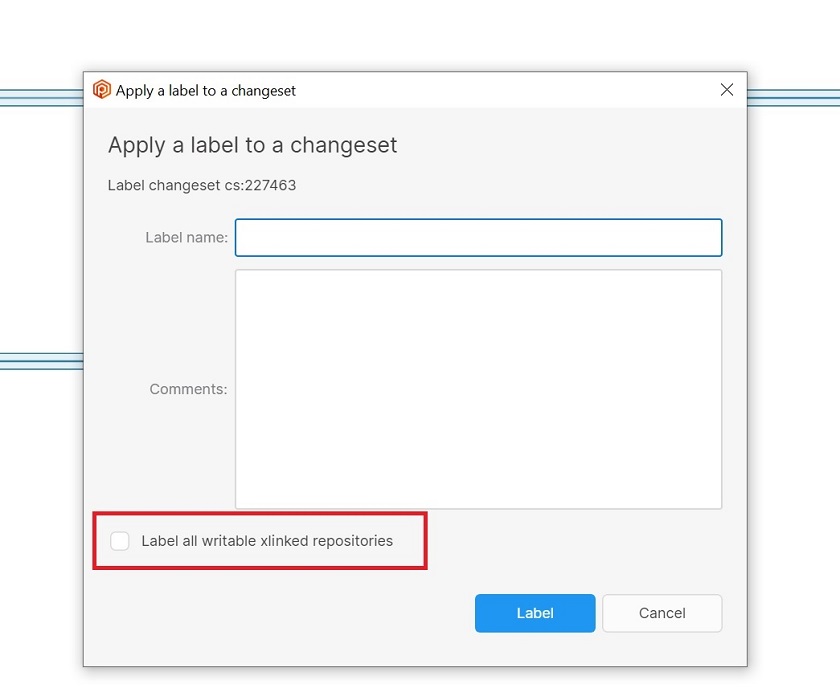
Screenshot
11.0.16.7778
New
All platforms - Plastic
All platforms - Plastic: Added Visual Diff button to Semantic Merge
The "visual diff" button has been added to allow viewing the differences in a "visual" way, it's accessible via the outline panels on semantic merge.
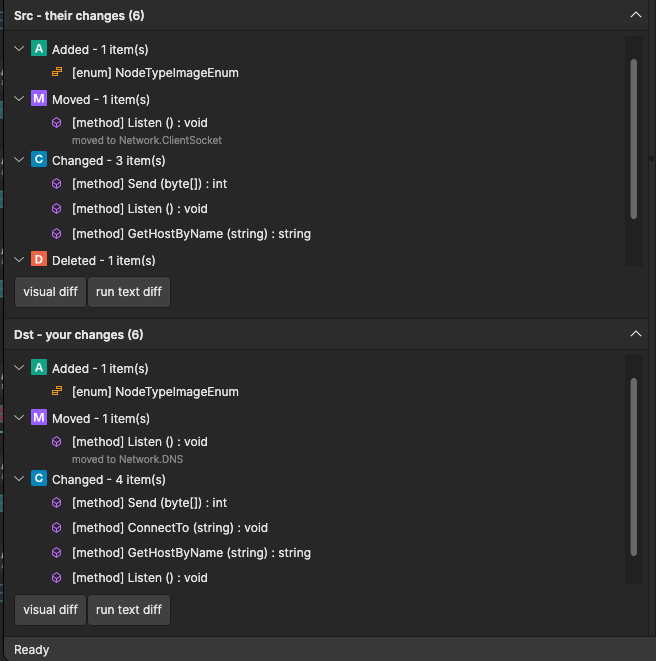
Screenshot
All platforms - Plastic
All platforms - Plastic: SemanticMerge parsing error dialog
Added a new functionality to display any parsing error that semantic merge has detected.
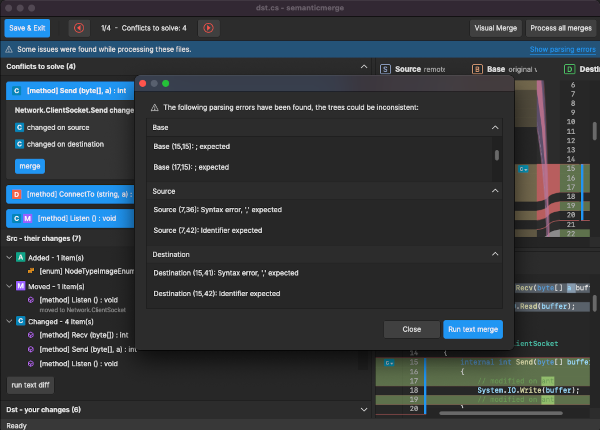
Screenshot
P4/Git importers
P4/Git importers: From now on, running import operations is restricted to users with the change owner permission
The Plastic import operation sets the original P4/Git objects author to keep the repository history intact.
Creating branches, labels, revisions... as a different user is something the importer, under an account with change owner permission, should do to reduce the risk of impersonating objects.
If you have a periodic sync operation ongoing, please make sure that the user running the "cm" command has the change owner permission enabled for the repository
All platforms - Plastic
All platforms - Plastic: Added Restart Merge and Run Text Merge buttons to Semantic Merge
A new set to buttons is now available on semantic merge, "Restart Merge", and "Run Text Merge".
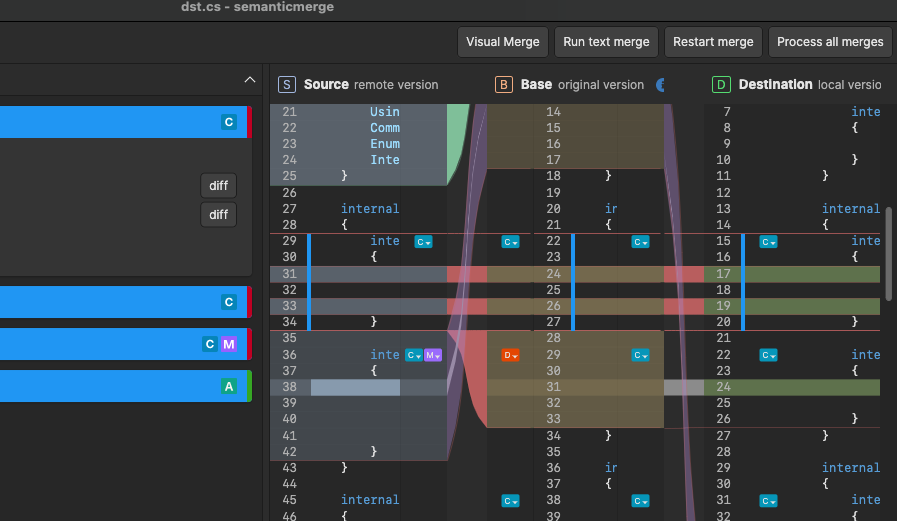
Screenshot
Server
Server: More resilient check-in to out-of-date workspace due to cloaked
Now the check-in operation returns a meaningful error when you try to check in an out-of-date item that is no longer loaded on the server:
The item '/l_memory.h' is not loaded on the changeset you are working on (cs:5).Most likely, you updated the workspace with the item cloaked, so it wasn't unloaded.Please retry the check-in operation excluding this item, then update the entire workspace to fix any inconsistency.
This problem can happen when you remove the cloaked rules for an item, this item remains out of date, and you modify it. See an example:
-
James - Cloakdirectory
/code -
Mary - Delete& check in the change
/code -
James - Update his workspace
-
James - Uncloak thedirectory
/code -
James - Moveto
/code/botlib/l_memory.h/l_memory.h -
James - Delete '/code'
-
James - The check-in will fail with the error above becauseno longer exists on the repository.
/l_memory.h
All platforms - Plastic, Gluon
All platforms - Plastic, Gluon: Added conflict resolution text label in Semantic Merge
We have added a new text label in Semantic Merge. This label will inform the users of resolved conflict status
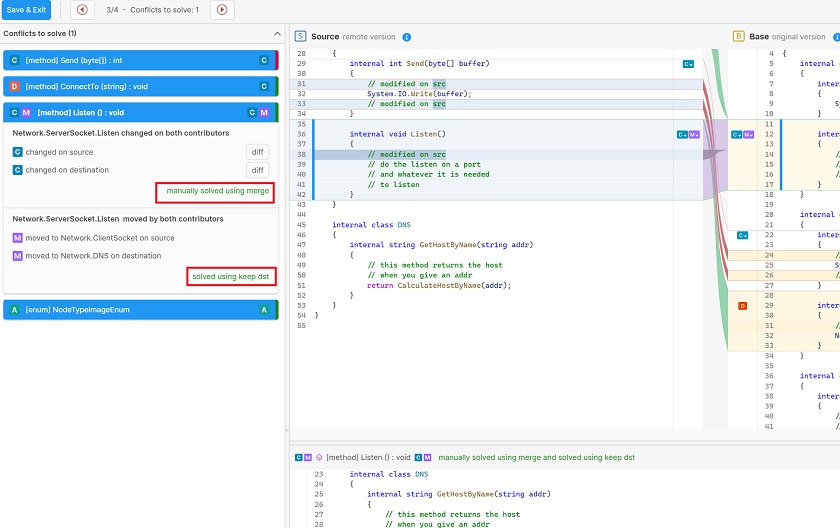
Screenshot
All platforms - Plastic
All platforms - Plastic: New "Show pending to integrate" option for branch diffs
We added a new option in the diff window for branches, that lets you see the branch changes pending to integrate into its parent branch. This is the same as using the recently added --integration option in the cm diff command.
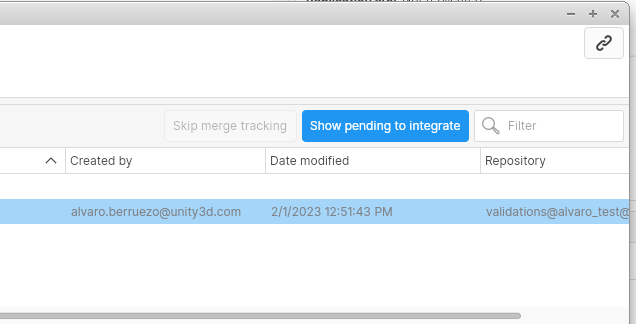
Screenshot
Bug
All Platforms - Plastic
All Platforms - Plastic: Fixed wrong color of Semantic Merge on dark themes
When launching Semantic Merge via command line and using a dark theme, the color combination of a highlighted section that contains a code comment would make the section unreadable, this has now been fixed.
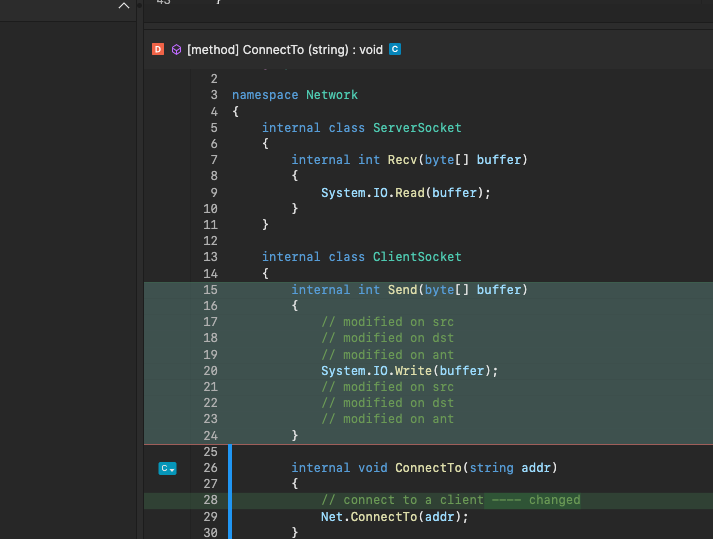
Screenshot
All Platforms - GitServer
All Platforms - GitServer: Failure running 'git pull' using HTTP protocol.
After certain repository size, the 'git pull' operations could fail with the 'fatal: protocol error: bad pack header' error. This happened only when using the http:// protocol.
The Plastic GitServer was implemented long time ago and it doesn't support the & capabilities that most Git clients do. So, we rely in the original protocol without these extra capabilities leading to some weird behavior in some cases. This will be improved in the future.
multi_ack_detailedno-doneWith the fix done, the operation will download the Git package (and it will not fail anymore like it did), but, sometimes, it will not update the local references. Thus, an extra command execution could be needed to upload the repository references (that will download nothing).
git pullgit pullgit pullremote: Exporting changeset cs: ... (1/118)Receiving objects: 100% (354/354), 79.23 KiB | 3.30 MiB/s, done.
git pullFrom http://server/repo 47a2ee4..ffe577f master -> origin/master 0cce4d8..3184425 task -> origin/taskUpdating 47a2ee4..ffe577fFast-forward foo.c | 2 ++ 1 file changed, 2 insertions(+)
All Platforms - GitServer
All Platforms - GitServer: HTTP server thread crashed with unexpected error.
The thread used to serve the GitServer HTTP requests could crash if there was any unexpected exception when closing the client HTTP connections. Now this error is fixed.
11.0.16.7762
New
Server
Server: Make check-in more robust to client errors
Added protection to the check-in operation to prevent a not uploaded file ends stored on the repository with a wrong revision.
All platforms - PlasticX
All platforms - PlasticX: Cloud Repositories view removed
We removed Cloud Repositories view from Plastic because this functionality is now available through the Home view.
Also, we added the "Create new sync view (push/pull)" context menu option, which was missing, in the Home view.
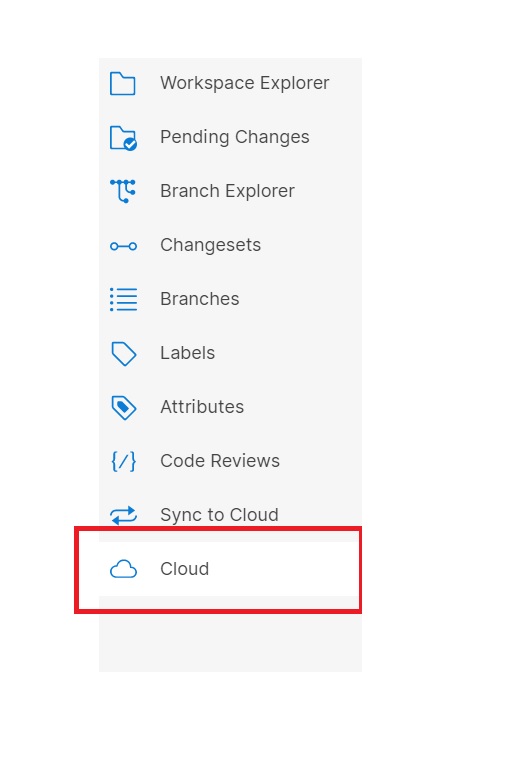
Screenshot
Bug
All platforms - PlasticX, GluonX
All platforms - PlasticX, GluonX: Protect the delete repo operation when a workspace is in use
We protected the delete repository operation to take into account if there is a workspace in use that points to it. In this way, we prevent error messages due to the missing repository for the current workspace.
The app now shows a message to notify you about this scenario:
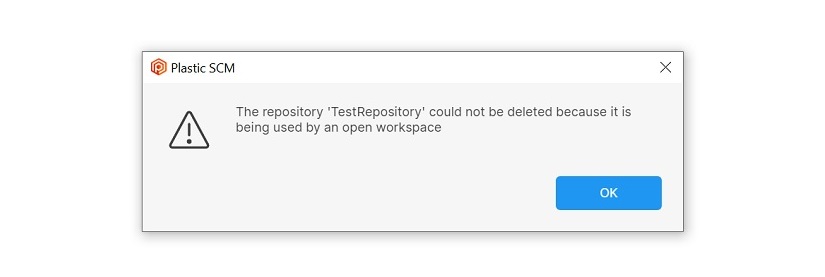
Screenshot
11.0.16.7754
New
macOS, Linux - Plastic
macOS, Linux - Plastic: New binary merge tool configured by default
Now the binary merge tool is set as the default tool to fix binary conflicts on macOS and Linux. So when you try to diff or merge a binary file, like an image, the new tool will be used
Windows - Gluon
Windows - Gluon: Removed legacy Gluon GUI from the installer
The "legacygluon.exe" won't be available anymore. Use "gluon.exe" instead if you aren't already!
This release marks the end of support for the legacy Gluon GUI for Windows.
All platforms - Plastic
All platforms - Plastic: Shelveset merge summary updates when toggling items
When applying a shelveset to your workspace you can use the checkboxes to choose which changes to take from the shelveset. We now update the summary at the top of the view according to the selected changes.
Here is an example:
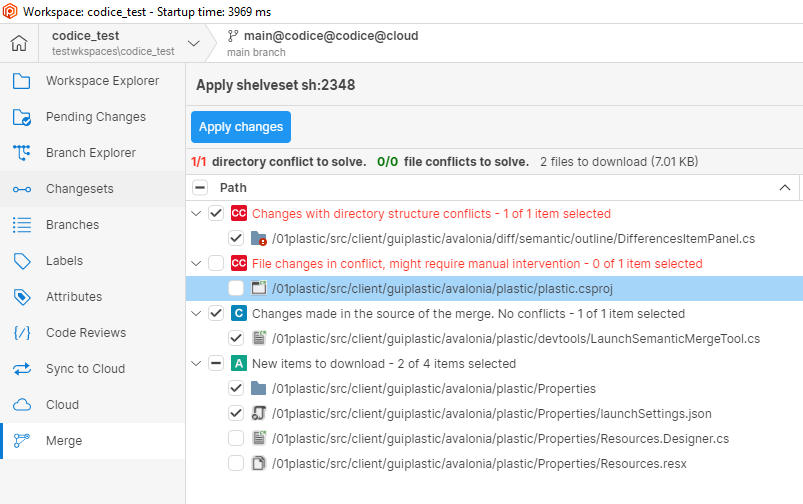
Screenshot
macOS, Linux - Plastic
macOS, Linux - Plastic: New semantic merge tool configured by default
Now the semantic merge tool is set as the default tool to fix semantic conflicts on macOS and Linux. So when you try to diff or merge a semantic file (C#, VisualBasic or Java), the new tool will be used.
Command-line client
Command-line client: ACL commands warn about objects without ACL
Updated the help of the ACL command to remove those objects without an ACL. Also, the ACL command warns about those objects that are invalid.
Windows - PlasticX, GluonX
Windows - PlasticX, GluonX: Updated Avalonia version
In this release we've updated Avalonia, our cross-platform UI framework
This update addresses an issue that affects dialogs for Windows users (showing a message dialog after a dialog could throw a null exception).
PlasticFS
PlasticFS: The executable is signed from now on
Previous versions of Plastic contained an unsigned version of PlasticFS. In some places, restrictions apply over unsigned executables rendering PlasticFS unusable.
Now they are signed to overcome this limitation and make it easier to use.
Bug
All platforms - Plastic
All platforms - Plastic: Binary merge, can't close error message
An issue has been fixed which prevented an error message, due to invalid arguments, from being closed.
Windows - Plastic
Windows - Plastic: Fixed null exception in Merge Options Dialog
In Merge View, a null reference exception appeared when you saved the merge options in Merge Options Dialog with at least one solved directory conflict, not allowing the user to cancel or recalculate the merge. We fixed this issue and now it works correctly.
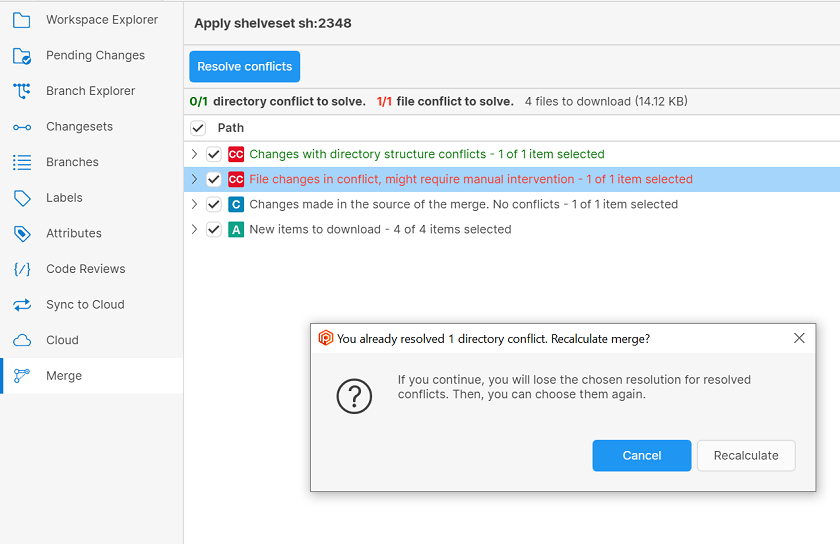
Screenshot
All platforms - Plastic
All platforms - Plastic: Optimized refresh operation after saving Merge Options
In Merge View, after saving Merge Options, merge view was always refreshed.
In this release, we only refresh the view when a merge recalculation is needed.
macOS - Plastic
macOS - Plastic: Fixed tool config for server-side merge operation
In the previous release we had an issue with the server-side merge operation, where the merge tool that appeared in the default configuration couldn't be launched for text conflicts on macOS.
We fixed this issue, and now you don't need to apply any workaround to fix text conflicts in server side merges.
11.0.16.7739
New
All Platforms - Gluon/GluonX
All Platforms - Gluon/GluonX: Incoming Changes only checks-out local changes involved in conflicts.
Before, the Incoming Changes applied all the local changes in the workspace before running the operation. It didn't matter whether these local changes were in conflict with the changes to update/merge or not.
This could end up locking exclusively some files that were only locally modified (unrelated to update operation) and preventing other users to modify those files due to an undesired lock.
Now, only the local changes that are in conflict with the server changes to update/merge are applied in the workspace.
Command-line client
Command-line client: Partial update command improved for automation
Several adjustments have been made to the partial update command:
-
There was nooption in the partial update command. Now it is available.
--xml -
option can be used in a pipeline.
--xml -
Using theoption implies
--xml. Informative output gets trimmed.--silent -
Using theoption removes informative output only. Warning and error messages are still written through standard error output. You can silence those messages by using output redirection.
--silent
All platforms - Plastic
All platforms - Plastic: Diff images available for binmerge tool
Now you can specify two arguments to the "plasticgui binmerge" command, the source and the destination contributors, to diff them instead of performing a merge. Both files must be images:
plasticgui binmerge -s=source.png -d=destination.png
All Platforms - Plastic
All Platforms - Plastic: SemanticMerge match/unmatch
Ported match/unmatch functionality to new GUI for SemanticMerge.
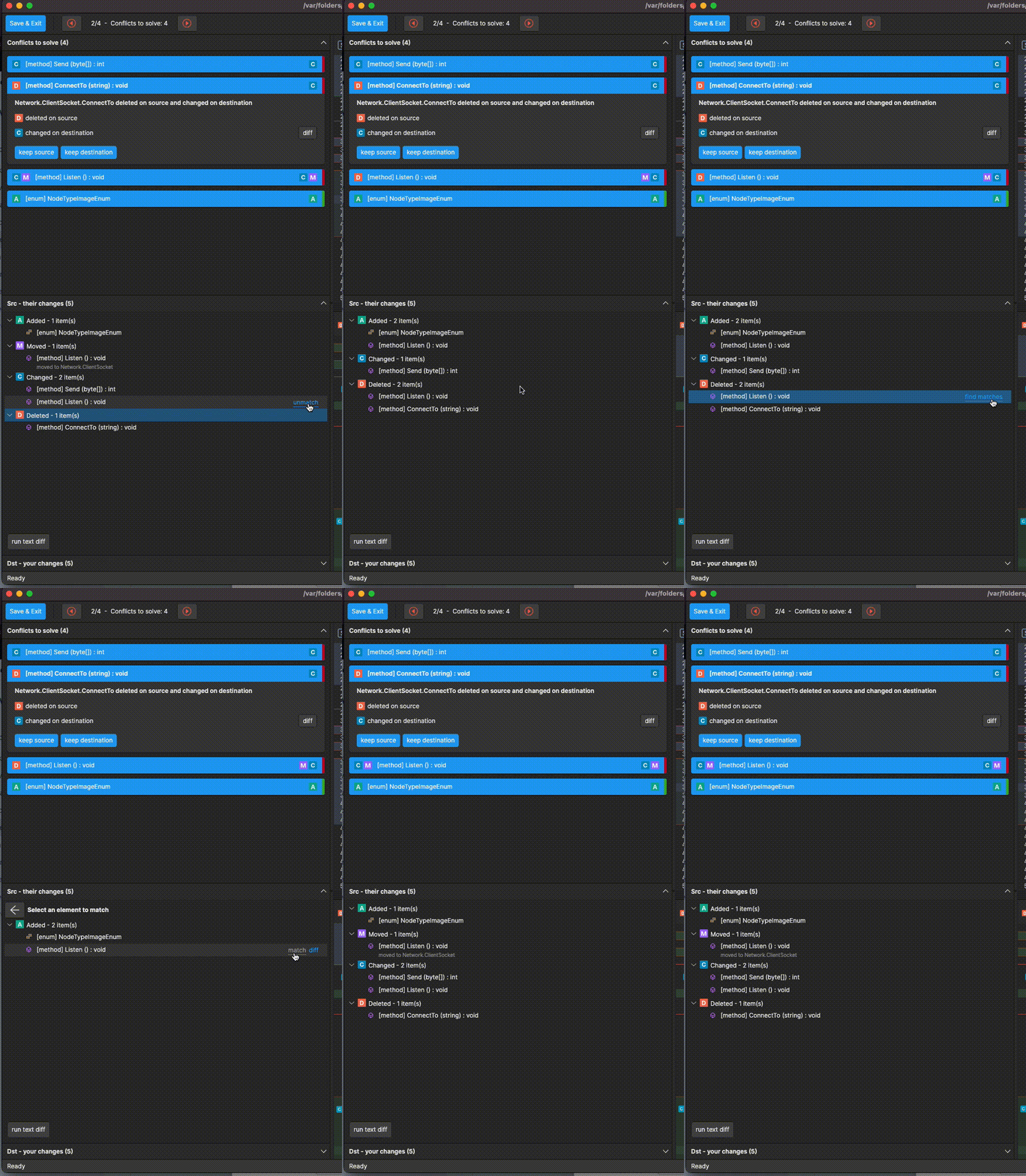
Screenshot
Bug
All platforms - Plastic
All platforms - Plastic: Fixed issue applying directory conflict resolutions from shelveset
When applying the changes in a shelveset you can choose which of the changes you wish to apply. There was a bug which meant that if you chose to apply only resolved directory conflicts you would be told that no changes were selected and you would not be able to apply those changes. We fixed this, so now you can apply your directory conflict resolutions without issue.
All platforms - Plastic
All platforms - Plastic: App hang on closing if Pending Changes View is refresing
Plastic didn't respond if the user closed the GUI or switched to another Workspace when Pending Changes View was running a "finding changes in the workspace" operation.
This issue is now fixed.
11.0.16.7726
New
All platforms - Command-line client
All platforms - Command-line client: Flag to print just the root spec
Now the shelve creation is able to print just the shelveset spec of the root repository, skipping other "xlinked" shelvesets created this way. This is useful for automation purposes.
Example:
$ cm shelve --all --summaryformatsh:64@tools_repo@plastic_server:8087
All platforms - DevOps
All platforms - DevOps: Trunkbot now also sends trunk branch in a property
The trunkbot now also sends the configured trunk branch (usually the /main branch) to the underlying Continuous Integration system in a property named .
PLASTICSCM_MERGEBOT_TRUNK_NAMEWindows - Gluon
Windows - Gluon: Removed "Switch to Legacy GUI" menu option
This release marks the end of support for the legacy Gluon GUI for Windows.
We removed the "Switch to Legacy GUI" menu option in Gluon, and soon the executable won't be included in the install package.
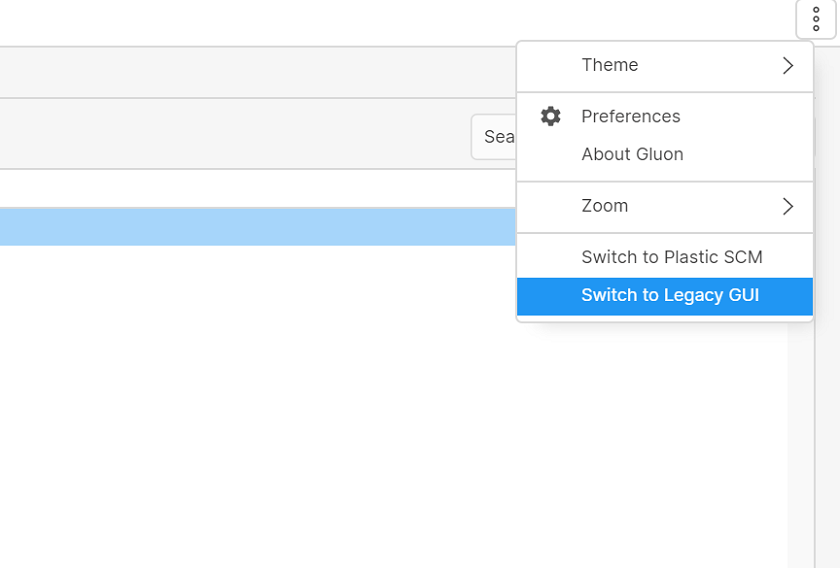
Screenshot
All platforms - Plastic
All platforms - Plastic: Unified the style of the color pickers
We unified the style of all color pickers that are shown in the application. This is how they look now:
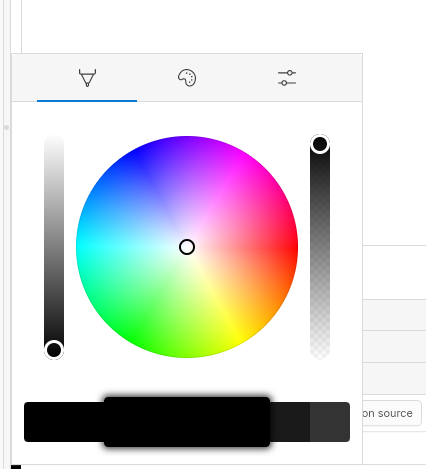
Screenshot
Linux - Plastic
Linux - Plastic: Allow changing the editor font.
For Windows and macOS you could change the font of the diff/merge:
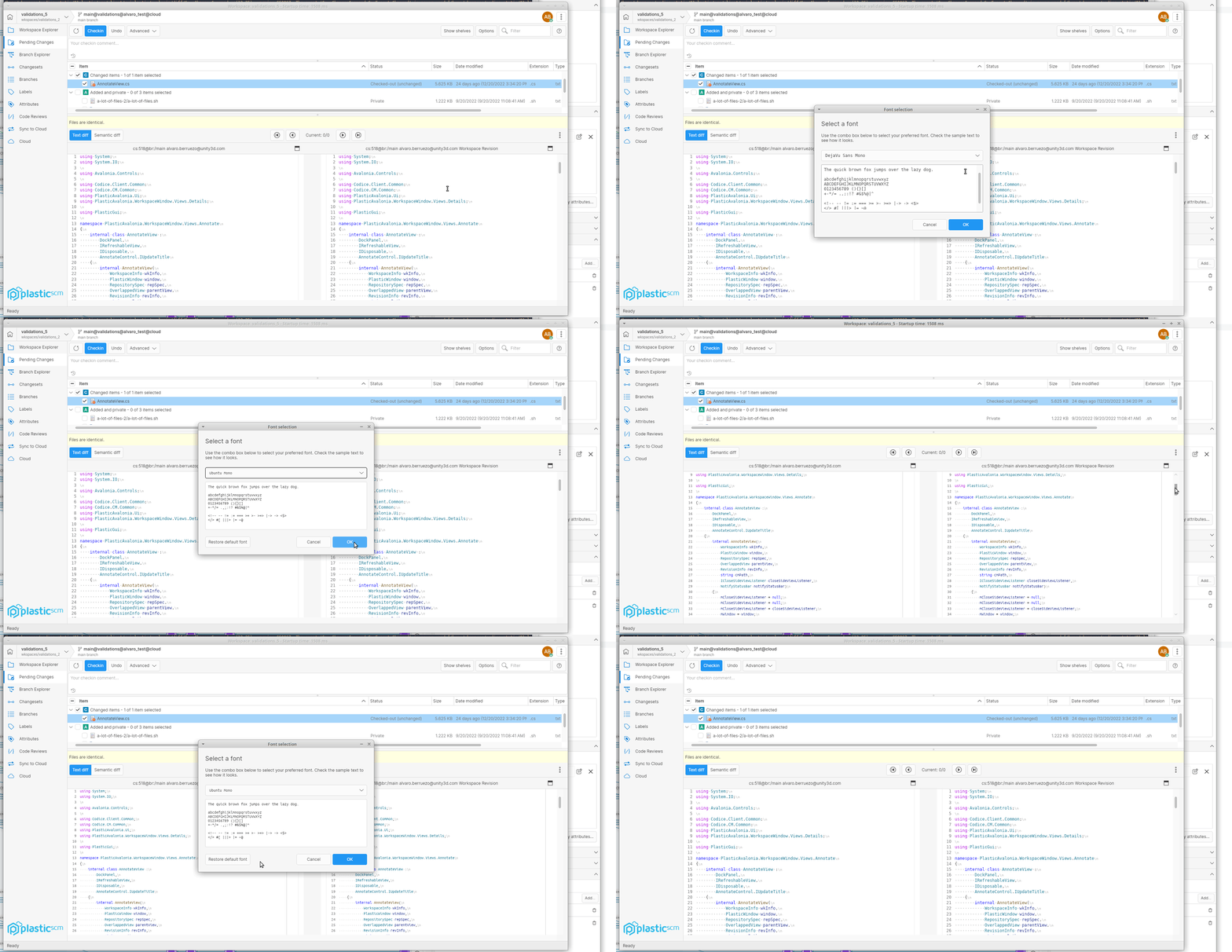
Screenshot
Now you can also do it on Linux
All platforms - Plastic
All platforms - Plastic: Unified the look of the overlapped views
Sometimes when opening a view that requires all the space in the window, we open it on top of the current view. Overlapped views show a header at the top, that you can also use to close the view go back to the previous one.
We unified the style of these headers, and now all overlapped views in the application have the same look.
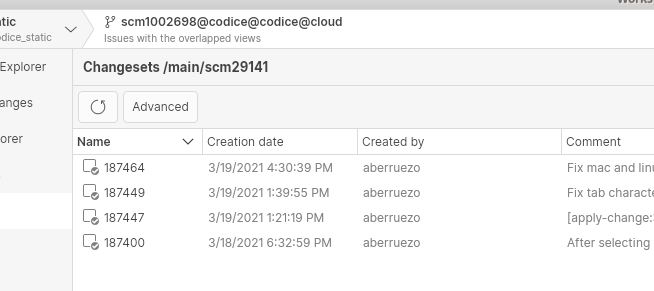
Screenshot
MacOS - Plastic
MacOS - Plastic: Update default merge tool
We updated the merge tool that is used by default to solve file merge conflicts. Now, unless you change it manually, the name of the new cross-platform merge tool will be used, instead of the legacy platform-specific one
Command-line client
Command-line client: Merge command improved for automation
Several options have been added, mirroring the update command: --xml and --encoding:
$ cm merge /main/task1001229 --xml --encoding=utf-8 2>nul<?xml version="1.0" encoding="ibm850"?><Merge> <Added> <MergeItem> <ItemType>Xlink</ItemType> <Path>/Assets</Path> <Spec> <Server>localhost:8084</Server> <Name>ArtAssets</Name> </Spec> </MergeItem> <MergeItem> <ItemType>Dir</ItemType> <Path>/Source</Path> <User>tim</User> <Date>2022-12-15T11:46:46+01:00</Date> </MergeItem> <MergeItem> <ItemType>File</ItemType> <Path>/README.md</Path> <Size>6</Size> <User>tim</User> <Date>2022-12-15T11:46:46+01:00</Date> </MergeItem> <MergeItem> <ItemType>File</ItemType> <Path>/Assets/guy.brush</Path> <Size>17</Size> <User>tim</User> <Date>2022-12-15T11:46:46+01:00</Date> </MergeItem> </Added> <Deleted> <MergeItem> <ItemType>File</ItemType> <Path>/README.txt</Path> <Size>9</Size> <User>tim</User> <Date>2022-12-15T11:46:46+01:00</Date> </MergeItem> </Deleted> <Changed> <MergeItem> <ItemType>File</ItemType> <Path>/LICENSE.txt</Path> <Size>39</Size> <User>tim</User> <Date>2022-12-15T11:46:46+01:00</Date> </MergeItem> </Changed> <Moved> <MovedMergeItem> <ItemType>File</ItemType> <SrcPath>/LICENSE.txt</SrcPath> <DstPath>/LICENSE</DstPath> <Size>39</Size> <User>tim</User> <Date>2022-12-15T11:46:46+01:00</Date> </MovedMergeItem> <PermissionsChanged> <MergeItem> <ItemType>File</ItemType> <Path>/Assets/guy.brush</Path> <Size>20</Size> <User>tim</User> <Date>2022-12-15T10:46:46+01:00</Date> </MergeItem> </PermissionsChanged> </Moved> <Warnings /> <DirConflicts> <ConflictedItem> <ConflictItemType>DIV_MV</ConflictItemType> <SourceDiff> <ChangeType>Moved</ChangeType> <ItemType>File</ItemType> <SrcPath>/PLAN</SrcPath> <DstPath>/JC_PLAN</DstPath> </Source> <DestinationDiff> <ChangeType>Moved</ChangeType> <ItemType>File</ItemType> <SrcPath>/PLAN</SrcPath> <DstPath>/RJ_PLAN</DstPath> </Destination> </ConflictedItem> </Conflicts></Merge>
See --usage for details:
> cm merge --usage
All Platforms - Plastic
All Platforms - Plastic: Merge files from command line with Binary Merge
A quick way to get started is to run Plastic with a single argument:
- For Windows:
plastic binmerge
- For MacOS:
plasticgui binmerge
- For Linux:
plasticgui binmerge
For example, To merge two files with a common base file:
[plasticgui|plastic] binmerge -s=fileA.txt -d=fileB.txt -b=base.txt
In order to determine if a merge was successful, Plastic will return 0 or 1 as the application exit code. 0 means a merge was successfully performed and the result file has been save, 1 means that a merge has been aborted or not saved.
Bug
All platforms - Plastic
All platforms - Plastic: Corrected Merge View title when applying shelveset
When applying a shelveset the view title is now "Apply shelveset sh:<shelveset id>".
Windows - Gluon
Windows - Gluon: Legacy merge tool opening for shelveset conflicts
On Windows Gluon, when trying to apply a shelveset that is in conflict with the local changes, we were opening the legacy merge tool (native to Windows). We fixed this issue, and now the new cross-platform merge tool is used instead
11.0.16.7709
New
Windows - PlasticFS
Windows - PlasticFS: Upgrade to WinFSP 2023 Beta1
Among other changes, the next version of WinFSP does not require to reboot for upgrading.
You can find the WinFSP release notes in https://github.com/winfsp/winfsp/releases.
Windows - PlasticFS
Windows - PlasticFS: Junction support for dynamic workspaces
We added support for junctions to PlasticFS! Tools that create temporary junctions on disk can now run on dynamic workspaces.
Before:
> mklink /J assets ..\..\game_tree\assetsLocal NTFS volumes are required to complete the operation
After:
> mklink /J assets ..\..\game_tree\assets>
In PlasticFS, junctions have the same limitations and capabilities that symlinks have, with the following exceptions:
-
Junctions, they can only be used with directories. The flip side is that, unlike symlinks, junctions always have the right type.
-
Junctions only support absolute paths.
-
Plastic itself does not distinguish between "junctions" and "symlinks". Adding a junction to source control will eventually replace it with a symlink.
== REQUIREMENTS ==
Besides PlasticFS, you might want to enable symlinks in the GUI and the command-line interface.
To do so, add the following to your client.conf:
<EnableSymlinkSupportOnWindows>yes</EnableSymlinkSupportOnWindows>
== LIMITATIONS ==
-
This feature is in an early stage of development, so you can expect minor bugs to happen.
-
Currently, junctions are not allowed to point to the dynamic workspace directory nor anything outside it.
All clients
All clients: Incoming Changes only checks-out local changes involved in conflicts.
Before, the Incoming Changes & merge operations applied all the local changes in the workspace before running the operation. It didn't matter whether these local changes were in conflict with the changes to update/merge or not.
This could end up locking exclusively some files that were only locally modified (unrelated to the merge/update) and preventing other users to modify those files due to an undesired lock.
Now, only the local changes that are in conflict with the server changes to update/merge are applied in the workspace.
This new behavior applies to PlasticX, Plastic and the command line client (it's not available or partial/Gluon workspaces yet).
All platforms - PlasticX, Command-Line Client
All platforms - PlasticX, Command-Line Client: Triggers are not accepting URIs on Windows servers
Due to the possibility of working cross-platform, sometimes Plastic is performing paths correction to fit the different OS's syntax. Therefore, anything that might be considered as a path can be altered by replacing slashes with backslashes on Windows. That was affecting the trigger commands, which can receive arguments. Usually, these arguments are expected to be paths, many times the executable itself, but it is also possible to use Internet addresses and endpoints. These addresses were being altered when parsing the command arguments (replacing the slash). That was leading to unexecutable triggers on Windows servers.
Now it is fixed and it will be possible to create triggers receiving valid URIs as arguments.
For instance:
cm tr mk before-update TryToLoginTrigger "curl -X POST http://localhost:8080/login ./secret.key" --server=localhost:8084
When creating the command on a Windows machine, it will fix the "./secret.key" path to convert it to ".\secret.key" but the localhost endpoint will remain the same.
This allows new possibilities of interaction through triggers on Windows machines.
NOTE: to be able to distinguish between local paths and external URI, it is advisable to use absolute URIs.
A known limitation for this would be the following syntax:
cm tr mk before-update UnityTrigger "curl -X POST unity.com/amazing" --server=localhost:8084
Under the hood, Plastic will modify the "unity.com/amazing" and use the "unity.com\amazing" endpoint instead, because the literal complies with the local path formation rules.
The way to avoid the issue would be to use the absolute URI referring to the same endpoint: , which will remain unaltered.
https://unity.com/amazingCommand-line client
Command-line client: status command now gives changed/unchanged info for checkouts
Unlike in the GUIs, the command line was only able to show an item as either checked-out or changed, but not both at once. This made hard to tell if a file was actually modified or not:
> cm status --noheaderChanged Status Size Last Modified Path Checked-out 10 bytes 12 minutes ago checked-out-CHANGED.txt Checked-out 11 bytes 13 minutes ago checked-out-unchanged.txt> cm status --noheader --compactModified items (CH = changed, CO = checked-out, CP = copied (new), RP = replaced) CO checked-out-CHANGED.txt CO checked-out-unchanged.txt
Now, additional detail is given when changes are found:
> cm status --noheaderChanged Status Size Last Modified Path Checked-out (changed) 12 bytes 1 minute ago checked-out-CHANGED.txt Checked-out (unchanged) 11 bytes 21 seconds ago checked-out-unchanged.txt
The "--compact", "--xml" and "--machinereadable" options don't display these details by default. It is so to not break existing integrations/automations. You need to combine them with the "--iscochanged" option to see the additional information.
> cm status --noheaders --noheader --compactModified items (CH = changed, CO = checked-out, CP = copied (new), RP = replaced) CO checked-out-CHANGED.txt CO checked-out-unchanged.txt> cm status --noheaders --noheader --compact --iscochanged CO+CH checked-out-CHANGED.txt CO checked-out-unchanged.txt
Note that this information is only provided when the status command is searching for changed items (see the --changed option in --help for details). For instance, in case you only need to find whether items are or not checked-out, you can filter the search by using the --checkout option. That way, those details will be omitted as before.
Bug
Server
Server: Incoming Changes failed with path permissions and a cloaked rules.
From 11.0.16.7656, the Incoming Changes failed and didn't appear when certain conditions were met: 1) there were set path permissions, 2) no cloaked.conf in the client and 3) a cloaked.conf loaded on the head tree of the branch (it contains a /cloaked.conf file). Now, it's fixed.
All platforms - GluonX
All platforms - GluonX: Null exception on clicking the Get Plastic link button in Checkin view
We fixed it to don't show this button in the details panel for the Checkin View because it is only available for the Explore workspace view.