Documentation

​
​

Development

User Acquisition

Monetization

Industry

Grow

Unity Ads Android SDK

Unity Ads iOS SDK

LevelPlay SDK

Open Unity Dashboard

Grow

Programmatic Ads
​
​
Overview
  • Introduction to Unity Exchange
  • Get started with Unity Exchange
Integration
  • Integration guidelines
  • Bid requests
  • Bid responses
Creative formats
  • Creative format guidelines
  • Video ads
  • Display ads
  • Banner ads
  • Playable ads
Ad experience
  • Ad experience guidelines
  • Auto StoreKit
  • SKOverlay
  • Custom product pages
  • Clickable videos
  • Deeplinking
  • Call-to-action text support
Unity Ads Partner Portal
  • Partner Portal overview
  • Get started
  • Test bid responses
Privacy
  • Privacy overview
  • Data privacy
  • iOS SKAdNetwork support
References
  • IAB category mapping
  • Frequently asked questions
  1. Grow your game
  2. Programmatic Ads
  3. Introduction to Unity's Exchange

Unity Ads Partner Portal

Manage campaigns, monitor performance, and access integration resources.
Read time 1 minute
Last updated 2 months ago

Summary

This user guide covers the Unity Ads Partner Portal and app, which consists of:
  • A dashboard tool that helps you refine bid requests and test responses.
  • A mobile testing app that works with the dashboard tools.
The Unity Ads Partner Portal is an alpha release feature created for DSPs.

Accessing the Partner Portal

After you've received the email invitation from your Unity partner manager, register to get started. After registering, you can access the dashboard by following these steps:
  1. Sign in to the Unity Dashboard.
  2. Go the Unity Ads Monetization dashboard and ensure you're in the correct organization.
  3. From the left navigation, go to Partner Services > Testing.

Integration

Use the Integration page to prepare and test bids:
  • Explore sample OpenRTB (open real-time bid) requests.
  • Configure and validate your standard OpenRTB responses.
  • Run end-to-end validation of OpenRTB for standard OpenRTB seats.
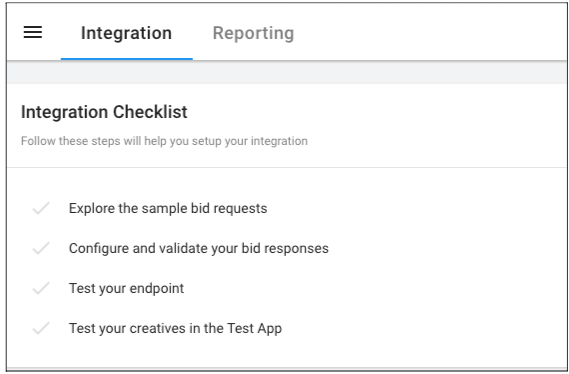
The Partner Portal integration overview diagram.

Unity Ads mobile testing app

Use the mobile testing app to test and debug end-to-end ad delivery in the Unity client-side environment.
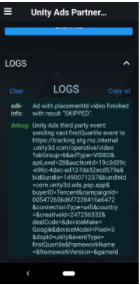
The test app logs panel in the Partner Portal.

Copyright © 2026 Unity Technologies
LegalPrivacy PolicyCookiesDocumentation Terms of UseDo Not Sell or Share My Personal InformationYour Privacy Choices (Cookie Settings)

"Unity", Unity logos, and other Unity trademarks are trademarks or registered trademarks of Unity Technologies or its affiliates in the U.S and elsewhere (more info here). Other names or brands are trademarks of their respective owners.

Some pages are machine-translated for convenience, and may contain inaccuracies. In the event of conflicting information, the English version is authoritative.

  • On this page
    • Summary

    • Accessing the Partner Portal

    • Integration

    • Unity Ads mobile testing app


Report a problem with this page