Testing bid responses using the Partner Portal
Use the Unity Exchange Partner Portal to test bid responses, helping demand partners validate integration and troubleshoot issues.
Read time 2 minutesLast updated 3 months ago
Sign in to the Unity Ads Monetization dashboard, and then from the left navigation, go to Partner Services > Testing to do the following:
- Explore sample OpenRTB (open real-time bid) requests;
- Configure and validate your standard OpenRTB responses;
- Run end-to-end validation of OpenRTB for standard OpenRTB seats.
Exploring sample bid requests
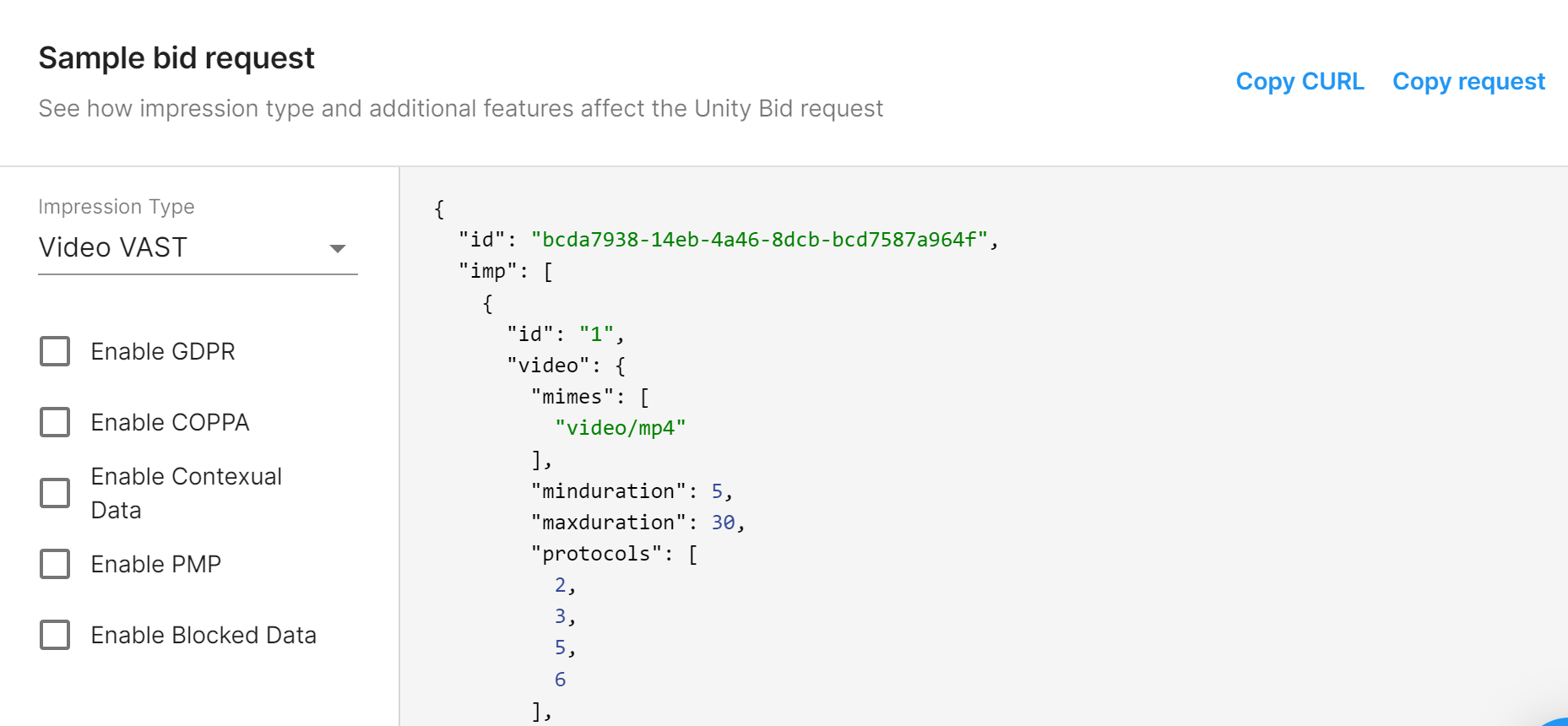
The Sample bid request section of the Testing page displays a sample bid request that is an example of the OpenRTB requests Unity sends to DSPs. Select different impression types from the drop-down menu and check applicable attributes to review an example of the bid request JSON.
Configuring and validating bid responses
The Sample bid request section of the Testing page lets you test your bid responses for errors. There are two ways to gather a bid response for testing:
- Use the Partner Portal to query your own bid response from your endpoint.
- Manually paste a response into the panel.
Using an endpoint
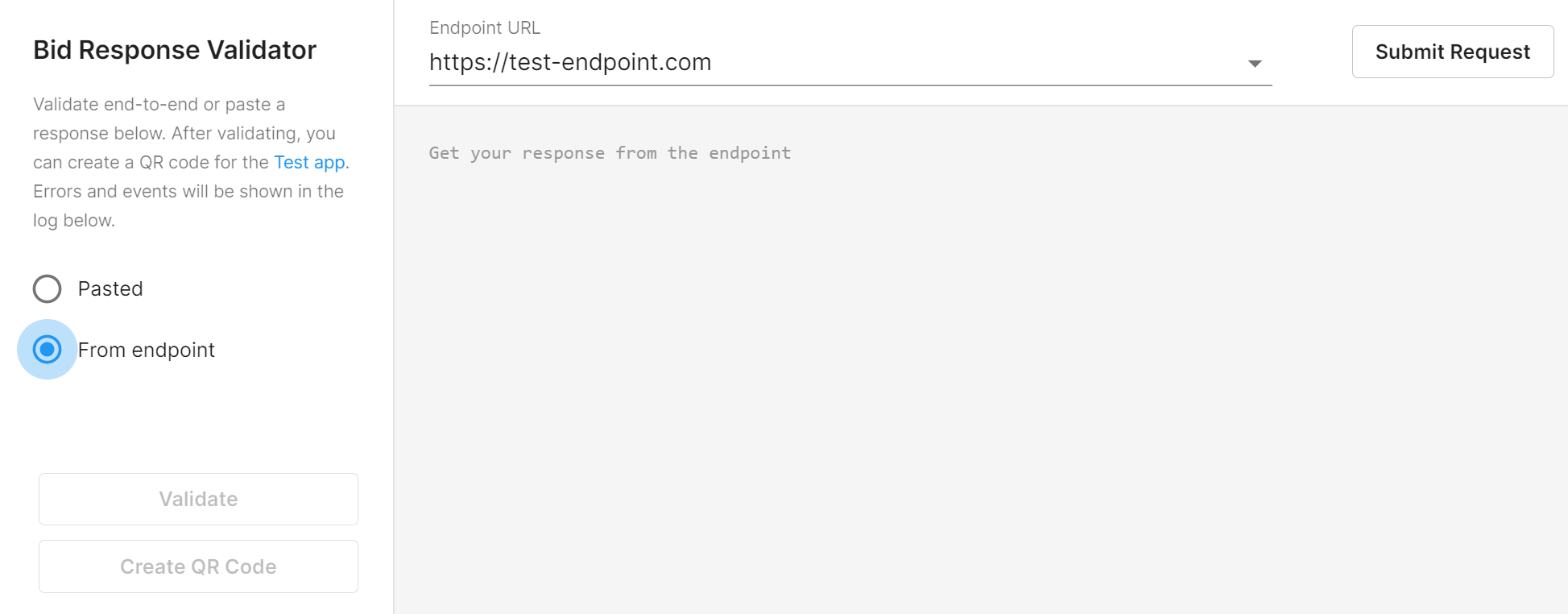
Your endpoint must return a response to the configured request in the Partner Portal for end-to-end testing. To activate this method, select the From endpoint radio button.
Pasting a response
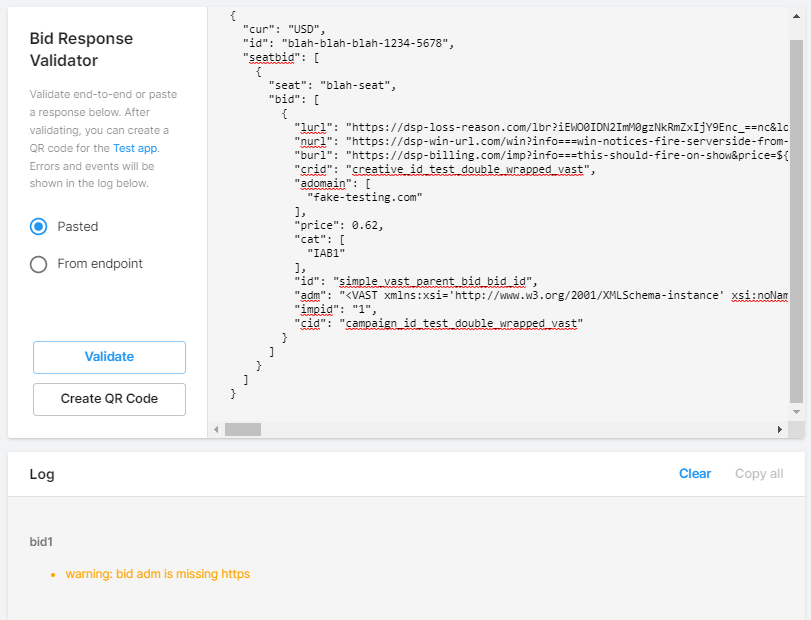
Alternatively, you can select the Pasted radio button, and then paste your response into the bid response validator. Select Validate to check the bid response. The result appears in the log:
Validating OpenRTB
The Partner Portal tests your response against OpenRTB 2.5 specifications. If the response does not pass validation, it will not be able to participate in the Unity Exchange auction.
Result | Color | Description |
|---|---|---|
| Success | Green | The response is valid and can participate in auctions. |
| Success | Orange | The response is technically valid, but generated some recommended changes. |
| Failure | Red | The response is not valid and must be corrected to participate in auctions or continue with the mobile PSP Tester app. |