OnGUI()
Implement your own editor GUI here.
阅读时间1 分钟最后更新于 14 天前
Definition
- Type: Method
- Namespace: UnityEditor
public void OnGUI()
Remarks
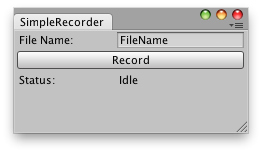
Examples
// A simple script that saves frames from the Game view when in Play mode.//// You can put the frames together later to create a video.// The frames are saved in the project, at the same level of the project hierarchy as the Assets folder.using UnityEngine;using UnityEditor;public class SimpleRecorder : EditorWindow{ string fileName = "FileName"; string status = "Idle"; string recordButton = "Record"; bool recording = false; float lastFrameTime = 0.0f; int capturedFrame = 0; [MenuItem("Example/Simple Recorder")] static void Init() { SimpleRecorder window = (SimpleRecorder)EditorWindow.GetWindow(typeof(SimpleRecorder)); } void OnGUI() { fileName = EditorGUILayout.TextField("File Name:", fileName); if (GUILayout.Button(recordButton)) { if (recording) //recording { status = "Idle..."; recordButton = "Record"; recording = false; } else // idle { capturedFrame = 0; recordButton = "Stop"; recording = true; } } EditorGUILayout.LabelField("Status: ", status); } void Update() { if (recording) { if (EditorApplication.isPlaying && !EditorApplication.isPaused) { RecordImages(); Repaint(); } else status = "Waiting for Editor to Play"; } } void RecordImages() { if (lastFrameTime < Time.time + (1 / 24f)) // 24fps { status = "Captured frame " + capturedFrame; ScreenCapture.CaptureScreenshot(fileName + " " + capturedFrame + ".png"); capturedFrame++; lastFrameTime = Time.time; } }}