10.x release notes for 2022
Review the 2022 release notes for version 10 of Unity Version Control.
Read time 51 minutesLast updated 18 days ago
This page contains the Unity Version Control 10.x releases published in 2022, organized from newest to oldest. For other years, refer to 10.x release notes.
10.0.16.6656
New
Windows - Visual Studio 2022 plugin
Windows - Visual Studio 2022 plugin: Show semantic information in CodeLens
This new release enhances the plugin for Visual Studio 2022 showing semantic information above every class, method or property in your Plastic SCM projects!
The CodeLens annotations above every class, method or property in files controlled by Plastic SCM will show semantic information about its last change. This includes the change type, user who modified it, and change date.
Keep in mind that this feature will only show up in semantic-available files (C#, C, C++) that are in a Plastic SCM Workspace.
See it for yourself!
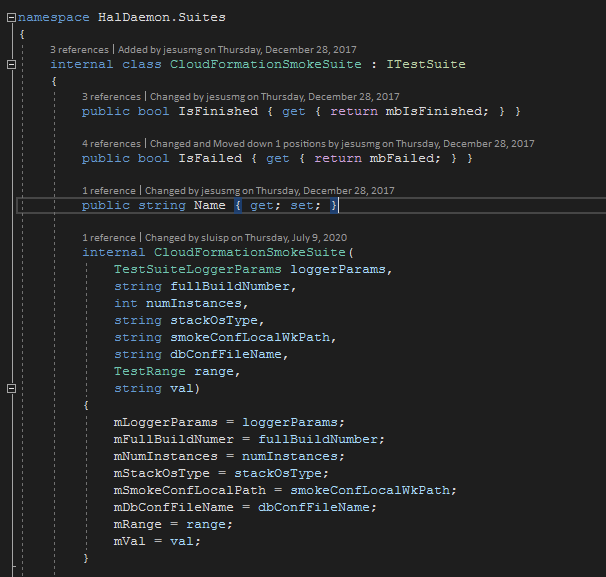
Screenshot
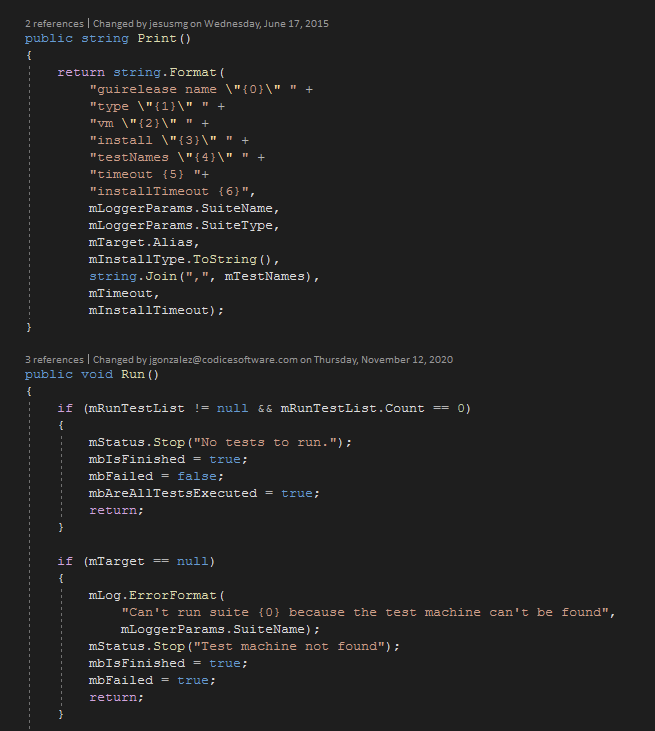
Screenshot
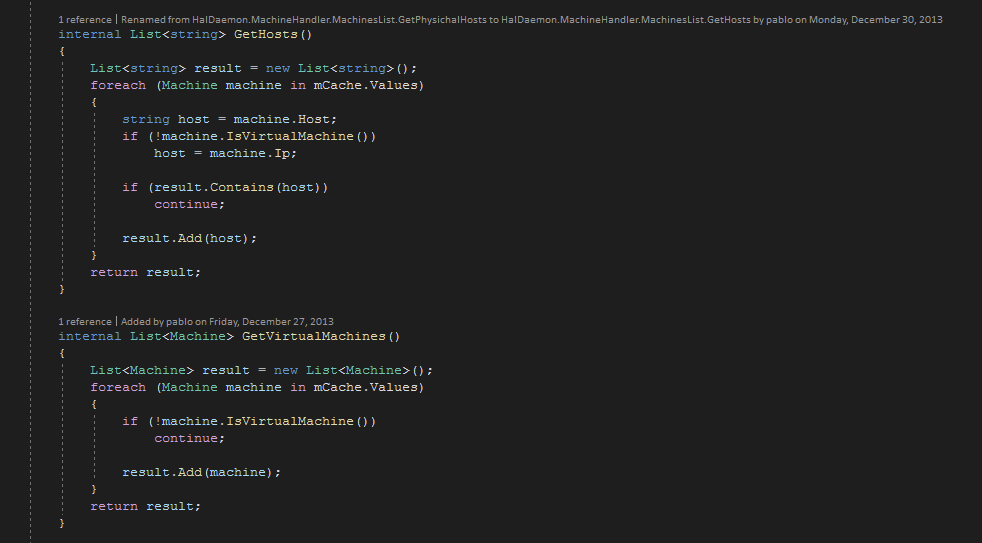
Screenshot
This new feature will be installed as part of the Visual Studio 2022 Plastic SCM extension if you select the option during the Plastic SCM installation process. Once installed, the Plastic SCM CodeLens provider can be enable/disable from Tools > Options > Text Editor - All Languages - CodeLens > Show Plastic SCM
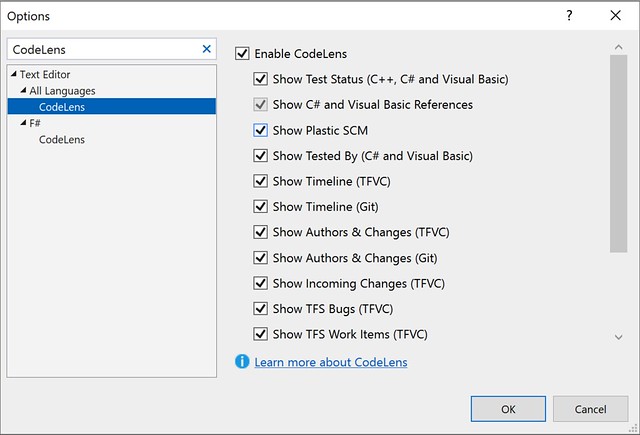
Screenshot
Windows - Visual Studio 2022 plugin
Windows - Visual Studio 2022 plugin: Show semantic history in CodeLens
This new release takes the CodeLens information in the plugin for Visual Studio 2022 a step further. When you create the Plastic SCM data point above a method, property or type, it will display a list of up to 10 of the last changes in that element. This leverages the semantic technologies in Plastic SCM, showing only changes in the file that affect the annotated element.
Keep in mind that this feature will only show up in semantic-available files (C#, C, C++) that are in a Plastic SCM Workspace.
Take a look here!
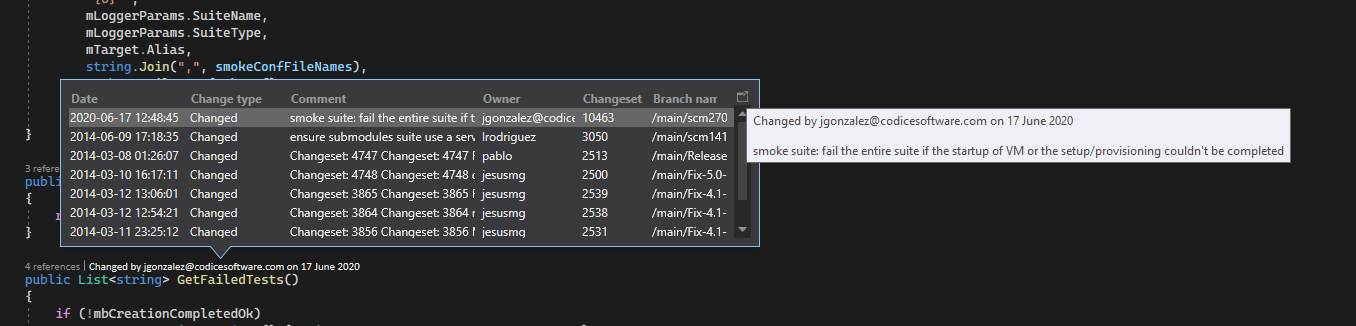
Screenshot
This new feature will be installed as part of the Visual Studio 2022 Plastic SCM extension if you select the option during the Plastic SCM installation process. Once installed, the Plastic SCM CodeLens provider can be enable/disable from Tools > Options > Text Editor - All Languages - CodeLens > Show Plastic SCM
Command-line client
Command-line client: Pagination/sorting added to 'cm find' command.
Every find object now complies with pagination, defining a 'limit' and an 'offset' to manage the result size and starting point. In addition, some objects (branch, changeset, label, review) will comply with 'order by' clause. Please, kindly refer to the 'cm find --help' and 'cm help showfindobjects' for further details.
For instance, the following command:
$ cm find label "where owner='me' limit 10 offset 20"
Displays the 10 labels starting from the 21st where I am the owner.
Another example could be:
$ cm find branches "where owner='me' order by branchname desc limit 10"
Displays the first 10 branches I created, sorted by name in descendant order.
GitSync
GitSync: Added '--gitpushchunk' parameter to export Plastic repositories to Git in smaller chunks.
This parameter allows to process the push operation (exporting changes from Plastic to Git) in chunks of a certain number of changesets instead of sending all the changes in one single package.
This is only useful for huge repos to avoid network or package size related issues or just for debugging purposes. It uses chunks of 1000 changesets if no value is specified.
$ cm sync myrepo@server:8087 git https://github.com/rubarax/repo.git --gitpushchunk$ cm sync myrepo@server:8087 git https://github.com/rubarax/repo.git --gitpushchunk=100
Bug
Windows - Plastic
Windows - Plastic: fixed Browse Repository view on case insensitive filesystems
Browsing the repository was not working correctly because we were failing to distinguish items where the name differed only in case. E.g., "FILE" and "file". This is because we were using the local filesystem path comparison rules, which on Windows meant we were doing a case insensitive comparison.
We fixed it to do a case sensitive comparison.
All clients
All clients: trigger environment variables are now properly set.
For before/after update triggers, PLASTIC_INITIAL_CHANGESET and PLASTIC_FINAL_CHANGESET environment variables were swapped, considering the final changeset as the origin and vice versa when using command. It was also noticeable when clicking the "Update workspace" button on the Incoming Changes view.
cm ci --updateNow it is fixed.
All platforms - Plastic, PlasticX, Gluon
All platforms - Plastic, PlasticX, Gluon: fixed exception thrown when parsing help panel markup
Malformed release note markup was causing the GUI to throw an exception when showing the help panel. We protected against that.
All platforms - Plastic
All platforms - Plastic: Changed Plastic alpha version notification text
The notification text to try the new GUI has been improved.
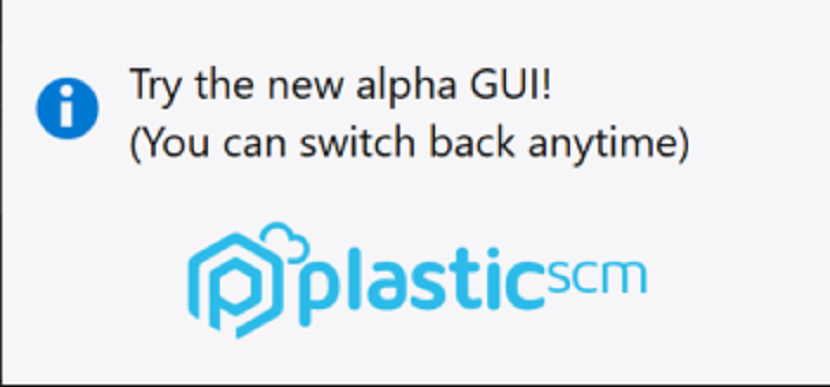
Screenshot
Windows - PlasticFS
Windows - PlasticFS: Fix 'The file is being used by another process' error.
We improved the ability of PlasticFS to work with antimalware software. Before, PlasticFS were unable to access some files from time to time, showing an error message like the following one:
Can't open locally stored fileThere was an error opening file 'library.dll' from the local cache: The process cannot access the file 'C:\Users\john\AppData\Local\plastic4\plasticfs-storage\plasticfs-workspace-storage\plasticfs-wk-xxx\xxx\xxx' because it is being used by another process.
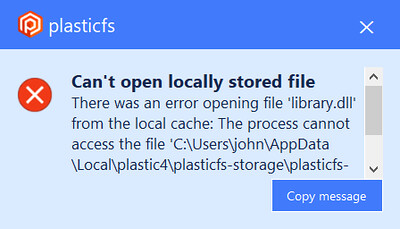
Screenshot
Cloud Server
Cloud Server: Fixed deadlock requesting branches of a deleted repo.
The cloud server uses file & memory locks to handle concurrent access to the Jet files. If the file lock failed because the repository was deleted from disk, then the memory lock was acquired forever a no other thread could acquire it.
This was a corner scenario since it's very uncommon to run calls against a repo that was deleted from disk.
Alpha bug
All platforms - PlasticX
All platforms - PlasticX: fixed the recycling in the pending changes tree
We fixed the recycling in the tree for the pending changes view. Now, each time you refresh the view, the cell controls for the expander column in the tree are recycled instead of creating them again.
All platforms - PlasticX
All platforms - PlasticX: Home icon now drawn on switch to branch with new changesets
We fixed the switch to branch functionality on the Branch Explorer view so that it correctly updates the Home icon in the case where changes were made on the target branch since the last time the view was refreshed.
All platforms - PlasticX
All platforms - PlasticX: Branch explorer search didn't focus branches properly.
There was an issue in the way branches rectangles were calculated, so when you search for a branch in the Branch Explorer, and the zoom level was big, the branch was not focused properly. Now it's fixed and the search was as expected.
All platforms - PlasticX
All platforms - PlasticX: Changed Switch workspace shortcut
The Switch workspace context menu shortcut has been changed from:
-
Windows & Linux: Ctrl+W to Shift+Ctrl+W
-
Mac: Cmd+W to Shift+Cmd+W
Windows - PlasticX
Windows - PlasticX: Don't clear query history when using old GUI
We had a compatibility issue between the classic Plastic GUI and the new PlasticX GUI (alpha): when running a query from one of the GUIs, all the query history from the other GUI was removed. Now both applications are compatible, and the query history is kept when changing between them.

Screenshot
All platforms - PlasticX
All platforms - PlasticX: Fixed a memory leak in pending changes view.
Fixed a bug that caused the memory to grow every time the Pending Changes view was refreshed.
macOS - PlasticX
macOS - PlasticX: Fix missing keyboard shortcut in the main menu
Actions -> "Switch To" keyboard shortcut was missing, this is now fixed
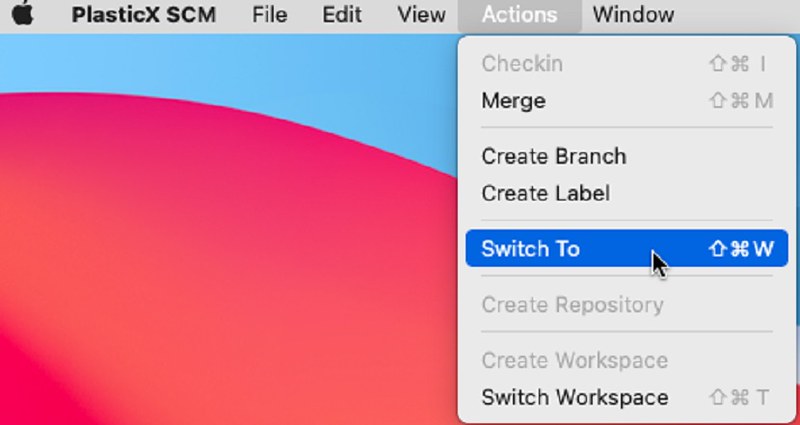
Screenshot
All platforms - PlasticX
All platforms - PlasticX: Fix keyboard shortcut not working in changesets view
We fixed a keyboard shortcut in changesets view: when trying to diff several changesets, keyboard shortcut was not working
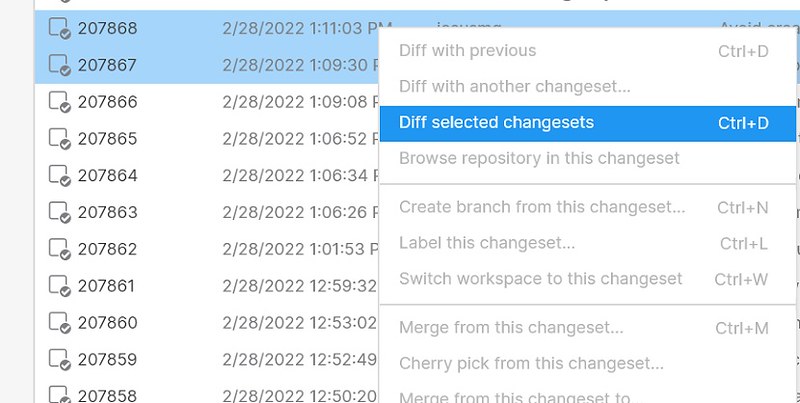
Screenshot
10.0.16.6621
New
All platforms - PlasticX
All platforms - PlasticX: New GUI Announcement
You're invited to check out the new Plastic GUI - a sneak peek at the work we've been doing to continuously improve the Plastic experience for all users, regardless of experience level. The new Plastic GUI is now the default GUI for MacOS and Linux. It is also discoverable in the bottom left corner of the Windows GUI.
This new GUI is cross-platform, includes a dark theme and provides better syntax highlighting. Many more improvements are coming soon, including Gluon support! Try out the new experience and switch back to the Legacy GUI at any time.
To try out the new GUI simply click on the "Switch to new GUI" text near the bottom of the side panel, as shown in these screenshots:
Switch to new GUI button Linux:
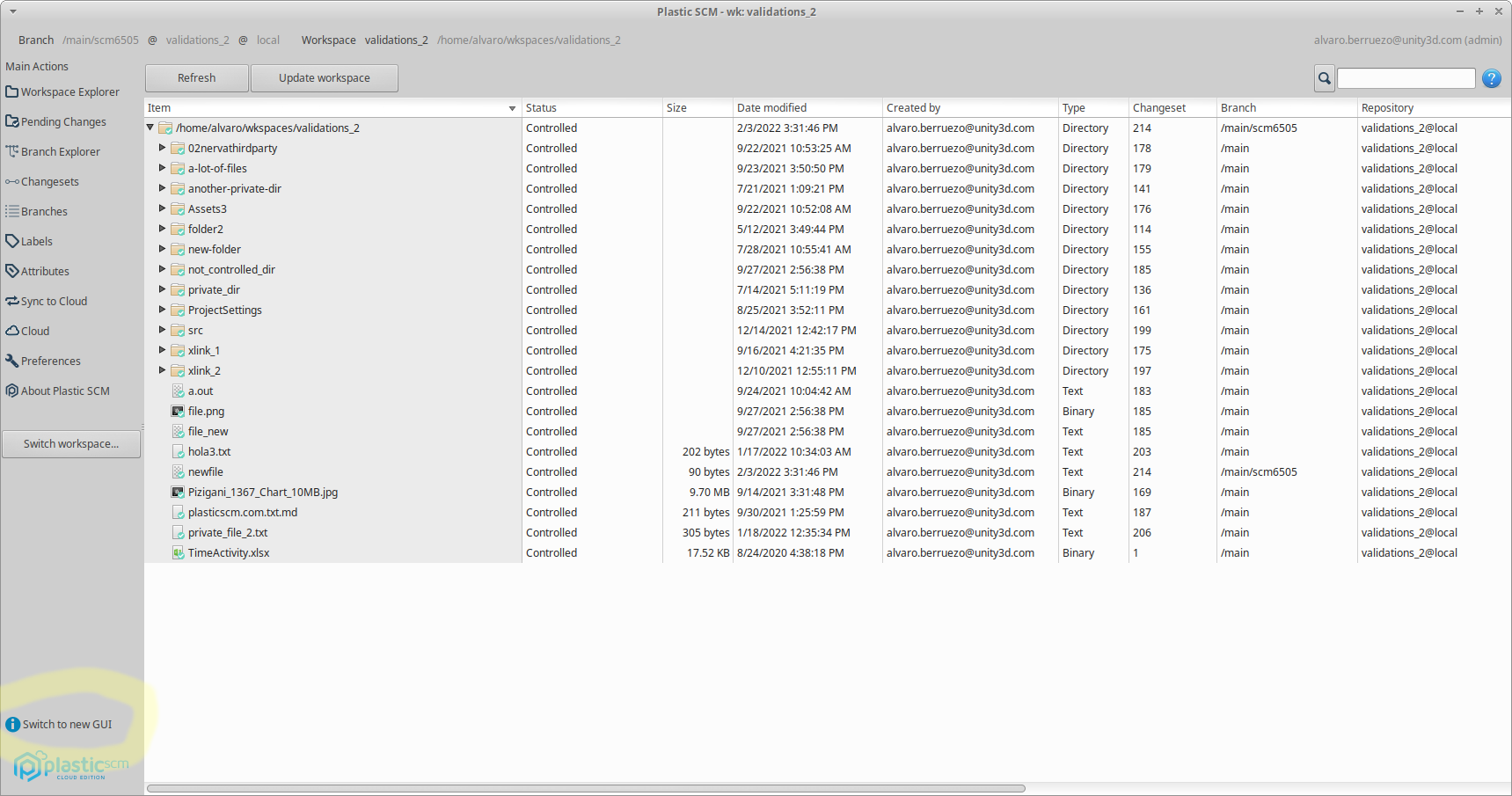
Screenshot
Switch to new GUI button macOS:
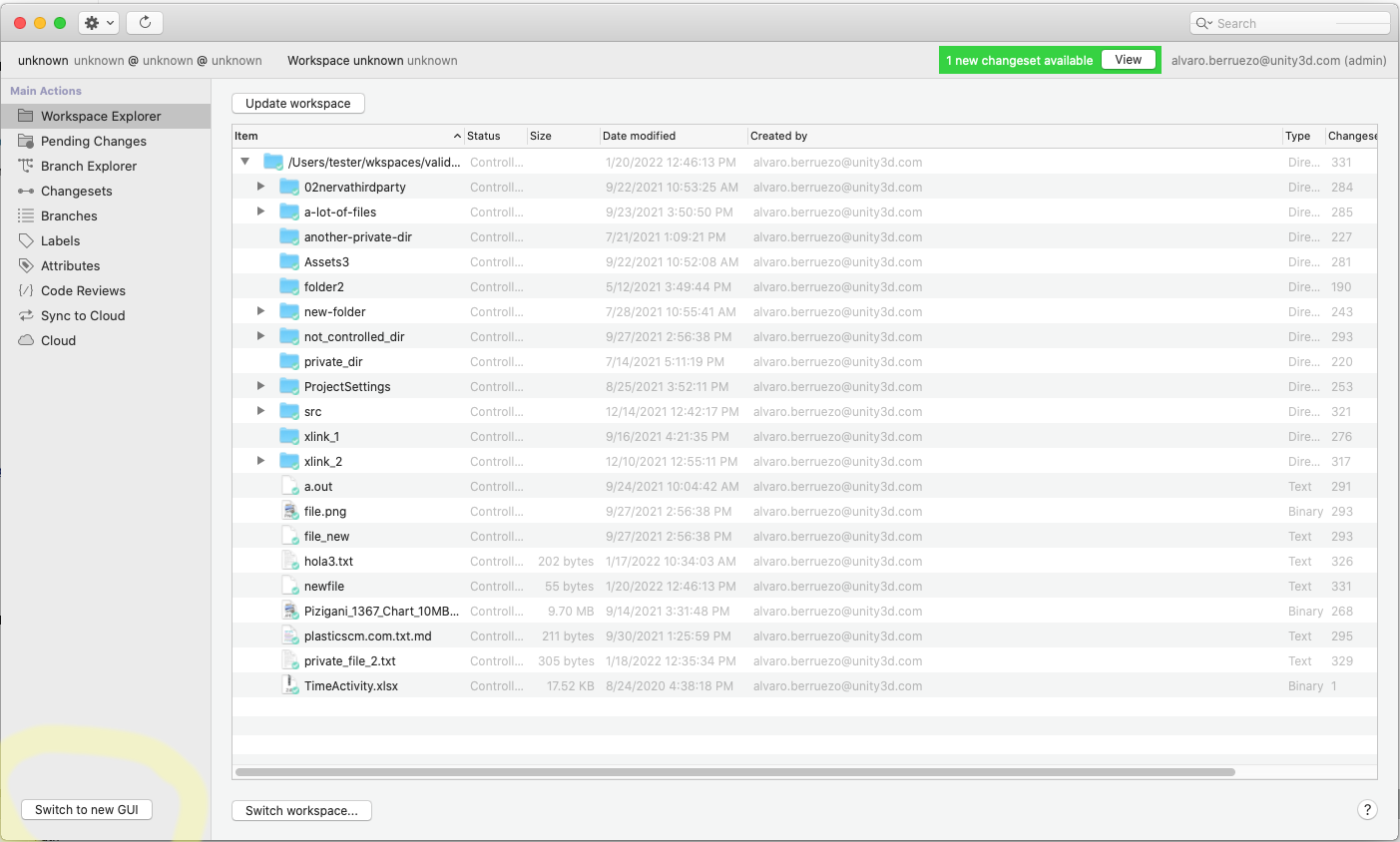
Screenshot
Switch to new GUI button Windows:
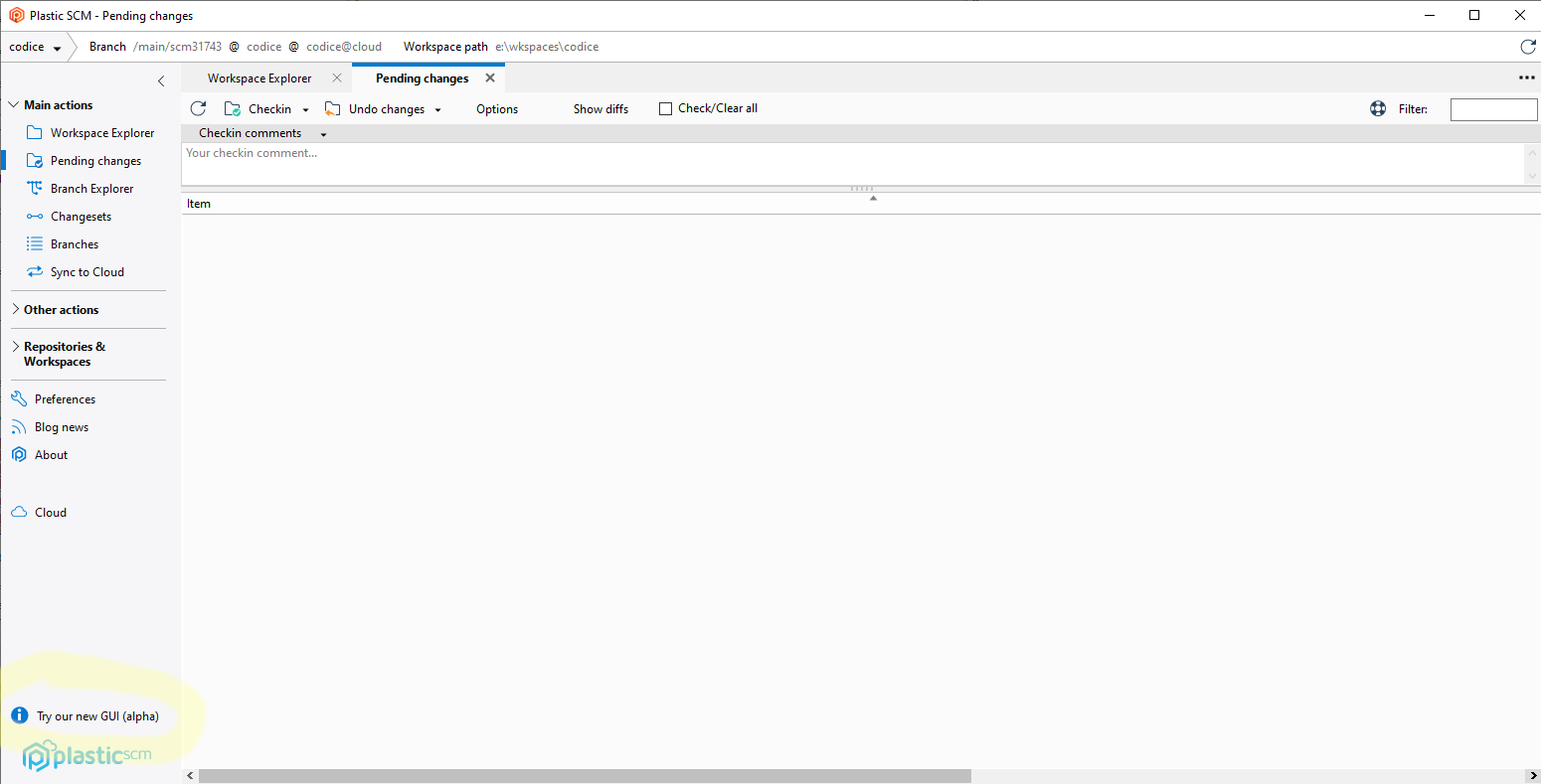
Screenshot
Welcome to new GUI:
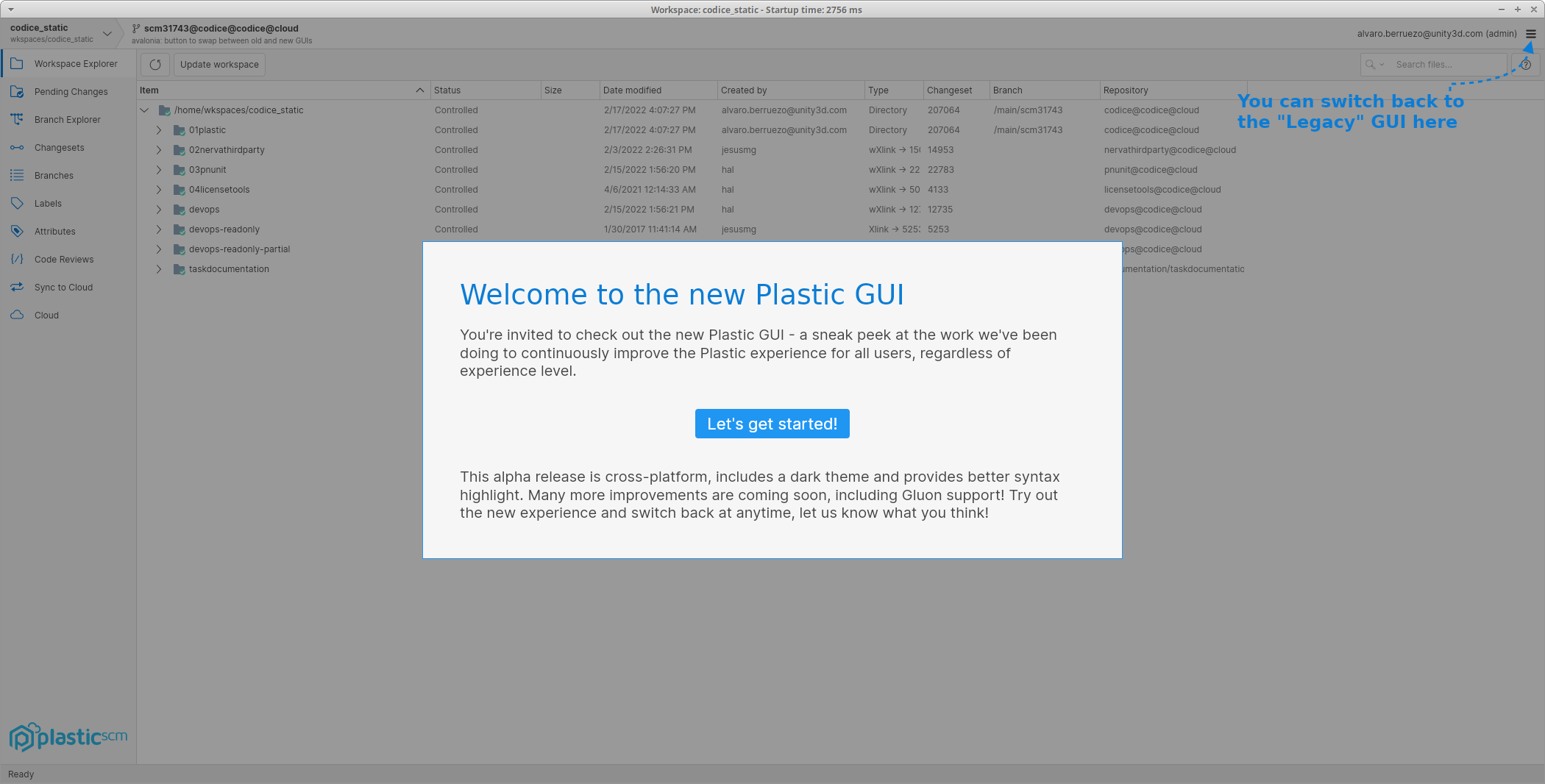
Screenshot
You can switch back to the legacy GUI at any time by selecting the option shown here:
Switch to legacy GUI:
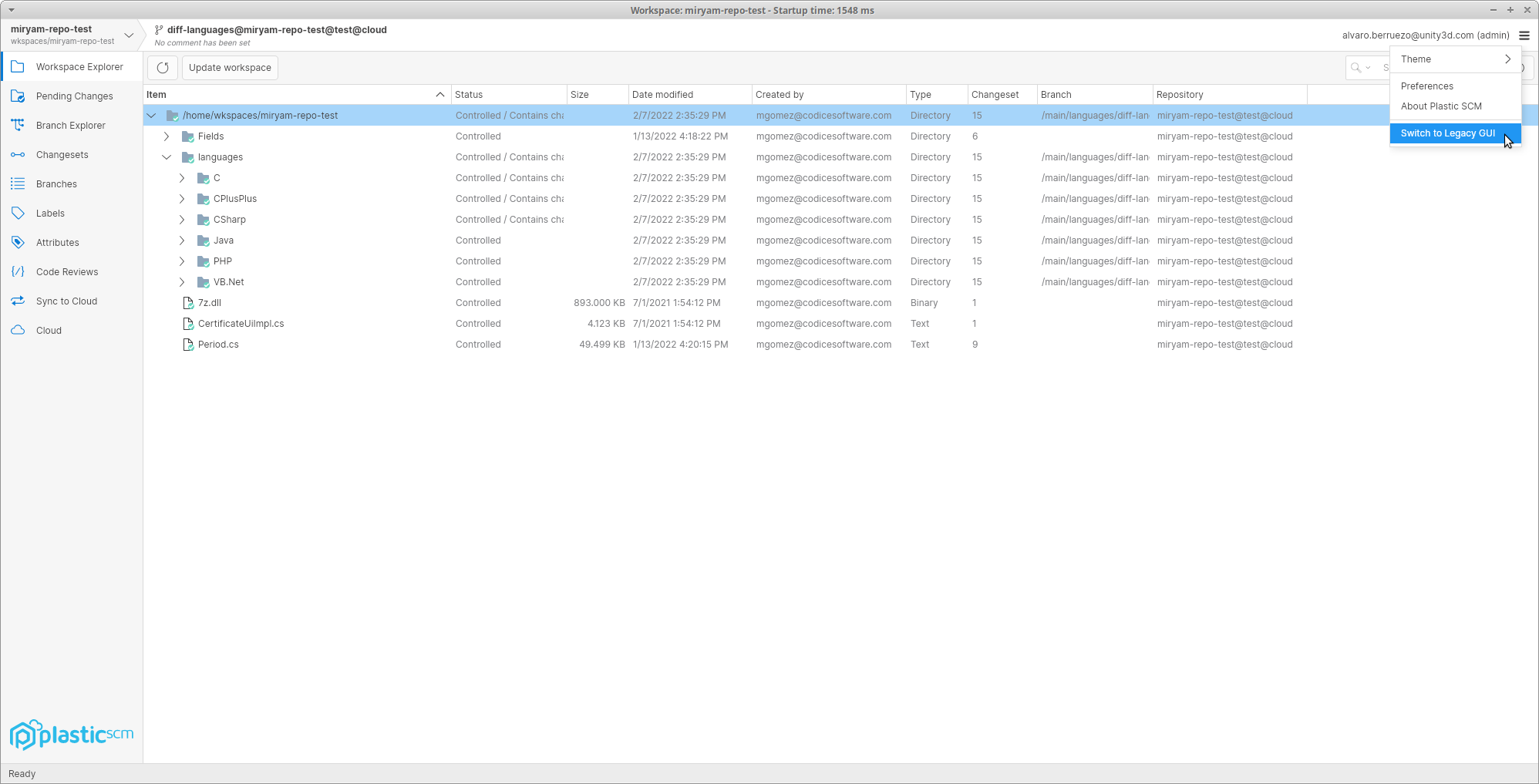
Screenshot
Command-line client
Command-line client: Updated the Spanish command-line help for several commands.
We keep on updating the Spanish documentation of the command-line help. These are the commands whose Spanish documentation has been completely updated on this round:
-
log -
ls -
manipulateselector -
merge -
attribute create -
attribute delete -
attribute edit -
attribute rename -
attribute set -
attribute unset -
branch create -
branch delete -
branch history -
branch rename -
branch showmain -
branch showmerges -
repository -
repository add -
repository create -
repository delete -
repository list -
repository rename -
trigger -
trigger create -
trigger delete -
trigger list
All clients
All clients: The performance of the status operation was improved again!
The overall time of the status operation is a 60% faster. This is only super-noticeable with huge workspaces (>4M of files), when the watcher is enabled and after the first status runs. Otherwise, the time spent in disk operations makes the improvement less noticeable.
After all the improvements done, the status time goes from 7.1s to 2.7s!
The tests were done:
-
using a workspace of 4011530 files, 264143 directories and 264 GB.
-
in an e2-standard-8 (Google Cloud) instance with a debian-10 image and a SSD persistent disk.
Command-line client
Command-line client: Changelist info is displayed along with the controlled changes in status command
When using --changelist options in status command, now it shows at the top of every grouped section of changes the information regarding the changelist owning these changes. The "--machinereadable status" option now works along with --changelist.
For instance: considering a workspace with two files (BoxCollider.cpp, and StartGameBtn.cpp), each one added to its corresponding changelist (Physics, GUI), the following command:
$ cm status --changelist=Physics
Will display something similar to this as far as there is a controlled change in BoxCollider.cpp file:
/main@VideogameEngine@localhost:8084 (cs:1 - head)Changelist: Physics:Every change related to physic calculations in the engineChangedStatus Size Last Modified PathChecked-out 7 bytes 4 minutes ago BoxCollider.cpp
And the following command...
$ cm status --changelist=Physics --machinereadable --fieldseparator=_ --startlineseparator=. --endlineseparator=,
.. will display something similar to this as far as there is a controlled change in BoxCollider.cpp file:
.STATUS_1_VideogameEngine_localhost:8084,.CHLIST_Physics_Every change related to physic calculations in the engine,.CO_C:wkspacesVideogameEngineWKBoxCollider.cpp,
Command-line client
Command-line client: Allow creating multi-line comments
Allows the use of the escape sequences 'n' and 'rn' to be used in checkin comments to generate line returns. Previously these would not be interpreted as escape sequences and would be included literally in the comment.
Command-line client
Command-line client: Allow the '--xml=output_file' parameter in the 'cm find' command.
Before, you needed to specify '--xml --file=output_file' to print the find result to a file. Now, you can just use '--xml=output_file' like other commands do.
All platforms - DevOps
All platforms - DevOps: Trunkbot auto enqueue branches when new changes in dst branch.
Before this version, if new changesets reach your trunk branch (i.e., '/main' branch) while a merge changeset -changes of your own branch and the trunk branch- is being built & tested, it won't be possible to merge the branch.
Now you can set up your Trunkbot configuration to queue the affected branch again automatically, and hence repeating all the branch processing, including the last changes from trunk branch in the merge changeset.
You can enable this feature in the mergebot configuration:
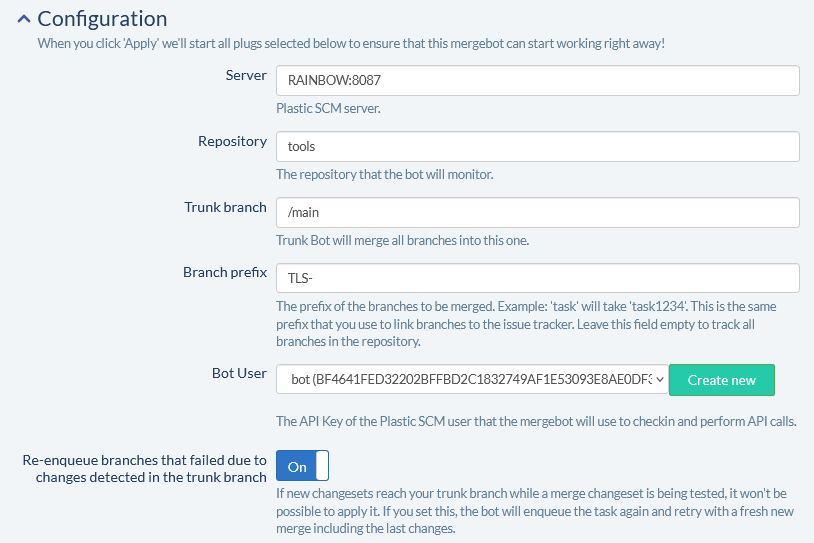
Screenshot
Bug
Windows - Plastic
Windows - Plastic: Improved usage with external data (archived revisions).
Before, the first update run with archived revisions asked for the storage location with multiple GUI dialog windows at the same time. Moreover, this dialog was shown once per file which was annoying when you just wanted to skip downloading those files.
Now, it only shows one dialog window at a time. If you enter the right storage location in the first dialog, you are not bothered with more dialogs, and everything is downloaded as expected. On the contrary, if you cancel it, you are not asked again for other revisions archived during the same operation.
Plastic Drive - Error mounting this changeset
Plastic Drive - Error mounting this changeset
Before, the 'Mount this changeset in Plastic Drive' option failed showing the following error message: Unable to load DLL 'dokan1.dll'.
Now, Plastic Drive has been upgraded to use a newer version of Dokan, fixing the issue. You can download it from here:
Alpha new
All platforms - PlasticX
All platforms - PlasticX: Enterprise configuration dialog has no margins
Margins added to enterprise configuration dialog.
All platforms - PlasticX
All platforms - PlasticX: Launch Gluon enabled in onboarding
We have enabled the Launch Gluon button in the onboarding dialogs for PlasticX. Currently it launches the official Gluon release. In the future it will launch GluonX of course!
Al platforms - PlasticX
Al platforms - PlasticX: save revision enabled for History and Browse Repository views
You can now save a revision to disk from the History and Browse Repository views by selecting the context menu item.
Alpha bug
All platforms, PlasticX
All platforms, PlasticX: Fixed miscellaneous issues in Branch Explorer view.
-
When searching, with the "Only relevant" option enabled, the highlighted branch lost the changeset parent link draws. Now it's fixed.
-
Clicking on the changeset parent link draws fired an unwanted "changeset selected" event. Now it's fixed.
-
A user reported in the forum that using the "Only relevant" button moved the branch explorer away from the selection. Now it's fixed. The following rules are used to determine how to maintain the relative position:
-
If the "home" changeset is visible on the screen it maintains its relative position.
-
If there is a selected changeset, it maintains its relative position. If the selected changeset is not relevant, its relevant parent is used.
-
Otherwise, the most right visible changeset is used to maintain the relative position.
-
-
When navigating changesets with keys in the branch explorer, sometimes a changeset that is not visible (but it's near the clip edges) is not made visible. Now it's fixed.
-
The attributes view was recalculated when clicking an object, even if it was already the selected object. Now it's fixed.
All platforms - PlasticX
All platforms - PlasticX: fixed diff window files panel
Diff window panel files panel was not filling the available space, this is now fixed.
All platforms - PlasticX
All platforms - PlasticX: Fix filter not working properly in Branch Explorer
After filtering a branch in the branch explorer, if you changed to another workplace the previous filter remained in the next workplace
We fixed this issue, and now the branch explorer filter works properly
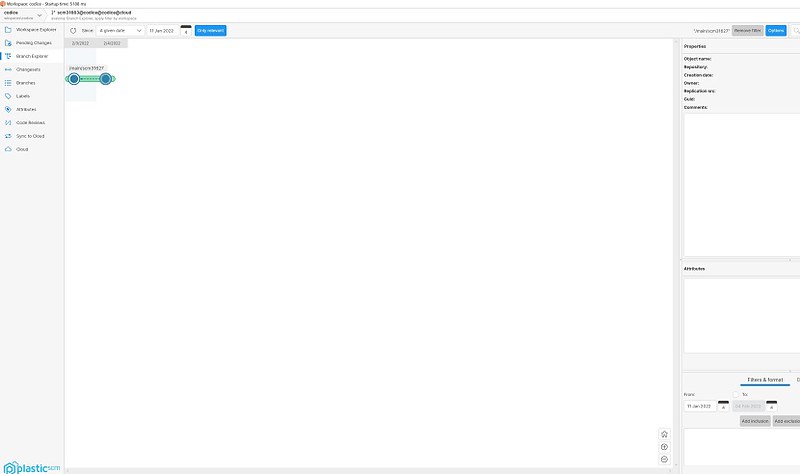
Screenshot
All platforms - PlasticX
All platforms - PlasticX: Fixed default focus selection in some dialogs
When a dialog is displayed the first TextBox must be selected with proper focus.
All platforms - PlasticX
All platforms - PlasticX: Other Options in preferences give an index out of range error
Fixed issue caused by missing tag on client.conf.
All platforms - PlasticX
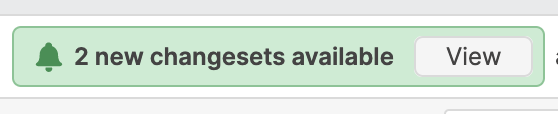
All platforms - PlasticX: Transparent buttons issue
Fixed issue in which buttons from incoming changes notification appears transparent when hovering or clicking it.
Screenshot
All platforms - PlasticX
All platforms - PlasticX: fixed exception when selecting empty search result
We fixed an exception that was thrown if you clicked on an empty search result on the Workspace Explorer view.
All platforms - PlasticX
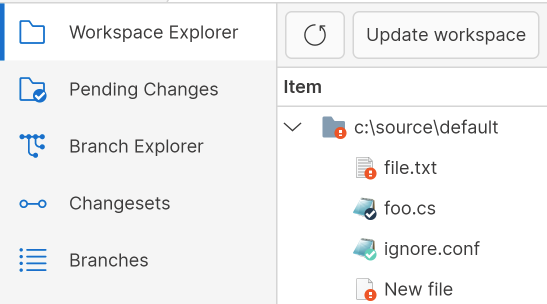
All platforms - PlasticX: Files overlay misaligned on 4k displays
Fixed an issue that causes the files overlay on workspace explorer to be misaligned when the display has a to be scaled, a common case for 4k displays.
Screenshot
10.0.16.6573
New
Server
Server: Added a new before-merge variable for the destination branch
The environment variable PLASTIC_MERGE_DESTINATION_BRANCH has been added to the "before-merge" trigger. It contains the name of the destination branch for the merge.
Bug
Server
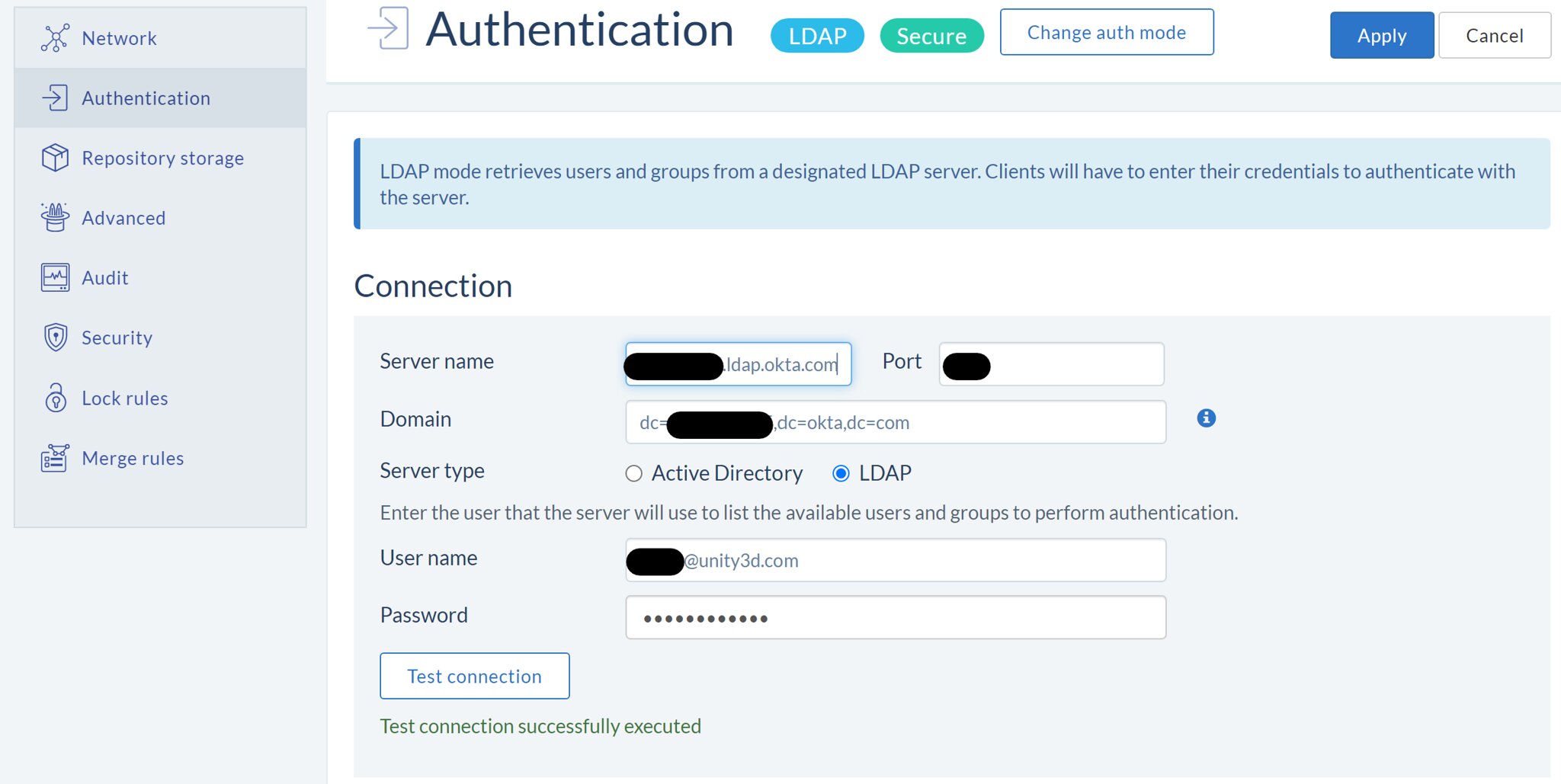
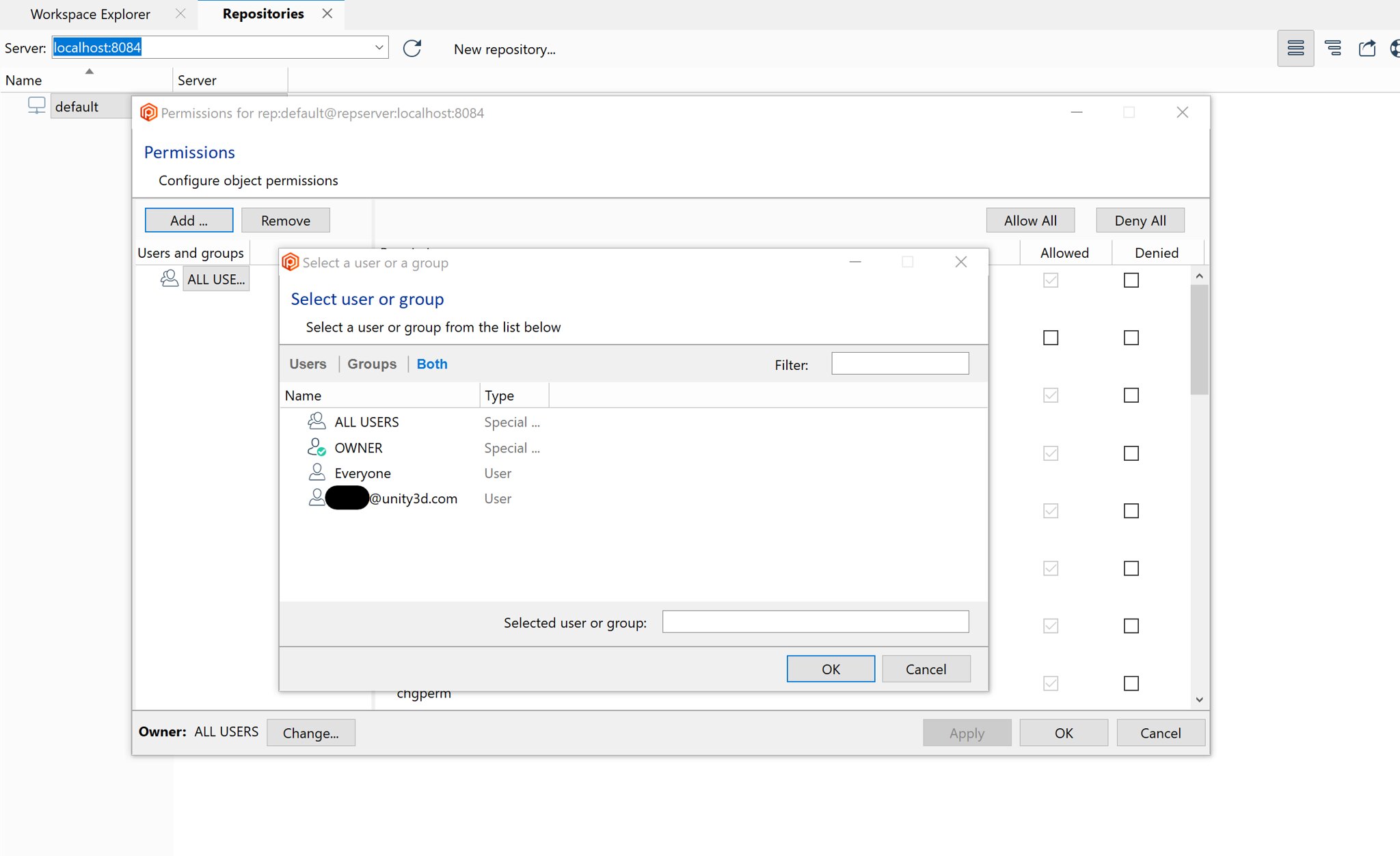
Server: Support Okta LDAP server for authentication.
The Plastic server didn't support an Okta LDAP server. All the user credentials (email + password) were rejected when you configure the server to use an Okta LDAP server. Now it works.
Screenshot
Screenshot
All Platforms - Server
All Platforms - Server: Socket error code platform-independent
There were some logs writing different socket error codes depending on the platform. Now they will display the same code regardless of the platform where they were triggered from.
Server
Server: Fixed branch creation from a deleted parent branch.
The server could create branches using a parent branch that was previously deleted. This led to "The specified branch xxx can't be found." errors when listing the repository branches of showing the branch explorer.
This code is properly protected now, and it will fail when trying to create a new branch using a parent branch that doesn't exist anymore.
Alpha new
All platforms - PlasticX
All platforms - PlasticX: upgraded to .NET 6.0
We now build PlasticX on .NET 6.0. Previously it was built on .NET 5.0.
In addition to general improvements to stability and performance, this upgrade improves a specific stability issue when applying syntax highlighting in the text editor.
10.0.16.6559
Alpha new
All platforms - PlasticX
All platforms - PlasticX: Icons upgraded for 4k screens
Icons have been updated to better support 4k or higher resolution screens
All platforms - PlasticX
All platforms - PlasticX: Improved the status bar UI
-
Changed the status bar background color.
-
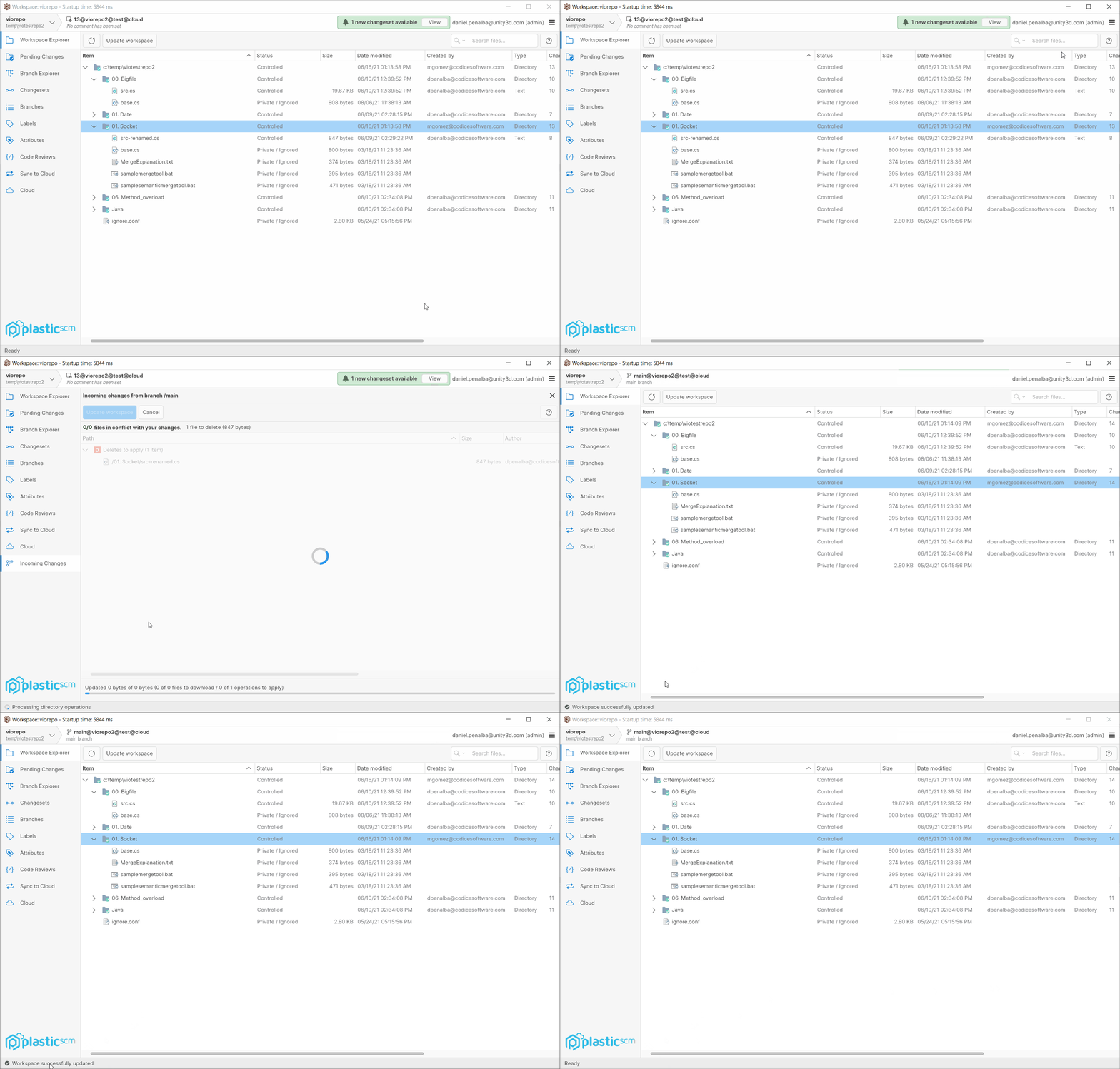
Now the status bar is able to notify, info, success, warning, error, and progress messages.

Screenshot

Screenshot
- The main operations (check-in, undo, update workspace ... ) now notify an ephemeral (4 seconds) success message in the status bar when they finish successfully:
Screenshot
All platforms - PlasticX
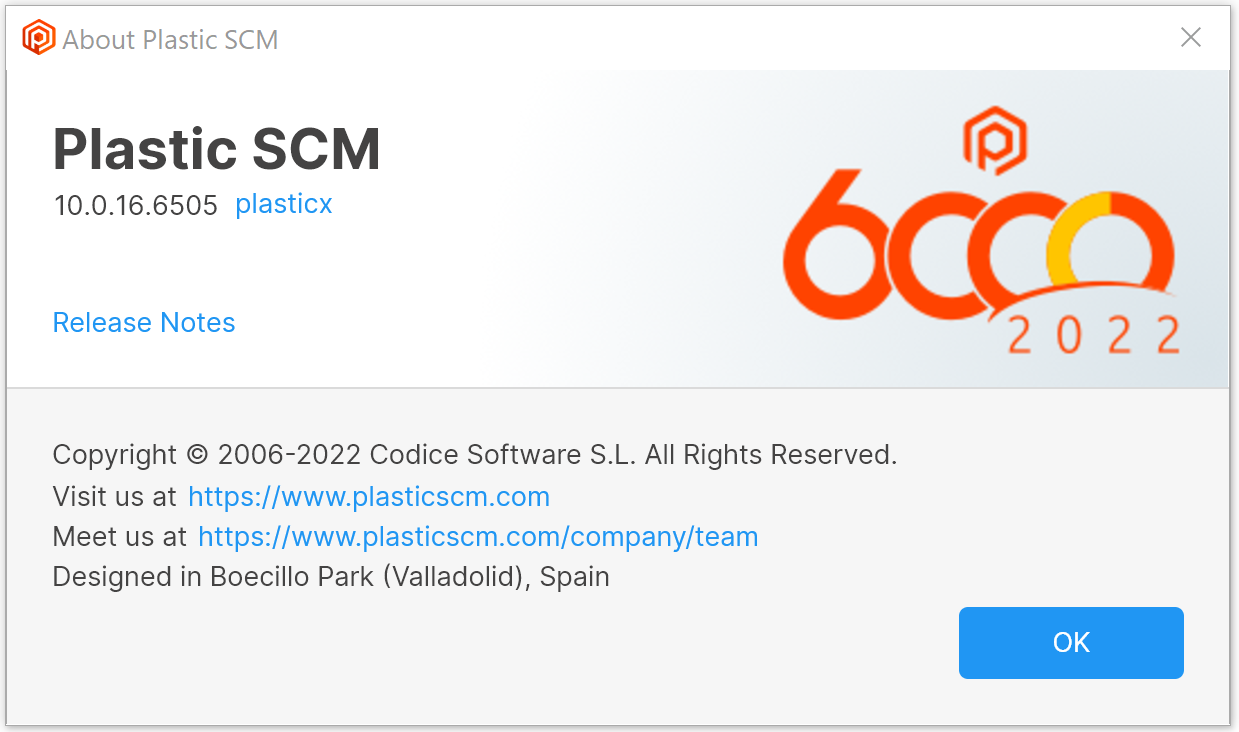
All platforms - PlasticX: made version number selectable in About window
You can now select and copy the version number in the PlasticX About window.
Screenshot
All platforms - PlasticX
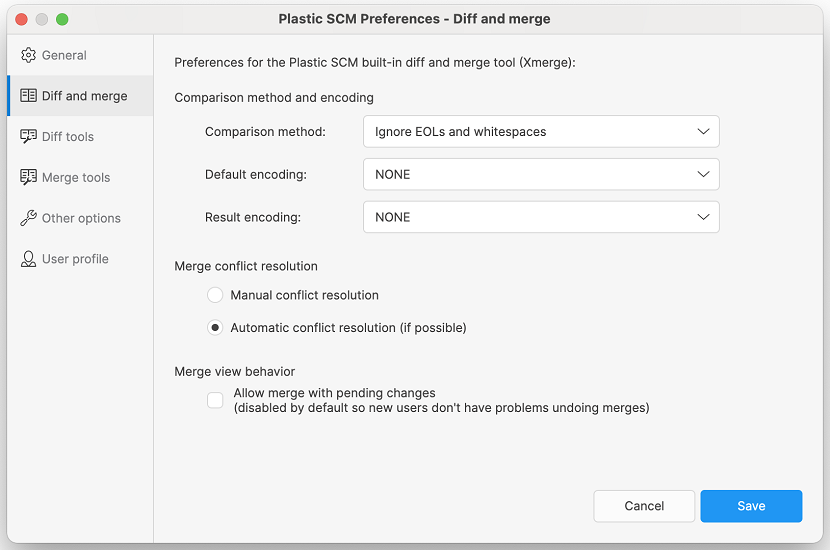
All platforms - PlasticX: Preferences dialog redesign
The preferences dialog has been redesigned to a vertical layout as it provides a cleaner look.
Screenshot
Alpha bug
All platforms - PlasticX
All platforms - PlasticX: Tab navigation fixed for all app views
All app views and windows were reviewed to follow the proper order of the elements tab navigation, from top to bottom and left to right.
macOS - PlasticX
macOS - PlasticX: Fixed an issue when diffing C files
There was an issue that caused a 'libclang can't be loaded' error when launching a semantic diff for C language. We fixed this issue, and now the semantic diff is available for C files on macOS.
10.0.16.6538
New
All platforms - Plastic, PlasticX
All platforms - Plastic, PlasticX: support environment variables in custom tool configuration
You can now include environment variables when defining custom actions that can be launched from the context menu.
See the documentation about configuring external tools.
- Example:
In the configuration file 'externaltools.conf':
item | My custom tool | %PATH_TO_TOOL_EXE% | @object
This will create a menu item "My custom tool" under the "Open" menu of the Workspace Explorer which will open the selected path using the executable pointed to by the environment variable "PATH_TO_TOOL_EXE".
You can add multiple external tools - just add a line to the config file for each one.
All platforms - Plastic, Gluon
All platforms - Plastic, Gluon: Unity files considered as text by default
We added the following extensions to our list of known text extensions, and now they will be considered as text files by default:
.anim.asmdef.asset.controller.giparams.mat.meta.mixer.overrideController.physicMaterial.playable.prefab.scenetemplate.shadergraph.shadervariants.signal.spriteatlas.unity.uss.uxml
Also, the following file will be considered as a binary file by default:
LightingData.asset
Remember that you can override this behavior, adding your custom extensions, by modifying your filetypes.conf file.
All platforms - All clients
All platforms - All clients: The status operation performance has been improved by changing how the stats times are tracked (again).
This is only noticeable in super-huge workspaces (> 4M of files).
The overall time of the status operation is a 10% faster, but this is only noticeable when the watcher is enabled and after the first status run.
In this particular case the 'cm status' went from 6s to 5.4s.
Command-line client
Command-line client: Updated the Spanish command-line help for several commands.
We keep on updating the Spanish documentation of the command-line help. These are the commands whose Spanish documentation has been completely updated on this round:
-
api -
findchanged -
findcheckouts -
findprivate -
getconfig -
getfile -
getrevision -
getstatus -
gettaskbranches -
getworkspacefrompath -
help -
history -
iostats -
issuetracker -
licenseinfo -
linktask -
listusers -
location -
lock -
lock list -
lock unlock -
wi
All Platforms - Server
All Platforms - Server: Improved the plasticd shell start up time
plasticd shell uses communication files to interact with the server. The problem came when these files became too big (> 1GB). It could take more than 10 min to connect with the server.
Now, it does a smart reading starting from the end of the communication file, so it doesn't depend on the size of the file. It always takes around 1-2 seconds to connect.
Bug
macOS - Server
macOS - Server: the server in macos was not gracefully shutting down when pressing the intro key.
In other OS it was allowed to stop the server in console mode (plasticd --console) when inputing an empty command (by pressing intro with no text input) but in macos it was displaying an error detailing "Socket is not connected". Now it is fixed and working the same as in Windows and Ubuntu platforms.
Visual Studio plugin
Visual Studio plugin: Ignored files are no longer processed when adding to source control
We detected the "Add to source control" operation wasn't respecting ignored files. In addition, this operation will now perform an auto-checkin depending on the below user preference.
Tools -> Options... -> Source Control -> Plastic SCM settings -> Preferences -> Other options
"Checkin files and directories when adding to source control"
Windows - Wwise plugin
Windows - Wwise plugin: Improved performance for status
We noticed an issue in the Wwise plugin that caused 'cm shell' commands to perform poorly when their output was long (>8 KB).
It's fixed now, so these long commands -particularly the 'status' command- will run as fast as if you'd run them in a terminal.
All Platforms - GitSync
All Platforms - GitSync: Fixed localization errors during GitSync operation.
The operation could show messages that didn't make sense because it used the wrong localization keys.
Windows - VSPlugin
Windows - VSPlugin: Removed deprecated option 'Change Source Control...' from File menu.
Windows - Plasticfs
Windows - Plasticfs: Fixed the ISPC compilation in dynamic workspaces.
It seems the ISCP compiler uses the FileInfo.IndexNumber field but plasticfs didn't fill this field when returning the file FileInfo fields.
Now, this field is properly assigned (it's just a reference number for the file) and ISCP can complete the build without issues.
$ ispc simple.ispc -o simple.objWarning: No --target specified on command-line. Using default system target "avx2-i32x8".
Alpha new
All platforms, PlasticX
All platforms, PlasticX: Improve the button look and feel.
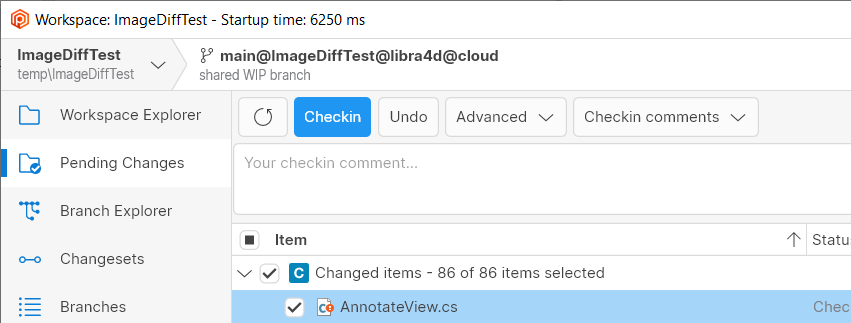
We improved the button style across the application. Now the buttons always have a border and they are lighter in the light theme. This is how they looks now:
Screenshot
We additionally made the Checkin Button more noticeable (using primary blue color) in the pending changes view, to remark that it's the main action.
All platforms, PlasticX
All platforms, PlasticX: UI boosts.
-
Reduced the width of the pipe in the sidebar.
-
Choose a better icon for sorting in the trees/lists.
-
Improve scrollbar style.
-
Redesign the incoming-changes notification.
The following screenshot shows most of the changes.
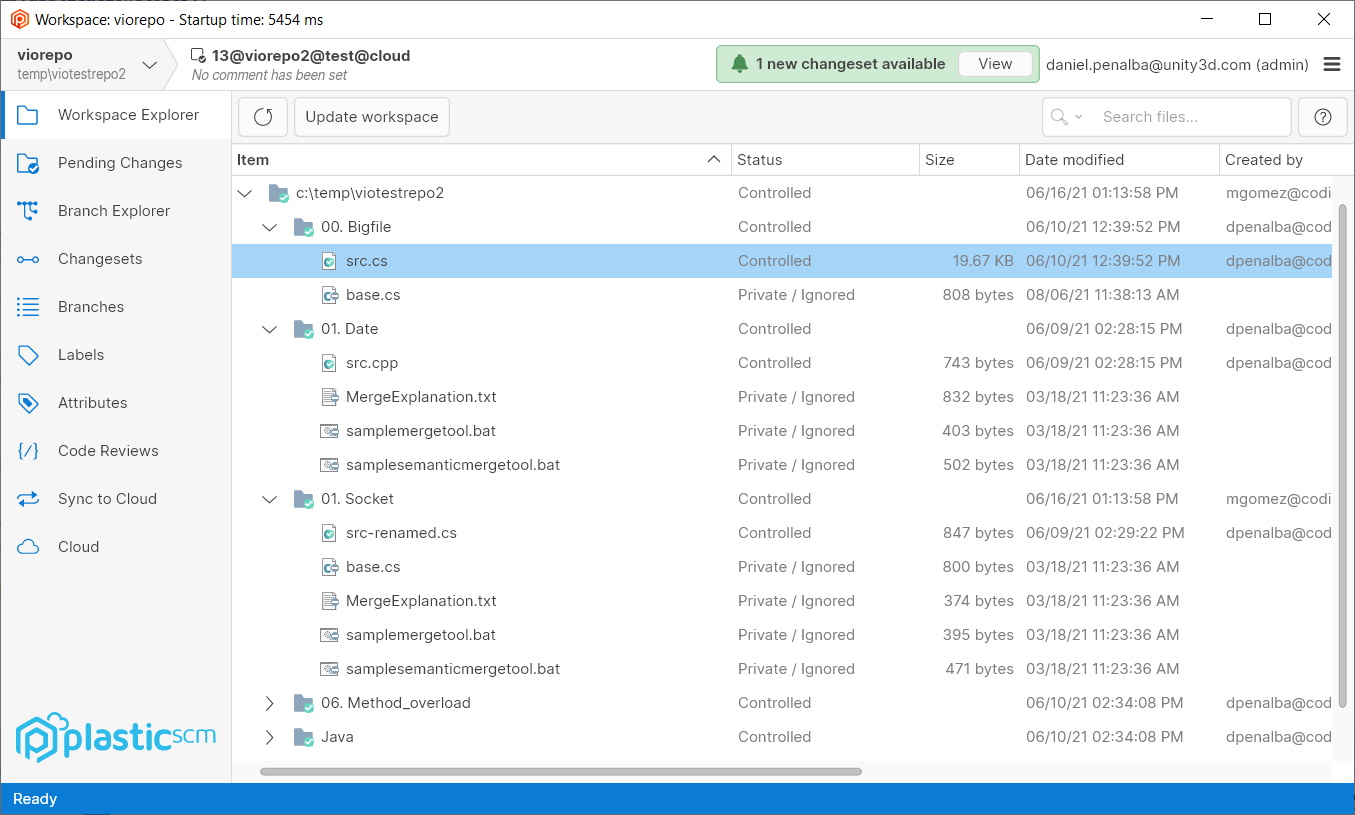
Screenshot
Other UI changes:
-
Improved the tooltip style reducing padding.
-
Unify all dropdown controls to have the same margins.
-
Convert text-based "Close" buttons to icon-based buttons in side-views.
Alpha bug
All platforms - PlasticX
All platforms - PlasticX: Tab navigation has been fixed for some dialogs
Tab navigation were not following the custom UI elements order in some dialogs. The custom navigation order is defined as from left to right and from top to bottom, so when users use tab key to navigate in any app dialog this order has to be followed.
All platforms - PlasticX
All platforms - PlasticX: Fixed application of branch attributes
When a branch attribute was selected from the Name combobox the first default value was not loaded in Values combobox:
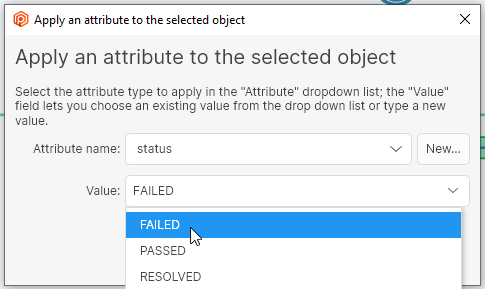
Screenshot
This fix updates the Values combobox selection with the first element found in the list.
10.0.16.6505
New
Command-line client
Command-line client: Updated the help for the command.
cm archiveWe removed the option from the help of the command because it's not available.
--commentcm archiveIf you want to assign a comment to the 'archive' operation, please use the option.
-cFor example:
cm archive bigfile.zip#br:/main -c="volume00"
Bug
All Platforms - GitSync
All Platforms - GitSync: Protected some null errors when synchronizing with git repositories.
All Platforms - Client
All Platforms - Client: Fixed a "repository mounted twice" error during checkin.
This error was only reproduced if there were multiple Xlinks pointing to the same repository in the workspace.
It also only happened if before-clientcheckin triggers existed for that repo. Otherwise, it was not reproduced at all.
All Platforms - CLI
All Platforms - CLI: status was not filtering properly by changelist
The option to group and filter controlled changes by changelists was not displaying only those changes under the changelist. Now it is fixed.
Having two controlled files in your workspace (file1.txt and file2.txt), each one under a different changelist (chlist1 and chlist2).
"cm status --changelists" will show something similar to the following:
Changed Status Size Last Modified Path Checked-out 5 bytes 1 hour ago file1.txtChanged Status Size Last Modified Path Checked-out 7 bytes 1 hour ago file2.txt
while "cm status --changelist=chlist1" will display something like
Changed Status Size Last Modified Path Checked-out 5 bytes 1 hour ago file1.txt
Alpha bug
All platforms - PlasticX
All platforms - PlasticX: Improved exception handling
We detected some situations in which an exception could cause the application to crash. We fixed these scenarios to catch the errors and show them in a message box, and then continue with the application, instead of unexpectedly closing it
All platforms - PlasticX
All platforms - PlasticX: Fixed 10% CPU usage in the Attributes panel
Displaying the Branch Explorer view caused Plastic X to report a constant 10% CPU usage in the Task Manager. This CPU consumption was caused by an animated progress bar placed in the Attributes panel. Although that progress bar was hidden, it continued invalidating the panel, causing that CPU consumption. Now it's fixed.
All platforms - PlasticX
All platforms - PlasticX: Fixed an issue when creating dynamic workspaces
When creating a workspace, if the user selected the "Create workspace from this repository..." option from the repositories view, the dynamic workspace checkbox was being ignored, and we were always creating normal workspaces. We fixed this issue, and now the checkbox works as expected
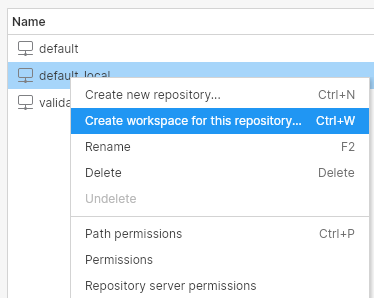
Screenshot
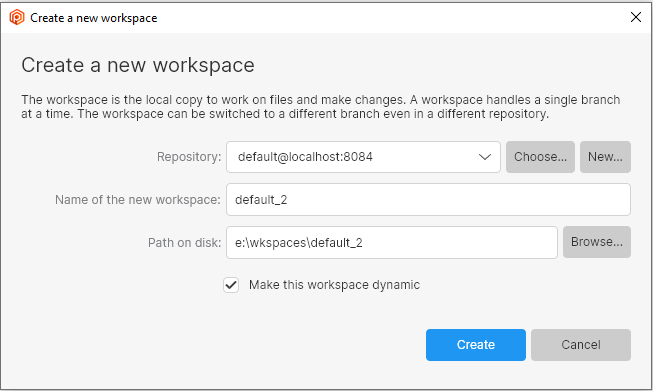
Screenshot
All platforms - PlasticX
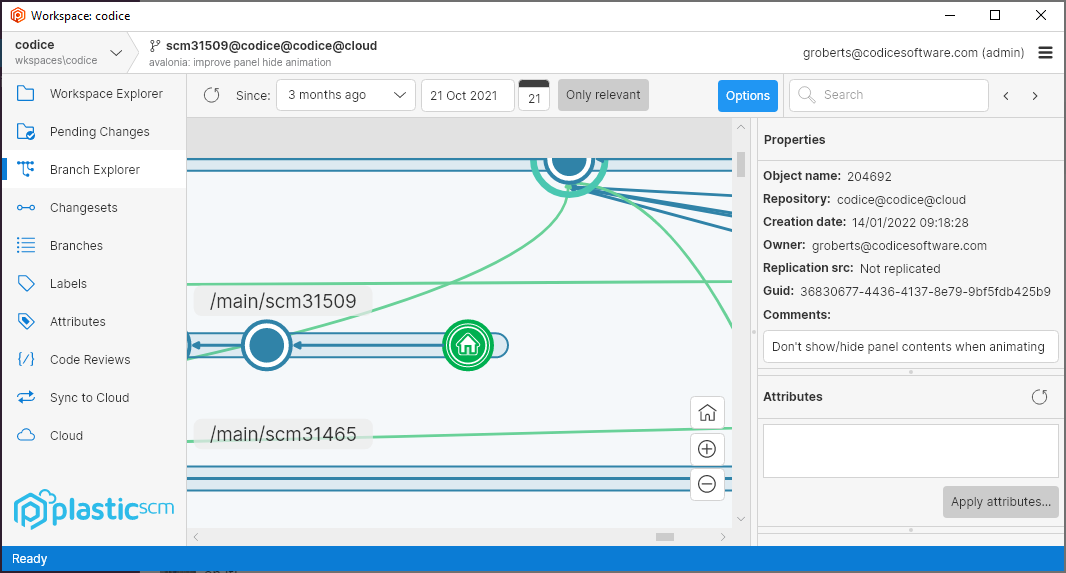
All platforms - PlasticX: draw Home icon after switch to branch
Fixed an issue where the Home icon wasn't being drawn after switching to a branch or label.
Screenshot
10.0.16.6479
New
Windows - Command line client
Windows - Command line client: netcore-compiled command line client for Windows!
From now on, the command line client () will be a netcore-based application, replacing the netframework-based command line client.
cmThis also unlocks new subcommands that were just available for netcore flavor, like subcommand (see release note below).
cmcm apiEnjoy!
Windows - Plastic SCM API
Windows - Plastic SCM API: The Plastic SCM API is now embedded in the CLI!
We created a new command that starts the Plastic SCM API. It allows the same arguments as the old application (we removed this deprecated executable from the installer).
cm apiplasticapi.exeThe previous versions (10.0.16.6419, 10.0.16.6443) already had this command, but just for Linux and macOS. From now on, Windows will have also this command available.
cm apiFind more info about it via the command help:
$ cm api --help
And see more usage details at: https://www.plasticscm.com/documentation/restapi/plastic-scm-version-control-rest-api-guide
All platforms - Plastic SCM API
All platforms - Plastic SCM API: The Checkin endpoint now supports partial workspaces
We extended the Checkin endpoint in the Plastic SCM API to support partial workspaces. You will now be able to perform checkin operations in a partial workspace using this client-side REST API.
Just launch the command and perform a request to endpoint with a JSON body like this:
cm apiPOST/api/v1/wkspaces/{wkName}/checkin{ "paths": ["path-to-my-file", "path-to-another-file"], "comment": "my current changes for my task"}
All platforms - Plastic SCM API
All platforms - Plastic SCM API: New endpoint to retrieve file info is now available
We created a new endpoint in the Plastic SCM REST API to retrieve information from a file. You will now be able to perform operations in your workspace, using this client-side REST API.
fileinfoJust launch the command and perform a request to endpoint .
cm apiGET/api/v1/wkspaces/{wkName}/fileinfo/path-to-the-file-to-get-infoAll platforms - Plastic SCM API
All platforms - Plastic SCM API: The Update endpoint now supports partial workspaces
We extended the Update endpoint in the Plastic SCM API to support partial workspaces. You will now be able to perform update operations in a partial workspace using this client-side REST API.
Just launch the command and perform a request to endpoint .
cm apiPOST/api/v1/wkspaces/{wkName}/updateAll platforms - Plastic SCM API
All platforms - Plastic SCM API: The Switch endpoint now supports partial workspaces
We extended the Switch endpoint in the Plastic SCM API to support partial workspaces. You will now be able to perform switch operations to branch or changeset in a partial workspace using this client-side REST API.
Just launch the command and perform a request to endpoint with a JSON body like this:
cm apiPOST/api/v1/wkspaces/{wkName}/switch{ "objectType": "branch", "object": "main"}
All platforms - Plastic SCM API
All platforms - Plastic SCM API: New revert endpoint for regular and partial workspaces
We created a new Revert endpoint in the Plastic SCM API. You will now be able to perform revert operations in your workspace, partial or otherwise, using this client-side REST API.
Just launch the command and perform a request to endpoint with a JSON body like this:
cm apiPOST/api/v1/wkspaces/{wkName}/revert/{my_item_to_revert}{ "changeset": 28}
All platforms - Plastic SCM API
All platforms - Plastic SCM API: New partial configure endpoint for partial workspaces
A new Partial Configure endpoint has been added to the Plastic SCM API. Using this client-side REST API you will now be able to perform partial configure operations in your partial workspace.
Just launch the command and perform a request to endpoint with a JSON body like this:
cm apiPOST/api/v1/wkspaces/{wkName}/partialconfigure{ "instructions": [ { "path": "/", "action": "unload" }, { "path": "/", "action": "load" } ]}
All platforms - Plastic SCM API
All platforms - Plastic SCM API: New merge endpoint for regular workspaces
We created a new Merge endpoint in the Plastic SCM REST API. You will now be able to perform merge operations in your workspace, using this client-side REST API. This operation doesn't support conflict resolution at the moment.
Just launch the command and perform a request to endpoint with a JSON body like this:
cm apiPOST/api/v1/wkspaces/{wkName}/merge{ "sourceSpec": "br:/main/mybranch"}
All platforms - Plastic SCM API
All platforms - Plastic SCM API: New endpoint to undelete removed elements is now available
We created a new undelete endpoint in the Plastic SCM REST API. You will now be able to perform undelete operations in your workspace, using this client-side REST API.
Just launch the command and perform a request to endpoint with a JSON body like this:
cm apiPOST/api/v1/wkspaces/{wkName}/undelete{ "revSpec": "rev:itemid:4689#cs:23", "path": "my_file"}
All platforms - Plastic SCM API
All platforms - Plastic SCM API: New create shelve endpoint for regular workspaces
We created a new Create Shelve endpoint in the Plastic SCM API. You will now be able to create a new shelve from changes in your workspace, using this client-side REST API.
Just launch the command and perform a request to endpoint with a JSON body like this:
cm apiPOST/api/v1/wkspaces/{wkName}/shelvesets{ "comment": "my amazing shelve comment", "paths": ["path-to-my-file", "path-to-another-file"]}
All platforms - Plastic SCM API
All platforms - Plastic SCM API: New endpoint to apply shelvesets is now available
We created a new Apply Shelve endpoint in the Plastic SCM API. You will now be able to apply a shelve in your workspace, using this client-side REST API.
Just launch the command and perform a request to endpoint to apply shelve 31.
cm apiPATCH/api/v1/wkspaces/{wkName}/shelvesets/31All platforms - GitSync
All platforms - GitSync: main branch support improvements
Now autodetects if your Git repository uses "main" or "master" as the main branch.
cm syncYou can explicitly tell it to use any branch as main branch with :
--mainbranch$ cm sync REPO@SERVER git https://github.com/GITREPO.git --mainbranch=trunk
All platforms - Client
All platforms - Client: cm update now supports a machine readable format
To obtain an easily parseable output, just use the option:
--machinereadable$ cm update --machinereadable --verbose<C:/workspace/CreatedDir><U:/workspace/UpdatedDir><D:/workspace/ModifiedDir><C:/workspace/createdfile.txt><U:/workspace/updatedfile.txt><M:/workspace/modifiedfile.txt><D:/workspace/deletedfile.txt><SAME_REV:/workspace/untouchedfile.txt> # Only in verbose mode.
Remember you can override the default separators by using formatting options. You might need to double quote them depending on your shell:
$ cm update "--startlineseparator=<" "--endlineseparator=>" "--fieldseparator=:"
All platforms - Client
All platforms - Client: cm partial update now supports a machine readable format
To obtain an easily parseable output, just use the option:
--machinereadable$ cm partial update --machinereadableSTAGE Plastic is updating your workspace. Wait a moment, please...STAGE Updated 0 bytes of 41.68 MB (0 of 3 files to download / 0 of 3 operations to apply) /file.txt...
Remember you can override the default separators by using formatting options. You might need to double quote them depending on your shell:
$ cm partial update "--startlineseparator=[" "--endlineseparator=]" "--fieldseparator=:"[STAGE:Plastic is updating your workspace. Wait a moment, please...][STAGE:Updated 0 bytes of 41.68 MB (0 of 3 files to download / 0 of 3 operations to apply):/file.txt]...
All platforms - All clients
All platforms - All clients: The status operation performance has been improved by changing how the stats times are tracked (again).
This is only noticeable in super-huge workspaces (> 4M of files).
The overall time of the status operation is a 15% faster, but this is only noticeable when the watcher is enabled and after the first status run.
In this case, the 'cm status' went from 7.1s to 6s.
Bug
All platforms - GitSync
All platforms - GitSync: The 'cm sync' command (using ssh protocol) returned a wrong exit code (0) when it couldn't connect to the Git server/provider.
The command should return 1 (failed) as exit code when it failed due to any connection issue. This only affected to the ssh protocol.
This could be dangerous when automating stuff because the caller was not aware that something went wrong.
Now it is fixed!
macOS - Plastic
macOS - Plastic: Fixed onboarding error in Philippines time zone
Previously on Macs if the time zone was set to either Quezon City or Davao City in the Philippines, an error message "Offset must be within plus or minus 14 hours" was shown when creating a workspace during on-boarding.
All platforms - Server
All platforms - Server: Fixed how the server accounts for sent traffic.
If you ever open the ChannelCall server log file, you will see complete stats for the methods the clients execute on the server. In these stats, you can find the method name, how many bytes were sent and received, how much time did the writing and reading operations take…
We were accounting for sent bytes (column 'sentb') wrong when sending chunks over 500KB. This is now fixed.
All platforms - Cloud Server
All platforms - Cloud Server: Fixed a deadlock condition while querying a branch and renaming another branch in the same repo.
We had a race condition that could lead to a deadlock when the calls 'GetBranchInfoByName' & 'RenameBranch' happened at the same time in the same repo with a very specific race condition. The problem got worse because any requests that needed to access to any branch of that repo got infinitely stuck too.
Linux - Command line client
Linux - Command line client: update operation failing with very old servers
We fixed an incompatibility when issuing a operation with the current command line client with a server older than 6.0.16.1311.
cm updatecmBefore this version, the operation coud fail with a "Connection reset by peer" error with such an old server.
cm updateNow the issue is fixed.
Alpha new
All platforms - PlasticX
All platforms - PlasticX: smoother panel closing animation
Improved the close animation for the Branch Explorer Options panel and the query views' Properties panel.
All platforms - PlasticX
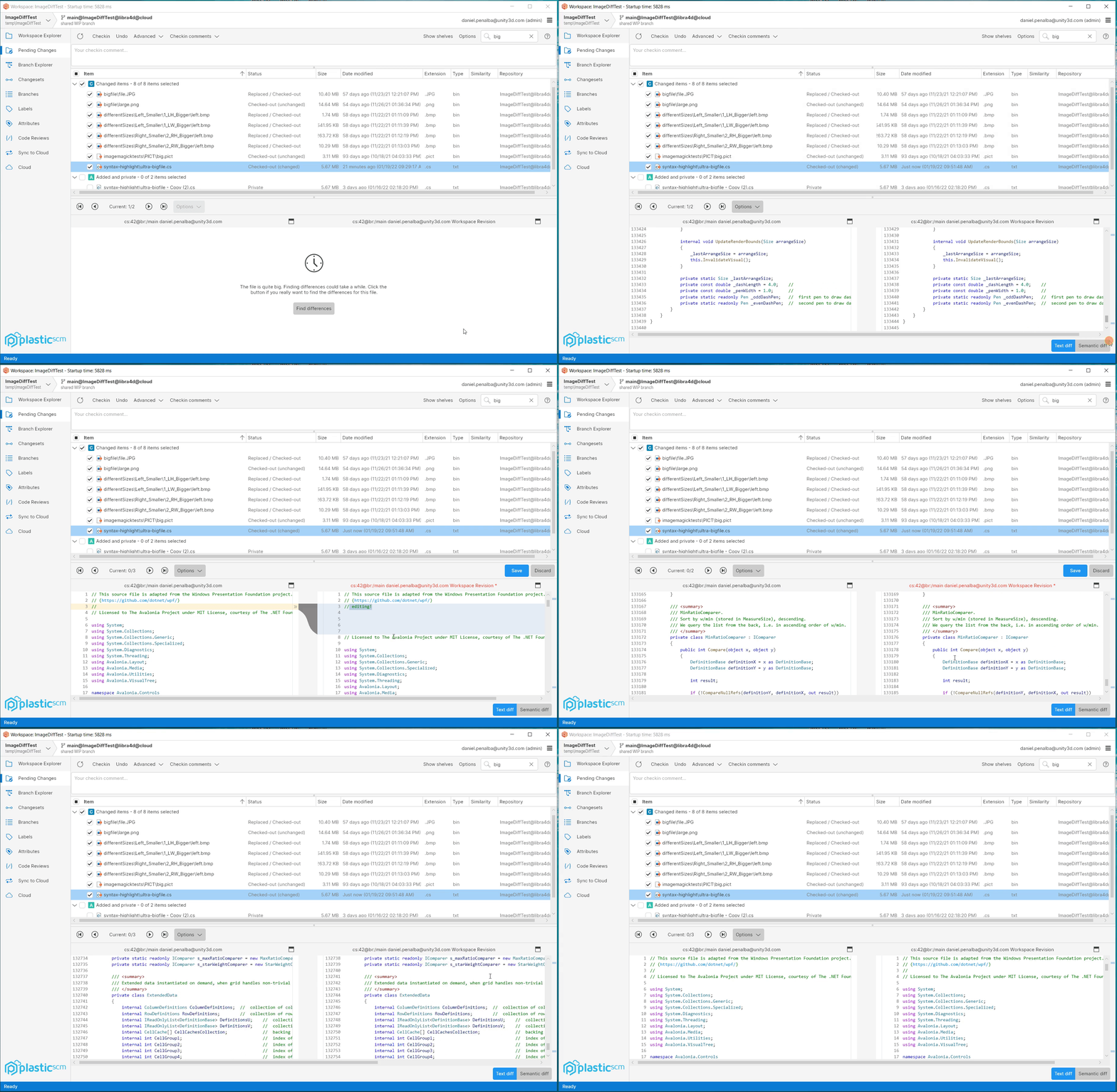
All platforms - PlasticX: Improve diff viewer editing performance.
We heavily improved the diff viewer editing performance. See a demo handling a file of 133.442 lines.
Screenshot
All platforms - PlasticX
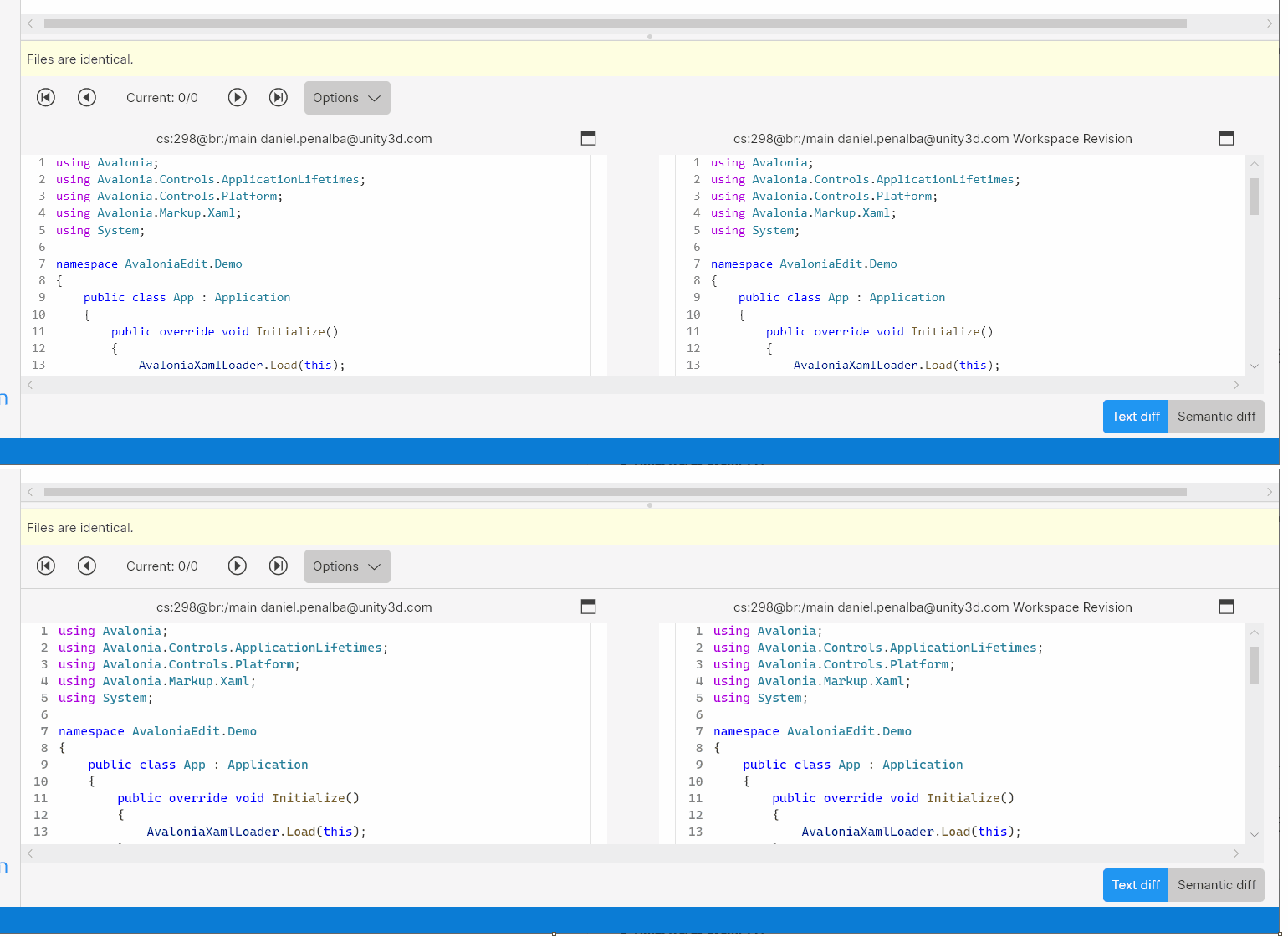
All platforms - PlasticX: Use Cascadia Mono as the default font for the source code viewers in Windows platforms.
If the font Cascadia Mono is installed on the machine, it's used as the default font for the source code viewers (diff, annotate, etc ...). Cascadia is a new, modern, monospaced font family that provides better flexibility for text editor experiences. Cascadia Mono was designed for optimal legibility and accessibility. When the font it's not available, Consolas font is used as a fallback. The following image shows the difference between Consolas and Cascadia fonts.
Screenshot
Alpha bug
All platforms - PlasticX
All platforms - PlasticX: fixed display of servers with underscores in the name
In the server selector combo box in the Repositories view, underscores in server names were not being displayed. We fixed that.
All platforms - PlasticX
All platforms - PlasticX: filter/search views after refresh
Fixed an issue where the filter or search wasn't being taken into account after refreshing the view. Now if you type a filter or search while the view is refreshing, the correct items appear when the refresh finishes.
In addition, we fixed a null reference exception that was thrown when you type a filter in the diff window before it's loaded.
All platforms - PlasticX
All platforms - PlasticX: Fixed syntax highlight tokens that were transparent.
Using some syntax highlight languages, such as Razor, Markdown ... displayed transparent tokens, so they were not visible. It only happened in the light theme. Now it's fixed.
All platforms - PlasticX
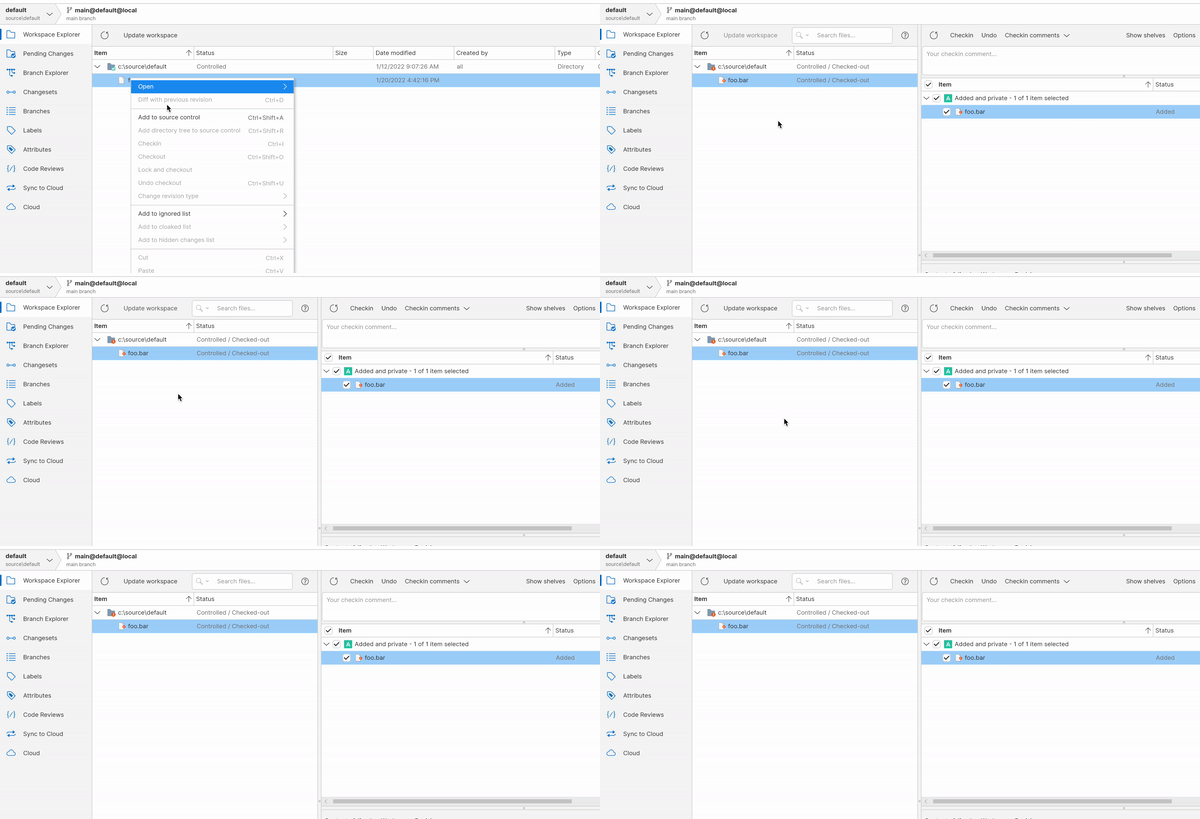
All platforms - PlasticX: Greyed items on pending changes side bar
When adding a file or directory through the context menu 'Add to source control' or 'Add directory tree to source control' it was not possible to edit the selection of files or directories on the 'pending changes' side sheet. A side effect is that if a check-in is performed, then no further changes can be included or excluded from the list of pending changes unless the side sheet is closed and reopened.
This issue is now fixed by allowing files or directories to be included or excluded from the 'pending changes' side sheet.
Screenshot
All platforms - PlasticX
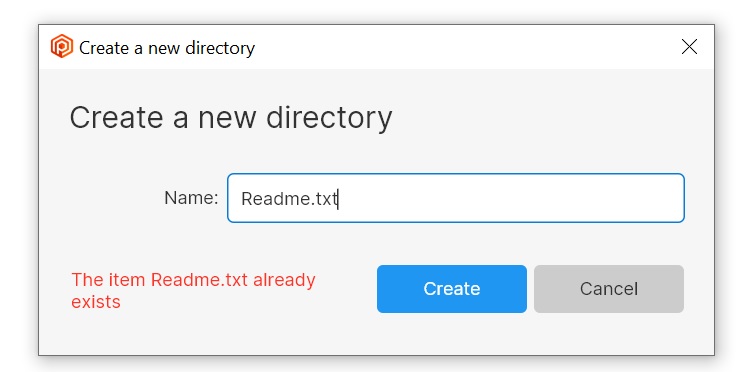
All platforms - PlasticX: Fix crash creating directory with same name as existing file
When trying to create a file, if the given name already exists as a directory, plastic closed unexpectedly.
The same happens when trying to create a directory with a name that already exists for a file.
For example, if you have a file named Readme.txt, and you create a directory named Readme.txt, it failed.
We fixed this issue, and now you will see a clear error when trying to perform this operation
Screenshot
10.0.16.6443
New
All platforms - Client
All platforms - Client: cm partial ci now supports machine readable format
To obtain an easily parseable output, just use the option:
--machinereadable$ cm partial ci --machinereadable file.txt | program
Or alternatively:
$ cm partial ci --machinereadable file.txt > /path/to/output.txt$ cat /path/to/output.txtCI_STARTSTAGE -STAGE - 0.00 of 13.89 MBSTAGE Multi-thread checkin - 0.00 of 13.89 MB...
Remember you can override the default separators by using formatting options. You might need to double-quote them depending on your shell:
$ cm partial ci --machinereadable "--startlineseparator=[" "--endlineseparator=]" "--fieldseparator=:" file.txt > /path/to/output.txt[CI_START][STAGE: - ][STAGE: - 0.00 of 13.89 MB][STAGE:Multi-thread checkin - 0.00 of 13.89 MB]
Bug
All platforms - all clients
All platforms - all clients: corrected pluralization of time span strings
We changed "1 days/hours/minutes ago" to "1 day/hour/minute ago" throughout all the clients.
All Platforms - Server
All Platforms - Server: htop application was crashing when displaying View -> Method Stats.
Now it properly displays and updates each available method call.
Alpha new
Linux - PlasticX
Linux - PlasticX: enabled FileSystemWatcher for better performance finding pending changes
We enabled the .NET Core FileSystemWatcher in 'PlasticX' Desktop app and command line client on Linux. It was already enabled on Windows and MacOS, but now Linux users will benefit from this improvement too.
cmYou should see a significant speed up in detecting changes in the Pending Changes view or using the command.
cm statusThe speed up will depend on the particular configuration. As an example, with 2000 items in the pending changes view, we saw the search time shrinks from 650ms to 350ms.
All platforms - PlasticX
All platforms - PlasticX: Items search result panel is now bigger
We made search results panel of the items view wider, to show more of long paths, and taller, to show more items. In fact, the results panel is over 100% bigger than before!
All platforms - PlasticX
All platforms - PlasticX: UX improvements to Query views.
We made some improvements to the views that have advanced query functionality: the changesets, branches, attributes, labels, shelvesets and code reviews views.
-
We changed the style of the Execute button to make it clearer.
-
Pressing Enter in the query entry field now executes the query.
-
Refreshing the view uses the currently query (rather than the last executed query).
All platforms - PlasticX
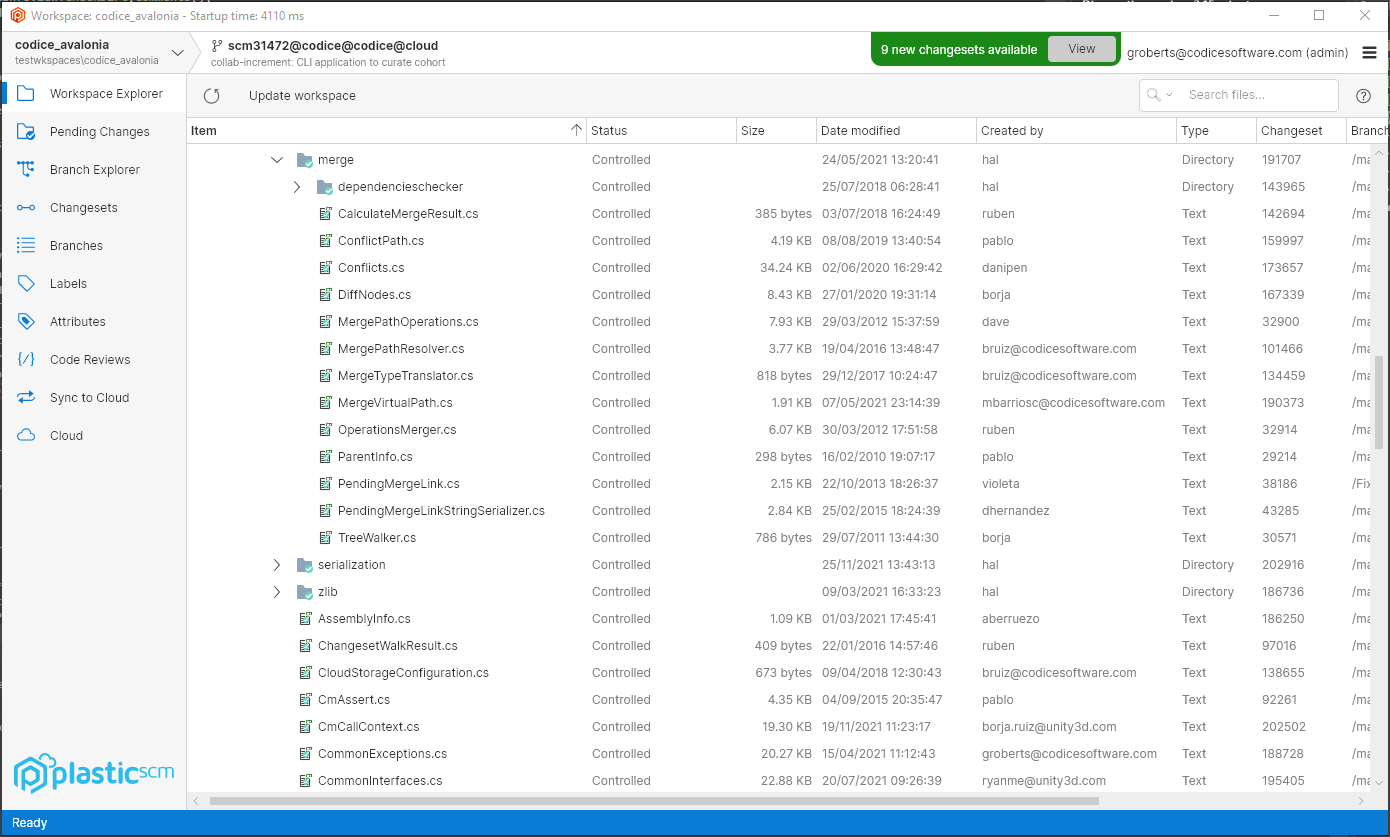
All platforms - PlasticX: File size column now right-aligned
We right-aligned the text in the file size column throughout the application.
Here's how it looks:
Screenshot
Windows - PlasticX
Windows - PlasticX: launch PlasticX after auto-upgrade
When a new version of Plastic is available, a notification panel will appear giving you the option of downloading and installing the new version.
Previously, after installing the new version, the official Plastic release would be launched even if you initiated the upgrade from PlasticX. Now, PlasticX will be launched in this case.
All platforms - PlasticX
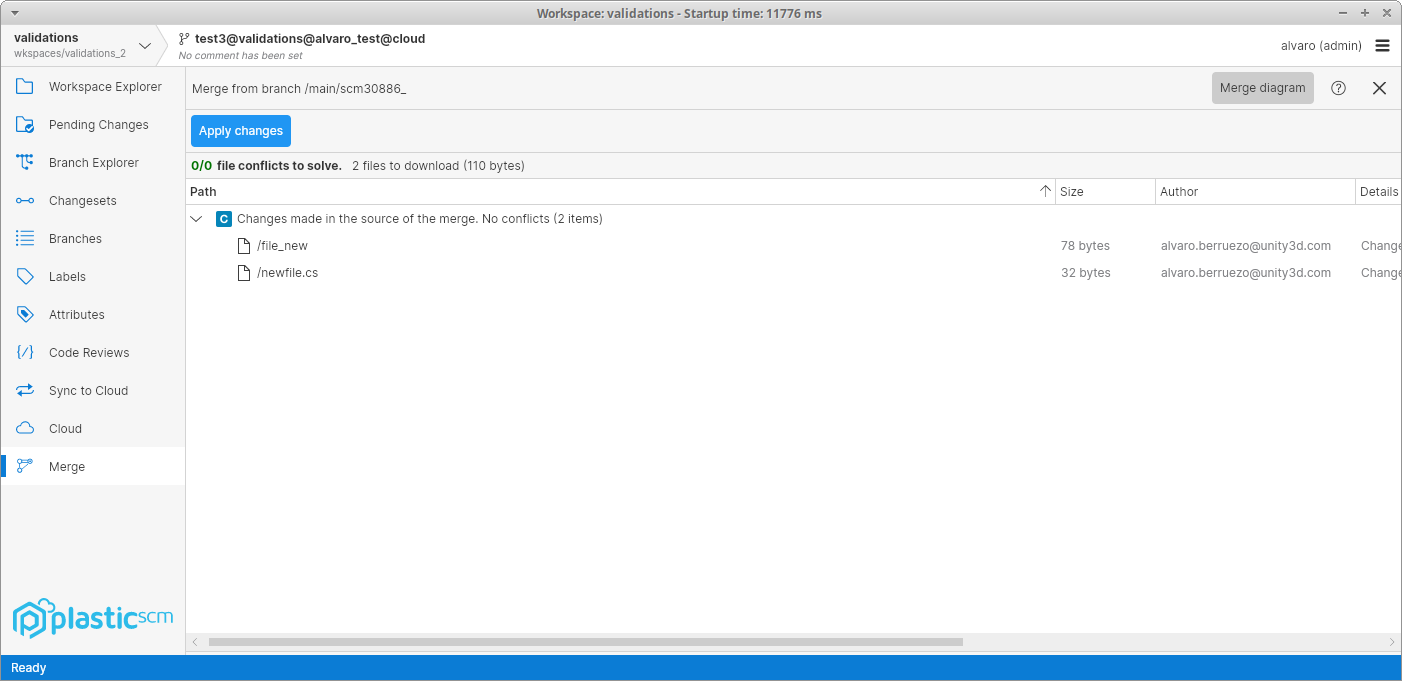
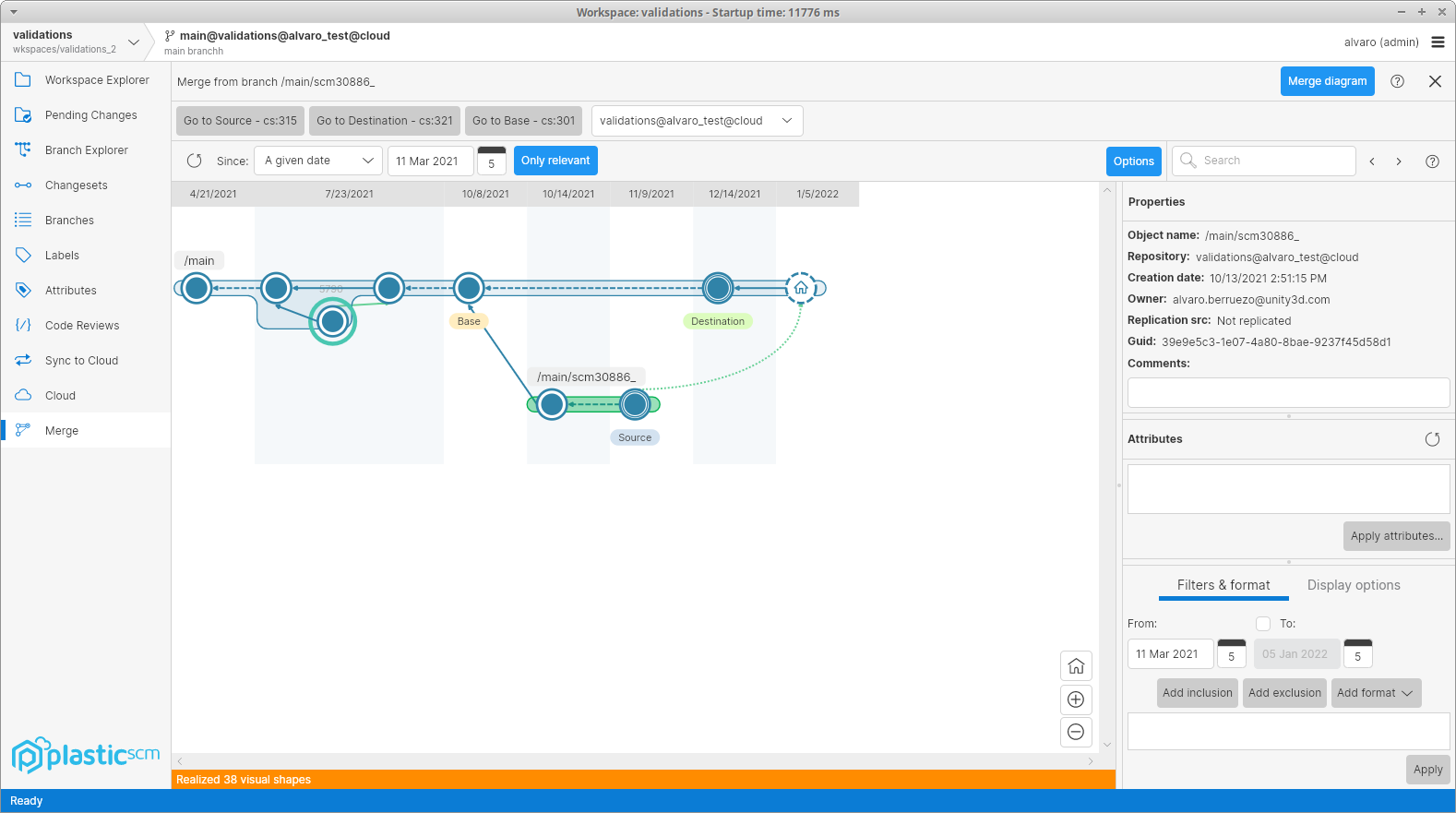
All platforms - PlasticX: Added merge explanation view
When applying a merge, now there is a "Merge diagram" button that shows the merge explanation. Here's how it looks:
Screenshot
Screenshot
All platforms - PlasticX
All platforms - PlasticX: textmate integration is 450% faster.
We reworked AvaloniaEdit's TextMate integration and now is much faster when handling mid/big files and it reduces CPU by 50% when tokenizing files.
Alpha bug
All platforms - PlasticX
All platforms - PlasticX: Sometimes the diff viewer didn't display the first difference correctly.
Sometimes, when opening a differences window or a code review, the diff viewer didn't navigate to the first difference correctly. Now it's fixed.
All platforms - PlasticX
All platforms - PlasticX: Fixed double click event on tables
When double-clicking on a table, we were executing the double-click event even if the user didn't click on a table row. For example, if the user double-clicked on the header of the table, or in the free space at the bottom of it, the selected row would be expanded (or whatever the double-click behavior is expected on that table). This also happened with the right-click.
Now this issue is fixed and the action will only be performed if the user clicked on a row of the table
All platforms - PlasticX
All platforms - PlasticX: Fixed unexpected behavior when selecting items on a table
When selecting an item on a table for the first time, we were not managing the table properties correctly, and this was causing issues, such as the inability to execute a shortcut over the selected item, or open the context menu with a right-click.
We fixed this issue, and now the first selection of the table will work as expected
All platforms - PlasticX
All platforms - PlasticX: Disable "Open" button in the switcher window when needed
The "Open" button in the switcher window was always enabled when the workspaces tab was selected, even when the workspaces list was empty. We fixed this issue, and now the button is only enabled when there is a workspace selected.
All platforms - PlasticX
All platforms - PlasticX: corrected Date modified for Added items in Workspace Explorer
Added items were appearing in the Workspace Explorer with an invalid Date modified (1/1/1001) when they should have no date displayed.
All platforms - PlasticX
All platforms - PlasticX: fixed exception opening context menu in a directory's History
An exception was thrown if you right-clicked in the History view for a directory. We fixed this. There is no context menu to show in this scenario.
All platforms - PlasticX
All platforms - PlasticX: fixed text clipping on Code Review window
The text of the code review summary was being clipped by a couple of pixels at the bottom. Fixed.
10.0.16.6419
New
Windows - Visual Studio Plugin
Windows - Visual Studio Plugin: Plastic SCM now supports new Visual Studio 2022!!!
Installer now shows a new plugin for Visual Studio 2022 and above. As the IDE turned 64 bits, it required a new version of our plugin, which by the way can coexist with the old one, just in case you want to keep both Visual Studio 2019 and 2022 installed in your system.
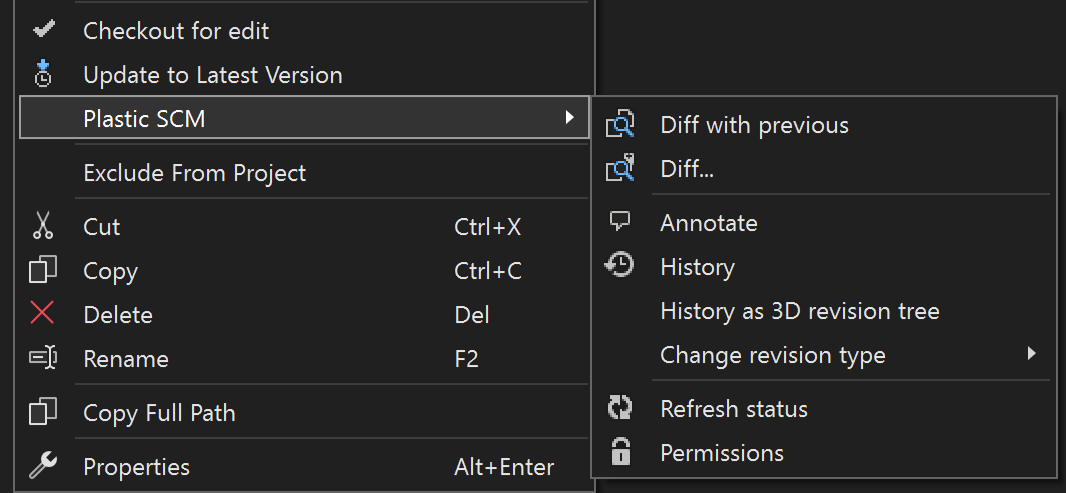
Screenshot
As usual, if Visual Studio 2022 is present in the system, the extension will be suggested to be installed by default.
macOS, Linux - Plastic SCM API
macOS, Linux - Plastic SCM API: The Plastic SCM API is now embedded in the CLI!
We created a new command that starts the Plastic SCM API. It allows the same arguments as the old plasticapi.exe application. See more usage details here
cm apiWarning: this command is only available in macOS and Linux, as those platforms run our new .NET Core CLI client. We removed plasticapi.exe from all installers, so the Plastic SCM API is temporarily unsupported in Windows. It will be back as soon as we distribute our .NET Core CLI client in the Windows installers.
All platforms - Server
All platforms - Server: The Jet storage backend is now faster when reading files.
We changed the way we access the Jet backend files for reading. This change decreases the time needed for just reading content, making the overall time of reading calls to the server lower.
All platforms - All clients
All platforms - All clients: The status operation performance has been improved by changing how the stats times are tracked.
This is only noticeable in super-huge workspaces.
The overall time of the status operation is a 17% faster in a workspace with 1M of directories and 5M of files.
All platforms - server
All platforms - server: more detailed information in the relevant log and shell's 'htop' regarding internal and Web UI method calls.
Previously, every internal method call was tagged as "Internal", both for the server stats (relevant log) and shell's command. Now these calls are more qualified displaying the name of the method in execution. It has been also fixed on "ChannelCall" log where these calls are no longer tagged as "WebUI" but as "webui-Method'sName"
htopFor example: on shell's htop, after executing a long-enough-lasting task (for instance a huge merge to) it should display "MergeTo" under Active requests or "webui-MergeTo", relying on the source of the method call. Remember that if the call is executed too fast, htop might not be updated in between and therefore not displaying any method at all.
All platforms - CLI
All platforms - CLI: Checkout CLI command (co) now supports --machinereadable
We added the possibility of using --machinereadable parameter to the checkout command. Now it will be possible to specify --machinereadable argument to configure special chars which will be inserted where needed:
"--machinereadable" -> Outputs the result in an easy-to-parse format.
"--startlineseparator" -> Used with the '--machinereadable' flag, specifies how the lines should start.
"--endlineseparator" -> Used with the '--machinereadable' flag, specifies how the lines should end.
"--fieldseparator" -> Used with the '--machinereadable' flag, specifies how the fields should be separated.
Execution example:
$ cm co . --machinereadable --startlineseparator=">"The selected items are about to be checked out. Please wait ...>XXXXXXXXXX Item XXXXXXXXXXXX was correctly checked outCommandResult 0
(Checkouts the current directory, and prints the result in a simplified, easier-to-parse format, starting the lines with the specified strings.)
All platforms - Client
All platforms - Client: cm partial configure now supports a machine readable format
To obtain an easily parseable output, just use the "--machinereadable" option:
$ cm partial configure --machinereadable +/file.txtSTAGE Plastic is updating your workspace. Wait a moment, please...STAGE Calculating...STAGE Updated 0 bytes of 13.89 MB (0 of 1 files to download / 0 of 1 operations to apply)STAGE Updated 13.89 MB of 13.89 MB (0 of 1 files to download / 0 of 1 operations to apply):/file1.txt
Remember you can override the default separators by using formatting options. You might need to double quote them depending on your shell:
$ cm partial configure --machinereadable "--startlineseparator=[" "--endlineseparator=]" "--fieldseparator=:" +/file.txt[STAGE:Plastic is updating your workspace. Wait a moment, please...][STAGE:Calculating...][STAGE:Updated 0 bytes of 13.89 MB (0 of 1 files to download / 0 of 1 operations to apply)][STAGE:Updated 13.89 MB of 13.89 MB (0 of 1 files to download / 0 of 1 operations to apply):/file1.txt]
All platforms - Plastic
All platforms - Plastic: Alpha new and Alpha bug release notes in help panels
We added two new categories to the release notes: Alpha new, and Alpha bug. They already appeared in the web (https://www.plasticscm.com/download/releasenotes), but now you will also see them in the plastic client, inside the new version notification. Check it out:
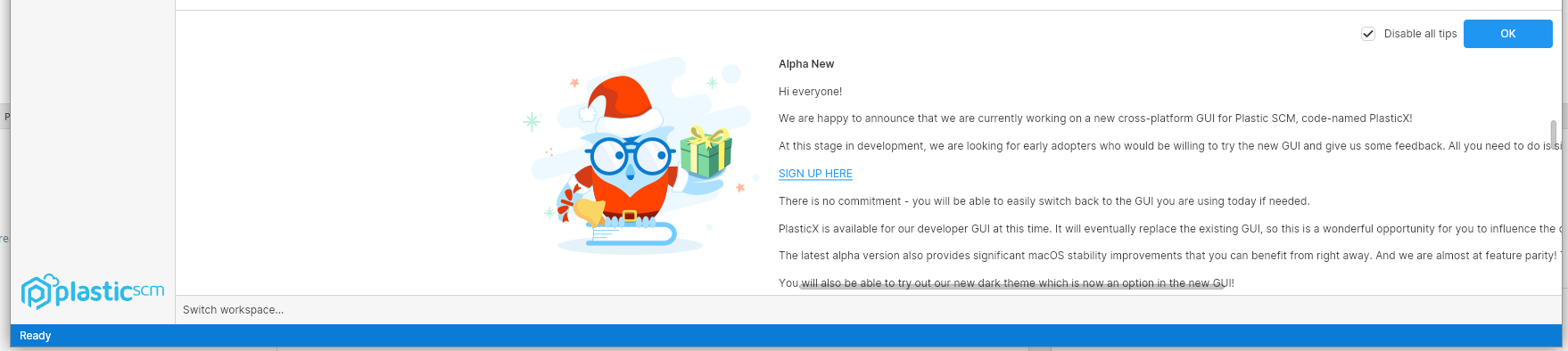
Screenshot
Bug
All Platforms - Command line client
All Platforms - Command line client: PLASTIC_INITIAL_CHANGESET and PLASTIC_FINAL_CHANGESET environment variables are now properly set.
For before/after update triggers, PLASTIC_INITIAL_CHANGESET and PLASTIC_FINAL_CHANGESET environment variables were swapped, considering the final changeset as the origin and vice versa.
Now it is fixed.
Windows - Plastic, Gluon
Windows - Plastic, Gluon: Fixed preview of unsupported image formats
There are some image formats that cannot be directly previewed or diffed inside Plastic. To diff two PSD images, for example, you need an external tool like ImageMagick to convert the images, and then perform the diff.
Although you could diff these kinds of images on a separate window by clicking "Diff with previous revision", the preview that appears in the pending changes view was not working:
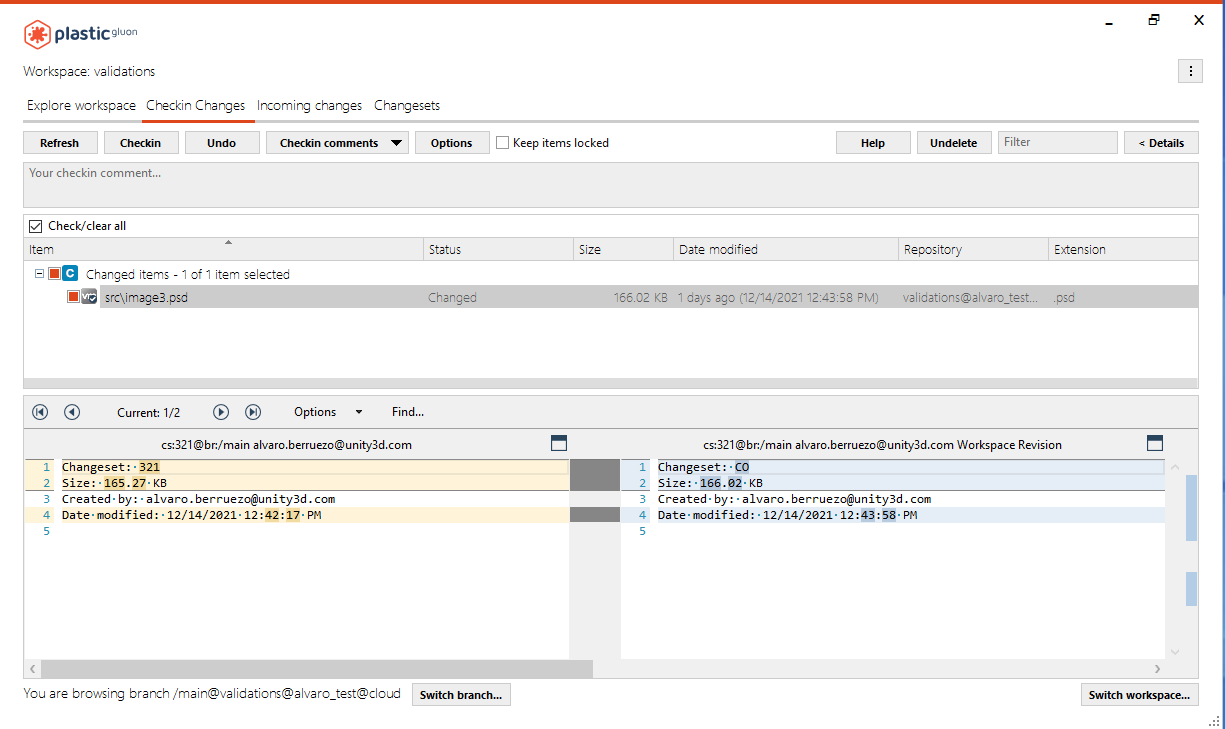
Screenshot
We fixed this issue, and now you can diff these kinds of images without opening any external programs.
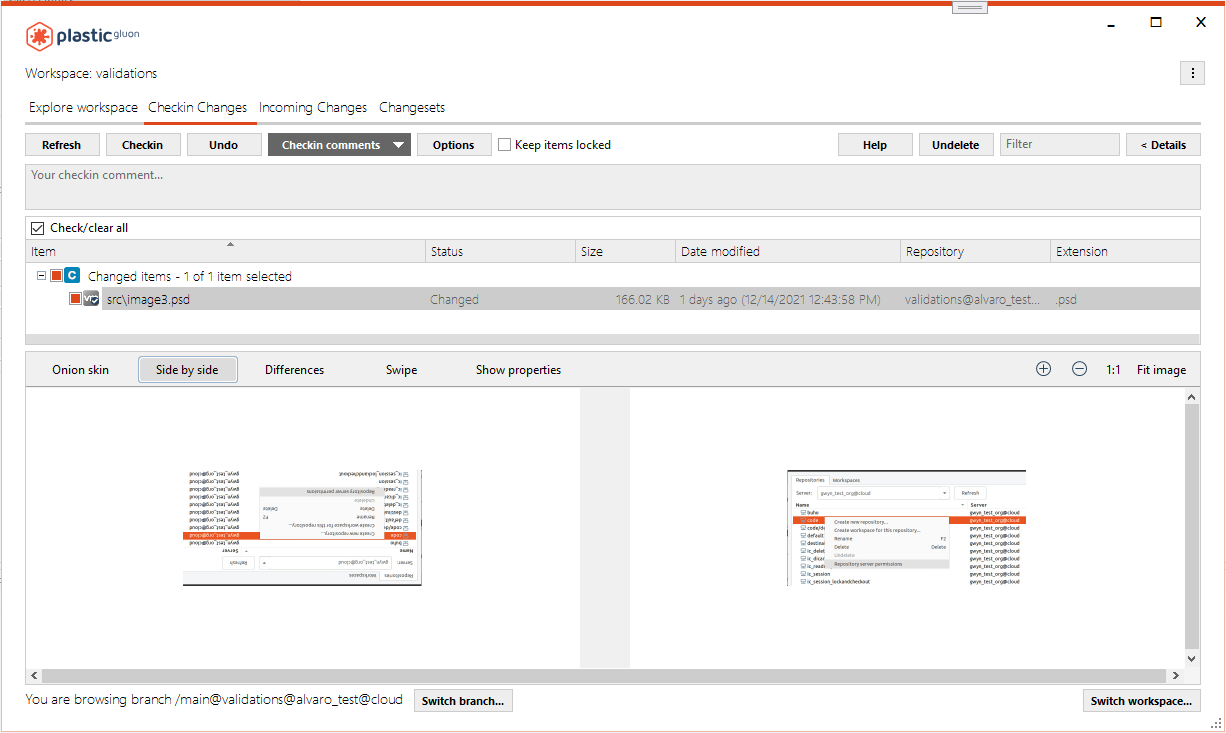
Screenshot
Windows - SemanticMerge tool
Windows - SemanticMerge tool: body method call wrongly renamed on edge case.
The problematic scenario is explained better with the following snapshot:
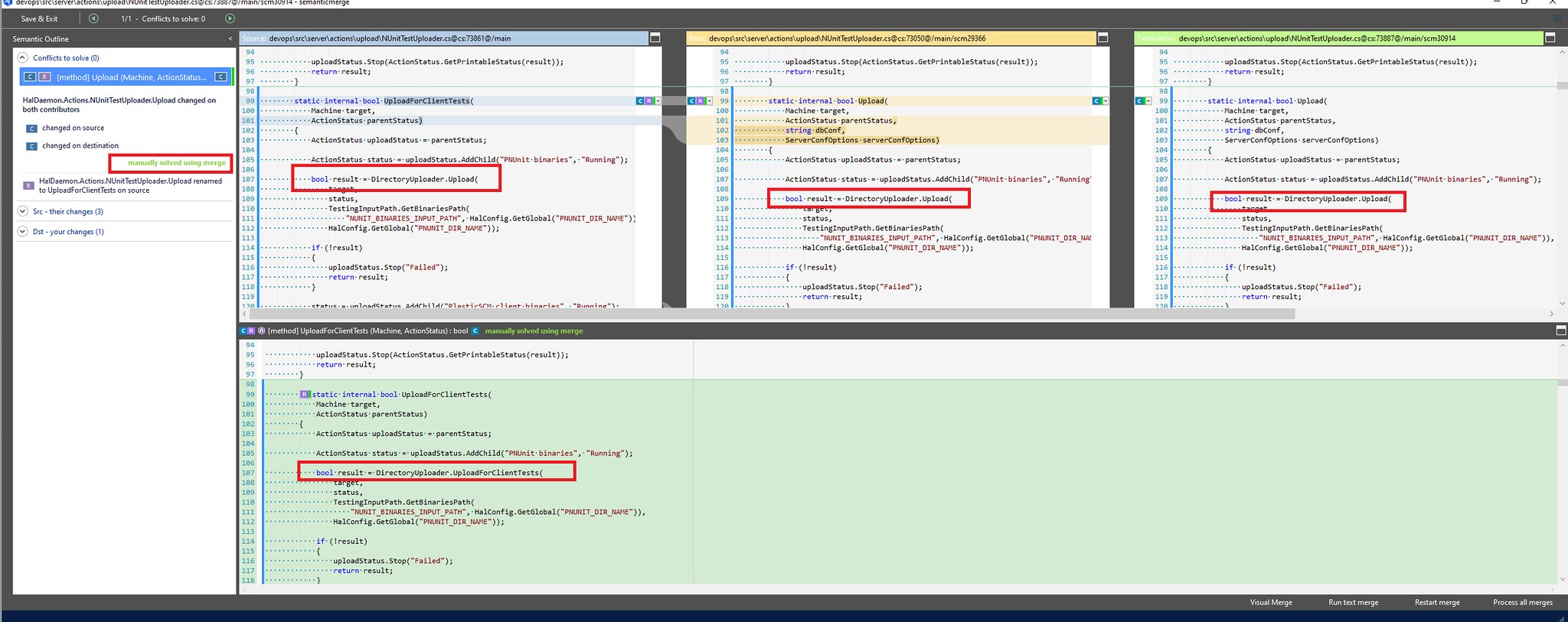
Screenshot
There is a "changed+renamed - changed" conflict on method. And, there is also a method call to in the body (enclosed in a red rectangle), altough it wasn't modified by any contributor.
UploadDirectoryUploader.UploadBut the declaration "renamer" mechanism of SemanticMerge is not handling fine this edge case where the method call name in the body matches with the conflicting method ( in this case),
Uploadand it's applying the rename of the conflicting method to the method call in the body too (from to ) in the resulting file (also enclosed in a red rectangle).
UploadUploadForClientTestsNow it's fixed, and the method call in the body remains untouched, since it wasn't modified by any contributor at all.
macOS - Gluon
macOS - Gluon: Fixed a performance issue opening a workspace with lots of files
The GUI hanged trying to open a workspace, when the root item has lots of children (>20000 items). Now it's fixed.
Windows - Installers
Windows - Installers: removed linux binary from the windows installer
The windows installers erroneously included a 120 MB binary file, "linplasticx", which is only required on linux. We removed it. Enjoy the extra disk space! (Note, you can safely delete this file from your current windows client install directly should you wish to do so).
Alpha new
All platforms - PlasticX
All platforms - PlasticX: Try our new Plastic SCM cross-platform GUI!
We invite you to try our new Plastic SCM cross-platform GUI, code-named PlasticX (alpha)! This will also give you access to our new dark theme!How to get started with PlasticX (alpha)
PlasticX is packaged silently with every Plastic SCM release moving forward.
Download and install the latest Plastic SCM release.
-
Windows: Run this command from the Windows console:
C:\Program Files\PlasticSCM5\client\winplasticx.exe -
macOS: Open a terminal and run the following command:
/Applications/PlasticSCM.app/Contents/Applications/plasticxscm.app -
Linux: Run this command from the terminal:
/opt/plasticscm5/client/linplasticx
How to provide feedback:
- You can join our PlasticX forum here if you have any questions or feedback. Our dev team is actively monitoring this forum.
All platforms - PlasticX
All platforms - PlasticX: launch internal image diff by default
If you have the default binary diff tool configured (or have no binary diff tool configured), image diffs will launch in a new PlasticX window.
All platforms - PlasticX
All platforms - PlasticX: Save the last used workspace.
When switching the workspace from the top-left workspace selector, now the last used workspace is remembered when you close and reopen PlasticX.
All platforms - PlasticX
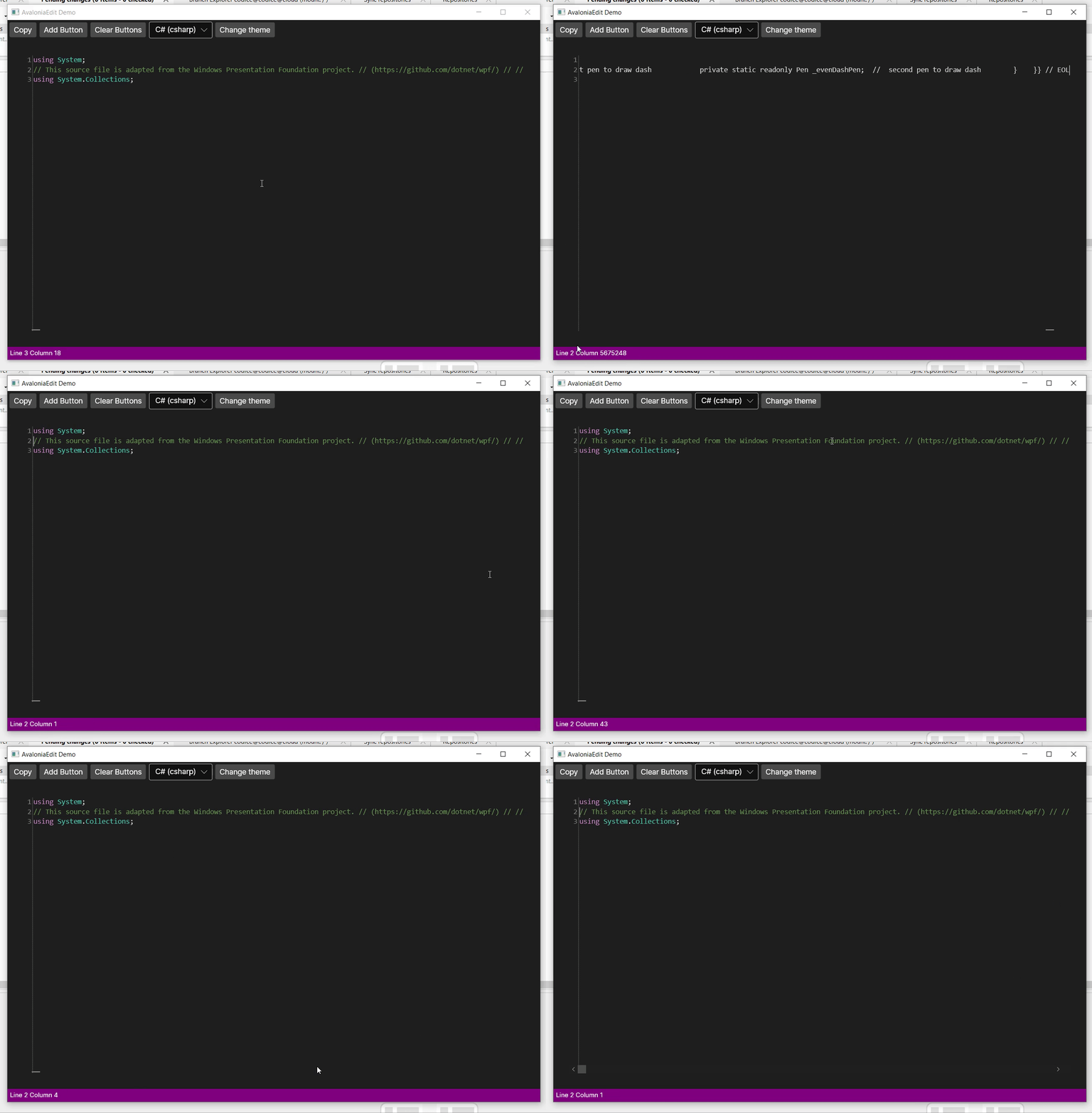
All platforms - PlasticX: Support lines longer than 10.000 characters in diff and annotate views.
Prior to this fix, AvaloniaEdit (the text editor we use to display differences and annotate), didn't support displaying lines longer than 10.000 characters. We created this PR to fix it https://github.com/AvaloniaUI/AvaloniaEdit/pull/172
Screenshot
All platforms - PlasticX
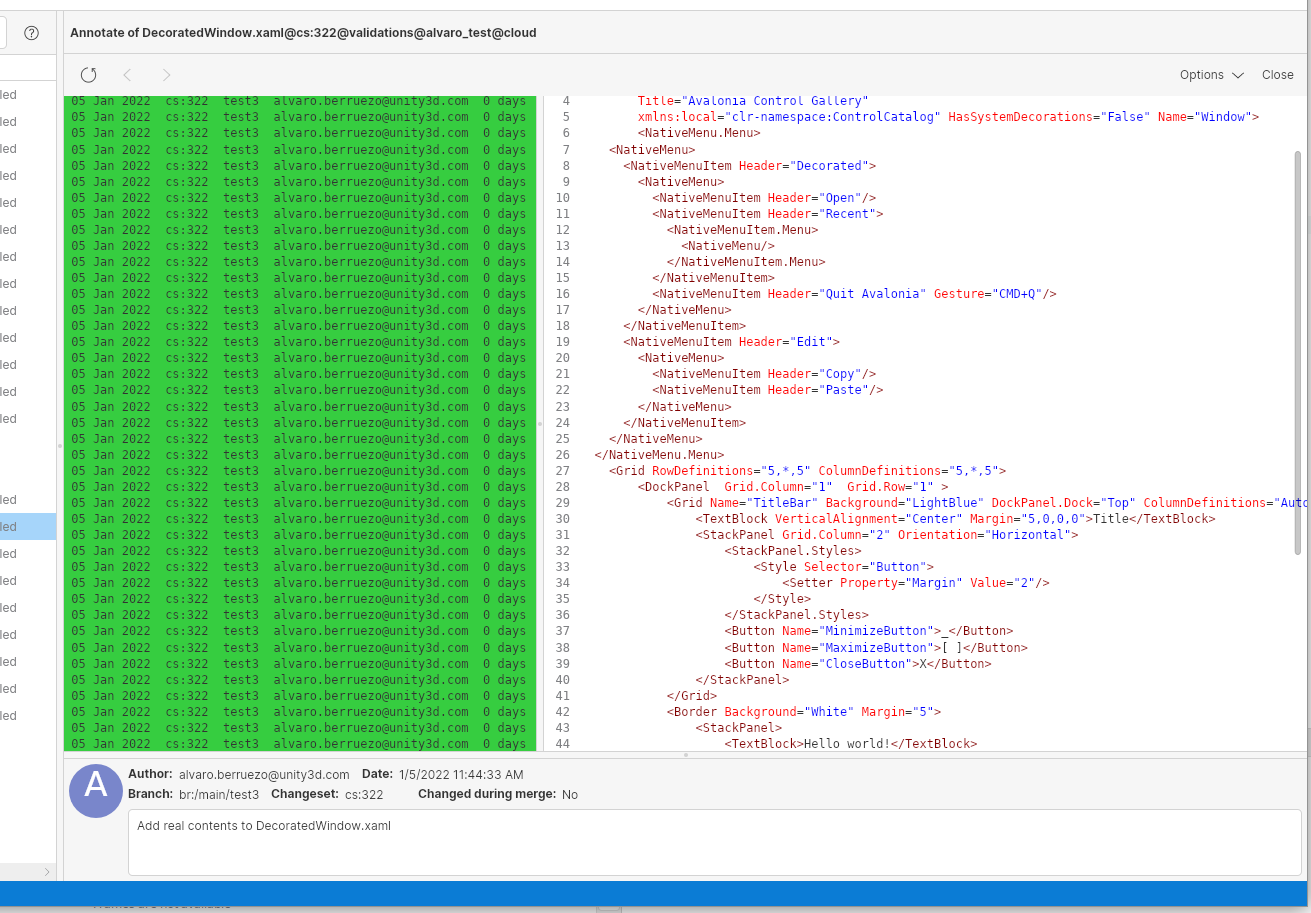
All platforms - PlasticX: Added scroll bar to the annotate view
Before this change, the annotate view was scrollable, but the scroll bar was not visible. We changed this and now you can see a vertical scroll bar when the file is long enough
Screenshot
All platforms - PlasticX
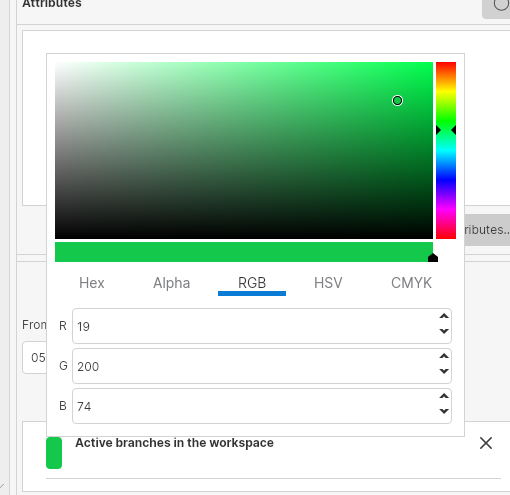
All platforms - PlasticX: Added color picker control
Added the color picker control to be able to set custom colors to branches and changesets in the branch explorer using the rules and filters panel. This is how it looks:
Screenshot
All platforms - PlasticX
All platforms - PlasticX: Added support for diff and code review Plastic Links
Plastic Links are a great way to share content from your plastic repositories with your colleagues. You can easily share diffs, links to files and links to code reviews using Plastic Links.
- What is a plastic link? A plastic link is a URL that looks something like:
plastic://test.cloud/repos/NikkiTest1/changesets/50/diff
- How do I open it?
Just click on the link in the normal way and Plastic or Gluon will launch (if not already running) automatically and show you the content specified in the link.
Note: On Windows and MacOS, while PlasticX is in alpha, you will be asked whether you want to open links in Plastic (official release) or in PlasticX (alpha). You can change this setting at any time in Preferences -> Other options. On Linux, plastic links will always be opened in PlasticX.
- How do I create a link to share with my colleagues?
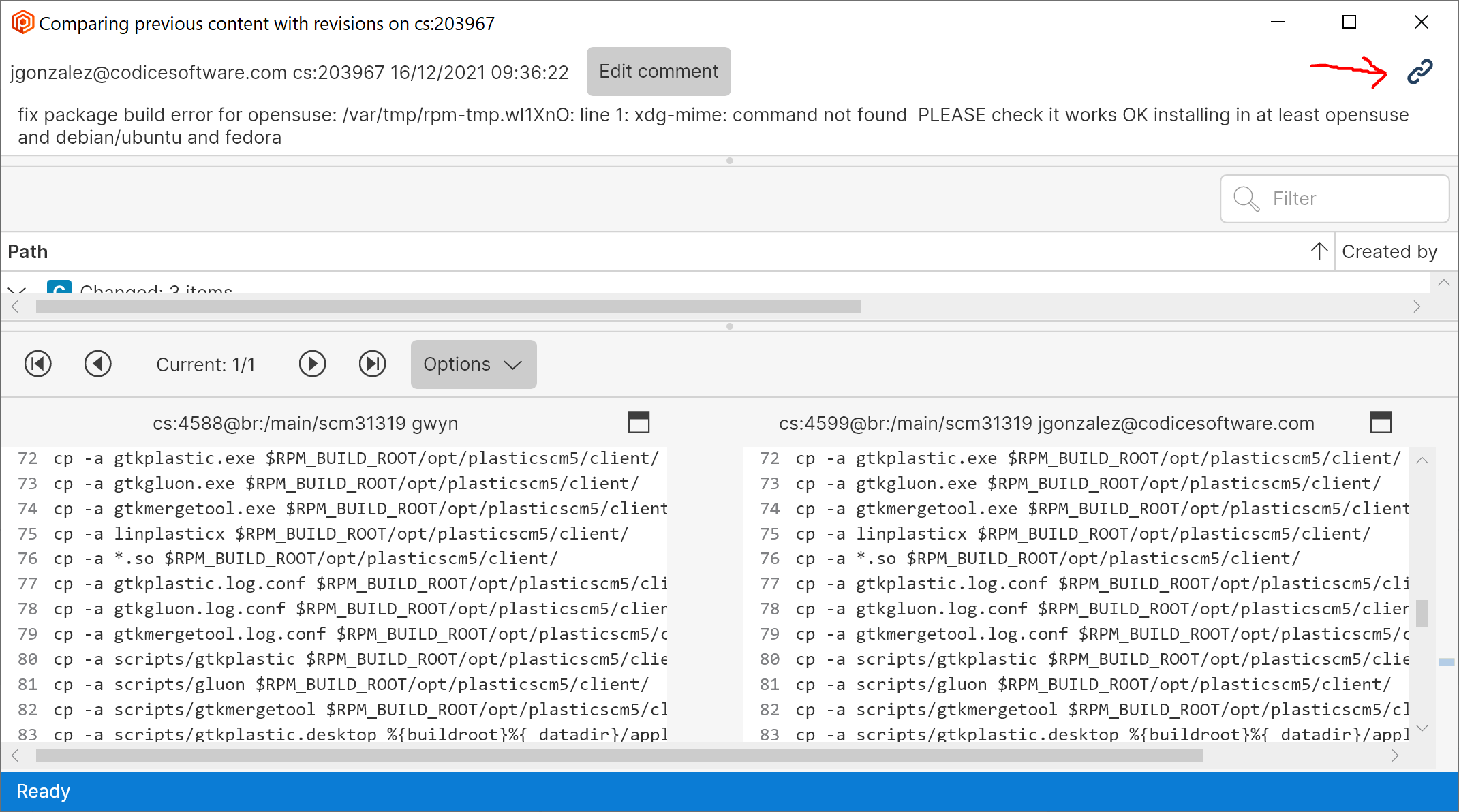
From within Plastic, you can share diffs from any diff view by clicking on the Plastic Link icon in the top right corner. This copies the link into your clipboard, ready to paste into a message. You can also share code reviews by clicking the Plastic Link icon in the top right of the code review window.
Plastic link icon:
Screenshot
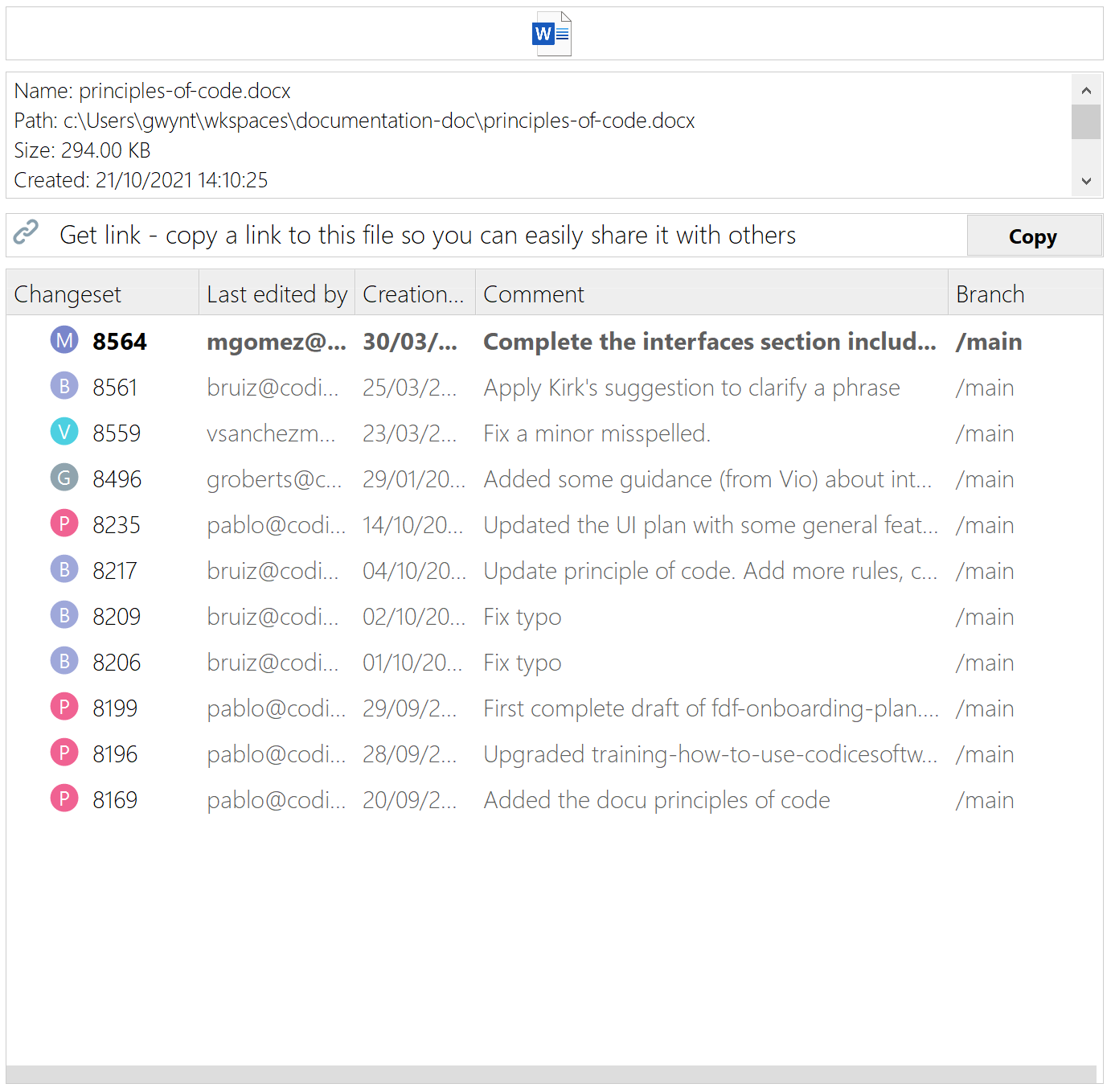
From within Gluon, you can get links to specific files by clicking the Copy button in the Details panel:
Screenshot
Alpha bug
All platforms - PlasticX
All platforms - PlasticX: The "home" icon sometimes was not drawn on a newly created branch.
In certain machines under some concurrency scenarios, when creating a new branch and selecting the "Switch workspace to this branch" caused that the new branch is created but the home icon is not in the right place. Now it's fixed.
All platforms - PlasticX
All platforms - PlasticX: Removed separator from the notification bar
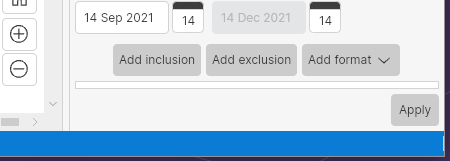
In the bottom status bar, we sometimes show notification messages. To separate those messages we use a vertical line, which should only be visible when there is more than one message. We were always showing this line, even when there were no notifications to show:
Screenshot
Linux - PlasticX
Linux - PlasticX: Fixed hang when closing application
Sometimes when closing the workspace window in Linux, the application got frozen and it never ended. We fixed this issue
All platforms - PlasticX
All platforms - PlasticX: Fixed an error that appeared after opening and closing the preferences window.
When opening and closing the preferences window, PlasticX displayed an exception. Now it's fixed.
All platforms - PlasticX
All platforms - PlasticX: Removed latency when toggling "Only relevant" button
When clicking on the "Only relevant" button in the branch explorer, there was a latency that made the GUI freeze for some seconds. This was because of an operation that should be running in the background but instead was blocking the whole application. We fixed this call and now the branch explorer updates immediately
Also, now after refreshing the branch explorer view, if there are new branches or changesets that match the text in the search box, they will be highlighted