10.x release notes for 2021
Review the 2021 release notes for version 10 of Unity Version Control.
Read time 86 minutesLast updated 18 days ago
This page contains the Unity Version Control 10.x releases published in 2021, organized from newest to oldest. For other years, refer to 10.x release notes.
10.0.16.6375
New
Command-line client
Command-line client: We keep on updating the Spanish documentation of the command-line help.
Now, it was time for the following commands to be completely updated and match the English version of the command-line help:
-
acl -
activateuser -
addignorepattern -
admin -
admin readonly -
applylocal -
archive -
attribute -
changelist -
changepassword -
changerevisiontype -
changeset -
changeset delete -
changeset editcomment -
changeset move -
checkconnection -
checkdatabase -
checkselectorsyntax -
codereview -
crypt -
deactivateuser -
diffmetrics -
fast-export -
fast-import -
fileinfo -
find -
trigger edit
We're still working on the rest of the commands, so stay tuned!
Alpha new
All platforms - PlasticX
All platforms - PlasticX: New Workspace switcher
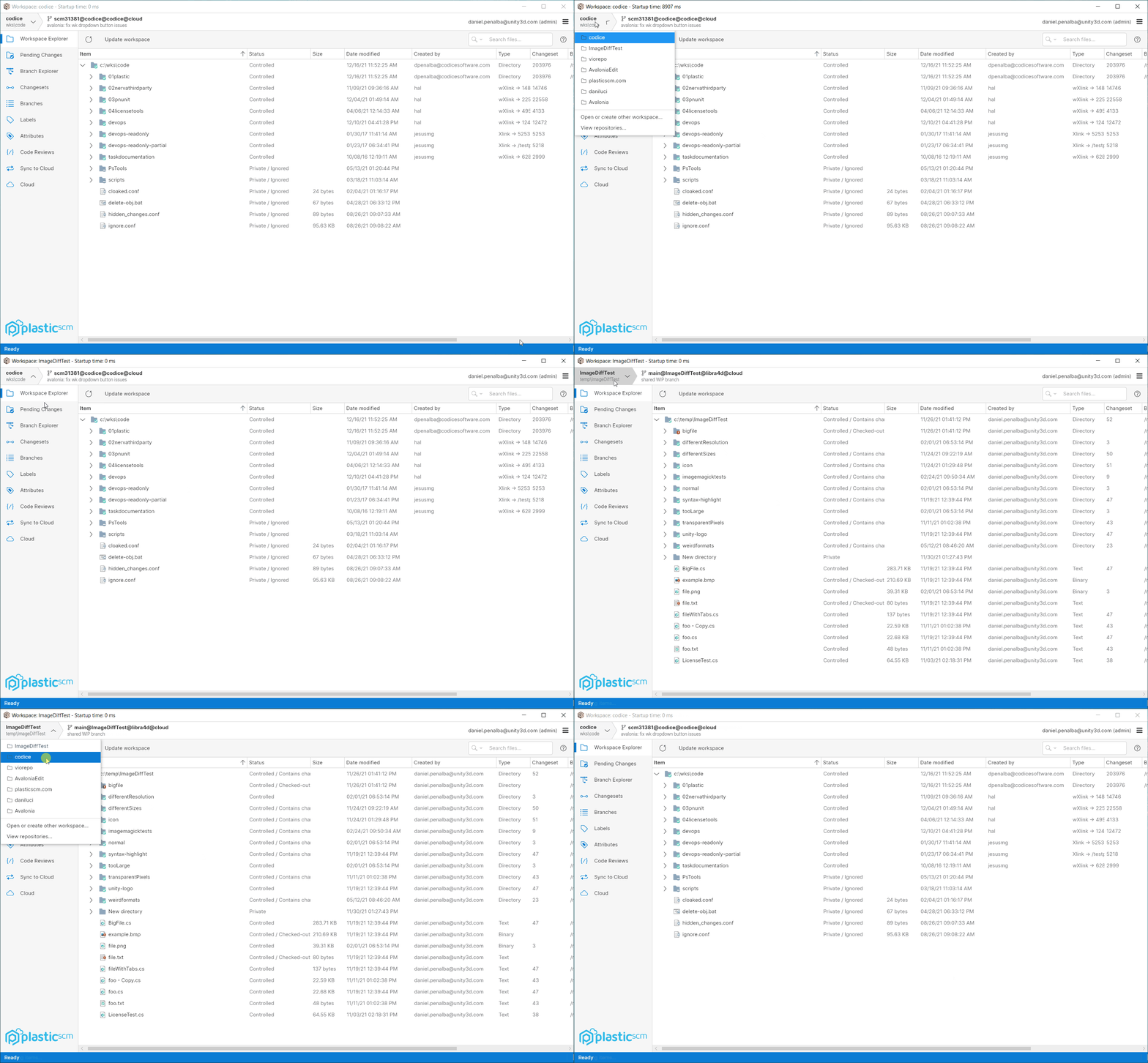
We got a lot of user feedback telling us that the "Switch workspace..." button at the bottom of the GUI was a bit confusing.
So, we've replaced it with a more useful and intuitive workspace selector. It allows you to quickly switch between your recent workspaces, open the workspaces view to create new workspaces, or open the repositories view.
We also improved how we display the details of the current branch, changeset or label.
Some demo:
Screenshot
Alpha bug
All platforms - PlasticX
All platforms - PlasticX: Fixed refreshing issue in the update report dialog
We had an issue in the table of the update report dialog, that prevented it from refreshing after clicking "Update forced" or "Retry".
Now the issue is fixed, and the table gets correctly updated
10.0.16.6363
Bug
macOS - Plastic
macOS - Plastic: Fixed column sorting for query views
Sorting columns on some views on macOS was not working as expected. This was broken in 10.0.16.6223
We fixed the issue and now all tables can be sorted without issues.
These are the affected views:
-
Branches view
-
Changesets view
-
Labels view
-
Shelves view
-
Attributes view
-
Code reviews view
All platforms - Client
All platforms - Client: Allow closing additional change requested editing the comment
You can close a change requested in review by editing the comment of the changeset and adding the change to close (e.g. ).
[apply-change:384d716f]But if you tried to edit the comment again to close an additional one ([apply-change:94857d35]), it would fail with the error "The following review change requests (specified in the checkin comment) cannot be found or are already applied in a previous changeset: - 384d716f".
Now it's fixed and you can edit the comment to close as many additional changes as you need.
Alpha new
All platforms - PlasticX
All platforms - PlasticX: New cross-platform GUI available!
Hi everyone!
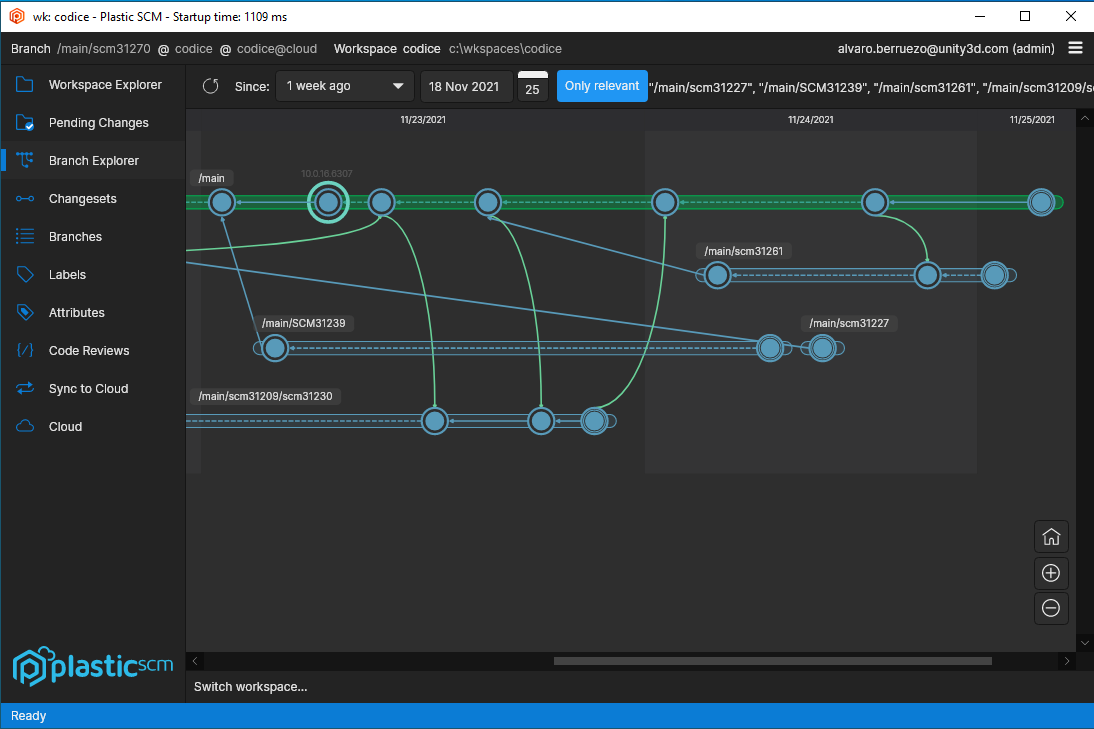
We are happy to announce that we are currently working on a new cross-platform GUI for Plastic SCM, code-named PlasticX!
At this stage in development, we are looking for early adopters who would be willing to try the new GUI and give us some feedback. All you need to do is sign up and we will contact you with instructions on how to get started, provide feedback and report issues.
There is no commitment - you will be able to easily switch back to the GUI you are using today if needed.
PlasticX is available for our developer GUI at this time. It will eventually replace the existing GUI, so this is a wonderful opportunity for you to influence the direction of Plastic SCM!
The latest alpha version also provides significant macOS stability improvements that you can benefit from right away. And we are almost at feature parity! The missing features will be available in the coming weeks.
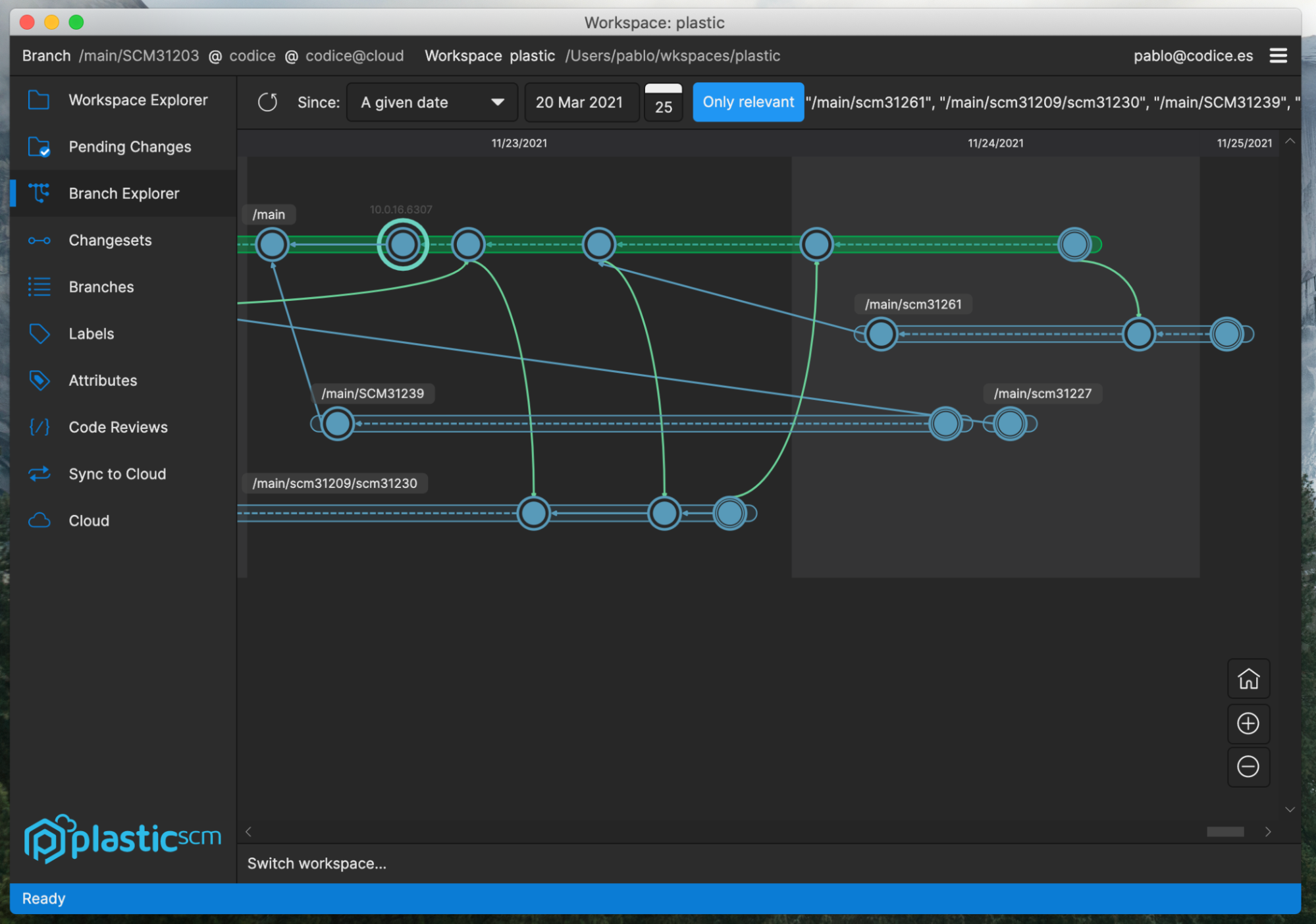
You will also be able to try out our new dark theme which is now an option in the new GUI!
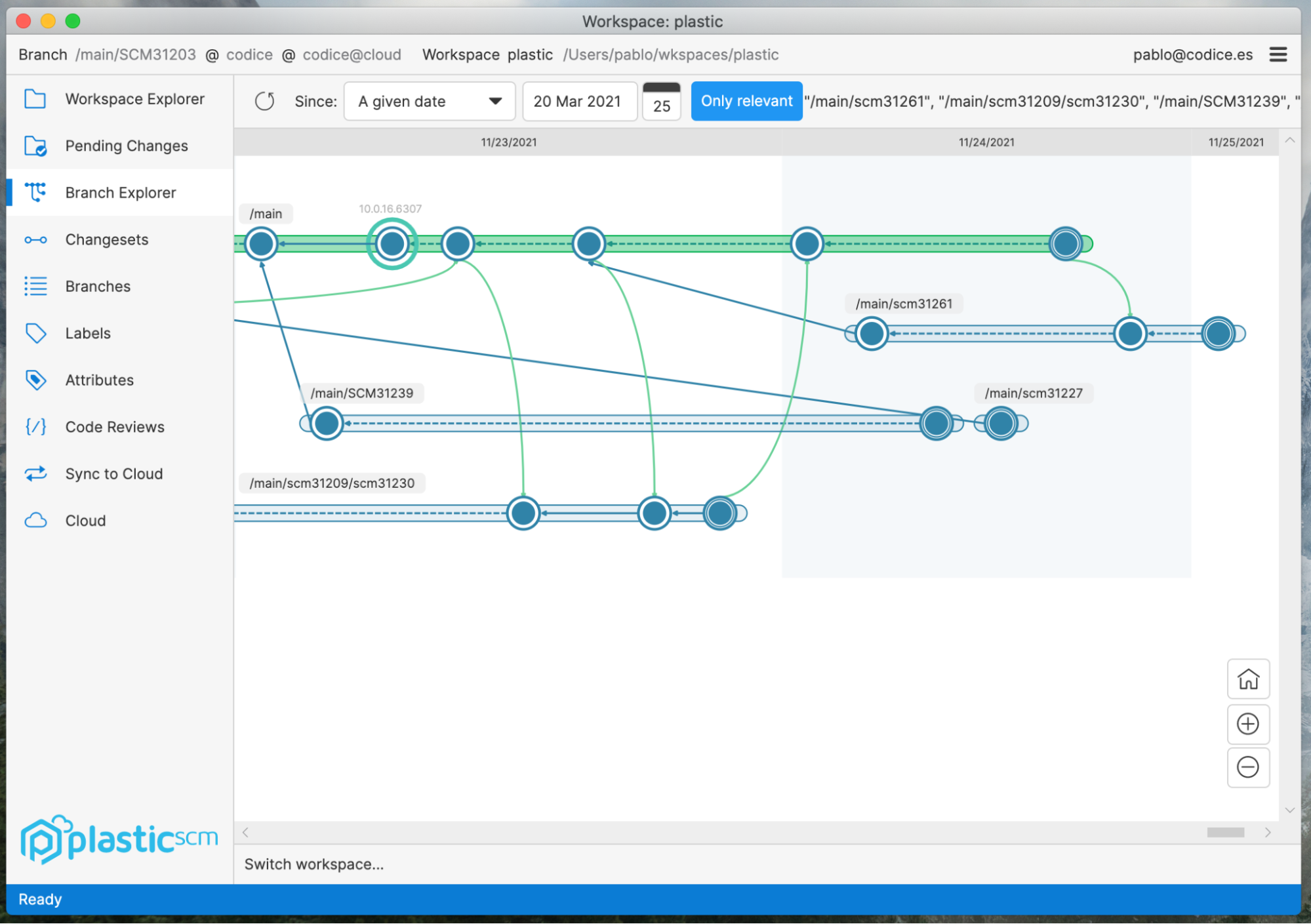
Find some eye opening screenshots below!
macOS running light theme:
Screenshot
And now the same Branch Explorer in dark theme full glory:
Screenshot
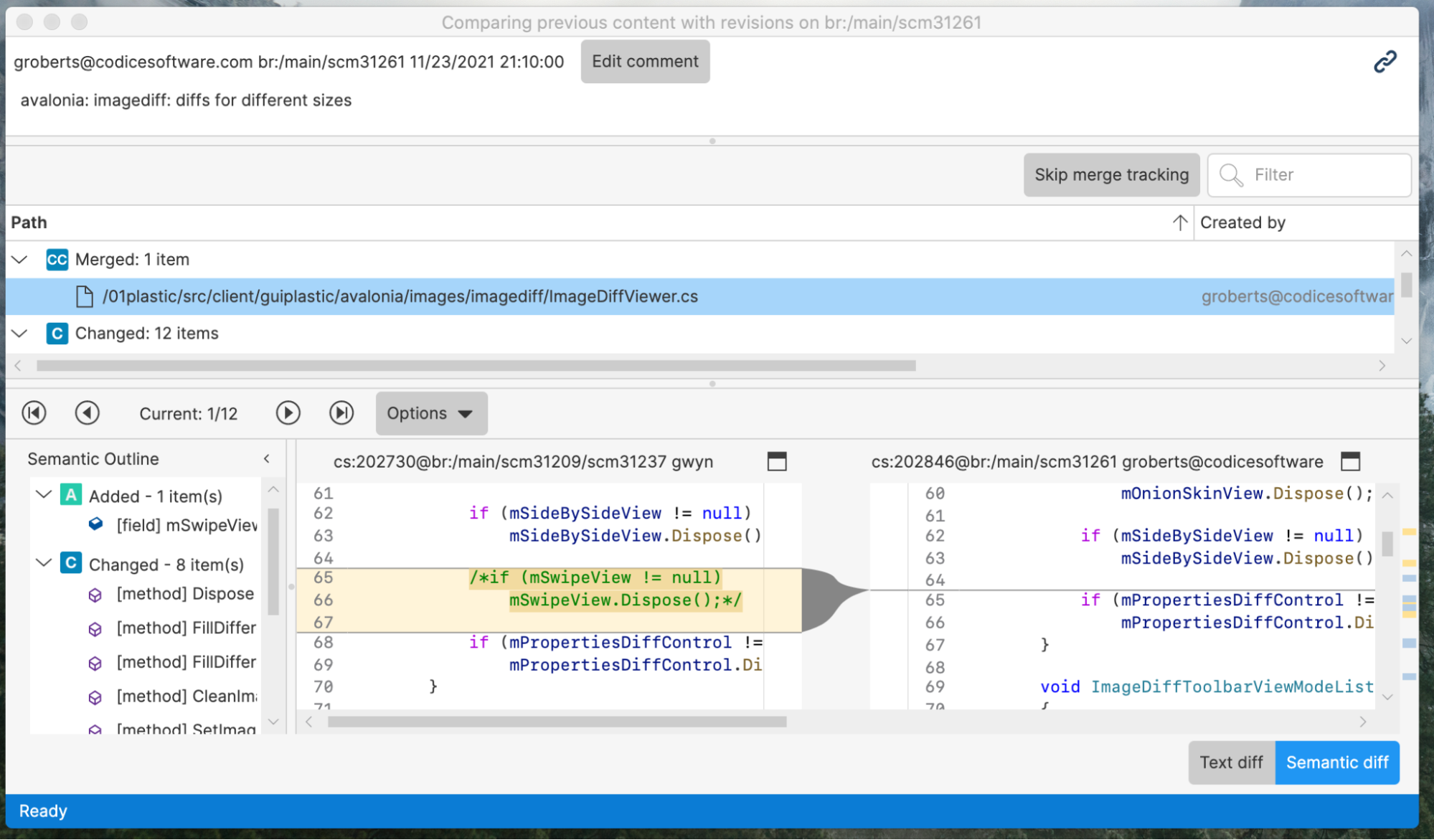
Continuing with macOS, see how great diffs look in both light and dark themes:
Screenshot
And dark:
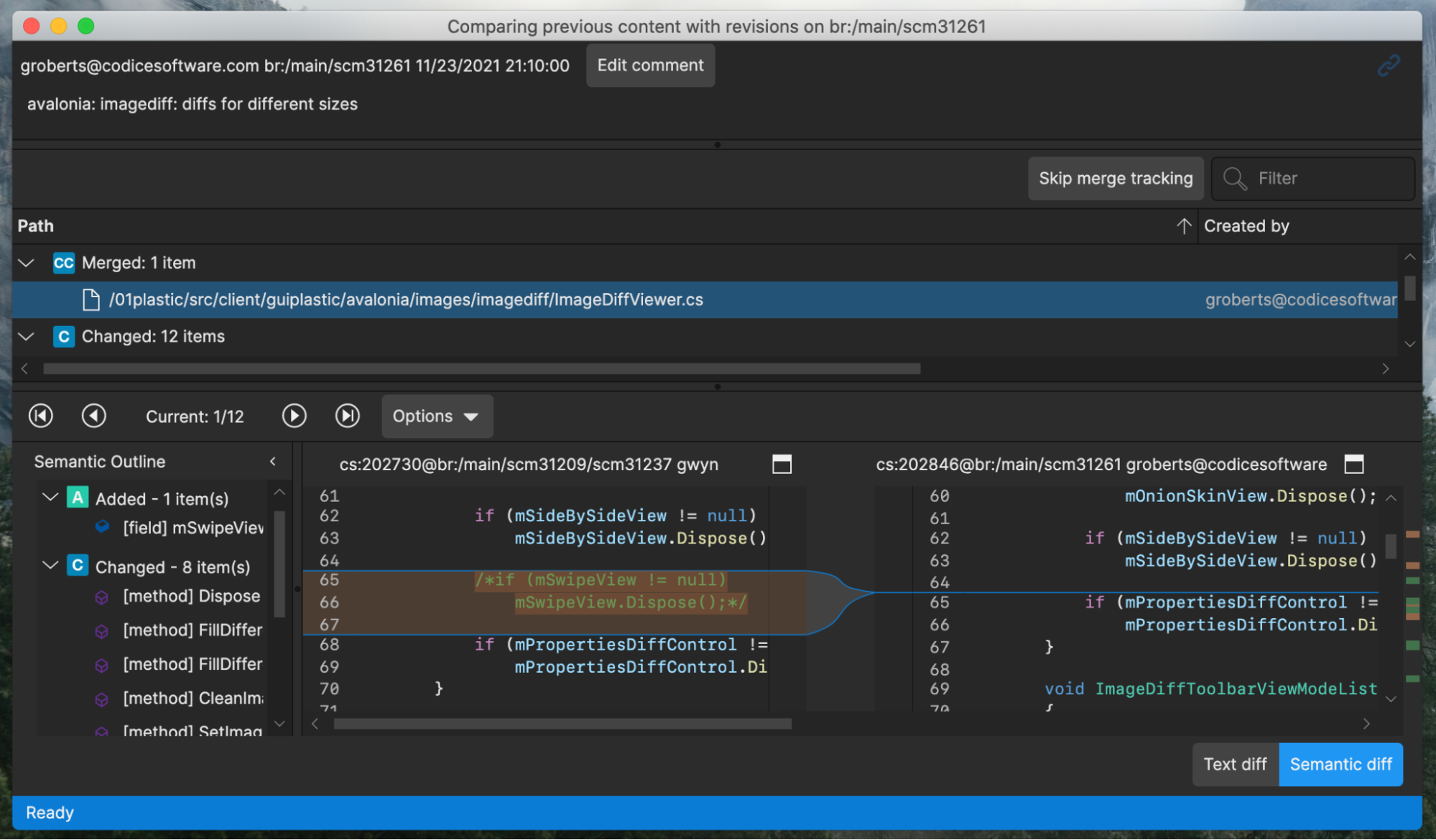
Screenshot
Now compare to the very same Branch Explorer screenshots in Linux and Windows:
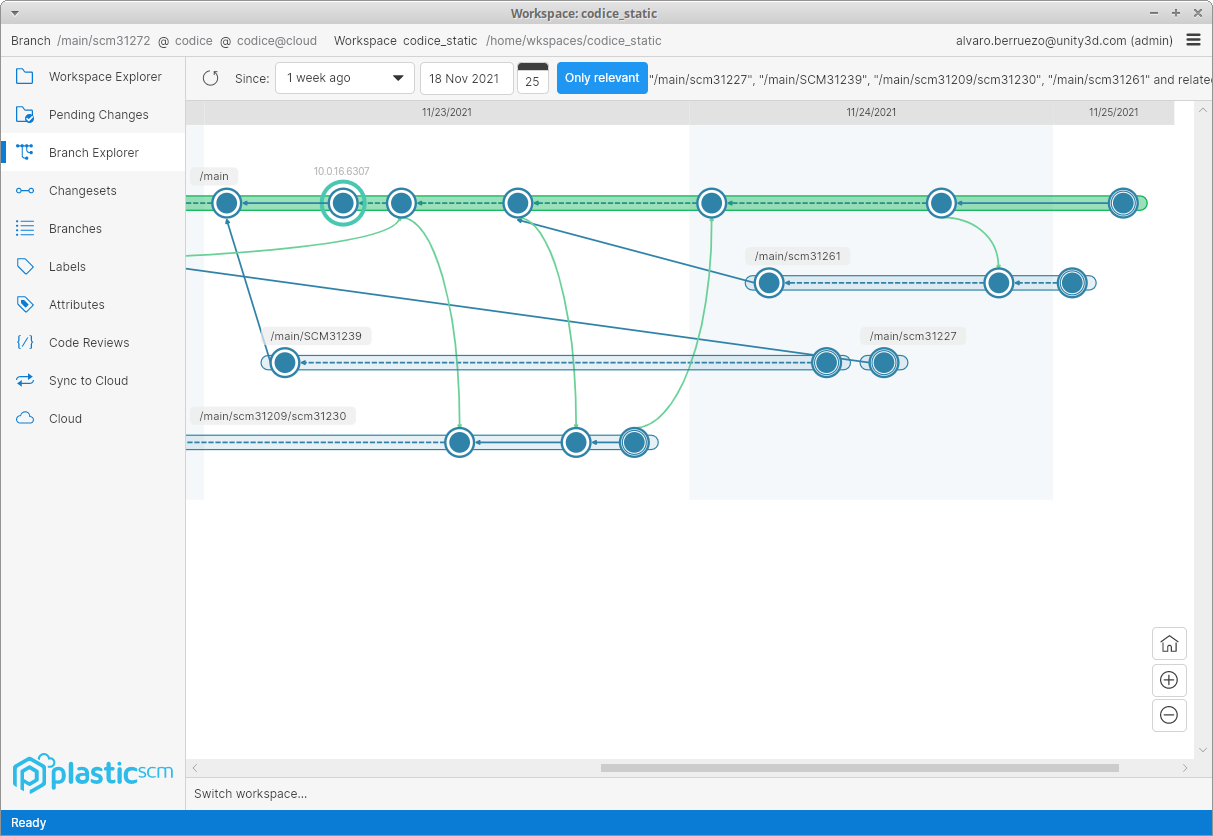
Screenshot
And now Linux dark theme:
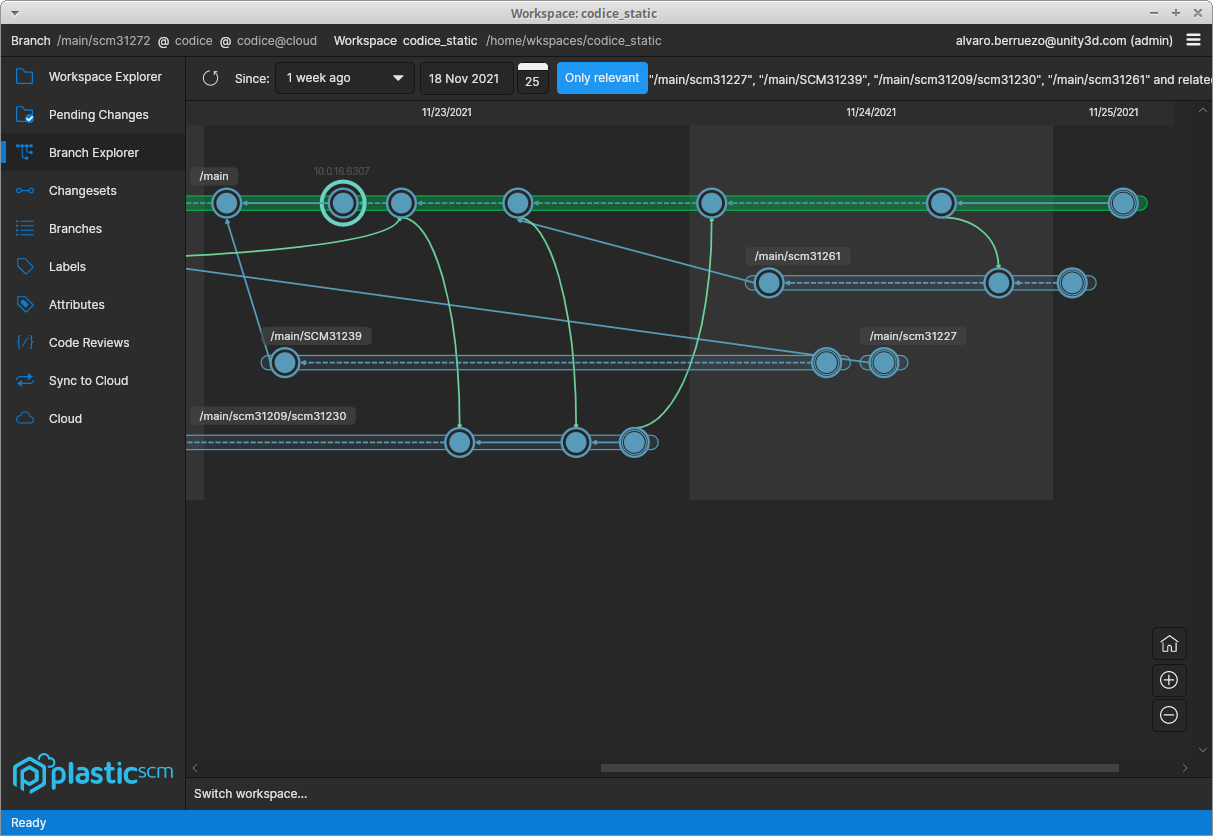
Screenshot
And Windows:
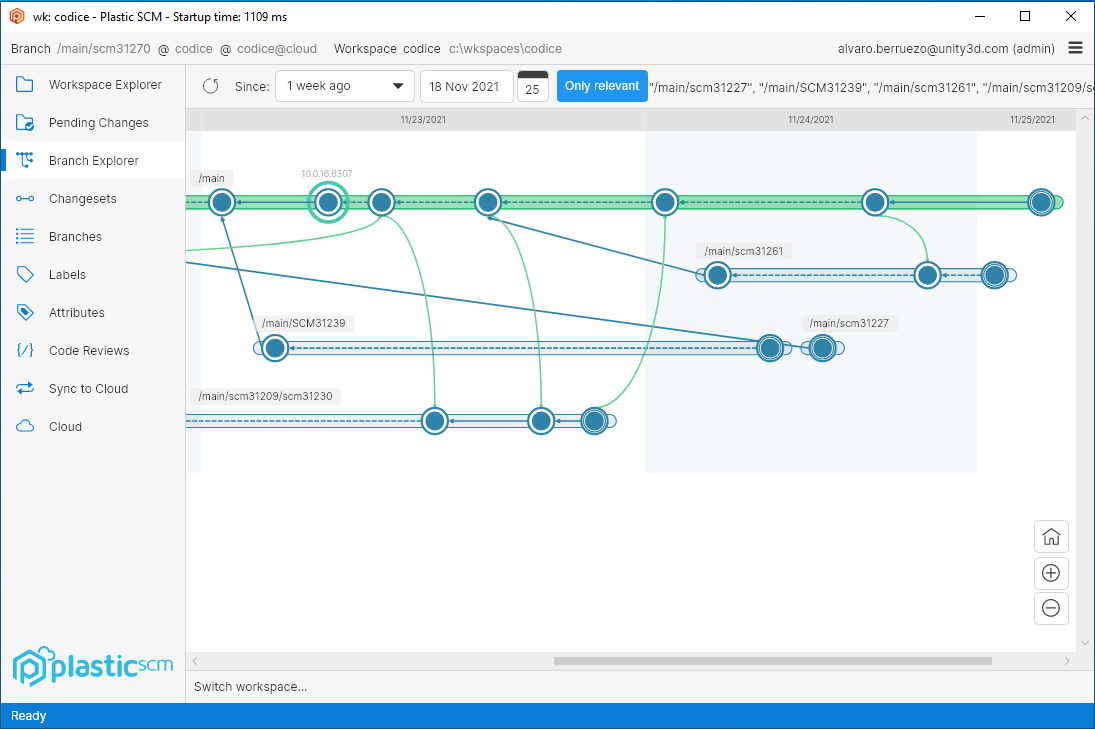
Screenshot
Screenshot
Thanks!
The Plastic SCM Team @ Unity!
All platforms - PlasticX
All platforms - PlasticX: Show progress while saving code review comments
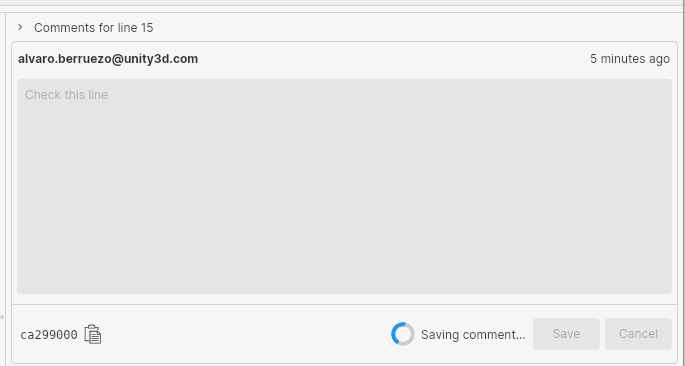
When you create a new code review comment, or modify an existing one, saving the comment may take some time (especially if you have configured a trigger to run after the operation). We weren't showing any feedback during this operation. Now we have added a progress control next to the save button, to let the user know that the comment is being saved.
Screenshot
All platforms - PlasticX
All platforms - PlasticX: image diff viewer completed
Completed the image diff viewer with the following new modes:
-
Onion skin: places one image over the other, with a slider to control transparency.
-
Differences: displays the differences between two images, calculated pixel by pixel.
-
Swipe: overlays the two images and allows you to transition between them using a slider.
This updated image diff viewer also allows you to:
-
View the differences between images of different sizes.
-
Zoom with a smooth animation.
-
Navigate around an image by clicking and dragging.
All platforms - PlasticX
All platforms - PlasticX: Improvements in the create workspace dialog
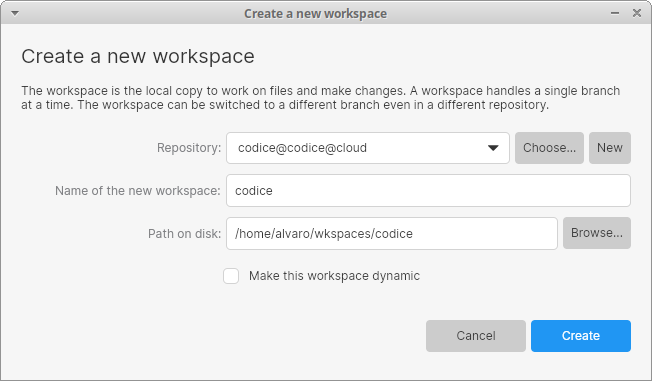
We added a checkbox in the create workspace dialog that lets you create workspaces in dynamic mode. Check it out:
Screenshot
For now this feature is only available on Windows. To see it, you need to enable it manually by adding the following line in your guiclient.conf file:
<EnableCreateDynamicWorkspace>false</EnableCreateDynamicWorkspace>
You can learn more about dynamic workspaces here: Dynamic Workspaces (alpha) for Windows: A new way to interact with version control.
In addition, we added a "New" button, next to the repository label, that lets you create a new repository right from that dialog
Alpha bug
All platforms - PlasticX
All platforms - PlasticX: Fixed null exception when navigating the items tree
There was an issue when navigating the workspace explorer tree with the arrow keys: up and down keys should change the selection to the node above or below, and right and left keys should expand or collapse directories. When pressing the right key when a file is selected, we were throwing a null exception, because it couldn't be expanded. We fixed this issue
10.0.16.6307
New
Command-line client
Command-line client: We're updating the Spanish version of the command-line help.
The documentation of these commands is now completely updated and match the English version of the command-line help:
-
add -
annotate -
branch -
checkin -
checkout -
clone -
diff -
undo -
update
We're still working on the rest of the commands, so stay tuned!
All platforms - WebAdmin
All platforms - WebAdmin: On the License configuration area, the button that takes you to sign up in plasticscm.com when you don't have a license in place now takes you to your licenses. Before it just took you to the sign up form.
10.0.16.6280
New
All platforms - Plastic
All platforms - Plastic: Triggers no longer wait if parent process has exited and a child process is invoked.
Previously, triggers that launched a child process would wait for it to exit before returning. Now they allow the child process to run in the background while the trigger returns.
Command line client
Command line client: cm archive command help improvements
Added more information and examples about the required use of the externaldata.conf file when unarchiving (restoring) an archived revision.
New samples:
1) Archive one revision: cm archive Assets/RoofTextures/Textures/Wooden_Roof_05.png --file=/Users/ruben/archive/battle 2) See the archived revision in the specified output path: ls -al /Users/ruben/archive/battle* -rw-r--r-- 1 ruben staff 2220039 Nov 9 10:52 /Users/ruben/archive/battle-100280-167 Unarchive (restore) example: 1) Add the output archive folder to the externaldata.conf file: vi /Users/ruben/.plastic4/externaldata.conf /Users/ruben/archive 2) Unarchive the revision: cm archive Assets/RoofTextures/Textures/Wooden_Roof_05.png --restore
Command-line client
Command-line client: Updated the cm partial add documentation to include the formatting arguments.
Now, the help includes the and arguments. The help shows you how to use these arguments to retrieve the output in a specific format when adding items to a partial workspace.
cm partial add--format--errorformatFor example:
$ cm partial add -R * --format="ADD {0}" --errorformat="ERR {0}"
Command-line client
Command-line client: Updated the cm lock list documentation to include the "machine readable" arguments.
Now, the help includes the , , , and arguments. The help shows you how to use these arguments to output the result in an easy-to-parse format.
cm lock list--machinereadable--startlineseparator--endlineseparator--fieldseparatorFor example:
$ cm lock list --machinereadable --startlineseparator=">" --endlineseparator="<" --fieldseparator=","
All platforms Server
All platforms Server: New ThreadPool boosting system to avoid long waiting requests
The server allows creating new threads to attend to the requests and goes beyond the max thread limit if needed.
Before this task, the boosting mechanism handles the slow requests (calls running for too long) and the too many requests waiting.
Now it also handles when the request is waiting for too long. It's helpful on the following scenario:
The server receives a high number of requests for a while. It's able to attend almost all of them with the current threads but not all, so the request queue starts growing little by little.
The old mechanism detects it when the queue grows too much. But this new mechanism detects it much earlier, improving the server responsiveness.
Bug
All platforms - WebAdmin
All platforms - WebAdmin: Fixed the Lock Rules page
The Lock Rules page in the Plastic server WebAdmin displayed an error. We fixed it, so now you can review/set the lock rules in your on-premises server again.
All platforms - Cloud
All platforms - Cloud: Fixed download data operations (update) waiting for other operations to complete.
In the detected case, the download data calls waited for a delete data operation (like removing a changeset) to finish.
This happened because we had a common throttle to limit the number of concurrent operations against the blob storage. Now, each operation type has its own throttle.
10.0.16.6241
New
All platforms - client
All platforms - client: Parallel download for big files now available!
Big files are stored in blocks, and now each block can be downloaded in parallel, achieving an incredible speed up.
We tested downloading a 560 MB file from Plastic Cloud using a 600mbps connection and now the speed is 2.5 times faster.
All platforms - Command line client
All platforms - Command line client: cm find branch allows formatting using the branch guid.
Previously running returned an error since the guid was unsupported as a format field, it now prints the branch guid.
cm find branch --format={guid}All platforms
All platforms: Client: 27% less memory during the update operation
We worked on saving memory allocations on the client core, and finally, we were able to reduce up to 27% of the total allocations during an update operation.
Find some numbers here: We ran a 'cm update' to download 8GB of data and:
-
Before: cm allocated 636MB
-
After: cm allocated only 460MB (27% less)
All platforms - Cloud
All platforms - Cloud: Archiving revisions is now available in Cloud!
You can reduce the size (and the costs) of your cloud repositories by archiving revisions to an external storage.
Check the whole archive documentation here.
In summary, we can simply archive one revision as follows:
$ cm archive Assets/RoofTextures/Textures/Wooden_Roof_05.png --file=/Users/ruben/archive/battleTotal 2.131 Mb. Comp. 2.117 MbCommand finished successfully
After executing the command, we can see the archived revision in the specified output path:
ls -al /Users/ruben/archive/battle*-rw-r--r-- 1 ruben staff 2220039 Nov 9 10:52 /Users/ruben/archive/battle-100280-167
To unarchive the revision, firstly, we need to add the output archive folder to the externaldata.conf file:
vi /Users/ruben/.plastic4/externaldata.conf/Users/ruben/archive
and run the command to unarchive the revision:
$ cm archive Assets/RoofTextures/Textures/Wooden_Roof_05.png --restoreTotal 2.131 Mb. Comp. 2.117 MbCommand finished successfully
And that's all.
Now, let's answer some questions:
How can I archive all the revisions bigger than 10 MB?
Very easy! Just find for the revisions bigger than 10MB in the repo and pass them to the 'cm archive' command as follows:
$ cm archive $(cm find "revs where size > 10000000 on repository 'repo@org@cloud'" --format=rev:revid:{id}@repo@org@cloud --nototal | paste -sd " " -) --file=/external/archive
Remark: the 'cm archive' command also supports pipe to receive arguments from the standard input as follows:
$ cm find "revs where size > 10000000 on repository 'repo@org@cloud'" --format=rev:revid:{id}@repo@org@cloud --nototal | cm archive - --file=/external/archive
How can I archive all the revisions of the file '/arch.zip' file? Guess what?
Very easy too! Just find for all the revisions of that item and pass them to the 'cm archive' command as follows:
$ cm archive $(cm find "revs where itemid=$(cm ls /arch.zip --tree=br:/main@repo@org@cloud --format={itemid}) on repository 'repo@org@cloud'" --format=rev:revid:{id}@repo@org@cloud --nototal | paste -sd " " -) --file=/external/archive
How can I archive all the revisions except the last one loaded in br:/main?
It's exactly like the previous command but adding a condition to the find to skip the revision loaded in br:/main.
$ cm archive $(cm find "revs where itemid=$(cm ls /arch.zip --tree=br:/main@repo@org@cloud --format={itemid}) and id != $(cm ls /arch.zip --tree=br:/main@repo@org@cloud--format={revid}) on repository 'repo@org@cloud'" --nototal --format=rev:revid:{id}@repo@org@cloud | paste -sd " " -) --file=/external archive
The possibilities are infinite using find conditions with the ls command to resolve revision and item ids. The 'cm archive' command only needs a list of revisions that we can filter as we prefer.
All platforms - Web UI
All platforms - Web UI: Added alpha version to the logo
We added the "Alpha" label to the logo to show that WebUI is a pre-release early version.
Bug
All platforms - Plastic, Gluon
All platforms - Plastic, Gluon: Fixed displayed user name on Active Directory servers
When working with a repository on a server configured with Active Directory, if the server was not your default one, we were displaying the user ID in the Active Directory instead of the user name. This issue was fixed, and now you will always see the user name
Before:
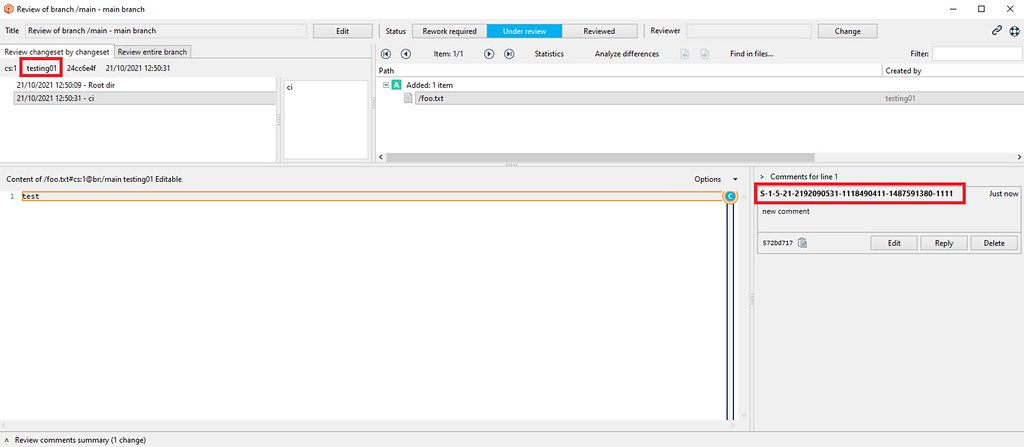
Screenshot
After:
Screenshot
All platforms - Plastic, Gluon
All platforms - Plastic, Gluon: Fix help panel in repositories view
We had an issue with the help panel in the repositories view and cloud view: we were always showing it, even when the user checked the "Don't show again" checkbox. Now we only show it when it's needed
All platforms - Server
All platforms - Server: Fixed null error from the log
The server was logging a null error when a not-used connection was finished. This error didn't have any impact apart from being logged. Now it's fixed.
10.0.16.6210
New
All platforms - Plastic, Gluon
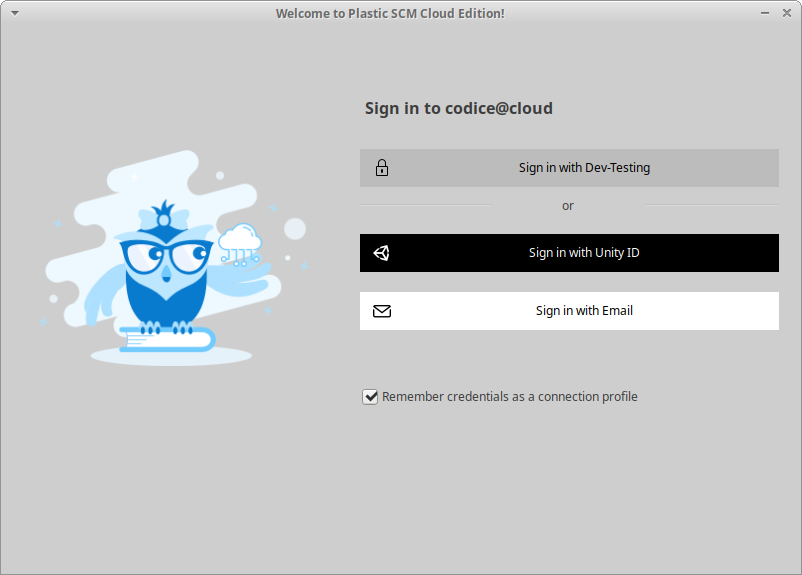
All platforms - Plastic, Gluon: Added SSO login method names
We are getting ready to support new SSO login methods, in addition to the existing "Unity ID" and "Email". We are adapting the GUIs to render the actual method name in the SSO buttons:
Screenshot
All platforms - CLI
All platforms - CLI: Undo operation from outside the workspace.
Added a new example to the command in the command-line help to let you know that you can specify an absolute path to undo the changes in any workspace:
cm undocm undo c:\otherworkspace\file.txt
Server
Server: Added configuration key for the webUI config files.
WebUI configuration files can now be placed on a different location through a setting placed in server.conf config file.
To set this custom path, add an entry to that file like the following below:
<WebUiConfigDir>/opt/plasticscm5/server/webuiconfig</WebUiConfigDir>
And copy there the webUI config files, such as webui.secret.conf, webui.tokens.conf, webui.userid.conf, and webui.users.conf
Bug
All platforms - Client
All platforms - Client: Fixed the parsing of the cloud tokens when they ended with '='. This could make a replica fail with a "The auth token expired." error.
This only applied to the email/password authentication and usually with short passwords.
A replica operation (pull/push) could work properly for some time until it needed to renew the token because the current one had expired. Since the renew token was not properly parsed in the client side, the renew operation failed and the operation was aborted.
All platforms - Web UI
All platforms - Web UI: Code review switching comments
Fixed an issue while switching comments: if the current file was changing, it was displaying the first diff instead of displaying the selected comment.
10.0.16.6179
New
All platforms - CLI
All platforms - CLI: Now you can specify tokens and cloud region configuration for every command
We added new global parameters to the CLI. They allow you to tune the configuration tokens and cloudregions files to use for command execution. So you don't need to have them configured on the machine. It's useful for integrations where there is no previous configuration.
The new parameters are:
-
--tokenconf=[token_conf_path] - allows specifying the token file to use for the command execution.
-
--cloudregionsconf=[cloud_region_conf_file] - allows specifying the cloudregion file to use for the command execution
Example execution:
$ cm repo ls --clientconf="C:\mysharedconf\client.conf" --tokensconf="C:\mysharedconf\tokens.conf" --cloudregionsconf="C:\mysharedconf\cloudregions.conf"
All platforms
All platforms: Change password in User/Pass auth mode is now instant.
Prior to this version, changing user's password in User & Pass authentication mode required up to 5 mins to be updated in the server.
From now on, changing a password is immediate. If the password is changed in the server, just open the "Preferences" > "General" window in your Plastic SCM client and enter the new password.
REMARK: A credentials prompt could be shown in the Plastic SCM client under the following conditions:
-
Your client is configured/connected to a server in User/Password mode.
-
Your client has also a persistent server profile to connect to the same server.
-
Then, your password is changed in the server.
This could happen because credentials of persistent profiles have preference over the client configuration. To avoid this prompt dialog showing up again and again, we encourage to enable the "Remember credentials as a connection profile" checkbox on that dialog, so the credentials of the stored profile are properly updated.
All platforms - Server
All platforms - Server: The warmup of a server under heavy load has been improved by x20 when using the UP authentication mode for groups.
This is valid when using the UP authentication mode or the mixed LDAP + UP groups mode (in both, the groups are read from the groups.conf file).
The bigger is the number of groups and users/groups inside these groups, the more noticeable is the performance improvement. The x20 improvement has been measured using 12000 group entries.
Linux - Proxy
Linux - Proxy: the "plasticscm-proxy-server" is now the default proxy package, netcore-based.
We renamed the "plasticscm-proxy-server-netcore" to just "plasticscm-proxy-server", and we removed any plastic proxy compilation based on mono stack.
So, to install the proxy, use this package name from now on: "plasticscm-proxy-server".
REMARK: some distros (centos, opensuse, fedora) could require the removal of legacy "plasticscm-proxy-server-netcore" package before installing the new one. If so, please remove the "plasticscm-proxy-server-netcore" on your package manager before installing the new "plasticscm-proxy-server" (the legacy configuration is kept during the upgrade)
Bug
Windows - plasticfs
Windows - plasticfs: Updating a workspace to the head of the branch with changes in the workspace discarded said changes.
This scenario is more likely to happen when you are working on a branch with a colleague. They do a change, check it in, and then you update your workspace to grab the change. In a static workspace, you get to keep your workspace changes (both local and controlled), and even merge your changes with the incoming ones if needed! In a dynamic workspace, we were overriding your workspace changes. Not anymore, now both static and dynamic workspaces behave the same way.
All platforms - Web UI
All platforms - Web UI: Fixed a bug where if you had an assigned review you'd see an empty list when going to the code reviews page.
Linux - Installers
Linux - Installers: Aesthetic fix: removed confusing warning message while installing the client
The package installer in the supported Linux distributions printed this message when it processed the dependency package 'plasticscm-certtools-mono4':
Could not resolve host 'cloud.plasticscm.com'
The package post-install script pre-populates the Mono certificate store from Plastic SCM trusted domains. One of those was 'cloud.plasticscm.com', which is now deprecated.
This error didn't prevent the package from completing the installation, but it could alarm users. Now the message won't appear anymore, and the package imports the certificates from the proper domain (plasticscm.com).
All platforms - Plastic, Gluon
All platforms - Plastic, Gluon: Fixed 'Selector can't locate a revision for the item xxx' error when checking-in local changes (changes done outside Plastic).
The problem was related to moving a controlled file into a private folder. The issue could be reproduced as follows:
- Create in disk a workspace with the below file structure and check it in.
/Assets/Folder1/Assets/Folder1/Folder2/Assets/Folder1/Folder2/Folder3/Assets/Folder1/Folder2/Folder3/New Material.mat/Assets/Folder1/Folder2/Folder3/New Material.mat.meta/Assets/MoveTo
-
In Windows Explorer, move the folder /Assets/Folder1/Folder2/Folder3 to /Assets/MoveTo.
-
Edit the content of the file/Assets/MoveTo/Folder3/New Material.mat.meta.
-
Try to checkin the current pending changes from the Plastic GUI.
Windows - plasticfs
Windows - plasticfs: Updating a workspace to the head of the branch with changes in the workspace discarded said changes.
This scenario is more likely to happen when you are working on a branch with a colleague. They do a change, check it in, and then you update your workspace to grab the change. In a static workspace, you get to keep your workspace changes (both local and controlled), and even merge your changes with the incoming ones if needed! In a dynamic workspace, we were overriding your workspace changes. Not anymore, now both static and dynamic workspaces behave the same way.
All platforms - Web UI
All platforms - Web UI: Fixed the following issues
-
Not seeing the repository name in the breadcrumb navigation
-
The menu not being selected when clicking on an item in a list e.g., when viewing the code review details.
macOS - Plastic
macOS - Plastic: Fixed the revisions displayed in the code review
Under some circumstances in the code review, when you switch between the review modes or changesets the revisions displayed for the selected file in the diff viewer were not the correct ones. We fixed it, and now you will see the correct differences.
All platforms - GitSync
All platforms - GitSync: Fixed the parsing of LFS pointers that don't end with '\n'.
If (somehow) you have a LFS pointer in a wrong format (without the ending '\n') in your repo, now, we support it too!
This link shows the specification of the LFS pointers and how every entry has to end with '\n'.
All platforms - Web UI
All platforms - Web UI: Fixed image preview being stretched in code reviews
10.0.16.6141
New
All platforms - Plastic
All platforms - Plastic: Triggers can now run from Global Config
One of the challenges when you need to run client-side triggers is to deploy them.
We have helped fix this problem by allowing triggers to be run from Global Config, which is a special repository that is deployed to all client workstations (or laptops :P). This way you just place your trigger in your Global Config repo, and every user will have it available.
To run the trigger, we introduced a new variable @GLOBAL_CONFIG_PATH, that will point to the global config directory of the server you're using.
So now you can create a trigger using a command like the following:
$ cm trigger create before-clientcheckin "Relative trigger path" "bash @GLOBAL_CONFIG_PATH/allrepos/triggers/trigger.sh"
You can learn more about triggers here: https://www.plasticscm.com/documentation/triggers/plastic-scm-version-control-triggers-guide
Bug
All platforms - Server
All platforms - Server: Fixed checking free space on database path when a relative path was specified in the config.
Server failed to ensure a minimal storage when jet directory was set up using a relative path in jet.conf base path. Now it is fixed.
10.0.16.6112
New
All platforms - CLI
All platforms - CLI: Now you can specify working mode, user and password for every command
We added new global parameters to the CLI. They allow you to fine tune the credentials that will be used to run the command. Additionally, the command will be able to run without a client.conf file if you specify the working mode and credentials.
The new parameters are:
-
--server=[server] - override the default server defined in client.conf
-
--workingmode=[mode] - specify the working mode to use. Valid values are: nameworkingmode, adworkingmode, upworkingmode or ldapworkingmode.
-
--username=[username] - specify the username to use in client connections. Required for 'upworkingmode' or 'ldapworkingmode'.
-
--password=[password] - specify the password to use in client connections. Required for 'upworkingmode' or 'ldapworkingmode'.
Example execution:
$ cm repo list --server=guestOrganization@cloud \ --workingmode=ldapworkingmode \ --username=myuser@email.com \ --password=mypassword
All platforms - Server
All platforms - Server: Security upgrade on LDAP user authentication mode.
We upgraded the LDAP authentication mode for security reasons.
After upgrading the server to this version, users running Plastic SCM client versions older than 9.0.16.4272 could show an informative window asking for an application restart of the Plastic SCM client.
After this restart, the client will automatically use the upgraded authentication mode.
Remark: The client might also prompt a credentials window to retype user's credentials.
All platforms - All clients
All platforms - All clients: The clients are now more resilient over unstable networks.
We improved our method call retry mechanism. With these changes, the client can handle slow networks and connectivity loss in a more reliable way, reducing the number of times an operation gets abandoned because of issues when contacting the server.
All platforms - Web UI
All platforms - Web UI: Copy comment GUID
- Added a button to copy comment's GUID in clipboard
Linux
Linux: Added support to install Plastic SCM in Debian 11
Prior to this relase, installing Plastic SCM with the package manager failed due an unmet dependency to a third-party library (libicu). Now it is fixed, the dependency is met, and installing Plastic in Debian 11 is now possible.
Bug
All platforms - Server
All platforms - Server: Fixed an AccessViolationException error
The server failed with an access violation exception in very rare concurrency circumstances. It happened when the TCP connection was killed while the server was writing the response on it.
Most of the time, it was totally possible end the client connection when the operation was still running without any problem. This is indeed a very common scenario that happens all the time and without major issues.
But if you saw your server process gone with no reason, you could be facing this issue.
10.0.16.6089
New
Windows - Shell Extension
Windows - Shell Extension: View History is now shown in folder background context menu
View history was visible when showing the context menu of a file or folder. Now it is also shown when displaying the context menu of a folder's empty space.
All platforms - Server
All platforms - Server: The 'showmethodlist' and 'htop' plasticd shell commands show more detailed information regarding trigger execution.
Now, when a server call enters the phase in which it runs a trigger, the status of the underlying connection will reflect so. This way, if the server is stuck running a trigger, you can easily debug it using the 'plasticd shell' debug tool.
You can see an example here: I created a trigger that got stuck! Using the command I could connect to my server. Then I run and I could see that the method call was in
before-mkbranchplasticd shellshowmethodlistStatus=Triggerlocalhost:8087> showmethodlistACTIVE METHOD CALLSName Request IP Time Thread Status Protocol Sec UserCreateBranch 9 127.0.0.1 00:00:03 21 Trigger Plastic None sluispTotal calls: 10 requests enqueued. 1 worker threads (0 free)
All platforms - Server
All platforms - Server: Configurable timeout for server-side triggers.
A timeout can now be set for server-side triggers (it is set to 2 minutes by default).
You can change the timeout by adding this to the config file:
server.conf<TriggerProcessTimeoutSeconds>120</TriggerProcessTimeoutSeconds>
Or entirely disable the timeout:
<TriggerProcessTimeoutSeconds>-1</TriggerProcessTimeoutSeconds>
Bug
All platforms - Web UI
All platforms - Web UI: Fixed the following issues
-
After commenting on a code review with the whole branch selected, the comment doesn't show on the file if newly changesets were added to the branch;
-
Fixed the list of comments cutting the last comment when the list scrolls;
-
Disallow users to add comments on files outside code reviews;
-
Fixed error popup in the desktop client when opening code reviews with conversations.
10.0.16.6064
New
All platforms - Plastic
All platforms - Plastic: Use relative date in the default changesets query
When using a custom query in the changesets view to filter the results, by default we were using a query like the following:
find changesets where date > '8/21/2021'
This is a fixed date, that will not automatically change on future queries.
We changed this to a relative query, that will produce different results depending on when it's executed:
find changesets where date > '1 months ago'
To see the updated default query you may need to delete your queries.conf file in your Plastic config folder
Bug
All platforms - Plastic, Gluon
All platforms - Plastic, Gluon: fixed New Version Notification in Japanese
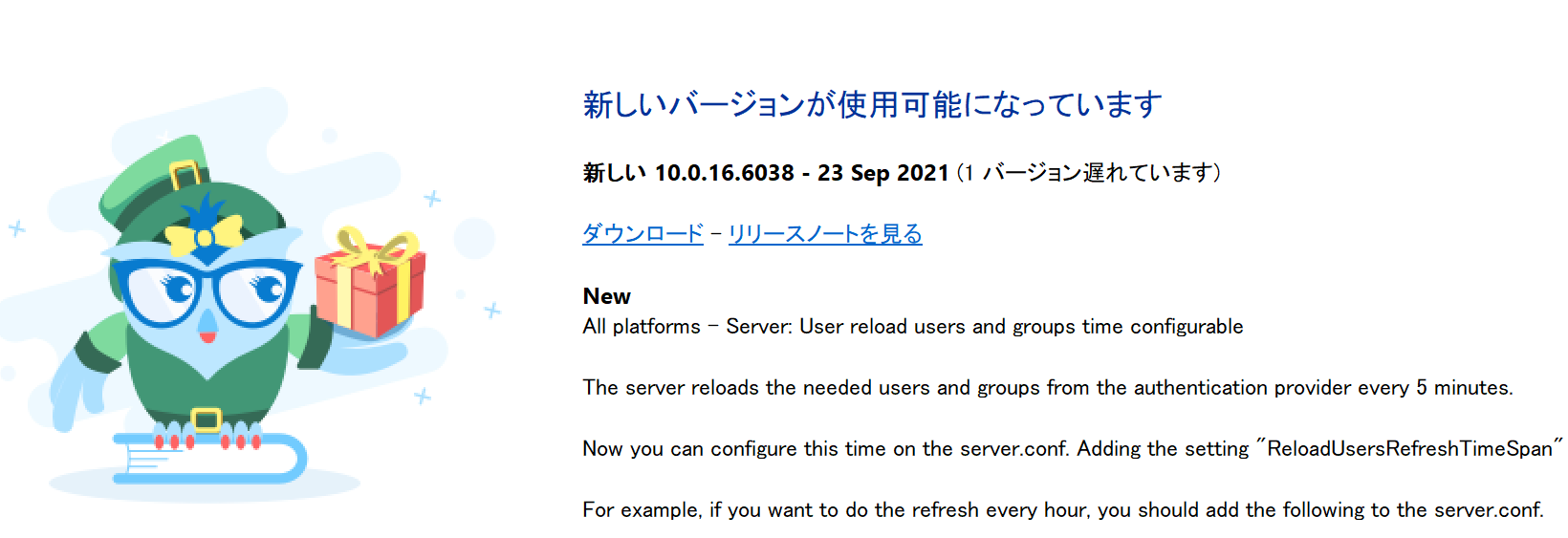
When a new version of the client is available, the "Help Owl" will pop up a help panel to let you know and provide you with a link to download the latest version.
Sadly, the Japanese Help Owl had gotten a little confused and his/her panel was incorrectly formatted. We re-educated the owl, and now the panel looks good:
Screenshot
10.0.16.6060
New
All platforms - Web UI
All platforms - Web UI: Code reviews improvements
-
Added changesets select box to the changed files panel for easier changeset selection.
-
Removed the whole branch switch from the changesets panel since it was redundant.
-
Added badges for comments and conversations to easily spot how many are present.
All Platforms - GitSync
All Platforms - GitSync: Added LFS support for GitLab & Bitbucket when pushing changes over SSH.
LFS was previously supported for GitLab & Bitbucket over https. However, the push operation (pushing changes from Plastic to Git) failed over SSH. Fixed.
All platforms - Web UI
All platforms - Web UI: File history improvements:
We removed the previous branch/label filter since it doesn't work correctly with the context of the history list and implemented individual filters for branches and types instead. We also added a button to go back to the file and individual download buttons for each entry in the history.
All platforms - Plastic, Gluon
All platforms - Plastic, Gluon: Dockerfiles considered as txt files
Before this change, we were considering Dockerfiles as binary files by default, and users had to manually add the following line in filetypes.conf to consider them as text files:
Dockerfile:txt
Now they are considered as text by default
10.0.16.6038
New
All platforms - Server
All platforms - Server: User reload users and groups time configurable
The server reloads the needed users and groups from the authentication provider every 5 minutes.
Now you can configure this time on the server.conf. Adding the setting "ReloadUsersRefreshTimeSpan" with the refresh time on the following format [d.]hh:mm:ss.
For example, if you want to do the refresh every hour, you should add the following to the server.conf.
<ReloadUsersRefreshTimeSpan>01:00:00</ReloadUsersRefreshTimeSpan>
Bug
All platforms - Web UI
All platforms - Web UI: Various fixes and improvements:
-
Repositories list: fixed breadcrumbs not showing;
-
File explorer: when switching branches/labels it redirects to the root of the branch/label if the current displayed file/folder doesn't exist;
-
Code Reviews, Branch view, etc.: if the navigation is collapsed and changing the comment or trying to view the reviewers list it now expands it, before it wasn't doing anything;
-
Code Reviews, Branch view, etc.: Fixed portrait images being cut;
-
Code reviews: Hide changesets panel for changeset reviews;
-
Improved the order of breadcrumb items so when clicking on the repository name it goes to the File explorer instead of going to the Repositories list and when clicking on the organization it goes to the Repositories list instead of going to the dashboard;
-
Update login page text colors, font sizes and elements spacing;
-
Removed the page content fixed width for screens above 1920px;
All platforms - Web UI
All platforms - Web UI: Fixed xlink content not being shown correctly in code reviews.
10.0.16.6023
New
Linux - Command line client
Linux - Command line client: All the Linux client packages will now bundle a netcore-compiled command line client!
From now on, the command line client ("cm") will be a netcore-based application, replacing the mono-based command line client, that had several stability glitches, it lacked some features (latest SSL protocols) ... but now we use the netcore-based "cm" application compiled to target Linux-x64 archs specifically.
Enjoy!
Find below some performance improvements:
A) Update operation test: Workspace of 110K items sizing 545MB. Instance: CentOS 7 rackspace instance of 15GB I/O v1
Time downloading the full workspace ('cm update' operation) with version 10.0.16.6001 (cm mono): 310s
Time downloading the full workspace ('cm update' operation) with version 10.0.16.6023 (cm mono): 256s (21% faster)
B) Checkout test: Workspace of 16K items, 137MB
Time performing a checkout recursive operation on the full workspace with version 10.0.16.6001 (cm mono): 5.4s
Time performing a checkout recursive operation on the full workspace with version 10.0.16.6023 (cm netcore): 3.2s (68% faster)
All Platforms - Cloud Server
All Platforms - Cloud Server: Fixed an error that sometimes caused the server to fail when trying to use Google storage blobs
There was a race condition present when setting authorization headers that would sometimes cause an error alike to "Error getting data of ... - Value cannot be null." This should no longer happen.
10.0.16.6001
New
All platforms - Web UI
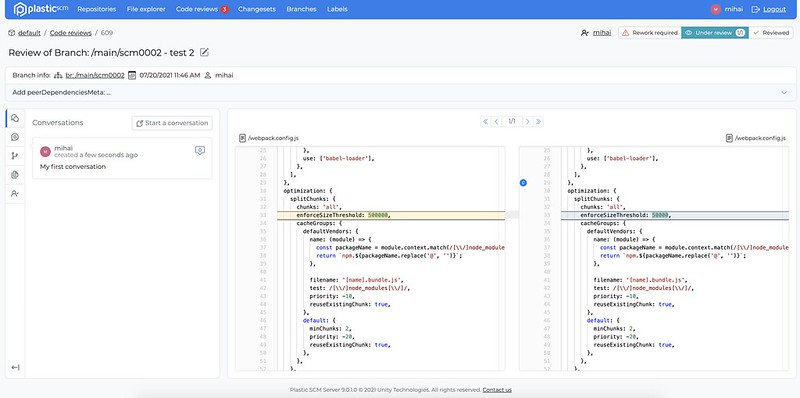
All platforms - Web UI: Code review conversations
- Added a new feature for users to create code review conversations, they are different from comments since they are not tied to a specific file change and their purpose is to shed light into the purpose of the whole code review.
Screenshot
Bug
Cloud - Web UI
Cloud - Web UI: Fixed CORS issue when loading static assets like images or files
All platforms - Web UI
All platforms - Web UI: fixed an error when viewing binary metadata
All platforms - Web UI
All platforms - Web UI: Fixed an instance where an error wasn't displayed correctly if the file was too large
All platforms - Web UI
All platforms - Web UI: Fixed error when loading text files that are not encoded in UTF8
All platforms - Web UI
All platforms - Web UI: Various fixes & improvements:
-
Added missing support for multiple reviewers to the code review list;
-
Updated code review navigation icons to match the overall icons styling;
-
Replaced branch icon;
-
Creating a code review now appends the branch or changeset comment to the title, to match the same behavior as the desktop client.
10.0.16.5975
New
All platforms - GitSync
All platforms - GitSync: It now supports LFS when syncing from GitHub Enterprise servers, GitLab and Bitbucket!
Before this, it only supported GitHub (cloud).
No extra configuration is needed to take advantage of this. Just try it!
All Platforms - Server
All Platforms - Server: Fixed the server command line option --websocketport to use the right port.
Also, the websocket port is only started when the configuration setting EnableDevOps (located in server.conf) is enabled.
All platforms - Server
All platforms - Server: Fixed exception not allowing to leave TCP port unset while having a SSL port set
All Platforms - Server
All Platforms - Server: Saving organizations.conf is now written out atomically
Bug
macOS - IntelliJ IDEA/Rider plugin
macOS - IntelliJ IDEA/Rider plugin: Fixed the client configuration action
The "Configure client" button in the Plastic SCM preferences panel produced an error. This happened because the plugin looked for an outdated installation path. We changed it to run /usr/local/bin/macplastic instead. Now, if you click that button, you'll see the Plastic SCM configuration window.
All platforms - Web Triggers
All platforms - Web Triggers: Added more information when an attribute changed its value
Now when the value of an attribute changed its value the name of the branch or the changeset where it belongs appears at the description of the message in Slack, Discord ...
10.0.16.5953
New
All platforms - Web UI
All platforms - Web UI: Authentication token was moved to sessionStorage
This change was done to allow users to log in to multiple organizations at the same time in the same browser.
The authentication token will be stored until the user closes the browser tab.
Opening WebUI in a new tab will require the user to authenticate again.
Bug
Windows - Plastic
Windows - Plastic: fixed issue where delete dialog was too big
When you delete files or other objects in Plastic it helpfully lists them in the confirmation dialog so you can confirm you're deleting the correct things. However, if you tried to delete a lot of things at the same time, this would become substantially less helpful, because the OK / Cancel buttons could end up pushed down off the bottom of the screen.
We fixed this by limiting the list to show at most 10 items.
10.0.16.5935
New
All Platforms - Server
All Platforms - Server: Replicating a repository using "cm clone" will no longer fail if that repository has shelves
All platforms - Web UI
All platforms - Web UI: Global Code Review comments
-
Added the ability to add comments for the entire code review
-
Updated the comments list to reflect which comment is assigned to a file and which one is assigned to the whole code review
-
Enabled the comments panel even if there are no comments available
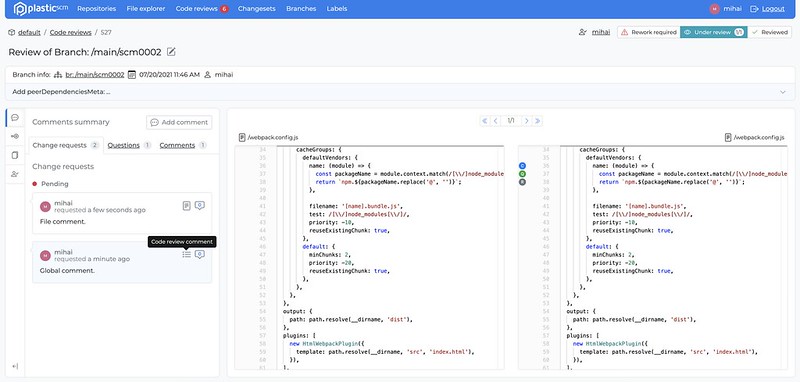
Screenshot
All platforms - Web UI
All platforms - Web UI: 404 Not Found page
-
Updated the 404 Not Found page look & feel
-
Updated various views to redirect to the 404 Not Found page if the resource doesn't exist
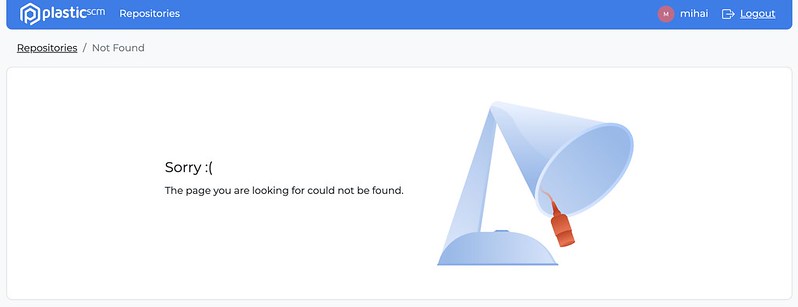
Screenshot
Bug
All platforms - Web UI
All platforms - Web UI: Fixed File Explorer Readme.txt preview not rendering new lines
10.0.16.5917
Bug
All platforms - Web UI
All platforms - Web UI: Fixed code review comments appearing and being added on the wrong line
Cloud - Web UI
Cloud - Web UI: Images were not properly shown and files could not be downloaded. Fixed.
All platforms - Web UI
All platforms - Web UI: Fixed error when opening a code review comment on a file when the whole branch is toggled on.
10.0.16.5903
New
macOS - Plastic
macOS - Plastic: Editing changesets to retroactively link to a code review will now mark the change requests referenced as done
For example, lets say you are fixing issues from a code review. You solve the problem brought up in the change request b78993b but forget to include it in your comment when checking in the changes:
Fixed the issue
To fix this, you can edit the comment in the properties panel, comparison view or via the command line to add the correct annotation:
[apply-change:b78993b] Fixed the issue
Previously this would do nothing but now it will mark the change request as done.
10.0.16.5882
New
Windows - Plasticfs
Windows - Plasticfs: Enabled mounting plasticfs workspaces under network share paths
Sometimes running commands under a plasticfs mount can fail with the message 'The volume does not contain a recognized file system.' This is because plasticfs by default do not use the Windows Mount Manager. In order to work around this it's now possible to create workspaces with network paths such as '\workspace\path' (or any other path in the form ' \____') which will use the Windows Mount Manager and therefore doesn't have this problem.
For example, lets say you have a repository called 'Test Repo' that you want to run a python script in but keep encountering an error similar to the one above. To work around this you can create a new workspace for 'Test Repo' with the path '\test\repo' that will work for running your python script in.
Creating the workspace in this way has these minor usage issues:
-
The 'Open in Windows Explorer' menu option (in Plastic & Gluon) doesn't open the selected folder/file. It just opens a new Windows Explorer window.
-
The thumbnail preview doesn't work in Gluon.
-
The workspace cannot be moved (using the 'cm workspace move' command).
Bug
All Platforms - JetBrains IDE Plugin
All Platforms - JetBrains IDE Plugin: Fixed UI lag after opening files
We detected that some files caused the UI to freeze after opening them. This happened for files that were modified after applying a shelveset in the current workspace. The annotate operation that the IDE runs after open took a long time until it failed.
We modified this so the UI doesn't get stuck anymore. The annotate operation is now safely running in the background and doesn't block any other underlying Plastic SCM operations.
10.0.16.5859
New
All platforms - All clients
All platforms - All clients: Wake On Lan support added to clients.
If your personal server runs on a different computer and it goes to sleep but supports WOL, the Plastic clients will send a magic Wake On Lan packet to try to wake it up.
We added support for Linux, Windows and macOS, but the feature is still kinda experimental, so do not hesitate to contact us with suggestions.
macOS - Command line client
macOS - Command line client: .NET Core 'cm' is here!
All the macOS installers will now bundle a netcore-compiled command line client!
From now on, the command line client ("cm") will be a netcore-based application, replacing the mono-based command line client, that had several stability glitches, it lacked of some features (latest SSL protocols)... but now we use the netcore-based "cm" application compiled to target macOS specifically.
Enjoy!
IMPORTANT REMARKS:
1- This new CLI client doesn't support issue tracker extensions yet. If you're using them, you might detect that checkins aren't logged in the configured issue tracker. We'll add support for that feature again in the future.
2- The feature is not yet available, due to a compatibility issue with native libraries and this new compilation of "cm" in .NET Core. We will enable this feature really soon (next release). So, if you're using this feature in macOS, we recommend NOT TO UPGRADE to this version.
cm sync gitWindows - Plastic
Windows - Plastic: Editing changesets to retroactively link to a code review will now mark the change requests referenced as done.
For example, let's say you are fixing issues from a code review. You solve the problem brought up in the change request b78993b but forget to include it in your comment when checking in the changes:
Fixed the issue
To fix this, you can edit the comment in the properties panel, comparison view or via the command line to add the correct annotation:
[apply-change:b78993b] Fixed the issue
Previously this would do nothing but now it will mark the change request as done.
Windows - Plastic
Windows - Plastic: Added support for FoxPro syntax highlight.
Now Plastic SCM displays syntax coloring for .prg source code files in the Diff Viewer (Windows only).
All Platforms - Command line client
All Platforms - Command line client: The command "cm changeset edit" now correctly handles GUIDs
Previously this command only worked with changeset numbers. It now works if you refer to a changeset by its GUID.
Example:
$ cm changeset edit "89095131-895d-4173-9440-ff9ef9b2538d@project@cloud" "Changing my commit message"
All platforms - Plastic
All platforms - Plastic: Improved explanation text for directory conflicts
We add the words "Yours" and "Theirs" to the source and destination of a merge conflict to make it really clear where each conflicting change is coming from.
All Platforms - Server
All Platforms - Server: Added the 'authtoken' command for generating authentication tokens.
$ plasticd authtokenNEW-KEY-GENERATED
This is useful if your Plastic SCM server is using LDAP or Active Directory authentication. In this case, we strongly encourage you to enable auth tokens for security reasons.
You can enable it by editing your server.conf and add the following key:
<LdapTokenPrivateKey>NEW-KEY-GENERATED</LdapTokenPrivateKey>
Where NEW-KEY-GENERATED will be actually the output of the 'plastic authtoken' command.
Windows - Gluon
Windows - Gluon: switch to changeset
This change is part of a set of changes mainly aimed at improving the workflow for Artists working in Unreal, but it is available to all users.
Artists working in Unreal often run into problems because of the coupled nature of game engine code and assets. It is not clear to the Artist which changeset to work on, and if they choose incorrectly then checkins can overwrite game code.
We have added a menu option to the Changesets view that allows you to switch the workspace to a specified changeset. This allows Artists to ensure their entire workspace is consistent and in the correct changeset.
Here is where you'll find the new option:
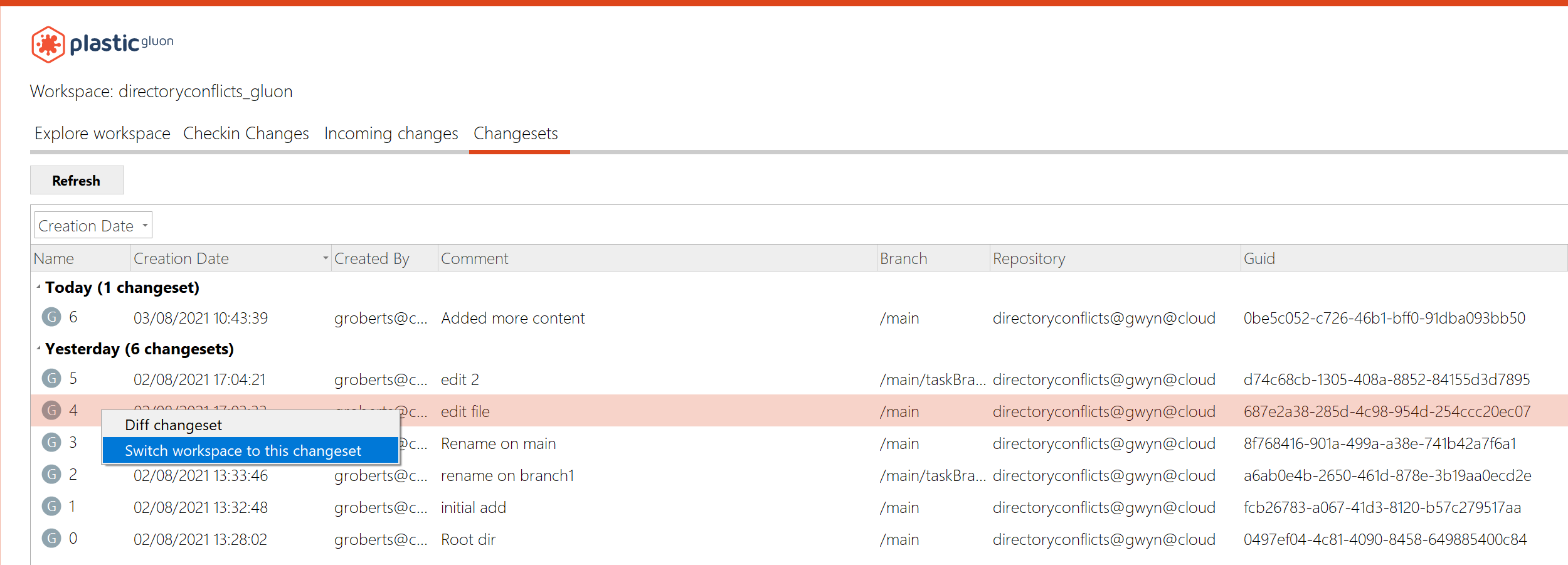
Screenshot
Windows - Gluon
Windows - Gluon: Custom actions for Changesets
You can now configure custom actions that can be launched from the Changesets view context menu.
This feature has been available in Plastic for some time, and now we've made it available to Gluon users too.
For more information, refer to configure external tools.
- How to configure External Tools for changesets
Add a new configuration file 'externaltools.conf'.
It allows you to specify external applications and arguments to pass to them. This is the syntax:
changeset | <toolName> | <pathToExecutable> | <args>
-
toolName: The name of the tool to be displayed in the context menu
-
pathToExecutable: Absolute path to the targeted application
-
args: The arguments to be passed to the targeted application. There are three currently supported placeholders: @object (replaced with the object name), @repository (replaced with the repository of the object) and @wkpath (replaced with the current workspace path). Please note that the replaced values might contain blank spaces, so they'll probably need to be surrounded with quotes.
Examples:
changeset | Label changeset | "C:/Program Files/PlasticSCM5/client/cm.exe" | label create lb:MyLabel cs:@object
This will create a menu item "Label changeset" under "External Tools" which applies the label "MyLabel" to the selected changeset.
It should look like this:
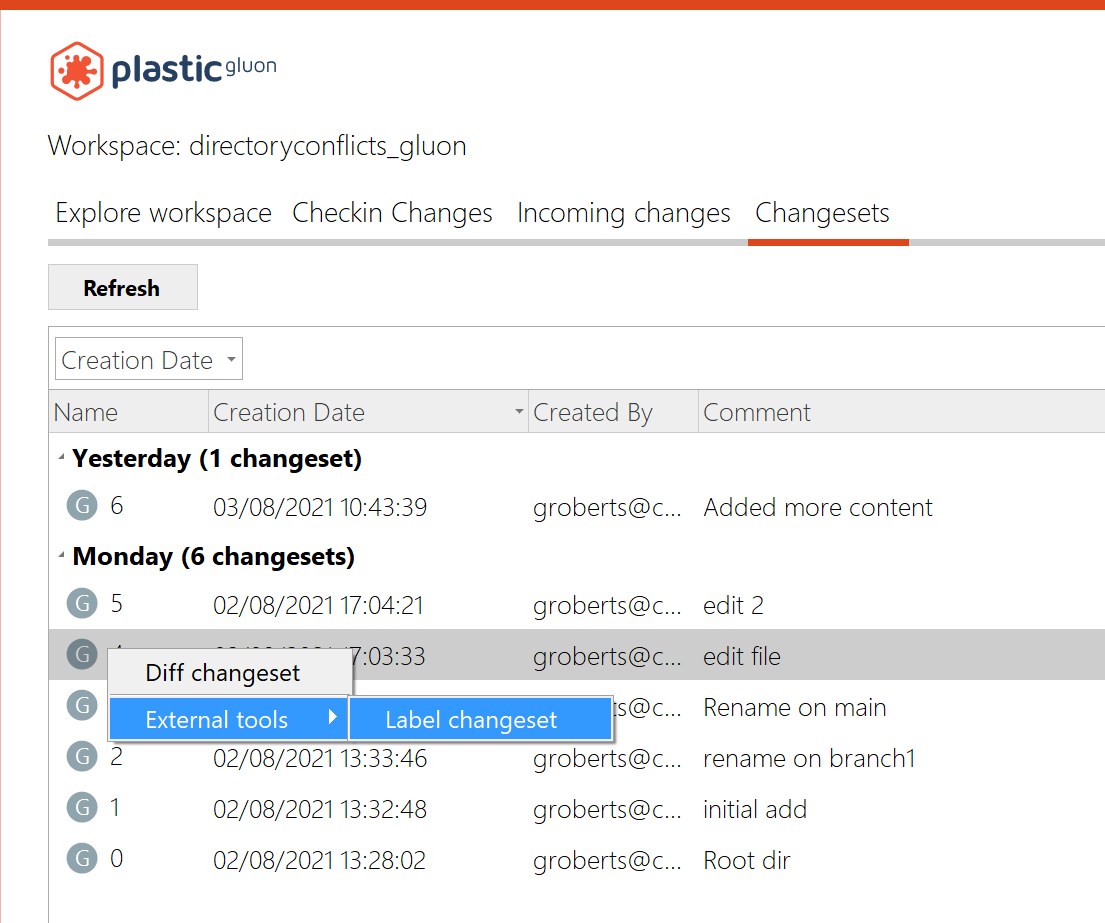
Screenshot
You can add multiple external tools - just add a line to the config file for each one.
Bug
Plastic, Gluon - Linux
Plastic, Gluon - Linux: Release notes link not working
The release notes link in the About window on Linux didn't open the browser when clicking it. We fixed this behavior
macOS - Plastic, Mergetool
macOS - Plastic, Mergetool: Fixed exception restoring differences in certain scenarios.
In macOS, when trying to restore a difference was placed in the last line on the right editor, it failed with an "Index out of bounds" exception. Now it's fixed.
Windows, Plastic
Windows, Plastic: Fixed low contrast texts in Windows GUI for dark themes.
This is just an aesthetic issue. Using some themes (montana-dark, i3), the progress panels that appeared in the bottom when performing and "Update" or "Checkin" operation contrasted bad with the background. Now it's fixed.
Windows - Plastic
Windows - Plastic: fixed error when deleting multiple branches
We corrected an unexpected error when deleting multiple branches at the same time. Note, the branches were deleted correctly, but an error was produced when updating the view after the delete.
Windows - Plastic
Windows - Plastic: Fixed problems with Jira bound to Plastic changesets
When you link a changeset to a Jira task there was an error that showed that the specific repository wasn't found. Now this is fixed, and you can select a changeset at the branch explorer view and click on any changeset without getting this error.
All platforms - Server
All platforms - Server: Fixed server issue using security triggers.
Having a security trigger configured, the server could fail and terminate when an unauthorized user tried to get info from a repository. Now, it's fixed
10.0.16.5816
New
All platforms - Client and server
All platforms - Client and server: Improved Active Directory security and performance
Now companies using Active Directory with Plastic server and clients running on Windows will benefit from extra performance (token based security) and security (we now use the underlying Negotiate protocol).
To take advantage of it:
-
Upgrade clients and servers to this version.
-
Set LdapTokenPrivateKey in server.conf. Check how to configure this value with support.
Bug
All platforms - Web UI
All platforms - Web UI: Fixed xlink navigation on cloud
All platforms - Web UI
All platforms - Web UI: Update the assigned reviewers menu badge when deleting the last one
10.0.16.5790
New
All platforms - Web UI
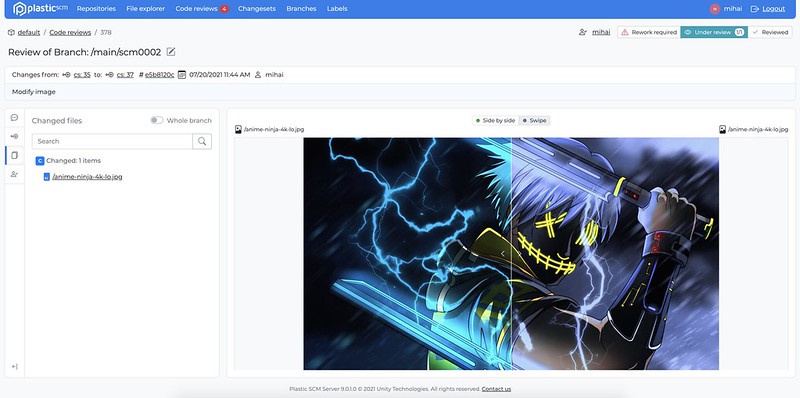
All platforms - Web UI: Image display
-
Enabled image visualization on all pages;
-
Removed the size limit for images on File explorer;
-
Zooming is not currently supported but will be added in the future.
Screenshot
Bug
All platforms - Web UI
All platforms - Web UI: Fixed xlink navigation in file explorer for cloud or enabled organization
10.0.16.5780
Bug
All platforms - Plastic
All platforms - Plastic: Better error handling when trying to show user profile in a cloud server
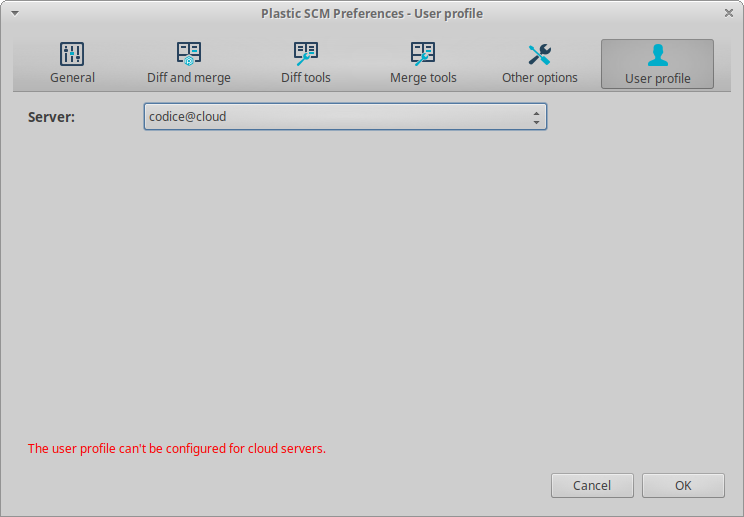
When opening the user profile tab in the preferences panel, we were showing a connection error every time the user selected a cloud server. This is because cloud servers don't support user profiles, and the connection always fails.
Now we handle this error, and show a proper error message when selecting a cloud server:
Screenshot
All platforms - Web UI
All platforms - Web UI: Fix file download and image display on cloud
All platforms - Web UI
All platforms - Web UI: Fixed the following issues
-
not being able to order lists when some data was empty;
-
enabled file history details for all types of entries;
-
restricting the display of the title of a code reviews to two lines for long titles (the plastic desktop client appends the branch description to the title);
-
showing 0 reviewers in the code review details header if there are no reviewers added;
-
when showing an alert the focus moves to it;
-
allow to see the comments list when clicking on the comments button when viewing the details of a comment or have the new conversation form opened;
-
closing the file explorer branch/label filter when selecting an item and preventing it from closing when clicking on the pagination.
Command line client
Command line client: fixed exception during check-in when console window is narrow
We fixed a bug in building the animated check-in progress bar that caused an exception when the console window was too narrow to display the progress.
All platforms - GitSync
All platforms - GitSync: The character '|' is allowed in the repository name.
Before, the sync could not start if the character '|' was included in the repository name. It failed with the error "The git sync repository attribute cannot be properly parsed".
10.0.16.5753
New
All platforms - Web UI
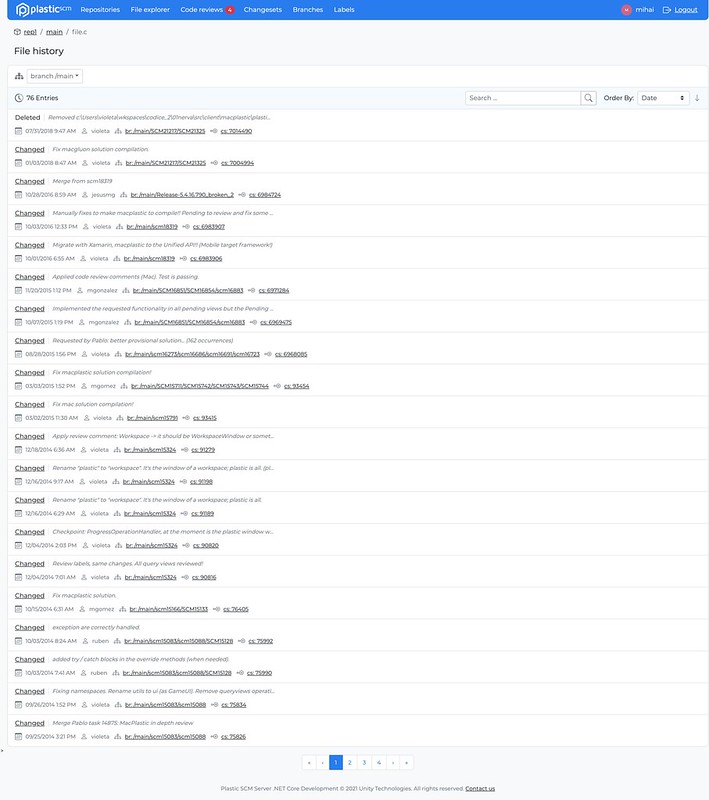
All platforms - Web UI: File history UI update
-
Consolidated the look & feel of the file history page.
-
Extended the capabilities of search and filtering.
Screenshot
All platforms - CLI
All platforms - CLI: Undo operation from outside the workspace
The undo operation of the Plastic CLI could only be performed from inside the workspace where the changes were to be applied. We changed this behavior, and now you can specify an absolute path to undo the changes in any workspace.
All platforms - Web UI
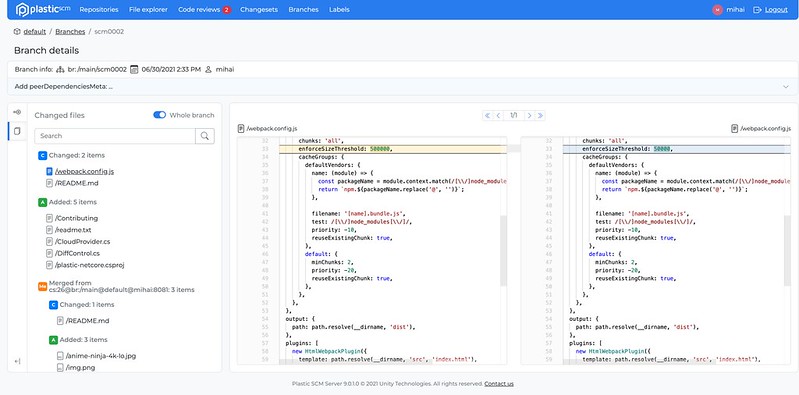
All platforms - Web UI: Individual views UI refresh
- Consolidated the look & feel of the branch, changeset & label details.
Branch details
Screenshot
Changeset details
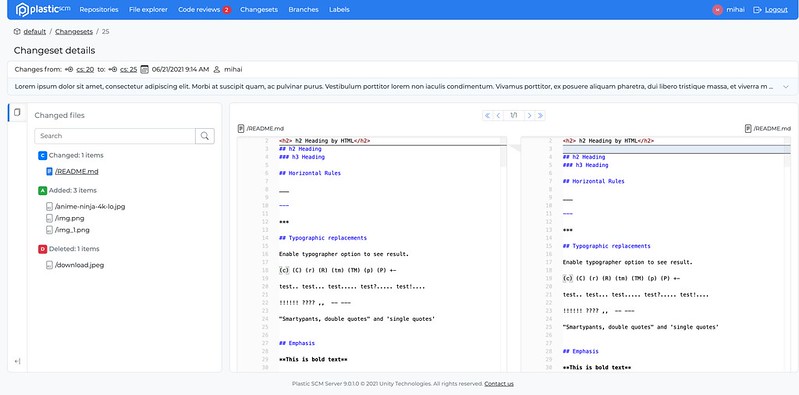
Screenshot
Label details
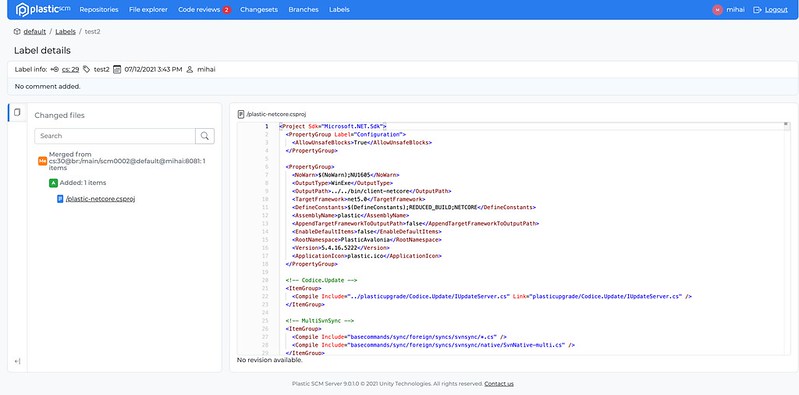
Screenshot
All platforms - CLI
All platforms - CLI: Add SSO working mode in clconfigureclient
Now you can configure your Plastic client from the command line using SSO. You need to specify the user, server, and SSO token. Like this:
clconfigureclient --language=en --workingmode=SSOWorkingMode --user=alvaro.berruezo@unity3d.com --server=codice@cloud --token=YOUR_TOKEN
Bug
All platforms - Web UI
All platforms - Web UI: Code review assigned to me filter now works with multiple reviewers
Previously the filter would only check the first reviewer in the list. Now, we check every user for a match.
All platforms - Plastic, Gluon
All platforms - Plastic, Gluon: Fixed issue when obtaining user profiles
In the "User profile" tab inside the preferences panel, sometimes there was an issue retrieving the profile from the server:
Cannot retrieve the profile from localhost:7178. Details: Error: ConnectFailure (Connection refused)
We fix this issue - now we check if the server is listening before asking for the profile.
All platforms - Web UI
All platforms - Web UI: Fixed the following issues
-
Redirecting the user to the repos list if it doesn't have permissions for the current repo;
-
Fixed spacing issues between file list and readme contents;
-
Fixed navigation to the label diff from the labels list.
All platforms - Command line
All platforms - Command line: Replica progress showed weird messages.
If you ever seen a weird message like this in your replica:
$cm clone codice@skullcito.codicefactory.com:9095 codice@localhost:6060 --authmode=LDAPWorkingMode --user=pablo --password=supersecretDestination repository 'codice@localhost:6060' already exists and it's empty.[#####.........................................................]- Total active users: {0} (8217)path is already used. Please unload the item (from the configuration view) and retry the operation. (0)Fetching metadata [###############...............]Pushing metadata [..............................]Introducing data [..............................][code]The "total active users thing" there.We just fixed it. We broke it during our localization effort, but it is now fixed.
All platforms - Web UI
All platforms - Web UI: Code review file list fixes
- Files that have been merged are now correctly displayed under the "merges" category.
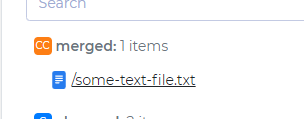
Screenshot
-
Changes to file system permissions are no longer hidden from the file list.
-
Merge groups are now displayed and include the spec of the merge source.
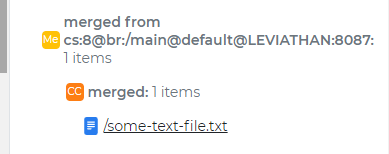
Screenshot
- Refactor groups are also now displayed.
Overall, the file list in Web UI should now closely match the layout and format of the desktop client.
All platforms - Web UI
All platforms - Web UI: Fixed the following issues
-
Fixed editing the title of a code review
-
Clearing alerts when navigating to another url
10.0.16.5710
New
All platforms - Plastic, Gluon
All platforms - Plastic, Gluon: Makefiles considered as txt files
Before this change, we were considering Makefiles as binary files by default, and users had to manually add the following lines in filetypes.conf to consider them as text files:
Makefile:txt
makefile:txt
Now they are considered as text by default
Windows - Visual Studio Plugin
Windows - Visual Studio Plugin: The plugin doesn't modify the .csproj anymore
Our VS plugin used to write some properties in the project file (.csproj) to know whether the project is under Plastic version control.
Now, the plugin will automatically detect whether you're using Plastic as Source control directly, without any need to use those properties.
All platforms - Plastic, Gluon, Command line client
All platforms - Plastic, Gluon, Command line client: Checkin operation performance improved: 2x faster!
We tweaked the default thread pools the checkin operation uses to upload data to the plastic server.
With these new default settings, we expect the checkin operation to be 2x faster than older default settings (since we doubled these default thread pool values).
We used the following setup to compare the old default values:
-
Hardware: bare Intel Xeon E5 1620 @3.6GHZ, 8GB RAM, 8 cores, Windows 10
-
Networking: 1gbps wired network
-
Plastic workspace: 20000 files, 2000 directories, 1.25GB total workspace size
-
checkin the whole workspace to a plastic cloud repository by using command line:
$ cm checkin c:/perf_workspace --timer --silent
Results:
-
With old default settings, the checkin took 174 seconds.
-
With new default settings, the checkin took 72 seconds (2.4x faster)
All platforms - Web UI
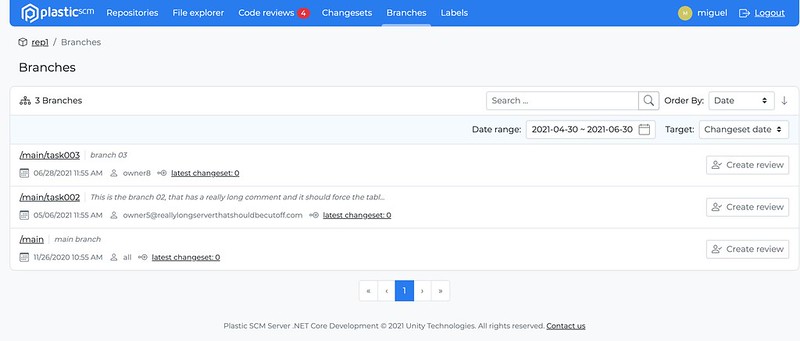
All platforms - Web UI: Branches list UI update
-
Consolidated the look & feel of the branches list.
-
Extended the capabilities of search and filtering.
Screenshot
All Platforms - Server
All Platforms - Server: Fixed multiple repositories with same name in concurrency scenarios.
If users attempted to create repositories with the same name at exactly the same time, sometimes the system would allow it. This has been fixed so you can no longer have duplicate repositories.
All platforms - Web UI
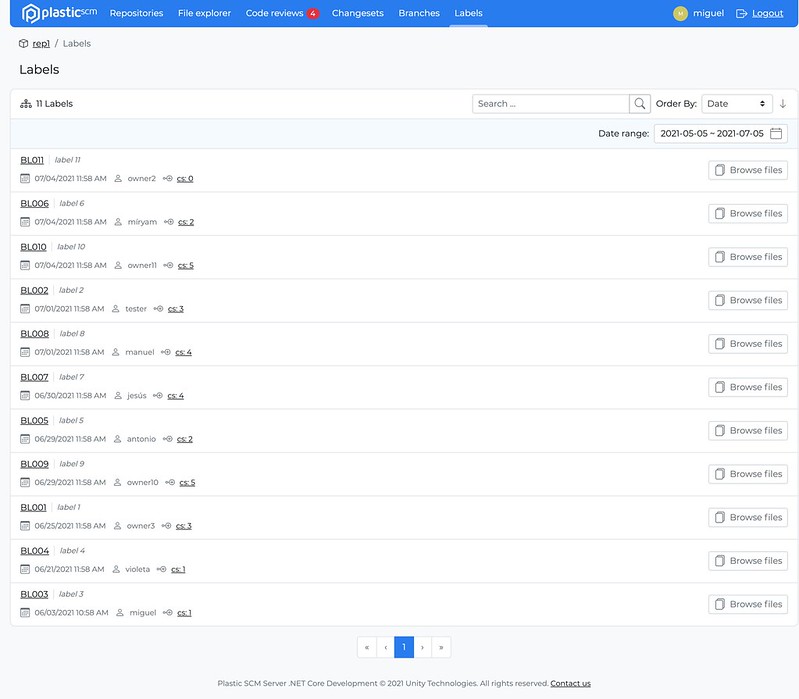
All platforms - Web UI: Labels list UI update
-
Consolidated the look & feel of the labels list.
-
Extended the capabilities of search and filtering.
Screenshot
All platforms - Web UI
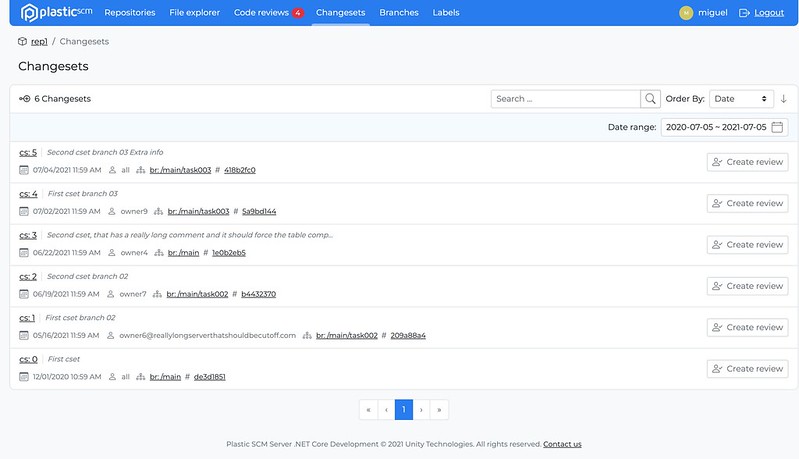
All platforms - Web UI: Changesets list UI update
-
Consolidated the look & feel of the changesets list.
-
Extended the capabilities of search and filtering.
Screenshot
Bug
Windows - Plastic
Windows - Plastic: Fixed unexpected error in the branch explorer
Sometimes, when clicking on the branch explorer before it finished launching, Plastic may throw an unexpected error. We protected this scenario and now it won't happen
All platforms - Web UI
All platforms - Web UI: Fixed file explorer performance issues when viewing large files
All platforms - All clients
All platforms - All clients: The LDAP/auth token expired wrongly displayed.
Two error messages were potentially displayed wrongly:
The LDAP token expired. User: xxx
The auth token expired: User: xx
It happened if:
-
You were using Unity ID (SSO)
-
And you changed your password in unity.com
-
And your client.conf was pointing to your_org@cloud instead of "local" which is the default
Under these circumstances, instead of asking you for creds, a bug in the code just complained about the situation without providing a solution.
Fixed.
Windows, macOS - Plastic
Windows, macOS - Plastic: Added warning to Code Review when item cannot be shown
We improved the user experience for two scenarios:
- A file is added, somebody makes a Code Review comment on it, and then that file is deleted in the same branch.
Previously in this case, clicking on the comment did nothing at all. This is because we can't show the deleted item. We improved this scenario by showing a warning to the user.
- A deleted file with a comment is not visible in the file list due to a filter
Previously in this case we would fail to show the file because it is not visible due to the filter. On Mac, we now show a warning in this case. On Windows, we clear the filter (and warn the user) so that the item can be shown.
All platforms - Web UI
All platforms - Web UI: Code review changesets change
Fixed a bug where, in code reviews, when changing changesets, it wasn't selecting the first file in the list.
All platforms - Plastic, CLI
All platforms - Plastic, CLI: Allow checkin pending changes under an out of date Xlink
The incoming changes showed the message "There's nothing to download" when you tried to checkin pending changes under a Xlink that was out of date. As a result, the checkin could not be completed.
This happened when someone else worked directly against the repository of the Xlink and created a new changeset on it. Thus, the parent repository (the one that contains the Xlink) points to the branch head although there are new changes on the branch of the Xlink repo that needs to be merged.
Now the checkin requires a merge on the Xlink. After running the merge, the checking can be completed.
10.0.16.5668
New
Windows - Plastic
Windows - Plastic: Auto-update!
Now you can update Plastic on Windows to the latest version from within the application itself.
When Plastic detects that a new version is available, the help panel will display a notification telling you which version is available. On the help panel is a link to download the latest version.
Here is the new version notification:

Screenshot
Simply click the link to download the update. You'll see progress in the notification bar at the bottom of the screen.
Downloading:

Screenshot
Once downloaded, you can click the button in the notification bar to launch the updater and restart Plastic.
Restart & upgrade:

Screenshot
All platforms - Web UI
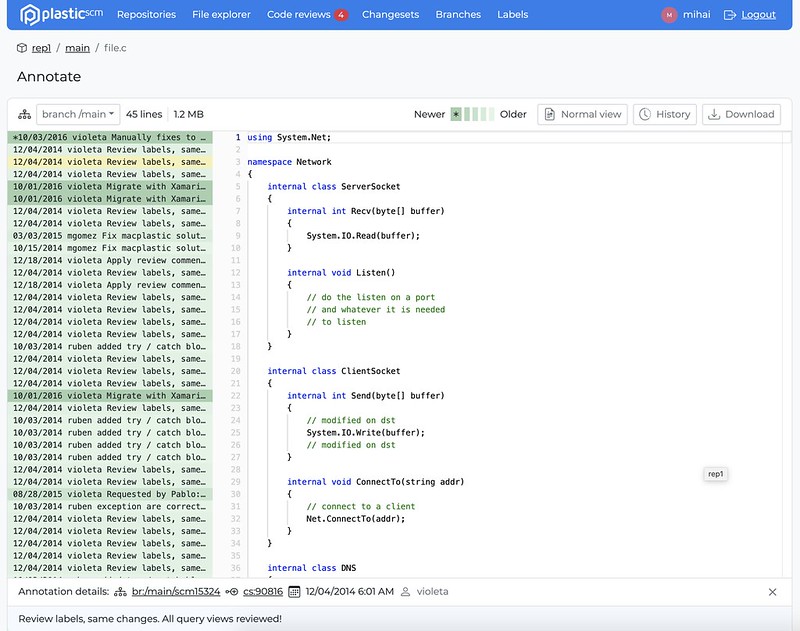
All platforms - Web UI: File annotations
Added support for file annotations (blame).
Screenshot
Bug
All platforms - Web UI
All platforms - Web UI: Fixed the following issues
-
Corrected the code review reviewed button selected color
-
Added missing latest changeset description to the file view
All platforms - Web UI
All platforms - Web UI: File annotations
-
Fix annotations starting one line earlier.
-
Fix failing navigation from annotations to the branch.
-
Added default comment when there isn't one.
10.0.16.5664
New
Windows - Visual Studio Plugin
Windows - Visual Studio Plugin: The plugin doesn't modify the .sln anymore
Our VS plugin used to write some properties in the solution file (.sln) to know whether the solution has Plastic configured as version control.
Now, the plugin will automatically detect whether you're using Plastic as Source control directly, without any need to use those properties.
Bug
All platforms - Web UI
All platforms - Web UI: Code review semantic diff fixes
Semantic diff has been reenabled after being fixed. You'll now be able to use semantic diff on code reviews for all supported file types.
Windows - Visual Studio Plugin
Windows - Visual Studio Plugin: Fixed null reference opening the workspaces dialog
Using the Plastic plugin for Visual Studio, you would run into a null reference exception if you clicked the "Change current workspace" button in the "Workspace working info" panel and you don't have any workspace registered. This unlikely scenario could happen if you have a valid workspace on disk but an empty list of registered workspaces for your client in that machine.
All platforms - Plastic onboarding
All platforms - Plastic onboarding: Cannot create an organization from the signup flow
Few releases back (10.0.16.5473) the possibility of creating an organization after signup got broken. Fixed.
10.0.16.5642
New
All platforms - All GUIs
All platforms - All GUIs: Improvements to Korean translations
We changed the translations of attribute and property based on user feedback. Thanks!
Bug
All platforms - Cloud Server
All platforms - Cloud Server: Jet repository backup could misplace Jet metadata files under rare conditions.
This could lead to issues accessing the affected repository until an administrator manually solved the issue. This is now fixed!
All platforms - Command line
All platforms - Command line: Can't replicate with fresh Cloud Edition.
We had a bug that made fresh Cloud Editions not using profiles (just using the default config) unable to replicate from its local server to cloud (or clone, pull) because the credentials were not sent correctly to the local server to connect to cloud.
It only happened using command line if no replica from GUI happened first.
It is fixed now.
10.0.16.5622
Bug
All platforms - WebAdmin
All platforms - WebAdmin: We fixed a critical security issue in WebAdmin.
If you're running an on-prem Enterprise server, you should update immediately to ensure the security of your Plastic installation. It fixes some security issues we found in our WebAdmin server management interface.
10.0.16.5615
New
All platforms - All clients
All platforms - All clients: The workspace tree (plastic.wktree) file format has been changed to read/save it in a much faster way!
We have tested the new format with different workspace sizes (with 80000 and 400000 files/directories) and in different machines. The improvements are the following:
-
The time reading the tree is x2, x4 or even x10 times faster (depending on the machine tested).
-
The time writing the tree is almost x2 times faster on average.
Some examples:
-
Reading an workspace tree of 77000 items took 490 ms. Now, it takes 109 ms.
-
Writing an workspace tree of 77000 items took 142 ms. Now, it takes 79 ms.
By default, the old format will still use. You can enable this format by adding the following setting on your client.conf. But this new format is not compatible with the Unity plugin yet. So, if you are a Unity user, please don't do it.
<EnableNewWorkspaceTreeFormat>yes</EnableNewWorkspaceTreeFormat>
This format was originally published in release 10.0.16.5574 but we unpublish it because of the Unity plugin incompatibility.
If you don't enable the new format, this version will revert the workspace tree to the previous format. This will allow you to use the workspace with the Unity plugin again.
Some extra background about the file: The workspace tree metadata is stored in the plastic.wtree file inside the workspace metadata folder (wks/.plastic). This file is read every time use a workspace in the GUIs for first time or when running a cm command for a workspace. It is written every time we do a changes in the workspace (switch to a different branch/changeset, run an update, do a checkout, undo some changes, etc). Its size depends on the number of items loaded in the workspace, so for big workspaces the time reading (or saving it) can affect to the performance of the clients.
All platforms - Web UI
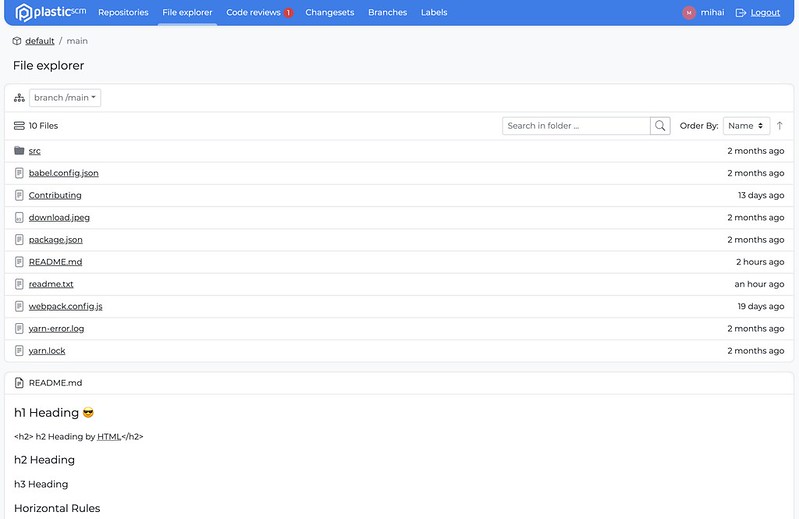
All platforms - Web UI: File Explorer README.md support
Added support for README files in the File Explorer.
Screenshot
All platforms - Web UI
All platforms - Web UI: Various improvements
-
If there are assigned code reviews, when visiting the code review list for the first time, it shows the assigned reviews, otherwise, it shows all reviews.
-
Avoiding resetting data when navigating from one list to another.
-
Lowered the minimum loading transition animation
All platforms - TeamCity plugin
All platforms - TeamCity plugin: Versioned settings is now supported!
We extended our plugin to support the Versioned settings feature in TeamCity. You can now enable it in any TeamCity project that consumes a Plastic SCM VCS root.
Plastic Triggers
Plastic Triggers: Wildcard support in repository filtering.
Triggers can now use wildcards to their repository filters, so they apply to either a single repository or a selected group of them.
Now, when you add a repository filter to your trigger, you can specify the exact repository name or use * as a wildcard. This would affect multiple repositories that share part of the name.
Examples:
-
For all your repositories
rep:* -
For your website_intranet repository
rep:website_intranet -
For all your website repositories
rep:website*
Try more! o ...
rep:*web*rep:*intranetMore info about Plastic triggers https://www.plasticscm.com/documentation/triggers/plastic-scm-version-control-triggers-guide
Bug
All platforms - Web UI
All platforms - Web UI: prevent duplicate code reviews
All platforms - Mergetool
All platforms - Mergetool: Fixed MarkAsUnresolvedButton key
There was a missing key in one of the buttons in MergeTool, so the text wasn't being translated to the chosen localization
Before:

Screenshot
After:

Screenshot
All platforms - Mergebot plugin for TeamCity
All platforms - Mergebot plugin for TeamCity: Fixed systematic failures after a single build failure
The Mergebot plugin started failing systematically from the moment a build failed. This happened because the first thing the plugin does is to undo all changes in the build workspace. Since the mergebots use temporary shelvesets that get deleted if the build fails, the 'undo' command failed in the agent workspace. All following builds would fail to checkout their sources.
We fixed that by protecting that initial 'undo' against errors.
All platforms - Web UI
All platforms - Web UI: branch/changeset/label owners are no longer the current user and now show the correct owner
All platforms - Web UI
All platforms - Web UI: Fixed the app not starting on Safari
All platforms - Web UI
All platforms - Web UI: Fix alerts not showing on some areas of the application
All platforms - Plastic, Gluon
All platforms - Plastic, Gluon: Fixed sign in with email in Enterprise Edition
When signing in to a cloud server in the Enterprise Edition of Plastic or Gluon, if using the email and password method, sometimes the sign in operation could never end, showing a progress icon forever.
We fixed this, and now the operation either completes successfully or shows an error
All platforms - Server
All platforms - Server: Fixed an issue related to the calculation of the changesets to pull when it involved moved changesets.
Now the pull preview doesn't show the moved changesets as pending to replicate. Previously, the pull preview ('cm pull br:/main@repoA repoB --preview') showed the moved changesets as pending to replicate (incoming changes or outgoing changes). Those changesets were proposed again and again, as the replication skip them as they were already replicated.
All platforms - Server
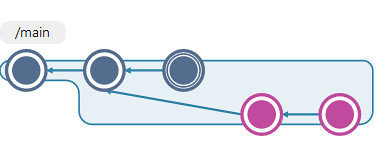
All platforms - Server: The branch head was not properly set after moving a changeset that was in a 'subbranch'. Fixed.
Screenshot
After moving a subbranch changeset like the selected ones (in pink) in the image, the branch head was not properly updated. Now it's fixed.
All platforms - Web UI
All platforms - Web UI: Various fixes
Code review details:
-
Hide reply text area until the reply button is pressed
-
Added tooltips for conversation's icon buttons
Breadcrumbs:
- Fixed organization not showing in the breadcrumbs on cloud
Date picker:
- Default date ranged changed to last two months from last week.
All platforms - Web UI
All platforms - Web UI: Removed semantic diff on code reviews until it's fully implemented.
All platforms - Plastic
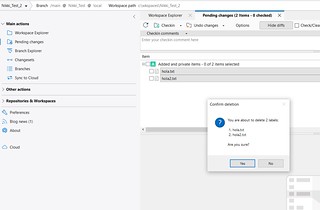
All platforms - Plastic: Error when deleting private files has been fixed.
There was thrown an error when trying to delete multiple private files at the same time. It was broken in prevoius version 10.0.16.5533. Now it is fixed.
Screenshot
All platforms - Web UI
All platforms - Web UI: Fixed Code reviews diffs navigation
All platforms - Web UI
All platforms - Web UI: Clear API error when refreshing the authentication token
All platforms - Web UI
All platforms - Web UI: Reversed code reviews changesets list order to match Plastic desktop
10.0.16.5574
New
All platforms - All clients
All platforms - All clients: The workspace tree (plastic.wktree) file format has changed to read & save it much faster!
We tested the new format with different workspace sizes (with 80000 and 400000 files/directories) in different machines:
-
The time reading the workspace tree metadata is 2x, 4x or even 10x times faster than previous release.
-
The average time writing the workspace tree metadata is up to 2x times faster than previous release.
Some examples:
-
Reading a workspace tree of 77000 items took 490 ms. Now it takes 109 ms.
-
Writing a workspace tree of 77000 items took 142 ms. Now it takes 79 ms.
Some extra background about the file: The workspace tree metadata is stored in the file inside the workspace metadata folder ().
plastic.wktreeplastic.wktree$YOUR_WORKSPACE/.plasticThis file is read every time a desktop application (Plastic, Gluon) opens a workspace for first time, or when running a command line operation for a workspace.
It is written every time we perform any change to the workspace (switch to a different branch/changeset/label, run an 'update workspace', checkout a file, undo pending changes, etc.).
Its size depends on the number of items loaded in the workspace. So, for big workspaces, the time reading (or saving) it can affect to the performance of the clients.
All platforms - Web UI
All platforms - Web UI: File Explorer README.md support
Added support for README files in the File Explorer.
Screenshot
All platforms - Web UI
All platforms - Web UI: Various improvements
-
If there are assigned code reviews, when visiting the code review list for the first time, it shows the assigned reviews, otherwise, it shows all reviews.
-
Avoiding resetting data when navigating from one list to another.
-
Lowered the minimum loading transition animation
All platforms - TeamCity plugin
All platforms - TeamCity plugin: Versioned settings is now supported!
We extended our plugin to support the Versioned settings feature in TeamCity. You can now enable it in any TeamCity project that consumes a Plastic SCM VCS root.
Bug
All platforms - Web UI
All platforms - Web UI: prevent duplicate code reviews
All platforms - Mergetool
All platforms - Mergetool: Fixed MarkAsUnresolvedButton key
There was a missing key in one of the buttons in the MergeTool, so the text wasn't being translated to the chosen localization
Before:
Screenshot
After:
Screenshot
10.0.16.5533
New
All platforms - Web UI
All platforms - Web UI: Loading states
All the new views like the repository list, file explorer and code review have new loading states to avoid displaying wrong states before the content is loaded.
Screenshot
All Platforms - Plastic
All Platforms - Plastic: confirm deletion messages for labels and branches have been improved!
Now when trying to delete one or multiple labels/branches from both the Branch Explorer and the Labels/Branches View, a more specific message about what you are about to delete is shown.
Check the following screenshots for labels:
Windows
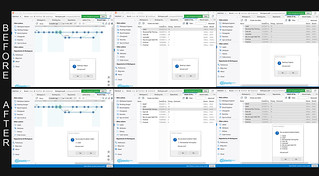
Screenshot
macOS
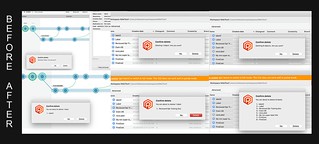
Screenshot
Linux
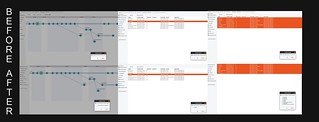
Screenshot
And screenshot for branches:
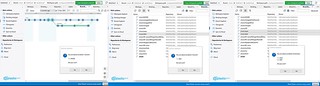
Screenshot
Deletion message for code reviews was also improved:
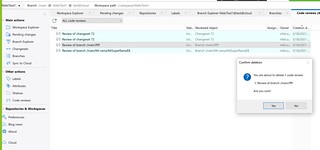
Screenshot
Bug
All platforms - Web UI
All platforms - Web UI: fixed xlinks in file explorer
Clicking an xlink in the file explorer no longer causes an error to occur and instead correctly displays the file or directory selected.
All platforms - Web UI
All platforms - Web UI: Repository list now correctly shows when a repository was last updated instead of the name of the creator
The last modified is calculated from the date of the most recent changeset for a repository. This'll help you quickly determine which repositories are active and whether there has been changes since you last looked.
Screenshot
All platforms - Web UI
All platforms - Web UI: Code Review: Fixed switching changesets not changing the changeset date
All platforms - Web UI
All platforms - Web UI: Fix File Explorer not showing files when organization and repository have the same name
10.0.16.5508
New
All platforms - Command line client
All platforms - Command line client: encoding set to UFT-8
We now automatically set the console input and output encoding to UTF-8 so that East Asian languages can be displayed correctly. Note: you must select a font containing glyphs for your language for the output to display correctly.
All platforms - Server
All platforms - Server: The max number of worker threads is now limited to MaxWorkerThreads * 10.
This value can be defined in the server.conf file.
<MaxWorkerThreads>64</MaxWorkerThreads>
The default value used is the number of processors * 4 (when the value is not defined in the server.conf).
All platforms - Web UI
All platforms - Web UI: File explorer UI refresh
Refreshed the UI of the main File Explorer list. Individual file/history views will be refreshed in the next update.
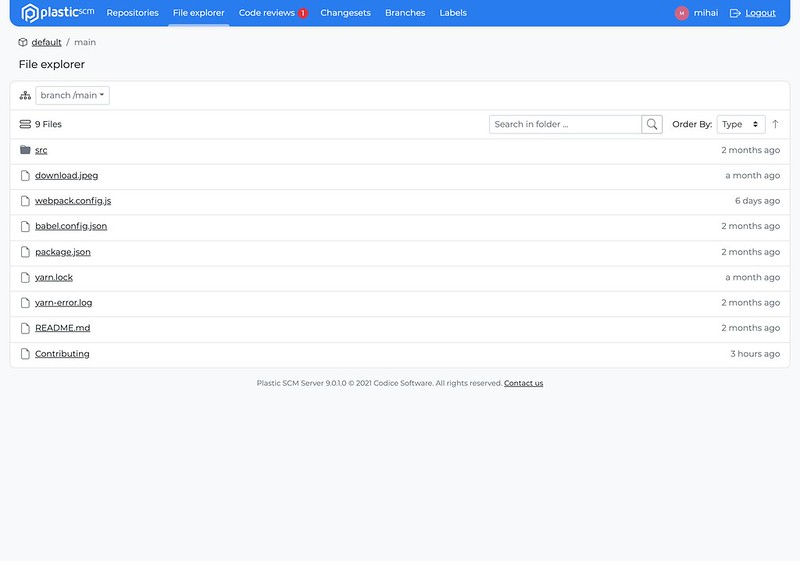
Screenshot
All platforms - Web UI
All platforms - Web UI: File Explorer updates
On the roadmap to unify the design we updated the following in the File Explorer section:
-
Updated the File View design and fixed page double scroll
-
Tweaked the File History design, a full update is pending
-
Set the file name as the default ordering for the File list, folders and xlinks are grouped and take priority
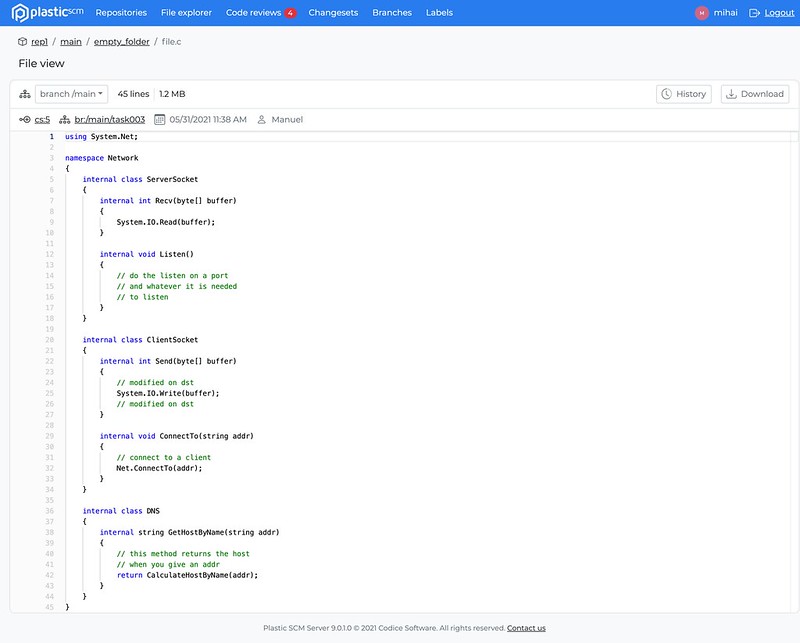
Screenshot
Bug
All platforms - Web UI
All platforms - Web UI: Code review list comment count fix
The comment count is now correctly displayed for each code review in the code review list.
All platforms - Gluon
All platforms - Gluon: Fixed Enterprise Edition onboarding when using a Cloud server.
When connecting to a Cloud server from the Enterprise Edition Gluon onboarding, there was an error that prevented the user from listing the repositories in the server. We fixed this issue, and now you can connect to any kind of server from the onboarding
All platforms - Cloud Server
All platforms - Cloud Server: Client calls could get stuck in the server side while other (and unrelated) organization was loading its users. Fixed.
The cloud servers use a lock to handle the security of each organization. The problem was that the load of the organization's users were done inside this common lock, so if the users loading for one organization was very slow, other organizations were hit by this. Now, the loading of the organization users is done outside this lock.
We suffered issues in the US East region due to this issue from 2021-May-14 to 2021-May-16 leading to tons of calls stuck due to this.
10.0.16.5459
New
All platforms - Web UI
All platforms - Web UI: Code review list redesign
We've just launched the redesign of the code review list and we are working hard towards refreshing all the other pages soon!
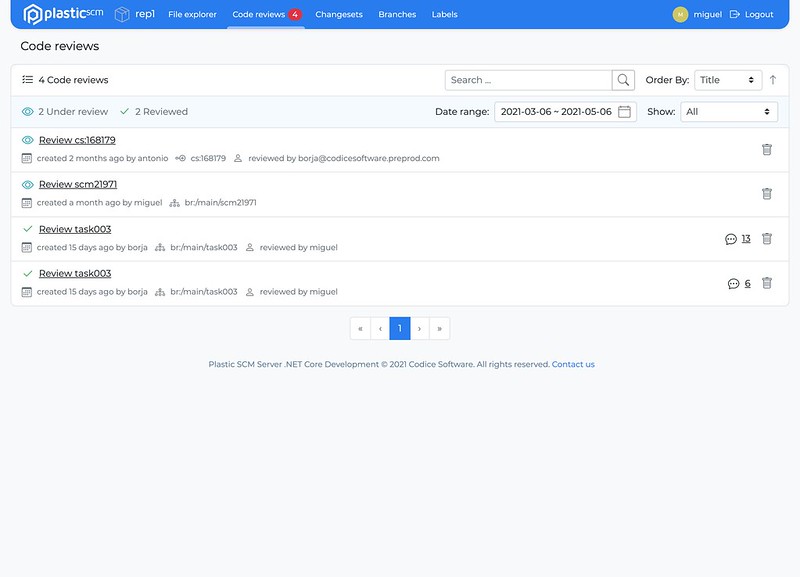
Screenshot
All platforms - Web UI
All platforms - Web UI: Breadcrumb navigation
-
Added repositories top menu item & removed the link from the logo
-
Added breadcrumb navigation to Code reviews section and File explorer
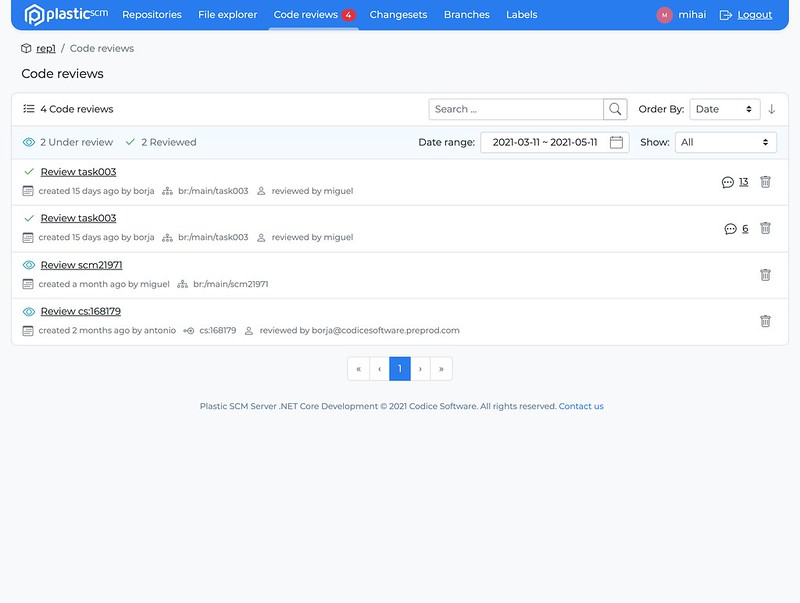
Screenshot
Bug
Server - All platforms
Server - All platforms: The new .net core server could reject all connections if remoting.conf exists
This is not a very common situation, and probably only hit us during testing, but if you start one of the new .net core based servers and by mistake an old remoting.conf was there (instead of network.conf) then all the socket settings are set to zero, including timeouts, so connections were established but the server would drop them immediately.
Client would see something like:
>cm repo list localhost:8085Error: Unable to negotiate connection with server localhost:8085. Most likely the server does not support the new Plastic Protocol. Unable to read data from the transport connection: An existing connection was forcibly closed by the remote host.
Windows - Plastic
Windows - Plastic: repositories tree view fix
The error "an item with the same key has already been added" was displayed when creating and deleting repeatedly repositories with the same name.
Now you are allowed to see your repo list without any difference in your preferred view, list or tree view.
All platforms - Web UI
All platforms - Web UI: fix scrolling issues
Navigating diffs in code reviews is now a more consistent and enjoyable experience. Scrolling upwards with a touchpad in a diff no longer stalls and navigating to a comment in a code review doesn't scroll past the line in the diff.
All platforms - Web UI
All platforms - Web UI: Fixed the following issues
-
Ordered code review list by date instead of title
-
Fixed broken code review date
-
Fixed navigating submodules
10.0.16.5432
New
macOS - Plastic, Gluon
macOS - Plastic, Gluon: plastic links now functional!
Plastic Links are a great way to share content from your plastic repositories with your colleagues. You can easily share diffs, links to files and links to code reviews using Plastic Links. This feature first came to Windows, and is now available on mac!
- What is a plastic link? A plastic link is a URL that looks something like:
plastic://myorg.cloud/repos/toolsrepo/changesets/50/diff
- How do I open it?
Just click on the link in the normal way and Plastic or Gluon will launch (if not already running) automatically and show you the content specified in the link.
- How do I create a link to share with my colleagues?
From within Plastic you can share diffs from any diff view by clicking on the Plastic Link icon in the top right corner. This copies the link into your clipboard, ready to paste into a message.
Screenshot
You can also share links to code reviews.
Screenshot
From Gluon you can get links to controlled content by clicking the Plastic Link icon in the file properties panel.
All platforms - Plastic, Unity Plugin
All platforms - Plastic, Unity Plugin: Changed the Privacy statement text for Plastic to reflect Unity's privacy statement.
All platforms - Plastic, Unity Plugin
All platforms - Plastic, Unity Plugin: Added the "Turn off Plastic SCM" feature, with which you can disconnect your project from version control.
macOS - Plastic, Gluon
macOS - Plastic, Gluon: SSO credentials dialog now is cancellable
When you are trying to perform an operation on a cloud server and are not authenticated, the credentials are asked through a modal dialog. This dialog was not cancellable, so if you wanted to return to the application you had to enter some credentials.
Now we added the possibility to close this dialog by pressing the Escape key.
Bug
All platforms - Plastic
All platforms - Plastic: Fix "Invalid session token" error
When using SSO, if the current token has expired, Plastic renews it automatically. For some API calls, this renewal was not taking effect until the application was restarted, resulting in an "Invalid session token", even though the token was already renewed. We fixed this error and now the new token is used as soon as it is renewed.
Windows - Plastic
Windows - Plastic: Fixed exception when closing code review too quickly
If you close a code review before it finishes loading, you may get an unexpected exception. We fixed this issue, and now you can close it as soon as it appears on the screen
macOS - Plastic, Gluon
macOS - Plastic, Gluon: stability improvements
We corrected a potential source of exceptions in the diff window and code review window. Hopefully you'll find Plastic on mac more stable going forward.
macOS - Plastic, Gluon
macOS - Plastic, Gluon: further stability improvements on mac
We found and fixed a potential source of crashes in the Pending changes view and the semantic diff outline caused by trying to display a dialog when it was not possible.
10.0.16.5397
New
Windows - Server
Windows - Server: All the windows installers will now bundle a netcore-compiled plastic server!
We moved all windows installers to netcore flavor on the server side. This is a step forward on move all our products to .Net Core stack on all supported OS, for the sake of stability, security and performance.
Remarks:
-
SQL-based backends support will end up with netcore installers. Just super-fast 'Plastic Jet' backend will be the way to go.
-
The installer & binaries size of netcore server increased compared to net framework server, but we will address this soon.
All platforms - Cloud Server
All platforms - Cloud Server: Reduced the number super-slow downloads (> 10s) from cloud regions.
The cloud servers use a local cache to reuse the data downloaded from the blob storage.
The process of calculating the data to clean from this cache was very slow. So, this could hit the performance of the calls that downloaded data from the cloud servers (update, merge, diff, etc) while this calculation was completed.
This time was greatly optimized from 30 s to 0.2 s, so client calls are not hit anymore by this calculation.
It only affected to the EU West & US East regions (since they are the ones with biggest usage) around 6-8 times per day.
All platform - Server
All platform - Server: Improve calculate merge performance
We greatly improve the time to calculate a merge that involves several deleted files on both contributors. For example, we reduce from 273s to 1.5s the time to calculate a reported merge case with over 50 thousand deleted files on both contributors.
The incoming changes also takes advantage of this improvement.
All platforms - Server
All platforms - Server: potential deadlock on git server feature fixed.
The plastic server is able to act as a git server (More info here).
It could happen that performing a on a repo previously cloned from a plastic server acting as a git server to get stuck. Now it's fixed.
git pushAll platforms - Eclipse
All platforms - Eclipse: Cannot create label in a cloud org repo.
The eclipse plugin is throwing an error when creating a new label in the "Labels" view. This only happens when the server is a cloud server. Example: .
Invalid changeset specmyrep@awesomeOrg@cloudNow it's fixed.
Linux - GitServer
Linux - GitServer: potential deadlock on git clone using http basic auth fixed.
We detected in some distros that using git server feature with http protocol and basic auth enabled on netcore server could cause a potential deadlock issuing a git clone from a plastic repo. Now it's fixed.
Example of the command that got stuck:
git clone http://user:pass@plastic_server:5555/my_repo /home/user/git/my_repo
All platforms - Plastic, Gluon
All platforms - Plastic, Gluon: Plastic 10 About image
To celebrate version 10 of Plastic, we updated the About dialog with a new design. Check it out:
Screenshot
Screenshot
Screenshot
All platforms - Web UI
All platforms - Web UI: Code Reviews overall performance fixes.
All platforms - Plastic, Gluon
All platforms - Plastic, Gluon: Use the same SSO credentials for different organizations
If you use the same credentials for more than one organization, now you just need to sign in to one of them. When trying to access the other organizations, Plastic will try to reuse the already existing credentials, so you don't need to authenticate again
All platforms - Web UI
All platforms - Web UI: Repositories list redesign
We've just launched the redesign of repositories list.
We are still working and adding features on it, so, more to come in the following weeks.
Screenshot
Bug
All platforms - Gluon
All platforms - Gluon: Fixed UI freezing when loading previews for big images
Sometimes when selecting big images (> 10MB) in the workspace explorer or checkin changes views, calculating the preview made the GUI freeze for some seconds.
Now there is a warning before showing the preview that allows you to manually choose whether to calculate it or not. When selecting to show the preview, now the GUI doesn't freeze anymore.
Screenshot
All platforms - Command line client
All platforms - Command line client: fixed cm when language forced to English in config file
In a recent release we made it possible to force Plastic to run in English on non-English systems, by setting an arbitrary value (like "en_force") as the Language in client.conf. Unfortunately, this broke cm, because it would complain about the invalid language. We fixed this.
macOS, Linux - Plastic
macOS, Linux - Plastic: Fixed issue when creating a distributed workspace
During the onboarding, when choosing to work distributed and selecting a repository from the "Browse" menu, Plastic was always showing an error: "The selected repository must be a cloud repository", even after selecting a cloud repository
All platforms - Web UI
All platforms - Web UI: Fixed an issue with Code Reviews where new comment line highlighting and icon were disappearing after opening the dialog to add a new comment.
All platforms - Web UI
All platforms - Web UI: Repositories & Code reviews fixes
-
Ordering repositories is now case insensitive
-
Increased repositories list limit from 10 to 20 items
-
Automatically focus on a reply or new conversation text area when changing conversations or adding a new one
-
Preventing file change if the current comment revision didn't change
-
Fix not setting the changeset id when creating a comment
-
For single editor fix scrolling to the first comment
Windows - Installers
Windows - Installers: Fixed certificate validation issue.
We had to unpublish release 10.0.16.5362 since the signing certificate we use to sign the installers was suddenly revoked. The certificate has been renewed,
and installers are now properly signed with a valid certificate.
10.0.16.5362
New
All platforms - Server
All platforms - Server: Improve calculate merge performance
We greatly improve the time to calculate a merge that involves several deleted files on both contributors. For example, we reduce from 273s to 1.5s the time to calculate a reported merge case with over 50 thousand deleted files on both contributors.
The incoming changes also takes advantage of this improvement.
All platforms - Server
All platforms - Server: potential deadlock on git server feature fixed.
The plastic server is able to act as a git server (More info here).
It could happen that performing a on a repo previously cloned from a plastic server acting as a git server to get stuck. Now it's fixed.
git pushAll platforms - Eclipse
All platforms - Eclipse: Cannot create label in a cloud org repo.
The eclipse plugin is throwing an error when creating a new label in the "Labels" view. This only happens when the server is a cloud server. Example: .
Invalid changeset specmyrep@awesomeOrg@cloudNow it's fixed.
Linux - GitServer
Linux - GitServer: potential deadlock on git clone using http basic auth fixed.
We detected in some distros that using git server feature with http protocol and basic auth enabled on netcore server could cause a potential deadlock issuing a git clone from a plastic repo. Now it's fixed.
Example of the command that got stuck:
git clone http://user:pass@plastic_server:5555/my_repo /home/user/git/my_repo
All platforms - Plastic, Gluon
All platforms - Plastic, Gluon: Plastic 10 About image
To celebrate version 10 of Plastic, we updated the About dialog with a new design. Check it out:
Screenshot
Screenshot
Screenshot
Bug
All platforms - Gluon
All platforms - Gluon: Fixed UI freezing when loading previews for big images
Sometimes when selecting big images (> 10MB) in the workspace explorer or checkin changes views, calculating the preview made the GUI freeze for some seconds.
Now there is a warning before showing the preview that allows you to manually choose whether to calculate it or not. When selecting to show the preview, now the GUI doesn't freeze anymore.
Screenshot
All platforms - Command line client
All platforms - Command line client: fixed cm when language forced to English in config file
In a recent release we made it possible to force Plastic to run in English on non-English systems, by setting an arbitrary value (like "en_force") as the Language in client.conf. Unfortunately, this broke cm, because it would complain about the invalid language. We fixed this.
macOS, Linux - Plastic
macOS, Linux - Plastic: Fixed issue when creating a distributed workspace
During the onboarding, when choosing to work distributed and selecting a repository from the "Browse" menu, Plastic was always showing an error: "The selected repository must be a cloud repository", even after selecting a cloud repository
10.0.16.5344
Bug
All Platforms - WebUI
All Platforms - WebUI: allow reopening of active comment
We've fixed an issue where toggling the conversation details panel closed prevented a user from clicking the active comment's icon in the diff panel and reopening the details panel.
All Platforms - WebUI
All Platforms - WebUI: invalid code reviews now redirect to 404 page
Previously an invalid code review id would lead to a blank page. We've now added a 404 redirect for these invalid ids to ensure a consistent experience.
All platforms - Plastic
All platforms - Plastic: resolved issue where long running merge processes could accumulate on the server
The Plastic client checks the server for incoming changes every minute. This can trigger the server to calculate a merge. If this calculation took longer than a minute, the calculation would be triggered again and these processes could accumulate, pointlessly using server resources.
We fix this by ensuring that the calculation will not be requested if another calculation is already in progress.
Windows - Plastic
Windows - Plastic: Fixed several issues in the initial Sign in/Sign up screen for high-dpi screens.
The initial screen for both Cloud Edition and Enterprise Edition had several issues when they were displayed in high-dpi screens.
Some elements were hidden under the Welcome onboarding process:
Sign Up Panel
After:
Screenshot
Before:
Screenshot
'''Sign In With Email Panel'''
After:
Screenshot
Before:
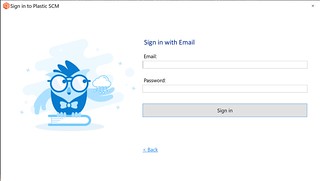
Screenshot
Add a new connection profile
When trying to add a new connection profile, there were missing buttons at the bottom. If the connection the user was trying to establish was over a cloud server, the showed SSO Sign In button was scaled wrong. Finally, when clicking the button and tried to Sign In With Email, the entire panel looked like an accordion.
Before (x 400%):
Screenshot
As you can see, those errors are fixed now:
Screenshot
10.0.16.5338
New
Windows - Plastic
Windows - Plastic: Plasticlinks for code reviews are here!
We heard you and now you can copy and share code reviews with your mates. Check the new link format:
plastic://local/repos/codice/code-reviews/522857
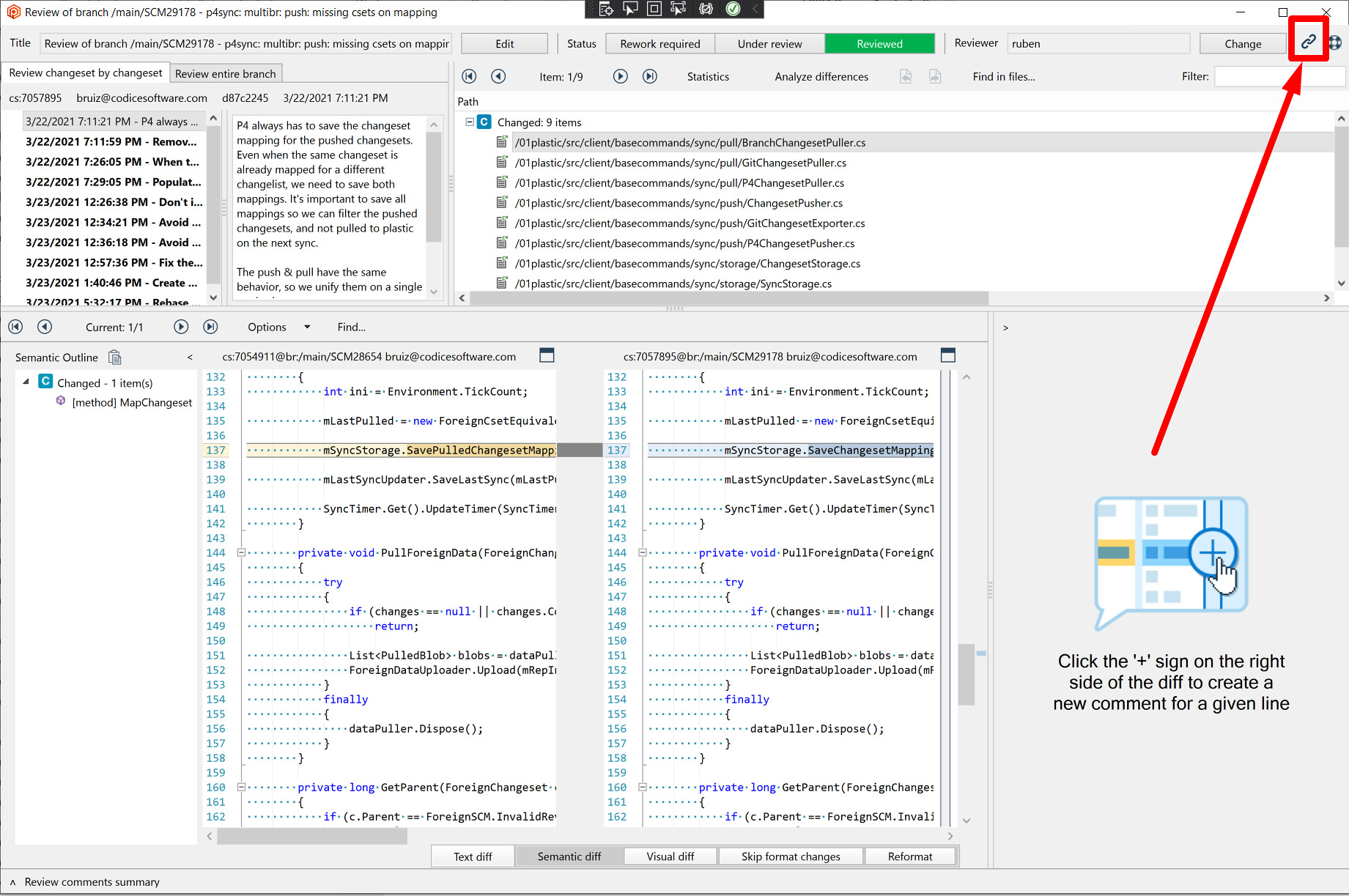
Screenshot
All Platforms - WebUI
All Platforms - WebUI: The new and improved Code Review experience is here!
We reworked the section in order to achieve base parity with the desktop experience and make it responsive and functional on all modern portable devices.
Desktop experience:
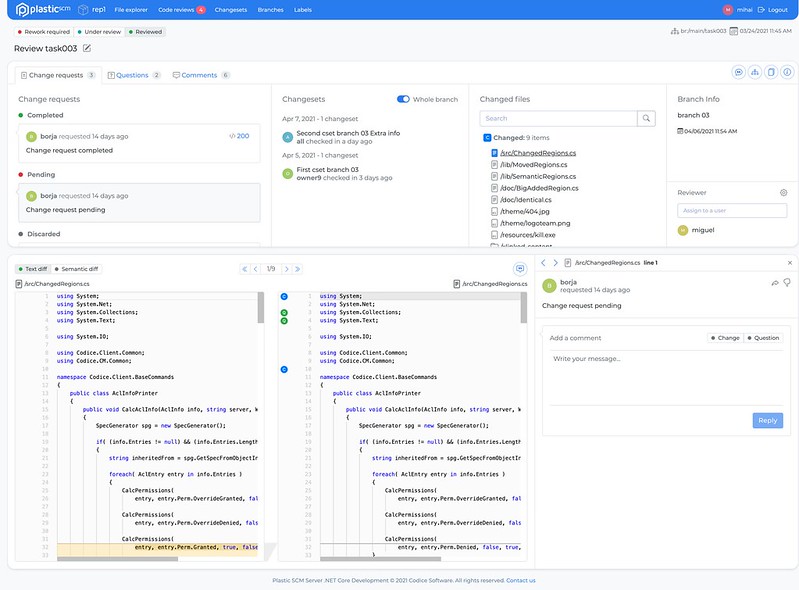
Screenshot
iPad experience:
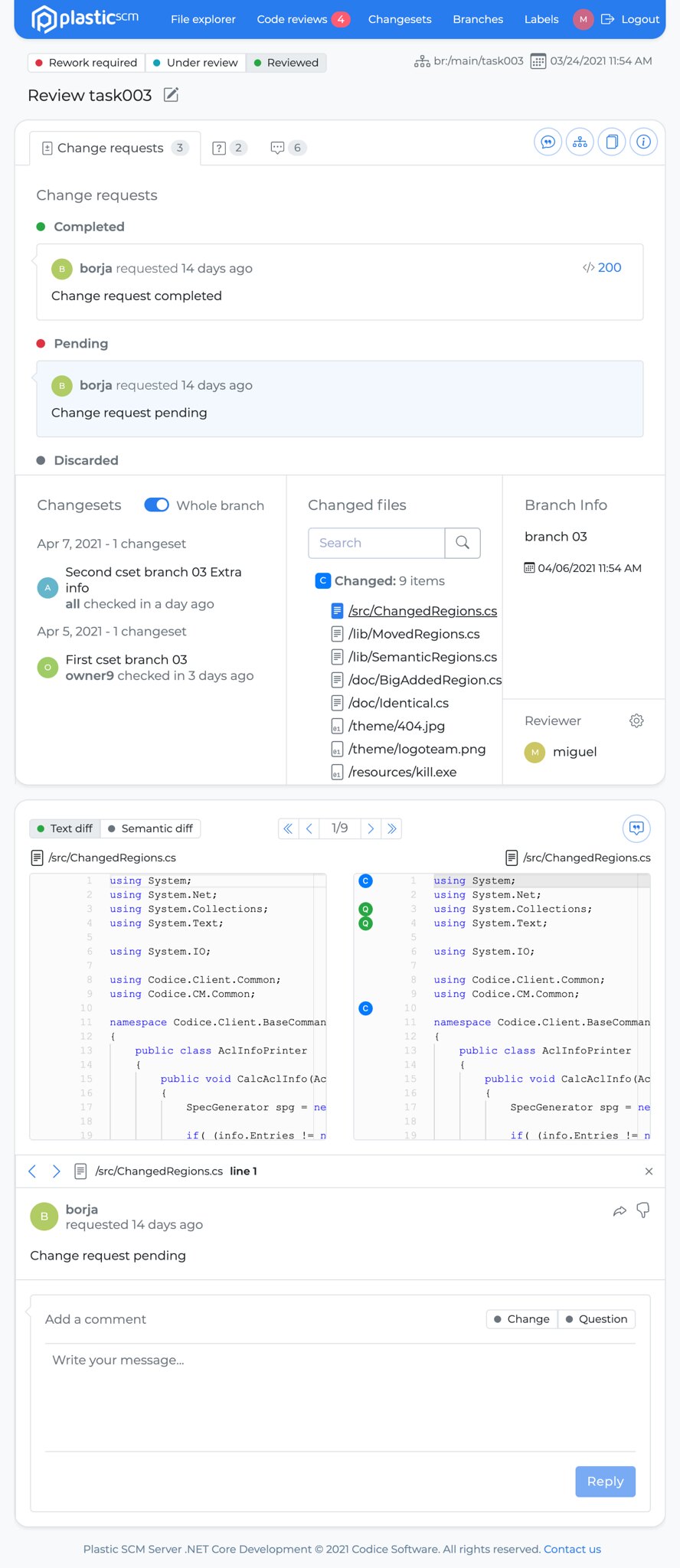
Screenshot
All platforms - Web UI
All platforms - Web UI: Creating a Code Review dialog removal
When clicking on the "Create Review" button, in the Branches and Changesets lists pages, it doesn't require filling a popup dialog form anymore. The title is pre-generated, and the reviewer is set to the current logged in user.
All platforms - Web UI
All platforms - Web UI: Filter Code Reviews by Date Range
When viewing the list of code reviews, one can now filter them by a date range. By default, the filter will be for the last month, but seeing the full list is just a click away with our handy date picker.
10.0.16.5328
New
All platforms
All platforms: Plastic 10 is out!
Plastic turns 10! It has been almost fifteen years since Plastic was initially released and we celebrate it upgrading to an iconic number: 10.
== What was released during last year ==
These are the key features added to Plastic during the last year:
-
cloud2. The new Cloud system, visibly faster, more scalable and with more features like triggers, shelves, move changesets from branches and more. We released it back in July 2020.
-
Code review for macOS. The code review system landed in macOS, another step towards feature parity across platforms.
-
New Unity Plugin. In August 2020, together with the announcement of the acquisition by Unity, we announced a shiny new Unity Plugin that did not stop evolving since. A much better experience for creators, and it is just the beginning.
-
Improved Perforce synchronization. Bi-directional sync with Perforce is now multi-branch and expands to Linux and macOS. A huge step ahead for teams willing to migrate out of P4.
-
Unity ID OAuth support. Added support to secured, two-factor authentication with Unity ID.
-
Added localization for Chinese, Japanese and Korean. We owed this to our great users in Asia. Now Plastic looks native in these languages and our commitment to keep improving and expanding to other areas like documentation stays.
-
Security configuration added to Linux and macOS. Now the users of these platforms no longer need to rely on the command line to set permissions.
-
We greatly improved image diff.
-
Upgraded Linux and macOS servers to run .net core builds. This improves speed and stability and opens a brighter future for cross-platform Plastic.
-
Plastic links for Windows. An awesome way to share links to specific changesets and files.
-
Whitelist restrictions in servers, both on-premises and cloud.
-
Added Incoming Changes support for Linux, a great way to deal with conflicts when working on single branch.
-
Added GitSync UI support to Linux and macOS!
-
Added Git LFS support when syncing repos from GitHub.
Plus hundreds of bug fixes, usability improvements, great performance gains and minor features.
== What is coming ==
There is really a huge number of new things coming with Plastic 10. Some of them cannot even be unveiled yet, but here you can find a short list:
-
Greatly improved code review for webUI.
-
Improved Single Sign On support, adding more providers like Google and Okta.
-
Plastic links on macOS and Linux.
-
Reduce cloud repo sizes.
-
Plastic links on macOS and Linux.
-
Improvements in how we handle locks.
-
Tons of usability improvements.
-
Lots of new great features for the Unity Plugin.
-
More code review improvements.
-
Auto-upgrade…
And many, many more.
Stay tuned!
Windows - Server
Windows - Server: Installers with .NET Core on server component are now available!
We're about to replace all our windows installers so they will bundle a netcore-compiled server component, replacing the net framework compiled server.
But there will be a transitory time frame where both flavors on Windows installers will live together. The recommended flavor is now the netcore server.
Remarks:
-
SQL-based backends support will end up with netcore installers. Just super-fast 'Plastic Jet' backend will be the way to go.
-
The installer & binaries size of netcore server increased compared to net framework server, but we will address this soon.
-
The default installer proposed to download in plasticscm.com site is still the net framework server.
Bug
All platforms - Server
All platforms - Server: Fixed file conflict not detected by the incoming changes.
The incoming changes feature didn't detect a specific type of file conflict: someone else modified a file in the branch head, while you moved it and checked it out in your workspace. It was wrongly detected as a file that just needs to update.
Additionally, Plastic didn't apply the change when you updated your workspace, to avoid overriding your local change. The incoming changes view showed the files modified in the branch head as pending, again and again.
Now the file conflict is show and its content is merged during the update.
Let's see a case:
-
Setup workspaces wk1 and wk2. Ensure both are up to date, they point to the same branch and contain the file '/foo.c'
-
In wk2, edit /foo.c and move /foo.c to /bar.c (don't check it in)
-
In wk1, edit /foo.c and checkin
-
In wk2, show the incoming changes view and click to update it. -> Item /foo.c appeared as a file that just needs to update. Now it is fixed, and appears as a file conflict.
All platforms - Plastic, Gluon, Command line clie…
All platforms - Plastic, Gluon, Command line client: Fixed wrong source path for a pending move after applying the incoming changes.
The incoming changes view left a wrong source path for a pending moved item. This happened when you exchanged the path of 2 items and both appear as pending moves when you apply the incoming changes.
Let's see a case:
- Setup two workspaces, wk1 and wk2. Ensure they're up to date, loading the same branch with the following content:
/lic.txt/doc.txt/readme.txt
- In wk 2, exchange doc and lic files:
mv /doc.txt /lic_tmp.txtmv /lic.txt /doc.txtmv /lic_tmp.txt /lic.txt
-
In wk1, edit /readme.txt and checkin the change
-
In wk2, apply the incoming changes. After applying the changes, the two pending moves are still there but:
- Before this fix, the second one has a wrong source path:
Moved lic.txt -> doc.txtMoved doc.txt.tmp-833fe88e -> lic.txt
- After this fix, the second one has the right source path:
Moved lic.txt -> doc.txtMoved doc.txt -> lic.txt
All platforms - Plastic, Gluon, Command line client
All platforms - Plastic, Gluon, Command line client: Fixed generic error message while applying incoming changes.
The incoming changes view showed an error message ("An error occurred processing your request") if you updated the workspace in a scenario like the following one:
- Setup two workspaces, wk1 and wk2. Ensure they're up to date, loading the same branch with the following content:
/doc/doc/admin-manual.txt/guides/guides/user-manual.txt/readme.txt
- In wk 2, unify both folders:
mv /doc/admin-manual.txt /guides/admin-manual.txtmv /doc /doc_tmpmv /guides /docrm /doc_tmp
-
In wk1, edit /readme.txt and check it in.
-
In wk2, apply the incoming changes. Before these changes, the operation failed and displayed the error: "An error occurred processing your request". Now it's fixed.
All platforms - Plastic, Gluon
All platforms - Plastic, Gluon: Reduce the times we ask for credentials when using UnityID.
When using Unity ID login, when the access token was expired, but the refresh token was not expired, the user was incorrectly asked to sign in. There was a bug in the renew token logic that now's fixed.
Windows - Plastic
Windows - Plastic: Deadlock solved
Plastic could hang if it had to display the credentials dialog on start-up. Now it's fixed.