Reporting Overview
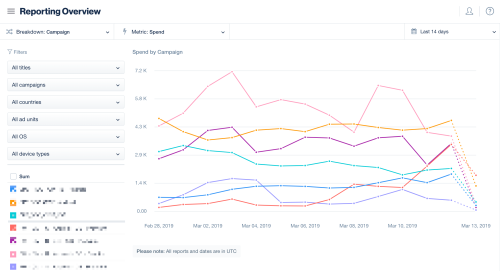
View overview reports to quickly assess campaign performance, key metrics, and trends in your ad activity.
Read time 1 minuteLast updated 4 days ago
The ironSource Ads reporting overview page enables you to view high-level trends, helping you understand the performance of your user acquisition campaigns. Slice and dice your data with various breakdowns, metrics, filters, and timeframes.
Step 1. Navigate to user acquisition reports
To view the Reporting Overview go to User Acquisition > Reports > Overview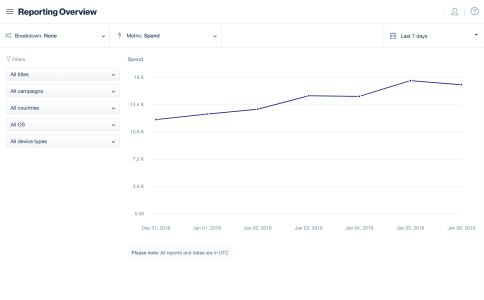
Step 2: Configure Your Report
Breakdowns and Filters
Break and filter your data to find specific results and separate the data to simplify your report.