Preferences
How to configure Asset Transformer Studio preferences
読み終わるまでの所要時間 1 分最終更新 2ヶ月前
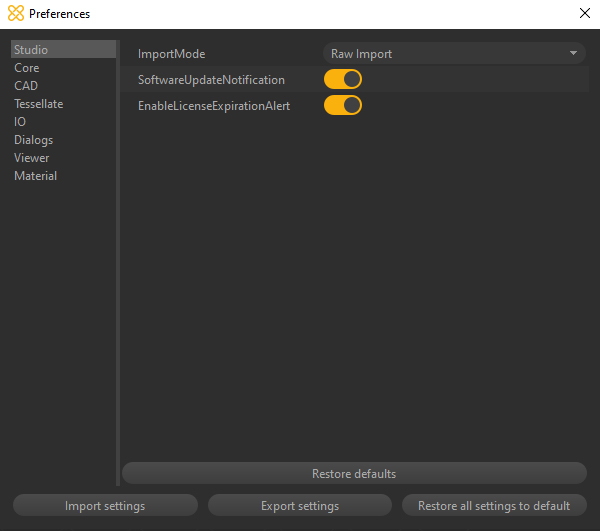
From the window, you can adjust Asset Transformer Studio settings.
PreferencesAll settings are sorted by categories and subcategories, accessible through tabs and drop-down lists:
Tab | Description |
|---|---|
| Studio | General settings for the application |
| Core | Core settings for the application |
| CAD | Settings regarding CAD geometries precision at import |
| Tessellate | Settings regarding generated polygon types at tessellation |
| IO | Settings regarding Import and Export |
| Dialogs | Settings allowing to display again dialog boxes for which |
| Viewer | Lists all settings regarding the viewer: navigation modes, lights, grids, object colors… |
| Material | Settings defining how textures are exported by default (file extension and quality/compression) |
Restore defaults button
The default settings from the current tab can be restored to factory settings by clicking the Restore defaults button.
Restore all settings to default
All program settings can be restored to factory settings at once by clicking the Restore all settings to default button.
Import/Export settings
Program settings can be exported and imported as a file in order to define preferences from another installation of Asset Transformer Studio.
.settingsTo share settings with other users, use this folder:
[Drive]:\Users\[user name]\AppData\Roaming\PixyzStudio\presets