About Face and Vertex Normals
How face and vertex normals work in Asset Transformer Studio meshes
読み終わるまでの所要時間 1 分最終更新 2ヶ月前
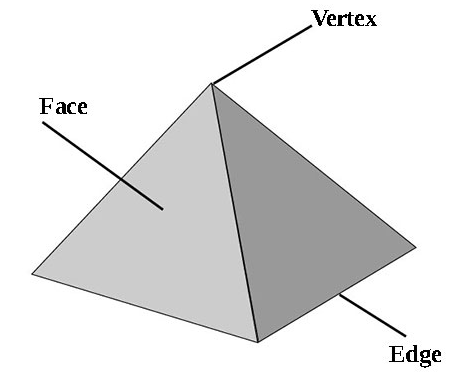
When talking about meshes in Asset Transformer Studio (be it mesh generation using Tessellation, or mesh optimization with Decimation for example), it is important to understand how a mesh is built.
Basically, a mesh is made of a collection of polygons (triangles, quadrangles, n-gons…), delimited by edges and vertices.
A closed polygon defines a face, which can be facing in one direction or the other. The face normal defines its direction.
A closed polygon has vertices at each corner, and each vertex has its own normal. The vertex normal defines how virtual light will bounce off the mesh, defining a smoothing for the underlying mesh.
The normals of the vertices are attributes of the mesh.
Additionally to normals, a mesh can have other attributes like UVs, tangents, binormals, etc. that define how it will behave when rendered in a 3D application.
Please have a look at the following pages to learn more about meshes and mesh attributes:
- Anatomy of a Mesh in Unity documentation
- Introduction to normal maps in Unity documentation
- Polygon Mesh on Wikipedia