User Acquisition billing reference
Review how billing works for your Unity Ads User Acquisition campaigns.
Read time 2 minutesLast updated 2 months ago
User Acquisition billing is how your Unity Organization is charged for your User Acquisition campaigns. Your campaign goal determines your billing type. Refer to the following table for each campaign goal and its associated billing type:
Campaign Goal | Billing type | Billing type description |
|---|---|---|
| Cost per mille (CPM) | Charged for every 1000 impressions (also known as Starts). | |
| Cost per install (CPI) | Charged for installs attributed to your campaign. |
Creative Testing campaigns use CPM billing because they're designed to test creative performance rather than optimize for installs. These campaigns distribute impressions equally across your creatives to ensure fair testing, so billing is based on impressions (CPM) rather than installs (CPI).
All other Unity Ads User Acquisition campaigns use CPI billing, and you only pay for converted installs. If your campaign accrues more than 10k impressions (starts) without any installs in the last 24 hours, Unity converts your campaign to CPM billing.
Add funds
Add funds to your Organization budget in the Unity Ads User Acquisition Dashboard to fund your campaigns. Access the organization budget from the Apps page of the dashboard. You can add funds using a credit card or Alipay. If you also monetize your app with Unity Ads, you can transfer ad revenue funds from your monetization account. Refer to the Introduction to payment options for more information.
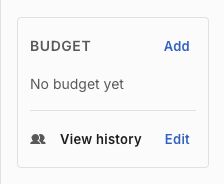
The Budget tile of the User Acquisition Dashboard Apps page
Budgets
Campaign budgets control how much of your Organization budget each campaign can use. To control how much your campaign can spend each day, you can also set Daily budgets for your campaigns. When your campaign reaches its daily or total campaign budget, Unity pauses ad delivery. Refer to the Introduction to User Acquisition budgets for more information.